
Best 32GB RAM Laptops for Programming in 2026: 14 Picks by Specs
This guide collects 14 laptops whose listings state 32GB of RAM, the specification this page filters on. The top pick is the MSI Katana 15 HX, which pairs that memory with an Intel Core i9-14900HX, a GeForce RTX 5070 and 1TB of storage for work that also needs a discrete GPU. The picks come from comparing 149 listings that state exactly 32GB of RAM; no unit was tested by this site.
14 picks from 148 laptops that match this guide with a price we can quote today. Every price below is live and carries the moment it was read.
The picks at a glance
Which one should you buy?
- For a machine-learning developer who keeps model experiments in graphics memory: The 16GB of stated graphics memory gives local model work more room than any other pick in this guide. The 32GB system RAM and 2TB SSD leave space for preprocessing, datasets and build output. See pick 14
- For a container-heavy backend developer: With 32GB of system RAM and a 2TB SSD, this machine lets a backend developer keep container images, local databases and multiple repositories on the same drive. The RTX 5080 is there if the work later moves toward local model tasks. See pick 7
- For a student who carries coursework between campus and home: At 1.4kg, this is lighter than the other picks here, which makes a daily walk between classes easier. The 32GB RAM still leaves headroom for a course VM and an editor open at the same time. See pick 12
- For a web developer who wants a touchscreen and a light build: The 1.6kg weight and touchscreen suit a developer who works with browser tools and cloud VMs and does not need a heavy discrete GPU. The 32GB RAM and 1TB SSD cover the usual web stack and project files. See pick 11
The 14 picks
1 Balanced configuration for everyday programming

msi Katana 15 HX 15.6” 165Hz QHD+ Gaming Laptop
- CPU
- Intel Core i9-14900HX
- GPU
- GeForce RTX 5070
- RAM
- 32 GB
- Storage
- 1000 GB
- Screen
- 15.6 in
- Refresh
- 165 Hz
- Weight
- 2.25 kg
- OS
- Windows 11 Home
$2,189.74 price as of 2026-10-09 17:22 UTC (Details)
The Katana 15 HX combines 32GB of RAM, an Intel Core i9-14900HX and a GeForce RTX 5070, which covers both typical development work and GPU tasks such as local model experiments. The 15.6-inch screen and 1TB NVMe drive keep it a manageable all-rounder for a programmer who does not want to choose between memory and graphics.
Pros
- 32GB DDR5 RAM as stated
- RTX 5070 adds dedicated graphics headroom
- 1TB NVMe storage
- 165Hz 15.6-inch display
Cons
- Weighs 2.25kg, so it is not the lightest pick here
- Windows 11 Home rather than Pro in the listing
Good fit if
- A programmer who wants one laptop for web, backend and GPU-assisted work
- Someone who values a discrete GPU without moving to an 18-inch chassis
Skip if
- You want the lightest possible machine for a long commute
- Your work does not need a discrete GPU and you prefer an ultrabook
Verdict: A balanced 32GB laptop for programmers who want a discrete GPU and 1TB of storage.
2 Large 2TB storage with a discrete GPU
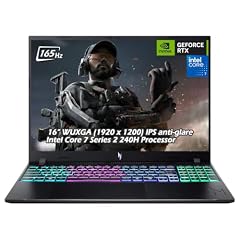
Acer Nitro V 16" WUXGA 165Hz Gaming Laptop
- CPU
- Intel Core 7 240H
- GPU
- GeForce RTX 5060
- RAM
- 32 GB
- Storage
- 2000 GB
- Screen
- 16 in
- Refresh
- 165 Hz
- Weight
- 2.1 kg
- OS
- Windows 11
$2,059.95 price as of 2026-10-09 17:20 UTC (Details)
The Nitro V 16 states 2TB of storage, one of the larger drives in this guide, and pairs it with 32GB of RAM and a GeForce RTX 5060. The 16-inch 165Hz display makes it useful for both development and local graphics work.
Pros
- 2TB SSD, the largest storage capacity in this list
- 32GB DDR5 RAM
- GeForce RTX 5060 for GPU tasks
- 16-inch 165Hz display
Cons
- Weighs 2.1kg, so it is not an ultraportable
- No stated graphics memory amount for the GPU in the listing
Good fit if
- Developers who keep large datasets, repositories and container images on the internal drive
- Programmers who want a discrete GPU for local model or 3D work
Skip if
- You need a lightweight machine for carrying every day
- You prefer a smaller 14-inch or 15-inch screen
Verdict: A storage-heavy 32GB pick for programmers who want room for large project files and GPU work.
3 Largest display among the picks

ASUS ROG Strix G18
- CPU
- Intel Core i9
- GPU
- GeForce RTX 5070
- RAM
- 32 GB
- Storage
- 1000 GB
- Screen
- 18 in
- Refresh
- 144 Hz
- OS
- Windows 11 Home
$2,788.74 price as of 2026-10-09 17:20 UTC (Details)
At 18 inches, the ROG Strix G18 is the biggest screen in this guide, which gives you more room to place an editor, browser and terminal side by side. It carries 32GB of RAM, a GeForce RTX 5070 and 1TB of storage for programming and local graphics tasks.
Pros
- 18-inch display, the largest here
- 32GB RAM with RTX 5070
- 1TB NVMe storage
- 144Hz refresh rate stated
Cons
- Weight not stated by the seller
- Large chassis may be awkward to carry
Good fit if
- Programmers who work from a desk and want maximum screen space
- Developers who want a desktop-like view for code and documentation
Skip if
- You need a lightweight laptop for frequent travel
- The seller has not stated a weight and you need a precise number
Verdict: A roomy 18-inch pick with 32GB RAM and a discrete GPU for programmers who value screen space.
4 Business laptop with 2TB storage

Lenovo ThinkPad E16 Gen 3 Laptop Computer for Business Office Work
- CPU
- Intel Core Ultra 5 225H
- RAM
- 32 GB
- Storage
- 2000 GB
- Screen
- 16 in
- OS
- Windows 11 Pro
$1,139.99 price as of 2026-10-09 17:22 UTC (Details)
The ThinkPad E16 Gen 3 pairs 32GB of RAM with 2TB of storage, which is useful for repositories, dependencies and virtual machine images. Its Windows 11 Pro listing and Intel Core Ultra 5 225H processor point to a business-focused machine for developers who want the ThinkPad line.
Pros
- 2TB storage for large projects
- 32GB DDR5 RAM
- Windows 11 Pro as stated
- 16-inch screen
Cons
- Weight not stated by the seller
- Discrete GPU not stated by the seller
- Refresh rate not stated by the seller
Good fit if
- Backend or full-stack developers who need lots of local disk space
- Programmers who prefer a business-oriented laptop line and Windows 11 Pro
Skip if
- You need a laptop with a dedicated GPU
- You require a stated weight for airline or backpack planning
Verdict: A sensible business pick with 32GB RAM and one of the largest storage capacities in the guide.
5 Light business pick with 1TB of storage

HP 255 G10 15.6" FHD Business Laptop
- CPU
- AMD Ryzen 7 7730U
- RAM
- 32 GB
- Storage
- 1000 GB
- Screen
- 15.6 in
- Weight
- 1.52 kg
- OS
- Windows 11 Pro
$999.99 price as of 2026-10-09 17:21 UTC (Details)
At 1.52kg, the HP 255 G10 is one of the lighter Windows picks here, and it still provides 32GB of RAM and 1TB of storage. The AMD Ryzen 7 7730U and Windows 11 Pro make it a straightforward choice for a programmer who wants a carry-friendly business laptop.
Pros
- 1.52kg weight, lighter than many gaming picks
- 32GB RAM and 1TB SSD
- Windows 11 Pro as stated
- 15.6-inch screen
Cons
- Discrete GPU not stated by the seller
- No screen refresh rate stated
- No touchscreen stated
Good fit if
- Developers who commute and need a lighter laptop
- Programmers doing web, backend or cloud work that does not need a discrete GPU
Skip if
- You want a dedicated GPU for local model or 3D work
- You need a touchscreen
Verdict: A light 32GB business laptop for programmers who favor portability over GPU power.
6 Touchscreen pick for a focused workflow

Microsoft Surface Laptop 5 15" Touchscreen Notebook
- CPU
- Intel Core i7-1265U
- RAM
- 32 GB
- Storage
- 1000 GB
- Screen
- 15 in
- Touchscreen
- Yes
- Weight
- 1.56 kg
$2,099.99 price as of 2026-10-09 17:22 UTC (Details)
The Surface Laptop 5 is a 15-inch touchscreen laptop with 32GB of RAM and 1TB of storage, suitable for a programmer who works with a browser, editor and remote VM. Its 1.56kg weight keeps it portable for someone moving between spaces.
Pros
- Touchscreen display as stated
- 32GB RAM and 1TB SSD
- 15-inch screen with 1.56kg weight
- Intel Core i7-1265U processor
Cons
- Discrete GPU not stated by the seller
- Windows version not stated by the seller
- Refresh rate not stated by the seller
Good fit if
- Programmers who want a touchscreen for notes or quick navigation
- Developers who value a slim, portable build without a heavy gaming chassis
Skip if
- You need a discrete GPU
- You prefer a larger or higher-refresh display
Verdict: A portable touchscreen option with 32GB RAM for programmers who do not need a discrete GPU.
7 RTX 5080 with 2TB storage
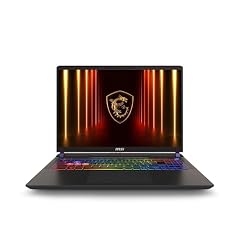
msi Vector 16 HX AI 16” 240Hz QHD+ Gaming Laptop
- CPU
- Intel Core Ultra 9
- GPU
- GeForce RTX 5080
- RAM
- 32 GB
- Storage
- 2000 GB
- Screen
- 16 in
- Refresh
- 240 Hz
- Weight
- 2.7 kg
- OS
- Windows 11 Pro
$2,794.99 price as of 2026-10-09 17:22 UTC (Details)
The Vector 16 HX AI combines 32GB of RAM, an Intel Core Ultra 9 processor and a GeForce RTX 5080, giving it useful GPU headroom for local model and 3D work. The 2TB SSD and 16-inch 240Hz display also give you room for large projects and a clear view of your work.
Pros
- GeForce RTX 5080 discrete GPU
- 2TB NVMe storage
- 32GB DDR5 RAM
- 240Hz 16-inch display
Cons
- Weighs 2.7kg, heavier than most picks
- Windows 11 Pro, which may be more than some home users need
Good fit if
- Programmers who also train or run local models and want a high-end GPU
- Developers who need a large internal drive for datasets and virtual machines
Skip if
- You need a light laptop for daily carrying
- You do not need the extra GPU performance
Verdict: A high-performance 32GB laptop for programmers who want robust GPU and storage capacity.
8 RTX 5070 Ti for local GPU work

ASUS ROG Strix G16
- CPU
- Intel Core Ultra 9 275HX
- GPU
- GeForce RTX 5070 Ti
- RAM
- 32 GB
- Storage
- 1000 GB
- Screen
- 16 in
- Refresh
- 240 Hz
- Weight
- 2.65 kg
- OS
- Windows 11 Home
$2,556.46 price as of 2026-10-09 17:20 UTC (Details)
The ROG Strix G16 has 32GB of RAM and a GeForce RTX 5070 Ti, which supports local model and 3D work. The 16-inch 240Hz display, Intel Core Ultra 9 275HX and 1TB SSD round out a configuration for demanding development tasks.
Pros
- GeForce RTX 5070 Ti discrete GPU
- 32GB RAM and 1TB SSD
- 240Hz 16-inch display
- Intel Core Ultra 9 275HX processor
Cons
- Weighs 2.65kg, so it is not a lightweight
- No stated graphics memory amount for the GPU in the listing
Good fit if
- Programmers who want a strong discrete GPU without going to an 18-inch model
- Developers who expect to work with local models or game engines
Skip if
- You want a slim, light laptop
- Your work is mainly cloud-based and does not use a discrete GPU
Verdict: A capable 32GB pick with a strong GPU for programmers who need graphics headroom.
9 Business-focused 16-inch ThinkPad

Lenovo ThinkPad T16 Gen 4 AI Business Laptop 16” FHD+ Display
- CPU
- Intel Core Ultra 7 255U
- RAM
- 32 GB
- Storage
- 1000 GB
- Screen
- 16 in
- Touchscreen
- No
- OS
- Windows 11 Pro
$1,838.21 price as of 2026-10-09 17:22 UTC (Details)
The ThinkPad T16 Gen 4 is a Windows 11 Pro business laptop with 32GB of RAM and 1TB of storage. Its Intel Core Ultra 7 255U processor is positioned for efficient office and development work, and the 16-inch screen leaves more room for code beside a browser.
Pros
- Windows 11 Pro as stated
- 32GB RAM and 1TB SSD
- 16-inch display
- Intel Core Ultra 7 255U processor
Cons
- Discrete GPU not stated by the seller
- Weight not stated by the seller
- Refresh rate not stated by the seller
Good fit if
- Corporate developers who want a business laptop with a generous screen
- Programmers who need 32GB RAM without a gaming-oriented design
Skip if
- You need a dedicated GPU
- You require a stated weight before buying
Verdict: A professional 32GB ThinkPad for programmers who value business features and a 16-inch workspace.
10 Thin and light ultrabook with 32GB RAM
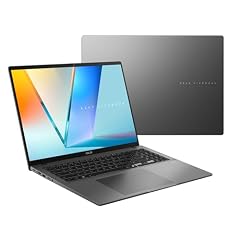
ASUS Vivobook S16 Laptop
- CPU
- AMD Ryzen AI 9 465
- RAM
- 32 GB
- Storage
- 1000 GB
- Screen
- 16 in
- Weight
- 1.7 kg
- Battery
- 70 Wh
- OS
- Windows 11 Home
$1,349.49 price as of 2026-10-09 17:21 UTC (Details)
The Vivobook S16 combines 32GB of RAM, a 1TB SSD and a 16-inch display in a 1.7kg chassis, giving programmers an option that is lighter than most gaming laptops here. The AMD Ryzen AI 9 465 processor and Windows 11 Home round out the configuration.
Pros
- 1.7kg weight, lighter than gaming-oriented picks
- 32GB RAM and 1TB SSD
- 16-inch display
- AMD Ryzen AI 9 465 processor
Cons
- Discrete GPU not stated by the seller
- Windows 11 Home, not Pro, in the listing
- No refresh rate stated
Good fit if
- Programmers who want a moderately light laptop with a large screen
- Developers who do not need a discrete GPU and favor portability
Skip if
- You need a dedicated GPU
- You prefer a smaller 14-inch laptop for travel
Verdict: A portable 32GB ultrabook with a large display for programmers who keep their work mostly in the cloud or local editor.
11 Portable touchscreen ultrabook with 32GB

Acer Swift Go 16 AI Copilot+PC Laptop
- CPU
- AMD Ryzen AI 9 465
- RAM
- 32 GB
- Storage
- 1000 GB
- Screen
- 16 in
- Refresh
- 120 Hz
- Touchscreen
- Yes
- Weight
- 1.6 kg
- OS
- Windows 11
$1,229.00 price as of 2026-10-09 17:20 UTC (Details)
The Swift Go 16 is a 1.6kg touchscreen laptop with 32GB of RAM, a 1TB SSD and a 16-inch 120Hz display. For a programmer who works across a browser, editor and cloud VM, this balances portability with enough RAM and storage for regular development tasks.
Pros
- 1.6kg weight
- Touchscreen as stated
- 32GB RAM and 1TB SSD
- 16-inch 120Hz display
Cons
- Discrete GPU not stated by the seller
- Windows 11 Home rather than Pro in the listing
Good fit if
- Developers who want touch input and a light build
- Programmers doing web, backend or cloud work who rarely use a discrete GPU
Skip if
- You need a discrete GPU
- You want a larger 17-inch or 18-inch display
Verdict: A portable and touch-friendly 32GB laptop for programmers who favor mobility and screen space.
12 Lightest pick in this guide

Dell Precision 3490 Mobile Workstation Laptop
- CPU
- Intel Core Ultra 5 135H
- RAM
- 32 GB
- Storage
- 1000 GB
- Screen
- 14 in
- Weight
- 1.4 kg
- OS
- Windows 11 Pro
$1,299.99 price as of 2026-10-09 17:21 UTC (Details)
At 1.4kg, the Precision 3490 is the lightest laptop in this selection, making it an easy choice for a student or developer who carries the machine between classes or offices. It still provides 32GB of RAM, a 1TB SSD, a 14-inch screen and Windows 11 Pro.
Pros
- 1.4kg, the lightest weight here
- 32GB RAM and 1TB SSD
- 14-inch screen for easy portability
- Windows 11 Pro as stated
Cons
- Discrete GPU not stated by the seller
- 14-inch display is smaller than other picks
- Refresh rate not stated by the seller
Good fit if
- Students and consultants who need a light laptop for daily carrying
- Programmers who prioritize portability and RAM over screen size
Skip if
- You want a large display for multitasking
- You need a discrete GPU for local model work
Verdict: A light Windows 11 Pro laptop with 32GB RAM for programmers who carry it everywhere.
13 Touchscreen ultrabook with AMD Radeon graphics

HP OmniBook 16 AI Laptop AMD Ryzen AI 7 445 32GB DDR5 RAM 1TB SSD 2K
- CPU
- AMD Ryzen AI 7 445
- GPU
- Radeon 840M
- RAM
- 32 GB
- Storage
- 1000 GB
- Screen
- 16 in
- Touchscreen
- Yes
- Weight
- 1.64 kg
$1,299.99 price as of 2026-10-09 17:21 UTC (Details)
The HP OmniBook 16 adds a stated AMD Radeon 840M GPU to 32GB of RAM, a 1TB SSD and a 16-inch touchscreen. That makes it useful for a programmer who wants some graphics capability without the weight of a full gaming laptop, at 1.64kg.
Pros
- AMD Radeon 840M GPU stated
- Touchscreen as stated
- 32GB RAM and 1TB SSD
- 1.64kg weight
Cons
- Graphics memory amount not stated by the seller
- Windows version not stated by the seller
- Refresh rate not stated by the seller
Good fit if
- Programmers who want a touchscreen and a little GPU acceleration in a light chassis
- Developers doing front-end or back-end work who sometimes use GPU-accelerated tools
Skip if
- You need discrete Nvidia graphics
- You prefer a smaller or larger screen than 16 inches
Verdict: A touchscreen 32GB ultrabook with a stated Radeon GPU for programmers who want a middle ground.
14 Most stated graphics memory here

GIGABYTE - AORUS 17X
- CPU
- Intel Core i9-14900HX
- GPU
- GeForce RTX 4090
- GPU memory
- 16 GB
- RAM
- 32 GB
- Storage
- 2000 GB
- Screen
- 17.3 in
- Refresh
- 240 Hz
- Weight
- 2.8 kg
$3,432.45 price as of 2026-10-09 17:21 UTC (Details)
The Aorus 17X is the only pick in this guide whose listing states 16GB of graphics memory on an RTX 4090. That gives machine-learning and 3D work the largest declared graphics headroom in the selection. The 32GB system RAM, 2TB SSD and 17.3-inch 240Hz display complete the package.
Pros
- 16GB stated graphics memory, the most here
- RTX 4090 GPU
- 32GB RAM and 2TB SSD
- 17.3-inch 240Hz display
Cons
- Weighs 2.8kg, the heaviest pick here
- Large display and chassis need a roomy bag
- Windows 11 Home in the listing
Good fit if
- Programmers who train or run local models and need as much graphics memory as possible
- Developers who want a large-screen desktop replacement
Skip if
- You need a lightweight laptop
- Your work does not use a discrete GPU
Verdict: The clearest choice in this guide when local model or 3D work needs maximum stated graphics memory.
Side by side
| # | Laptop | CPU | GPU | GPU memory | Rentable GPU model | RAM | Storage |
|---|---|---|---|---|---|---|---|
| 1 | msi Katana 15 HX 15.6” 165Hz QHD+ Gaming Laptop | Intel Core i9-14900HX | GeForce RTX 5070 | not stated | not stated | 32 GB | 1000 GB |
| 2 | Acer Nitro V 16" WUXGA 165Hz Gaming Laptop | Intel Core 7 240H | GeForce RTX 5060 | not stated | not stated | 32 GB | 2000 GB |
| 3 | ASUS ROG Strix G18 | Intel Core i9 | GeForce RTX 5070 | not stated | not stated | 32 GB | 1000 GB |
| 4 | Lenovo ThinkPad E16 Gen 3 Laptop Computer for Business Office Work | Intel Core Ultra 5 225H | not stated | not stated | not stated | 32 GB | 2000 GB |
| 5 | HP 255 G10 15.6" FHD Business Laptop | AMD Ryzen 7 7730U | not stated | not stated | not stated | 32 GB | 1000 GB |
| 6 | Microsoft Surface Laptop 5 15" Touchscreen Notebook | Intel Core i7-1265U | not stated | not stated | not stated | 32 GB | 1000 GB |
| 7 | msi Vector 16 HX AI 16” 240Hz QHD+ Gaming Laptop | Intel Core Ultra 9 | GeForce RTX 5080 | not stated | not stated | 32 GB | 2000 GB |
| 8 | ASUS ROG Strix G16 | Intel Core Ultra 9 275HX | GeForce RTX 5070 Ti | not stated | not stated | 32 GB | 1000 GB |
| 9 | Lenovo ThinkPad T16 Gen 4 AI Business Laptop 16” FHD+ Display | Intel Core Ultra 7 255U | not stated | not stated | not stated | 32 GB | 1000 GB |
| 10 | ASUS Vivobook S16 Laptop | AMD Ryzen AI 9 465 | not stated | not stated | not stated | 32 GB | 1000 GB |
| 11 | Acer Swift Go 16 AI Copilot+PC Laptop | AMD Ryzen AI 9 465 | not stated | not stated | not stated | 32 GB | 1000 GB |
| 12 | Dell Precision 3490 Mobile Workstation Laptop | Intel Core Ultra 5 135H | not stated | not stated | not stated | 32 GB | 1000 GB |
| 13 | HP OmniBook 16 AI Laptop AMD Ryzen AI 7 445 32GB DDR5 RAM 1TB SSD 2K | AMD Ryzen AI 7 445 | Radeon 840M | not stated | not stated | 32 GB | 1000 GB |
| 14 | GIGABYTE - AORUS 17X | Intel Core i9-14900HX | GeForce RTX 4090 | 16 GB | not stated | 32 GB | 2000 GB |
How we picked
We selected 14 laptops from 149 pool entries that state exactly 32GB of RAM, the rule for this guide. The catalogue comes from store listings, so all specifications are what the seller states. Nobody on the site tested or lived with any of these units. Picks were chosen by comparing the stated CPU, GPU, graphics memory, storage, screen size, weight and operating system, with priority given to established makers and new condition. Prices shown on the page are live and read from the listing; this guide does not rank by price.
How to choose
What your editor, browser and containers ask of RAM
A modern programming setup often includes a code editor, a browser with several tabs, a local database, and sometimes a container or virtual machine running at the same time. RAM is the resource that lets those processes stay open without constantly swapping to disk. With 32GB, these 14 laptops have enough memory for that kind of simultaneous work. If your workflow grows to include more heavy VMs or larger in-memory data, you may eventually want more, but 32GB is a common starting point for serious development.
When the GPU matters for code and when it does not
Most web, backend and systems code runs fine on whatever graphics hardware is inside the laptop; the CPU, RAM and storage matter more. A discrete GPU becomes relevant for machine learning, local model work, 3D engines and graphics programming, because the amount of graphics memory limits how large a model or scene the card can hold. In this guide, the Gigabyte Aorus 17X states 16GB of graphics memory, while other picks list dedicated cards like the RTX 5070 or RTX 5080. If your work uses GPU acceleration, look for a laptop with a discrete GPU and as much stated graphics memory as your projects need.
Storage for repositories, images and virtual machines
Repositories, dependencies, container images and virtual machine disks can fill a drive faster than you expect. Every pick here states 32GB of RAM. Storage varies from 1TB to 2TB, with the smallest stated capacity among these picks being 1TB. That leaves room for local repositories, package caches, container images and VM disks. If you work with large datasets or many virtual machines, prefer one of the 2TB models.
Screen size and weight when you carry it
The picks range from a 14-inch model at 1.4kg to an 18-inch model whose weight is not stated by the seller. A larger screen shows more code beside a browser, but it usually comes with more weight and a bigger chassis. If you carry the laptop to class or the office, a lighter model is easier to manage. Decide how much screen space you need versus how often you will move the machine.
What this guide leaves out (and why)
The catalogue used for this guide reports processor, GPU, RAM, storage, screen size, weight and operating system. It does not include keyboard feel, trackpad quality, build materials, fan noise, heat, battery life in hours, or Linux compatibility. Those are important factors, but we do not guess at them. Use the specifications here to narrow your choices, then check the maker's pages for details the listing does not state.
Questions
Is 32GB of RAM enough for programming?
For many programmers, 32GB is enough to run a code editor, a browser with multiple tabs, a local database and one or more containers or virtual machines at the same time. Whether it is enough depends on the size of your projects and the number of tools you keep open. This guide only includes laptops that state 32GB. If your work regularly needs more memory, you should consider a 64GB laptop.
Does this guide cover keyboards or Linux?
No. This guide covers the specifications in the catalogue: CPU, GPU, RAM, storage, screen size, weight and operating system. It does not cover keyboard feel, trackpad quality, build materials, fan noise, heat, battery life in hours, or Linux compatibility. The catalogue has no data on those qualities and this site does not guess at them.
Which pick has the most graphics memory?
The Gigabyte Aorus 17X is the pick whose listing states 16GB of graphics memory on an RTX 4090, the largest amount declared in this guide. Graphics memory limits how large a machine-learning model or 3D scene the card can hold. If local model work or 3D development is part of your job, prioritize the stated graphics memory rather than only the GPU name.
Why do some listings not state a weight or storage?
Sellers do not always publish every specification. In this guide, when a number is missing, it is marked as not stated by the seller. We do not guess at missing specs because the site works only from the listing data. You can check the maker's official spec page for more details before deciding.
Can I use these laptops for local machine learning?
Laptops with a discrete Nvidia GPU and more stated graphics memory are better positioned for machine-learning and local model work. The amount of graphics memory limits how large a model or scene the card can hold. This guide cannot promise that any framework will run on a specific laptop, because drivers, software versions and operating system support vary.
Recent updates
- : First published.