
Best Laptops for Web Development in 2026: 14 Picks by Specs
The MacBook Air 13-inch with the M5 chip is the top pick for web development here because its listing shows 24GB of memory, 1TB of storage and a 1.23kg frame, a balance that suits an editor, browser and containers without a heavy bag. For this guide, we compared a pool of 397 laptops that state at least 16GB of RAM and 512GB of storage, then chose 14 on their stated specifications.
14 picks from 391 laptops that match this guide with a price we can quote today. Every price below is live and carries the moment it was read.
The picks at a glance
Which one should you buy?
- For a front-end developer with a browser, an editor and a container open: The 24GB of unified memory gives you room to keep a browser, an editor and a local dev container open at the same time, while the 1.23kg body stays easy to move between desk and meeting room. See pick 1
- For a backend developer running local databases and containers: 64GB of RAM and a 4TB SSD give this laptop room for several databases, container images and virtual machine disks without reaching for an external drive. See pick 8
- For a student whose coursework needs a virtual machine: A 14-inch laptop at 1.4kg fits in a backpack between classes, and 32GB of RAM leaves more room for the editor, the browser and a course VM side by side. See pick 3
- For a developer experimenting with local machine-learning models: The RTX 5090's 24GB of graphics memory is the most in this guide, which gives local models and training runs more room to fit on the GPU. See pick 9
The 14 picks
1 Best overall
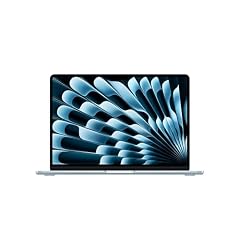
Apple 2026 MacBook Air 13-inch Laptop with M5 chip
- CPU
- Apple M5
- RAM
- 24 GB
- Storage
- 1000 GB
- Screen
- 13 in
- Weight
- 1.23 kg
- OS
- macOS
$1,599.00 price as of 2026-10-09 17:20 UTC (Details)
The listing shows 24GB of unified memory and 1TB of storage in a 13.6-inch laptop that weighs 1.23kg. That combination covers the three things web work leans on most: memory for an editor and browser, storage for repositories and dependencies, and a light frame for carrying it.
Pros
- 24GB of memory, above the 16GB minimum
- 1TB of storage
- 1.23kg, the lightest pick here
- macOS, useful if you later build Apple-platform apps
Cons
- 24GB of memory, less than the 48GB and 64GB picks here
- 13.6-inch screen is the smallest of the 14 picks
- Storage is 1TB, less than the 2TB and 4TB machines here
Good fit if
- Web developers who want a light laptop with enough memory to keep many tools open
- Programmers who may move into iOS or macOS development
Skip if
- You want a discrete GPU for local machine-learning work
- You prefer Windows-specific hardware or software
Verdict: The MacBook Air 13-inch is the most balanced pick for web development by its stated specs.
2 Lightest Windows pick here

Microsoft Surface Laptop 7 AI Copilot+ PC for Business
- CPU
- Qualcomm Snapdragon X Plus
- RAM
- 16 GB
- Storage
- 1000 GB
- Screen
- 13.8 in
- Refresh
- 120 Hz
- Touchscreen
- Yes
- Weight
- 1.34 kg
- OS
- Windows 11 Home
$1,079.99 price as of 2026-10-09 17:22 UTC (Details)
At 1.34kg and 13.8 inches, this Surface Laptop is the easiest Windows machine to carry in this list. It states 16GB of RAM and 1TB of storage, so it meets the guide's minimums with room for local projects.
Pros
- Lightest Windows pick at 1.34kg
- 1TB of storage
- 13.8-inch touchscreen
- Windows 11 Home listed
Cons
- 16GB of memory is the lower end of this guide
- No discrete GPU in the listing
- Smaller screen than the 15.6-inch and 16-inch picks
Good fit if
- Windows developers who commute with the laptop and want a 1TB drive
- People who want a touchscreen in a compact body
Skip if
- You need more than 16GB of RAM for containers and VMs
- You want a larger display for side-by-side code and documentation
Verdict: A compact Windows pick that balances portability and storage.
3 Only 14-inch pick with 32GB here
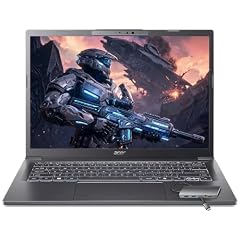
Acer Aspire Laptop 2026
- CPU
- Intel Core Ultra 7 258V
- RAM
- 32 GB
- Storage
- 1000 GB
- Screen
- 14 in
- Touchscreen
- Yes
- Weight
- 1.4 kg
- OS
- Windows 11 Home
$1,099.99 price as of 2026-10-09 17:20 UTC (Details)
A 14-inch body at 1.4kg and 32GB of RAM makes this Acer a strong pick for developers who want a small laptop without sacrificing memory. The listing also shows a 1TB SSD and a touchscreen.
Pros
- 32GB of memory in a 14-inch laptop
- 1TB of storage
- 1.4kg, one of the lightest Windows picks here
- Touchscreen listed
Cons
- Smaller display than the 16-inch and 17-inch picks
- No dedicated GPU in the listing
- 32GB is less than the 48GB and 64GB machines here
Good fit if
- Students who carry the laptop between classes and run VMs or containers
- Developers who want a compact machine with 32GB of memory
Skip if
- You need a discrete GPU for local machine-learning work
- You prefer a bigger screen for a fixed desk setup
Verdict: A practical compact Windows laptop with a memory-heavy spec sheet.
4 Most RAM in a 15.6-inch non-gaming pick here
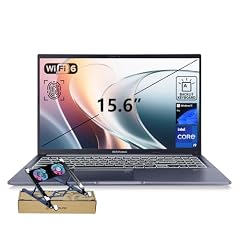
ASUS Vivobook 15 Laptop
- CPU
- Intel Core i9-13900H
- RAM
- 48 GB
- Storage
- 2000 GB
- Screen
- 15.6 in
- Touchscreen
- No
- Weight
- 1.7 kg
- OS
- Windows 11 Pro
$1,349.00 price as of 2026-10-09 17:21 UTC (Details)
With 48GB of RAM and a 2TB SSD, this Vivobook is built for keeping large projects open. The 15.6-inch screen and 1.7kg weight put it in the middle of the range for carrying, while the Intel Core i9-13900H is listed as the processor.
Pros
- 48GB of memory and a 2TB SSD
- Intel Core i9-13900H listed
- 1.7kg for a 15.6-inch laptop
- Windows 11 Pro listed
Cons
- No discrete GPU in the listing
- Heavier than the compact 13.8-inch and 14-inch picks
- Screen is smaller than the 17-inch pick
Good fit if
- Developers who keep many browser tabs, editors and containers open
- People who want high RAM and storage without a gaming-style chassis
Skip if
- You need dedicated graphics memory for local GPU work
- You want the lightest possible machine
Verdict: A strong Windows workhorse for memory-heavy web development.
5 Only 16-inch pick with RTX 5050 here

Lenovo IdeaPad Pro 5-2025
- CPU
- AMD Ryzen AI 7 350
- GPU
- GeForce RTX 5050
- RAM
- 16 GB
- Storage
- 1000 GB
- Screen
- 16 in
- Refresh
- 120 Hz
- Weight
- 1.78 kg
- OS
- Windows 11 Home
$1,099.00 price as of 2026-10-09 17:22 UTC (Details)
This Lenovo pairs a 16-inch screen with a GeForce RTX 5050 and a 1TB SSD. The discrete GPU gives it room for occasional 3D work or local model experiments without going to the heavier gaming-class machines.
Pros
- 16GB of memory, the guide's minimum
- GeForce RTX 5050 listed
- 16-inch screen
- 1TB of storage
Cons
- 16GB of memory, less than the 32GB and 64GB picks
- 1.78kg, heavier than the compact picks
- No touchscreen in the listing
Good fit if
- Windows developers who want a 16-inch screen and a discrete GPU
- Programmers who do light 3D or GPU work alongside web code
Skip if
- You need more than 16GB of RAM for many containers
- You want a lighter machine for daily commuting
Verdict: A balanced 16-inch Windows laptop with a discrete GPU and 1TB of storage.
6 32GB gaming pick with 2TB storage
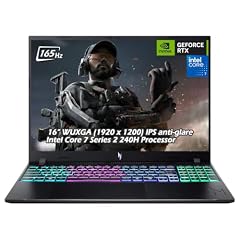
Acer Nitro V 16" WUXGA 165Hz Gaming Laptop
- CPU
- Intel Core 7 240H
- GPU
- GeForce RTX 5060
- RAM
- 32 GB
- Storage
- 2000 GB
- Screen
- 16 in
- Refresh
- 165 Hz
- Weight
- 2.1 kg
- OS
- Windows 11
$2,059.95 price as of 2026-10-09 17:20 UTC (Details)
The Nitro V 16 combines 32GB of RAM, a 2TB SSD and a GeForce RTX 5060 in a 16-inch body that weighs 2.1kg. It gives a programmer a discrete GPU and enough memory to keep containers running.
Pros
- 32GB of memory and a 2TB SSD
- GeForce RTX 5060 listed
- 16-inch screen
- Windows 11 listed
Cons
- 2.1kg, heavier than the non-gaming 16-inch picks
- 32GB is less than the 48GB and 64GB machines here
- Less storage than the 4TB picks
Good fit if
- Developers who want one laptop for web work and occasional GPU work
- People who want 32GB of RAM and 2TB of storage
Skip if
- You want a lighter machine for daily commuting
- You need more than 32GB of memory for heavy virtualization
Verdict: A substantial Windows gaming laptop with a practical programmer spec set.
7 Only 16-inch pick with RTX 5070 here

GIGABYTE AERO X16
- CPU
- AMD Ryzen AI 9 HX 370
- GPU
- GeForce RTX 5070
- RAM
- 32 GB
- Storage
- 1000 GB
- Screen
- 16 in
- Weight
- 1.9 kg
- OS
- Windows 11 Home
$2,390.00 price as of 2026-10-09 17:21 UTC (Details)
The AERO X16 pairs an RTX 5070 with 32GB of RAM and a 1TB SSD in a 16-inch body. Its 1.9kg weight is not the lightest here, but it is lighter than the other 16-inch discrete-GPU laptops in this guide.
Pros
- 32GB of memory
- GeForce RTX 5070 listed
- 16-inch screen and 1TB SSD
- 1.9kg, lighter than the heavy gaming picks
Cons
- 1.9kg, heavier than the compact picks
- 32GB is less than the 48GB and 64GB machines here
- No touchscreen in the listing
Good fit if
- Developers who want a 16-inch screen with a current GeForce GPU
- Programmers who need 32GB of memory for local containers and dev servers
Skip if
- You need the most graphics memory available here
- You want a lighter machine for frequent travel
Verdict: A 16-inch Windows laptop with a GeForce RTX 5070 and generous memory.
8 Tied for most RAM and most storage here

MECHREVO Dragon 15K 165HZ Gaming Laptop
- CPU
- AMD Ryzen 7 7445HS
- GPU
- RTX 4050
- RAM
- 64 GB
- Storage
- 4000 GB
- Screen
- 15.6 in
- Refresh
- 165 Hz
- Weight
- 2.1 kg
$899.99 price as of 2026-10-09 17:22 UTC (Details)
The Dragon 15K lists 64GB of RAM, a 4TB SSD and an RTX 4050, making it one of two picks here with the highest RAM and storage totals. Its 15.6-inch screen is a more portable size than the other 64GB pick in this list.
Pros
- 64GB of memory
- 4TB of storage
- GeForce RTX 4050 listed
- 15.6-inch screen
Cons
- 2.1kg, heavier than the compact picks
- Graphics memory for the RTX 4050 is not stated by the seller
- No touchscreen in the listing
Good fit if
- Developers who want maximum RAM and storage for many containers, VMs and datasets
- Programmers who want a high-spec machine on a 15.6-inch frame
Skip if
- You need 24GB of graphics memory for local model work
- You prefer a lighter laptop for daily carrying
Verdict: A high-RAM, high-storage Windows machine that keeps the screen size moderate.
9 Most graphics memory here

Eluktronics HYDROC 16 G2R RTX 5090 Gaming Laptop
- CPU
- Intel Core Ultra 9 290HX
- GPU
- RTX 5090
- GPU memory
- 24 GB
- RAM
- 64 GB
- Storage
- 4000 GB
- Screen
- 16 in
- Refresh
- 300 Hz
- Weight
- 2.83 kg
$6,999.00 price as of 2026-10-09 17:21 UTC (Details)
The HYDROC 16 G2R states 24GB of graphics memory on its RTX 5090, more than any other pick in this guide. It also lists 64GB of RAM, a 4TB SSD, and a 16-inch screen, so it can hold large local models and large repositories at the same time.
Pros
- 24GB of graphics memory, the most here
- 64GB of memory and a 4TB SSD
- GeForce RTX 5090 listed
- 16-inch screen with 300Hz refresh rate listed
Cons
- 2.83kg, the heaviest pick here
- Windows 11 Pro listed, with no macOS option
- More hardware than this guide requires for typical web development
Good fit if
- Developers working with local machine-learning models that need a large GPU buffer
- Programmers who want 64GB of RAM and 4TB of storage in one machine
Skip if
- You want a laptop you can carry comfortably every day
- Your web work does not involve local GPU models
Verdict: The most graphics memory and highest storage in this guide, in a heavy 16-inch frame.
10 Touchscreen 16-inch pick with 1TB

Dell 16 Laptop DC16251-16.0-inch 16
- CPU
- Intel Core 7 150U
- RAM
- 16 GB
- Storage
- 1000 GB
- Screen
- 16 in
- Touchscreen
- Yes
- Weight
- 1.9 kg
- OS
- Windows 11 Home
$1,079.11 price as of 2026-10-09 17:21 UTC (Details)
A 16-inch Dell with a touchscreen, 16GB of RAM and a 1TB SSD covers the main web development needs without a discrete GPU. The 16:10 2K resolution is listed in the name, which gives more vertical room for code than a lower aspect ratio screen.
Pros
- 16-inch touchscreen
- 1TB of storage
- 16GB of memory meets the guide's minimum
- Intel Core 7 150U listed
Cons
- 16GB of memory, less than the 32GB and 64GB picks
- No dedicated GPU in the listing
- 1.9kg, heavier than the compact Windows picks
Good fit if
- Web developers who want a large touchscreen for code and documentation
- Programmers who prefer a non-gaming business-style chassis
Skip if
- You need a discrete GPU
- You want a lighter laptop for commuting
Verdict: A straightforward large-screen Windows laptop with enough storage and memory for web work.
11 Lightest 15.6-inch pick here

Samsung Galaxy Book4 2024 Business Laptop 15.6" FHD IPS 10-Core Intel 7
- CPU
- Intel Core 7 150U
- RAM
- 16 GB
- Storage
- 512 GB
- Screen
- 15.6 in
- Refresh
- 60 Hz
- Weight
- 1.57 kg
- Battery
- 54.4 Wh
- OS
- Windows 11 Home
$766.00 price as of 2026-10-09 17:23 UTC (Details)
The Galaxy Book4 is the lightest 15.6-inch pick in this guide at 1.57kg, and it still meets the 16GB RAM and 512GB storage minimums. It is a direct Windows choice for developers who want a larger screen without the bulk.
Pros
- Lightest 15.6-inch pick at 1.57kg
- 16GB of memory and a 512GB SSD
- Windows 11 Home listed
- Intel Core 7 150U listed
Cons
- 512GB of storage, the smallest in this guide
- No discrete GPU in the listing
- 16GB of memory, the lower end here
Good fit if
- Developers who want a large screen in a relatively light body
- Students who need Windows for coursework and want an easy-to-carry 15.6-inch laptop
Skip if
- You need more than 512GB of storage
- You run many containers and want more than 16GB of RAM
Verdict: A light 15.6-inch Windows laptop with the minimum specs this guide requires.
12 Only 13.8-inch Surface Laptop here with Snapdragon X2 Elite

Microsoft Surface Laptop
- CPU
- Qualcomm Snapdragon X2 Elite
- RAM
- 16 GB
- Storage
- 1000 GB
- Screen
- 13.8 in
- Refresh
- 120 Hz
- Touchscreen
- Yes
- Weight
- 1.36 kg
- OS
- Windows 11
$1,599.99 price as of 2026-10-09 17:22 UTC (Details)
The 2026 Surface Laptop 13.8-inch is the only pick here with a Snapdragon X2 Elite processor, and it lists 16GB of RAM, a 1TB SSD and a 120Hz touchscreen. Its 1.36kg weight makes it a practical partner for carrying between sites or classes.
Pros
- Only pick here with Snapdragon X2 Elite
- 1TB of storage
- 120Hz touchscreen listed
- 1.36kg, one of the lightest Windows picks
Cons
- 16GB of memory, the lower end here
- No discrete GPU in the listing
- Small screen compared with the 16-inch and 17-inch picks
Good fit if
- Windows developers who want a current Surface Laptop with a Snapdragon X2 Elite
- People who want a 13.8-inch touchscreen with a 120Hz refresh
Skip if
- You need more than 16GB of RAM
- You prefer a larger display for desktops
Verdict: A compact Surface Laptop with current specs and a light frame.
13 Largest MacBook Air screen here

Apple 2026 MacBook Air 15-inch Laptop with M5 chip
- CPU
- Apple M5
- RAM
- 16 GB
- Storage
- 1000 GB
- Screen
- 15 in
- Weight
- 1.51 kg
- OS
- macOS
$1,599.00 price as of 2026-10-09 17:20 UTC (Details)
The 15-inch MacBook Air lists 16GB of unified memory and 1TB of storage in a body that weighs 1.51kg. It gives macOS developers a larger canvas for code while staying close to the weight of many 13-inch Windows laptops.
Pros
- 15.3-inch display, the largest Mac pick here
- 1TB of storage
- 1.51kg, light for its screen size
- macOS listed
Cons
- 16GB of memory, less than the 24GB MacBook Air here
- No discrete GPU in the listing
- Heavier than the 13.6-inch MacBook Air
Good fit if
- Web developers who prefer macOS and want a wider screen
- Programmers who carry the laptop but do not want a 13-inch display
Skip if
- You want the highest memory Apple pick in this guide
- You need a discrete GPU or a touchscreen
Verdict: A roomier MacBook Air for developers who want macOS with a 15-inch screen.
14 Lightest 16-inch Windows pick here

HP OmniBook 3 16 inch Next Gen AI PC
- CPU
- AMD Ryzen AI 5 430
- GPU
- Radeon 840M
- RAM
- 16 GB
- Storage
- 512 GB
- Screen
- 16 in
- Touchscreen
- Yes
- Weight
- 1.64 kg
- OS
- Windows 11 Home
$903.76 price as of 2026-10-09 17:21 UTC (Details)
The HP OmniBook 3 is the lightest 16-inch Windows pick in this guide at 1.64kg, and it includes a touchscreen, 16GB of RAM and a 512GB SSD. Its AMD Radeon 840M GPU is listed with no graphics memory amount stated, which keeps it from promising a large GPU buffer.
Pros
- Lightest 16-inch Windows pick at 1.64kg
- Touchscreen listed
- AMD Ryzen AI 5 430 processor
- 16GB of memory and a 512GB SSD
Cons
- 512GB of storage, the smallest in this guide
- No discrete GPU memory amount stated
- 16GB of memory, the lower end here
Good fit if
- Programmers who want a large screen without the weight of a gaming laptop
- Windows users who use the touchscreen for notes and presentations
Skip if
- You need more than 512GB of storage
- You plan to do local GPU work and need a larger graphics buffer
Verdict: A light 16-inch Windows laptop that meets the guide's minimums with a touchscreen.
Side by side
| # | Laptop | CPU | GPU | GPU memory | Rentable GPU model | RAM | Storage |
|---|---|---|---|---|---|---|---|
| 1 | Apple 2026 MacBook Air 13-inch Laptop with M5 chip | Apple M5 | not stated | not stated | not stated | 24 GB | 1000 GB |
| 2 | Microsoft Surface Laptop 7 AI Copilot+ PC for Business | Qualcomm Snapdragon X Plus | not stated | not stated | not stated | 16 GB | 1000 GB |
| 3 | Acer Aspire Laptop 2026 | Intel Core Ultra 7 258V | not stated | not stated | not stated | 32 GB | 1000 GB |
| 4 | ASUS Vivobook 15 Laptop | Intel Core i9-13900H | not stated | not stated | not stated | 48 GB | 2000 GB |
| 5 | Lenovo IdeaPad Pro 5-2025 | AMD Ryzen AI 7 350 | GeForce RTX 5050 | not stated | not stated | 16 GB | 1000 GB |
| 6 | Acer Nitro V 16" WUXGA 165Hz Gaming Laptop | Intel Core 7 240H | GeForce RTX 5060 | not stated | not stated | 32 GB | 2000 GB |
| 7 | GIGABYTE AERO X16 | AMD Ryzen AI 9 HX 370 | GeForce RTX 5070 | not stated | not stated | 32 GB | 1000 GB |
| 8 | MECHREVO Dragon 15K 165HZ Gaming Laptop | AMD Ryzen 7 7445HS | RTX 4050 | not stated | not stated | 64 GB | 4000 GB |
| 9 | Eluktronics HYDROC 16 G2R RTX 5090 Gaming Laptop | Intel Core Ultra 9 290HX | RTX 5090 | 24 GB | not stated | 64 GB | 4000 GB |
| 10 | Dell 16 Laptop DC16251-16.0-inch 16 | Intel Core 7 150U | not stated | not stated | not stated | 16 GB | 1000 GB |
| 11 | Samsung Galaxy Book4 2024 Business Laptop 15.6" FHD IPS 10-Core Intel 7 | Intel Core 7 150U | not stated | not stated | not stated | 16 GB | 512 GB |
| 12 | Microsoft Surface Laptop | Qualcomm Snapdragon X2 Elite | not stated | not stated | not stated | 16 GB | 1000 GB |
| 13 | Apple 2026 MacBook Air 15-inch Laptop with M5 chip | Apple M5 | not stated | not stated | not stated | 16 GB | 1000 GB |
| 14 | HP OmniBook 3 16 inch Next Gen AI PC | AMD Ryzen AI 5 430 | Radeon 840M | not stated | not stated | 16 GB | 512 GB |
How we picked
We started with a pool of 397 laptop listings that match the same specification filter: at least 16GB of RAM and at least 512GB of storage. From that pool, we chose 14 picks that cover different ways programmers work, including compact laptops for carrying, larger screens for desks, machines with extra RAM for containers and virtual machines, and machines with discrete graphics for local machine-learning work. Prices are live and read from the listings, so this guide does not rank by price. Nobody at this site has used or tested any of these laptops. The specifications are what the seller states in each listing; makers' spec pages and vendor requirements are cited where they support the advice.
How to choose
What your editor, browser and containers ask of RAM
Visual Studio Code's own requirements page lists 1 GB of RAM, so every laptop in this guide is far past the point of simply running an editor. The real question is how much room you want for the browser with many tabs, a local development server, a database, and containers or virtual machines running at the same time. More RAM leaves more room for these to run side by side.
The 16GB machines here meet the guide's minimum, while the 32GB, 48GB and 64GB picks give progressively more headroom for that stack.
When the GPU matters for code and when it does not
A web developer usually spends the day in an editor, a browser and a terminal, and none of those need a discrete GPU. The GPU starts to matter when you move into machine learning, local models, 3D in the browser, or game engine work. The amount of graphics memory on a card limits how large a model or scene that card can hold, so a laptop with 24GB of graphics memory, like the Eluktronics HYDROC 16 G2R, is aimed at that kind of work rather than at everyday HTML and CSS. Several picks here list no GPU at all, which is fine for the core web workflow.
Storage for repositories, images and virtual machines
Repositories, package caches, container images, virtual machine disks and dataset snapshots all consume storage. The guide starts at 512GB, which is enough for a current project and some tools, but images and VM disks can fill a drive quickly. The 1TB picks give more room for dependencies and projects, and the 2TB and 4TB picks are for developers who keep many container images and virtual machines locally. If you work mostly with small codebases, 512GB is a reasonable floor; if your work pulls large data or images, aim higher.
Screen size and weight when you carry it
Screen size and weight are about where the laptop works. A 13.8-inch or 14-inch machine at about 1.3 to 1.4kg is easy to carry from class to a cafe or between meetings. A 15.6-inch or 16-inch screen gives more room to see code beside a browser or documentation, but the weight tends to rise, especially on gaming-class laptops with discrete GPUs. The stated weights in the picks range from 1.23kg for the 13-inch MacBook Air to 2.83kg for the 16-inch Eluktronics, so choose based on how often you move it.
Operating system and where web work can take you
The operating system can matter for what you build. The Apple laptops here run macOS, and Apple lists macOS as a requirement for Xcode, so those are the picks to look at if you expect to do iOS or macOS development. The Windows laptops cover most other web workflows and are listed with Windows 11 Home or Windows 11 Pro. The guide only repeats what the listings state; it does not claim whether a given tool runs better on one system.
What this guide leaves out (and why)
This guide can only use what the catalogue states. It has no data on keyboard feel, trackpad, screen brightness, fan noise, battery life in hours, or build quality, so none of those appear in the recommendations. The site does not guess at Linux compatibility or driver support. Use the stated RAM, storage, GPU, screen size and weight, and treat any other qualities as outside this guide.
Questions
Is 16GB of RAM enough for web development?
Every pick here starts at 16GB, which is enough for an editor and a browser with many tabs. Whether it is enough for your full stack depends on what else you run. Containers, virtual machines, a local database and a large browser profile all consume memory, and the 32GB, 48GB and 64GB picks leave more room for those to run side by side. Visual Studio Code lists 1GB as its requirement, so the extra memory is about your whole working set, not the editor alone.
Do I need a GPU for web development?
No. The day-to-day work of editing, running a local server and inspecting the browser does not depend on a discrete GPU. A GPU becomes relevant for machine learning, local models, 3D and game engine work, where the graphics memory limits how large a model or scene can fit. Many picks here list no GPU at all and are still strong web development machines. If you plan to experiment with local models, look at the picks with a GeForce GPU and a stated VRAM amount.
How much storage should I pick for code, containers and VMs?
The guide's minimum is 512GB, which is enough for a current project plus tools. Repositories, package caches, container images, virtual machine disks and datasets all consume storage, and images and VM disks can fill a drive quickly. The 1TB picks double that headroom, and the 2TB and 4TB picks are for developers who keep many images and large data sets locally. If you mostly work in small codebases, 512GB is a reasonable floor.
Does this guide cover keyboards or Linux?
No. The catalogue lists RAM, storage, GPU, screen size, weight and operating system, but it has no data on keyboard feel, trackpad, screen comfort, fan noise or build quality, so those are not part of the picks. The site also does not guess at Linux compatibility, driver support or dual-boot behavior. Treat those as separate research questions and check independent sources before you buy.
Why do the picks include gaming laptops?
Some developers choose gaming laptops because they offer a discrete GPU and higher RAM options in a 15.6-inch or 16-inch frame. For web development the GPU is not necessary, but if you also work with local models, 3D, or game engines, a pick like the Nitro V 16 or the HYDROC 16 G2R provides a graphics card. The gaming label is a marketing category, not a requirement for programming.
Should I choose macOS or Windows for web development?
Both operating systems appear in this guide, and the right choice depends on what you build. The Apple laptops run macOS, and Apple lists macOS as a requirement for Xcode, so they are the relevant picks if you plan to develop for iOS or macOS. The Windows picks cover everything from 13.8-inch ultraportables to 17-inch gaming machines. The guide repeats what the listings state about each operating system and does not rank one above the other.
Recent updates
- : First published.