
Best 64GB RAM Laptops for Programming in 2026: 14 Picks
For programming work, 64GB of RAM is a headroom play. The Lenovo ThinkPad P14s Gen 7 AMD is our top pick here because it puts that 64GB into a 14-inch, 1.29kg body with 2TB of storage, which makes it a strong fit for carrying between classes or workspaces while running an editor, a browser, containers, and virtual machines side by side. The other 13 picks were chosen from listings that state exactly 64GB of RAM, using the specifications in each listing and live prices from the catalogue.
14 picks from 72 laptops that match this guide with a price we can quote today. Every price below is live and carries the moment it was read.
The picks at a glance
Which one should you buy?
- For a React developer with a browser, an editor, and a container open: 64GB gives this setup room to breathe. The ThinkPad P14s Gen 7 AMD pairs that memory with a 1.29kg body and 2TB of storage for a daily carry. See pick 1
- For a backend engineer running several services and a local database: The ThinkPad T14 with 64GB of RAM and 2TB of storage keeps an editor, database, and service processes in the same session without juggling memory. A 14-inch touchscreen keeps the footprint small. See pick 2
- For a data engineer holding large datasets in memory: With 64GB of RAM and an RTX 5080 with 16GB of graphics memory, the MSI Vector can keep datasets and GPU work on one machine. It is heavier, but the specs point to heavy local work. See pick 7
- For a student whose coursework needs a virtual machine: A 14-inch laptop that states 64GB of RAM and 4TB of storage leaves room for VM disks and in-memory work. The Lenovo V-Series keeps the weight at 1.37kg for carrying between classes. See pick 13
The 14 picks
1 Most portable here

Lenovo ThinkPad P14s Gen 7 AMD Ryzen AI 9 PRO 470
- CPU
- AMD Ryzen AI 9 PRO 470
- GPU
- Radeon 890M
- RAM
- 64 GB
- Storage
- 2000 GB
- Screen
- 14 in
- Refresh
- 60 Hz
- Weight
- 1.29 kg
- OS
- Windows 11 Pro
$3,199.00 price as of 2026-10-09 17:22 UTC (Details)
This is the lightest pick in the list at 1.29kg, and it still states 64GB of RAM and 2TB of storage. The 14-inch screen and Windows 11 Pro make it a practical daily machine for a programmer who moves between desks. The Radeon 890M is the stated GPU, so it has no dedicated VRAM figure in the listing.
Pros
- 64GB of RAM with a 2TB SSD
- 1.29kg, the lightest weight in this list
- 14-inch screen is easy to carry
- Windows 11 Pro is stated
Cons
- No dedicated VRAM figure is stated; GPU is listed as Radeon 890M
- 60Hz display is not aimed at high-refresh work
Good fit if
- A programmer who carries the laptop daily
- A developer running an editor, browser, containers, and a VM on the same machine
Skip if
- Someone who needs a discrete GPU for local model training
- Someone who wants a 16-inch or larger screen
Verdict: A light 14-inch laptop that pairs 64GB of RAM with 2TB of storage for portable programming work.
2 14-inch touchscreen with 64GB
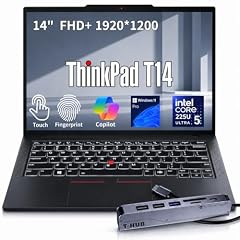
Lenovo ThinkPad T14 Business AI Laptop
- CPU
- Intel Core Ultra 5 225U
- RAM
- 64 GB
- Storage
- 2000 GB
- Screen
- 14 in
- Touchscreen
- Yes
- Weight
- 1.46 kg
- OS
- Windows 11 Pro
$2,149.00 price as of 2026-10-09 17:22 UTC (Details)
The ThinkPad T14 pairs 64GB of RAM with 2TB of storage in a 14-inch, 1.46kg body with a touchscreen. Windows 11 Pro is stated, and the Intel Core Ultra 5 225U is the CPU in the listing. It is a balanced choice for a programmer who wants memory headroom without a 16-inch chassis.
Pros
- 64GB RAM and 2TB SSD
- 14-inch touchscreen
- 1.46kg weight
- Windows 11 Pro stated
Cons
- Core Ultra 5 is the lower tier in the Core Ultra family
- No dedicated GPU is stated
Good fit if
- A business or student programmer who wants a touchscreen
- A developer who wants 64GB in a compact body
Skip if
- A machine learning developer who needs a dedicated GPU
- Someone who wants more than 2TB of storage
Verdict: A compact 14-inch touchscreen laptop with 64GB of RAM and 2TB of storage for everyday programming.
3 Lightest Core Ultra pick

Lenovo ThinkPad P14s Gen 6 Intel Core Ultra 9 285H
- CPU
- Intel Core Ultra 9 285H
- RAM
- 64 GB
- Storage
- 2000 GB
- Screen
- 14.5 in
- Refresh
- 60 Hz
- Touchscreen
- No
- Weight
- 1.31 kg
- OS
- Windows 11 Pro
$2,899.00 price as of 2026-10-09 17:22 UTC (Details)
This 14.5-inch ThinkPad weighs 1.31kg and states an Intel Core Ultra 9 285H with 64GB of RAM and 2TB of storage. It is one of the lightest Core Ultra picks in this guide while still offering a high-end processor tier. The listing states Windows 11 Pro and a non-touch display.
Pros
- 64GB RAM and 2TB SSD
- 1.31kg with a 14.5-inch screen
- Intel Core Ultra 9 285H is stated
- Windows 11 Pro stated
Cons
- Non-touch display
- 60Hz refresh rate is not for high-refresh work
Good fit if
- A developer who wants a high-end Intel CPU in a light frame
- A programmer who prefers a 14.5-inch screen
Skip if
- Someone who needs a touchscreen
- A user who wants a high-refresh display
Verdict: A light 14.5-inch ThinkPad with a high-end Intel Core Ultra 9 and 64GB of RAM.
4 17-inch screen for side-by-side work

HP 17 Inch Laptop for Business
- CPU
- AMD Ryzen 5 7430U
- RAM
- 64 GB
- Storage
- 2000 GB
- Screen
- 17 in
$1,199.99 price as of 2026-10-09 17:21 UTC (Details)
For programmers who want a desktop-like view, this 17-inch HP states 64GB of RAM and 2TB of storage. The CPU is listed as an AMD Ryzen 5 7430U. The listing does not state an operating system or a weight, so those specs are not known.
Pros
- 64GB RAM and 2TB SSD
- 17-inch screen for side-by-side views
- Large display without a discrete GPU
Cons
- Operating system not stated by the seller
- Weight not stated by the seller
- CPU is listed as AMD Ryzen 5 7430U
Good fit if
- A programmer who does most work at a desk and wants a big screen
- A developer who needs 2TB of storage and 64GB of RAM
Skip if
- Someone who needs a stated OS in the listing
- A frequent traveler who needs a stated weight
Verdict: A 17-inch HP with 64GB of RAM and 2TB of storage for developers who want a large working view.
5 4TB storage with a discrete GPU

MECHREVO Dragon 15K 165HZ Gaming Laptop
- CPU
- AMD Ryzen 7 7445HS
- GPU
- RTX 4050
- RAM
- 64 GB
- Storage
- 4000 GB
- Screen
- 15.6 in
- Refresh
- 165 Hz
- Weight
- 2.1 kg
$899.99 price as of 2026-10-09 17:22 UTC (Details)
This 15.6-inch laptop states 64GB of RAM, 4TB of storage, and an RTX 4050 GPU, which makes it one of the few picks here that combines 4TB with a discrete GPU. The 165Hz display is stated in the listing. No operating system is stated.
Pros
- 64GB RAM
- 4TB SSD, the largest storage figure in several picks
- Discrete RTX 4050 GPU is stated
- 165Hz display
Cons
- Operating system not stated by the seller
- 2.1kg weight is heavier than 14-inch picks
- No VRAM figure is stated for the GPU
Good fit if
- A developer working with large repositories or container images
- A programmer who wants a discrete GPU and 4TB of storage
Skip if
- Someone who wants a stated OS out of the box
- A user who wants a light, small laptop
Verdict: A 15.6-inch laptop with 64GB of RAM, 4TB of storage, and a discrete RTX 4050 for local-heavy work.
6 12GB of graphics memory

Acer Predator Helios Neo 16S AI Gaming Laptop
- CPU
- Intel Core Ultra 9 275HX
- GPU
- RTX 5070 Ti
- GPU memory
- 12 GB
- RAM
- 64 GB
- Storage
- 2000 GB
- Screen
- 16 in
- Refresh
- 240 Hz
- Weight
- 2.3 kg
If local model work or game engine development is on the table, this Acer states an RTX 5070 Ti with 12GB of graphics memory and 64GB of RAM. The 16-inch screen, 240Hz refresh rate, and 2TB of storage round out the listing. Windows 11 Pro is stated.
Pros
- 64GB RAM
- RTX 5070 Ti with 12GB of graphics memory
- 2TB SSD
- Windows 11 Pro stated
Cons
- 2.3kg weight
- No battery figure is stated in the listing
Good fit if
- A machine learning developer who wants 12GB of graphics memory
- A programmer using game engines or 3D tools
Skip if
- A developer who needs less weight
- Someone who wants a more business-oriented look
Verdict: A 16-inch Acer with 64GB of RAM and 12GB of graphics memory for GPU-heavy programming work.
7 16GB of graphics memory

msi Vector A16 HX 16" QHD+ 240Hz Gaming Laptop
- CPU
- AMD Ryzen 9 8940HX
- GPU
- GeForce RTX 5080
- GPU memory
- 16 GB
- RAM
- 64 GB
- Storage
- 2000 GB
- Screen
- 16 in
- Refresh
- 240 Hz
- Weight
- 2.7 kg
$3,348.99 price as of 2026-10-09 17:22 UTC (Details)
This MSI states an AMD Ryzen 9 8940HX, an RTX 5080 with 16GB of graphics memory, and 64GB of RAM on a 16-inch 240Hz display. It is a powerful option for GPU-heavy programming work that also wants 2TB of storage. Windows 11 Pro is stated.
Pros
- 64GB RAM
- RTX 5080 with 16GB of graphics memory
- 2TB SSD
- Windows 11 Pro stated
Cons
- 2.7kg weight is the heaviest among selected picks with a stated weight
- 16-inch high-refresh display adds size over 14-inch models
Good fit if
- A programmer doing GPU-heavy local model work
- A developer who wants 16GB of graphics memory
Skip if
- A frequent traveler who wants a lighter laptop
- Someone who does not need a high-end GPU
Verdict: A high-performance 16-inch MSI with 64GB of RAM and 16GB of graphics memory for demanding local work.
8 RTX 5090 class GPU

Lenovo Legion Pro 7i Gen 10 w/Ultra 9
- CPU
- Intel Core Ultra 9
- GPU
- RTX 5090
- RAM
- 64 GB
- Storage
- 2000 GB
- Screen
- 16 in
$5,899.00 price as of 2026-10-09 17:22 UTC (Details)
This Lenovo Legion states an RTX 5090, 64GB of RAM, and 2TB of storage on a 16-inch screen. It is aimed at the high end of the GPU range, so it fits programmers who want a lot of graphics capability. The listing does not state an operating system or weight.
Pros
- 64GB RAM
- RTX 5090 is stated
- 2TB SSD
- 16-inch screen
Cons
- Operating system not stated by the seller
- Weight not stated by the seller
Good fit if
- A programmer who wants top-end GPU capability
- A developer with large local workloads
Skip if
- Someone who needs a smaller or lighter machine
- A user who wants a stated OS in the listing
Verdict: A 16-inch Lenovo with an RTX 5090 and 64GB of RAM for programmers who want the high end of the GPU range.
9 Largest screen in this list

MSI Crosshair 18 HX AI Gaming Laptop 18" QHD+ 240Hz
- CPU
- Intel Core Ultra 9 275HX
- GPU
- GeForce RTX 5070
- GPU memory
- 8 GB
- RAM
- 64 GB
- Storage
- 1000 GB
- Screen
- 18 in
- Refresh
- 240 Hz
- OS
- Windows 11
$2,499.00 price as of 2026-10-09 17:22 UTC (Details)
This MSI has the largest screen among the selected picks at 18 inches, with 64GB of RAM, an RTX 5070 with 8GB of graphics memory, and a 240Hz refresh rate. The 1TB storage is lower than many other picks, but the display is the main draw. Windows 11 is stated.
Pros
- 64GB RAM
- 18-inch screen, largest in this list
- RTX 5070 with 8GB of graphics memory
- Windows 11 is stated
Cons
- 1TB storage is lower than the 2TB and 4TB picks here
- Weight not stated by the seller
Good fit if
- A developer who wants maximum screen space
- A programmer who wants 64GB and an RTX GPU
Skip if
- Someone who needs more than 1TB of storage
- A user who wants a lighter laptop
Verdict: An 18-inch MSI with 64GB of RAM and an RTX 5070 for programmers who want maximum screen space.
10 Workstation GPU with 6GB of graphics memory

Dell Precision 7680 Mobile Workstation 16" FHD+ Laptop
- CPU
- Intel Core i7-13850HX
- GPU
- RTX 1000
- GPU memory
- 6 GB
- RAM
- 64 GB
- Storage
- 2000 GB
- Screen
- 16 in
- OS
- Windows 11 Pro
$2,899.99 price as of 2026-10-09 17:21 UTC (Details)
This Dell Precision is a mobile workstation with an Intel Core i7-13850HX, an RTX 1000 with 6GB of graphics memory, 64GB of RAM, and 2TB of storage. The Windows 11 Pro listing positions it for workstation-style coding. The listing does not state a weight.
Pros
- 64GB RAM
- RTX 1000 with 6GB of graphics memory
- 2TB SSD
- Windows 11 Pro stated
Cons
- Weight not stated by the seller
- CPU is from an earlier Intel Core generation, listed as i7-13850HX
Good fit if
- A developer who wants a workstation-class laptop
- A programmer using GPU-accelerated code
Skip if
- Someone who needs a lighter machine
- A user who wants a newer Core Ultra CPU
Verdict: A 16-inch Dell mobile workstation with 64GB of RAM and a 6GB workstation GPU for professional coding work.
11 8GB graphics memory in a 2.04kg workstation

HP ZBook X G1i Laptop
- CPU
- Intel Core Ultra 7 265H
- GPU
- RTX PRO 1000
- GPU memory
- 8 GB
- RAM
- 64 GB
- Storage
- 2000 GB
- Screen
- 16 in
- Weight
- 2.04 kg
- Battery
- 83 Wh
$5,099.00 price as of 2026-10-09 17:22 UTC (Details)
This HP ZBook states Windows 11 Pro, an Intel Core Ultra 7 265H, an RTX PRO 1000 with 8GB of graphics memory, 64GB of RAM, and 2TB of storage. At 2.04kg it is a relatively portable workstation pick in this guide. The 16-inch screen gives room for code and tools.
Pros
- 64GB RAM
- RTX PRO 1000 with 8GB of graphics memory
- 2TB SSD
- 2.04kg and Windows 11 Pro stated
Cons
- Screen refresh rate not stated by the seller
- No battery life figure is published in hours
Good fit if
- A programmer who wants a workstation GPU in a 2.04kg body
- A developer needing 8GB of graphics memory
Skip if
- A user who wants a 4TB drive
- Someone who does not need a professional GPU
Verdict: A 16-inch HP ZBook with 64GB of RAM, 2TB of storage, and 8GB of workstation graphics memory.
12 16-inch touchscreen in a 1.92kg frame

HP OmniBook 7 16" 2K OLED Touchscreen Laptop
- CPU
- Intel Core 9 270H
- RAM
- 64 GB
- Storage
- 1000 GB
- Screen
- 16 in
- Refresh
- 120 Hz
- Touchscreen
- Yes
- Weight
- 1.92 kg
- OS
- Windows 11 Pro
$2,079.99 price as of 2026-10-09 17:21 UTC (Details)
This HP OmniBook states a 16-inch touchscreen, an Intel Core 9 270H, 64GB of RAM, and 1TB of storage, all in a 1.92kg body. Windows 11 Pro is stated. It is a middle-ground option for someone who wants a larger screen without the weight of a full gaming laptop.
Pros
- 64GB RAM
- 16-inch touchscreen
- 1.92kg
- Windows 11 Pro stated
Cons
- 1TB storage is lower than several picks
- CPU is listed as Intel Core 9 270H, a newer naming scheme without a Core Ultra label
Good fit if
- A programmer who wants a 16-inch touchscreen without a 2.5kg body
- A developer who carries the laptop between home and office
Skip if
- Someone who needs 2TB or more
- A user who wants a discrete GPU
Verdict: A 16-inch HP OmniBook with 64GB of RAM, a touchscreen, and a 1.92kg body for balanced daily programming.
13 4TB storage in a 1.37kg laptop
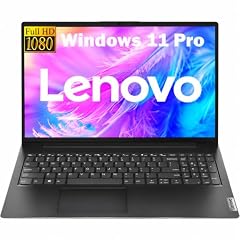
Lenovo New Gen V-Series Business Laptop
- CPU
- Intel Core 7 240H
- RAM
- 64 GB
- Storage
- 4000 GB
- Screen
- 14 in
- Weight
- 1.37 kg
- Battery
- 47 Wh
- OS
- Windows 11 Pro
$1,699.99 price as of 2026-10-09 17:22 UTC (Details)
This Lenovo V-Series states 64GB of RAM, 4TB of storage, a 14-inch screen, and a 1.37kg weight, which makes it one of the highest-capacity light picks here. The CPU is listed as an Intel Core 7 240H. Windows 11 Pro is stated.
Pros
- 64GB RAM
- 4TB SSD
- 1.37kg and 14-inch screen
- Windows 11 Pro stated
Cons
- No dedicated GPU is stated
- Battery is stated at 47Wh, lower than some peers in the pool
Good fit if
- A programmer who wants 4TB in a light 14-inch laptop
- A student or professional carrying the machine all day
Skip if
- A developer who needs a discrete GPU
- Someone who wants a larger screen
Verdict: A light 14-inch Lenovo with 64GB of RAM and 4TB of storage for programmers who need capacity on the go.
14 RTX 5060 with 2TB storage
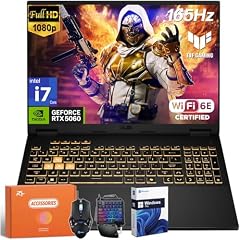
ASUS TUF Gaming F16 Laptop
- CPU
- Intel Core i7-14650HX
- GPU
- GeForce RTX 5060
- RAM
- 64 GB
- Storage
- 2000 GB
- Screen
- 16 in
- Refresh
- 165 Hz
- OS
- Windows 11 Pro
$2,719.00 price as of 2026-10-09 17:20 UTC (Details)
This ASUS TUF states an Intel Core i7-14650HX, an RTX 5060, 64GB of RAM, and 2TB of storage on a 16-inch 165Hz display. It is a gaming-class laptop that can double as a programming machine. Windows 11 Pro is stated.
Pros
- 64GB RAM
- RTX 5060
- 2TB SSD
- Windows 11 Pro stated
Cons
- Weight not stated by the seller
- 16-inch high-refresh laptop is larger than 14-inch options
Good fit if
- A programmer who wants an RTX GPU and 64GB of RAM
- A developer who uses GPU-accelerated tools
Skip if
- Someone who needs a stated weight
- A user who wants a more portable 14-inch laptop
Verdict: A 16-inch ASUS TUF with 64GB of RAM, an RTX 5060, and 2TB of storage for GPU-capable programming.
Side by side
| # | Laptop | CPU | GPU | GPU memory | Rentable GPU model | RAM | Storage |
|---|---|---|---|---|---|---|---|
| 1 | Lenovo ThinkPad P14s Gen 7 AMD Ryzen AI 9 PRO 470 | AMD Ryzen AI 9 PRO 470 | Radeon 890M | not stated | not stated | 64 GB | 2000 GB |
| 2 | Lenovo ThinkPad T14 Business AI Laptop | Intel Core Ultra 5 225U | not stated | not stated | not stated | 64 GB | 2000 GB |
| 3 | Lenovo ThinkPad P14s Gen 6 Intel Core Ultra 9 285H | Intel Core Ultra 9 285H | not stated | not stated | not stated | 64 GB | 2000 GB |
| 4 | HP 17 Inch Laptop for Business | AMD Ryzen 5 7430U | not stated | not stated | not stated | 64 GB | 2000 GB |
| 5 | MECHREVO Dragon 15K 165HZ Gaming Laptop | AMD Ryzen 7 7445HS | RTX 4050 | not stated | not stated | 64 GB | 4000 GB |
| 6 | Acer Predator Helios Neo 16S AI Gaming Laptop | Intel Core Ultra 9 275HX | RTX 5070 Ti | 12 GB | not stated | 64 GB | 2000 GB |
| 7 | msi Vector A16 HX 16" QHD+ 240Hz Gaming Laptop | AMD Ryzen 9 8940HX | GeForce RTX 5080 | 16 GB | not stated | 64 GB | 2000 GB |
| 8 | Lenovo Legion Pro 7i Gen 10 w/Ultra 9 | Intel Core Ultra 9 | RTX 5090 | not stated | not stated | 64 GB | 2000 GB |
| 9 | MSI Crosshair 18 HX AI Gaming Laptop 18" QHD+ 240Hz | Intel Core Ultra 9 275HX | GeForce RTX 5070 | 8 GB | not stated | 64 GB | 1000 GB |
| 10 | Dell Precision 7680 Mobile Workstation 16" FHD+ Laptop | Intel Core i7-13850HX | RTX 1000 | 6 GB | not stated | 64 GB | 2000 GB |
| 11 | HP ZBook X G1i Laptop | Intel Core Ultra 7 265H | RTX PRO 1000 | 8 GB | not stated | 64 GB | 2000 GB |
| 12 | HP OmniBook 7 16" 2K OLED Touchscreen Laptop | Intel Core 9 270H | not stated | not stated | not stated | 64 GB | 1000 GB |
| 13 | Lenovo New Gen V-Series Business Laptop | Intel Core 7 240H | not stated | not stated | not stated | 64 GB | 4000 GB |
| 14 | ASUS TUF Gaming F16 Laptop | Intel Core i7-14650HX | GeForce RTX 5060 | not stated | not stated | 64 GB | 2000 GB |
How we picked
From 76 listings that stated exactly 64GB of RAM, we selected 14 laptops. The rule was simple: a laptop had to state exactly 64GB of RAM in its listing. No laptop was tested, benchmarked, or handled by anyone at this site; the choices are based on the stated specifications in the catalogue, such as CPU, GPU, graphics memory, storage, screen size, weight, and operating system. Prices are live and are read from the listing at the time the page loads, so they can change. We also avoided near-duplicate configurations and preferred laptops from established makers when choices were close.
How to choose
What 64GB of RAM buys a programmer
64GB is not a requirement for every coding task. It is headroom. With an editor, a browser with many tabs, a local database, containers, and one or more virtual machines running at once, that headroom can mean fewer stops to close things down. The pool for this guide is fixed at 64GB, so every pick gives you the same starting point; the differences are in storage, GPU, screen, weight, and operating system.
When the GPU matters for code and when it does not
For ordinary web and server code, the GPU does little of the daily work. For machine learning, local model work, 3D engines, or shader development, the GPU and its graphics memory matter. The stated graphics memory on a laptop limits how large a model or scene the card can hold; 6GB to 24GB appears in this list. Picks with no stated GPU or no stated VRAM may still run code, but the catalogue does not promise how well.
Storage for repositories, images, and virtual machines
64GB of RAM makes it easy to keep many things in memory, but repositories, dependencies, container images, and virtual machine disks live on storage. The selected picks state 1TB to 4TB of storage, with most at 2TB. If you keep many large images or datasets, choose one of the 4TB picks or a 2TB model that leaves room to add an external drive.
Screen size and weight when you carry it
Screens in this list range from 14 to 18 inches and stated weights range from 1.29kg to 2.7kg; some listings do not state weight. A 14-inch laptop is easier to carry, while an 18-inch screen gives more room for code beside a browser. The best choice depends on whether the laptop mostly lives on a desk or travels with you.
Operating system and the work you plan to do
Most selected picks state Windows 11 Pro or Windows 11; a few listings do not state an operating system. The catalogue does not rate how well any tool runs. If your work depends on Apple development tools, this guide is not the right pool, because no Apple laptops appear in the 64GB listings matched here.
What this guide leaves out (and why)
The catalogue has no data on keyboard feel, trackpad, fan noise, battery life in hours, build quality, or Linux compatibility. This site does not guess at those qualities. A purchase decision that depends on them will need information beyond the listing specs, such as a maker’s specification page or support documentation.
Questions
What does 64GB of RAM do for a programmer?
64GB gives you room to keep more running at once. A typical coding session might include an editor, a browser with many tabs, a local database, a container runtime, and a virtual machine. With 64GB, you have more headroom before those processes compete for memory. The catalogue does not state how much memory any single tool uses, so treat this as headroom advice rather than a measured requirement.
Can these laptops run Docker and virtual machines?
A 64GB laptop has memory headroom for container runtimes and virtual machines, but the catalogue does not publish how many containers or VMs a given model can run. Docker Desktop has its own install requirements; the source page linked here covers Windows setup. For serious virtualization work, pair 64GB of RAM with enough storage for VM disks and container images.
Will these laptops run Linux?
The catalogue does not state Linux support or driver compatibility for these models. This site does not guess. If you need Linux on the bare metal or in a virtual machine, check the maker’s support pages or community documentation before buying. That work is outside what the listing specs can tell you.
How much graphics memory do I need for machine learning?
The amount of graphics memory on the GPU limits how large a model or scene the card can hold. In this guide, selected laptops state 6GB, 8GB, 12GB, 16GB, or 24GB of graphics memory, depending on the GPU. System RAM and graphics memory are separate. If your work is machine learning, choose a pick with a dedicated GPU and the highest VRAM figure that fits your budget; this guide does not quote model names or sizes.
Do any of these laptops support macOS development?
The 64GB listings matched for this guide are Windows laptops, so they are not candidates for Xcode. Apple’s SDKs and Xcode require macOS on Apple hardware, and Apple publishes system requirements for Xcode. No Apple laptop appears in this pool, so if iOS or macOS development is the job, this guide’s pool is the wrong fit.
Why is there no data on battery life or keyboard?
The catalogue provided for this article includes CPU, GPU, RAM, storage, screen size, weight, and operating system. It does not include battery life in hours, typing feel, trackpad quality, fan noise, or build quality. Nobody at this site used any of these laptops, so those claims would be guesses. Check the maker’s specification page or product support pages for that kind of detail.
Recent updates
- : First published.