
Best Programming Laptops Under $900 in 2026: 14 Picks by Specs
This guide starts with the Dell 16 Plus, a 16-inch Windows laptop with 32GB of memory and 1TB of storage, which leaves room for an editor, a browser and local services at once. Every pick below is chosen only from the stated specifications in the listing pool. Prices are live and appear next to each laptop, so you can compare current figures.
14 picks from 27 laptops that match this guide with a price we can quote today. Every price below is live and carries the moment it was read.
The picks at a glance
Which one should you buy?
- For a web developer with an editor, a browser and containers open: A 16-inch touchscreen with 32GB of memory and 1TB of storage gives you room to keep a code editor, a browser with documentation tabs, and a few containers running side by side. See pick 1
- For a student whose coursework needs a virtual machine: A 32GB laptop is a sensible starting point when a virtual machine shares the machine with your editor and browser. This HP also keeps the screen at 15.6 inches and has 512GB of storage for course files. See pick 3
- For someone starting machine learning experiments on a budget: The 64GB of memory and an RTX 4050 graphics card give local model and GPU experiments more room before you move to a larger machine. The 4TB drive also holds data and model files. See pick 2
- For someone who carries the laptop between campus and a cafe: At 1.37kg and 14 inches, this is the lightest pick in the list, and 1TB of storage means repositories and dependencies stay on the machine. See pick 5
The 14 picks
1 Best under $900

Dell 16 Plus Touchscreen Laptop
- CPU
- Intel Core 7 150U
- RAM
- 32 GB
- Storage
- 1000 GB
- Screen
- 16 in
- Touchscreen
- Yes
- Weight
- 1.94 kg
- OS
- Windows 11 Home
$899.99 price as of 2026-10-09 17:21 UTC (Details)
This Dell pairs 32GB of RAM with 1TB of storage on a 16-inch touchscreen. That combination gives a programmer room for an editor, a browser and local services at the same time, and the storage handles repositories and container images without reaching for an external drive. The listing names an Intel Core 7 150U and Windows 11 Home.
Pros
- 32GB of memory and 1TB of storage in one listing
- 16-inch touchscreen offers more room for code beside a browser
- Windows 11 Home and Intel Core 7 150U are stated
Cons
- Weighs 1.94kg, heavier than the 14-inch pick in this guide
- No dedicated graphics card or graphics memory is stated by the seller
Good fit if
- Anyone who wants 32GB of RAM and 1TB of storage in one laptop from this guide
- Developers who spend most of the day in an editor and browser and want a large screen
Skip if
- You do most of your work on a laptop that must fit in a small bag; a 14-inch model weighs less
- You need a stated discrete GPU for local machine learning or 3D work; this listing does not include one
Verdict: A strong all-rounder for programming in this price class, with 32GB of memory and a large screen.
2 Most RAM and storage here

MECHREVO Dragon 15K 165HZ Gaming Laptop
- CPU
- AMD Ryzen 7 7445HS
- GPU
- RTX 4050
- RAM
- 64 GB
- Storage
- 4000 GB
- Screen
- 15.6 in
- Refresh
- 165 Hz
- Weight
- 2.1 kg
$899.99 price as of 2026-10-09 17:22 UTC (Details)
At 64GB of RAM and 4TB of storage, this is the most memory and the most storage in this list. That combination is rare in this price class and gives you obvious room for containers, virtual machines, datasets and multiple project checkouts. The RTX 4050 is the only RTX 40-series graphics card stated in the 14 picks, so it is the one to consider for local GPU work.
Pros
- 64GB of RAM, the most in this list
- 4TB of storage, the most in this list
- States an RTX 4050 and a 165Hz screen
Cons
- At 2.1kg, it is one of the heaviest picks here
- No operating system is stated by the seller
- No graphics memory amount is stated by the seller
Good fit if
- Developers running several heavy tools or large local data sets
- People who want a dedicated GPU for local machine learning experiments and also game on the side
Skip if
- You need a lighter machine for daily commuting; this is on the heavier end
- You need a listing that states an operating system; this one does not
Verdict: The most memory and storage in this guide, with a dedicated GPU for local compute.
3 32GB RAM with Windows 11

HP 15.6" FHD Business Laptop
- CPU
- AMD Ryzen 7 7730U
- RAM
- 32 GB
- Storage
- 512 GB
- Screen
- 15.6 in
- OS
- Windows 11
$839.99 price as of 2026-10-09 17:21 UTC (Details)
This HP gives you 32GB of memory in a familiar business-style 15.6-inch chassis. That amount of RAM lets a local database, a container or a virtual machine share the machine with your editor and browser. The listing also states a 512GB SSD, Windows 11 and an AMD Ryzen 7 7730U.
Pros
- 32GB of memory is one of the higher RAM totals in this guide
- 15.6-inch screen with Windows 11 stated
- AMD Ryzen 7 7730U processor named in the listing
Cons
- 512GB of storage is less than the 1TB and 4TB options in this list
- No touchscreen, no dedicated GPU and no graphics memory are stated by the seller
- Weight is not stated by the seller
Good fit if
- Someone who wants 32GB of RAM from a recognized brand without paying for a gaming design
- A developer who mainly works in an editor, browser and local terminal and keeps large files on an external drive
Skip if
- You need more than 512GB of built-in storage for many containers, VM disks or datasets
- You need a stated weight to plan daily carry; this listing gives none
Verdict: A sensible 32GB Windows laptop for everyday programming in this price class.
4 32GB RAM at 1.66kg

Dell Inspiron 3520 15.6" FHD Laptop
- CPU
- Intel Core i7-1255U
- RAM
- 32 GB
- Storage
- 1000 GB
- Screen
- 15.6 in
- Weight
- 1.66 kg
- OS
- Windows 11 Home
$869.00 price as of 2026-10-09 17:21 UTC (Details)
This Dell pairs 32GB of memory with 1TB of storage at a listed weight of 1.66kg. For a programmer that means enough RAM for side-by-side tools and enough drive space for repositories and virtual machine images without reaching for an external drive. Windows 11 Home is stated, and the Intel Core i7-1255U is named in the listing.
Pros
- 32GB of RAM and 1TB of storage together
- Weight of 1.66kg is lighter than several 15.6-inch picks in this guide
- Windows 11 Home and Intel Core i7-1255U are stated
Cons
- No touchscreen, no dedicated GPU and no graphics memory are stated by the seller
- 15.6-inch screen is standard rather than one of the larger 16 or 17 inch panels in this list
Good fit if
- A programmer who wants 32GB of RAM and a full terabyte of storage at a modest carrying weight
- A student who runs a VM or local database alongside coursework tools
Skip if
- You need a dedicated GPU for local machine learning or game engine work
- You want a touchscreen for notes or diagramming
Verdict: A balanced 32GB laptop for code, containers and coursework in this price class.
5 Lightest in this list
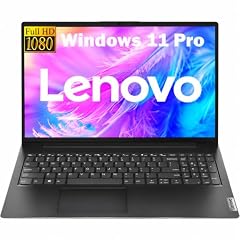
Lenovo New Gen V-Series Business Laptop
- CPU
- Intel Core 7 240H
- RAM
- 16 GB
- Storage
- 1000 GB
- Screen
- 14 in
- Weight
- 1.37 kg
- Battery
- 47 Wh
- OS
- Windows 11 Pro
$899.99 price as of 2026-10-09 17:22 UTC (Details)
At 1.37kg, this Lenovo is the lightest pick in this guide. A 14-inch screen and a 1TB SSD make it a practical choice for someone who carries the laptop to class, the office or a cafe and still wants room for repositories and dependencies. The Intel Core 7 240H and Windows 11 Pro are stated in the listing.
Pros
- Stated weight of 1.37kg, the lightest in this list
- 14-inch screen and 1TB of storage in a small package
- Windows 11 Pro is stated
Cons
- 16GB of RAM is lower than the 24GB and 32GB picks here if you plan to run several containers at once
- 14-inch screen gives less room side by side than 16 and 17 inch options
- No dedicated GPU or graphics memory is stated by the seller
Good fit if
- Developers who carry a laptop every day and value the lightest option in this price class
- Anyone who wants 1TB of storage without a large or heavy chassis
Skip if
- You plan to run memory-heavy VMs or many containers at the same time; consider a 32GB pick
- You want a larger screen as your primary workspace
Verdict: The lightest laptop here, with 1TB of storage and a 14-inch screen for portable programming.
6 Lightest 16-inch pick here

HP OmniBook 16" 2K Touchscreen Laptop | Intel Core Ultra 7 255U
- CPU
- Intel Core Ultra 7 255U
- RAM
- 16 GB
- Storage
- 512 GB
- Screen
- 16 in
- Touchscreen
- Yes
- Weight
- 1.64 kg
- OS
- Windows 11
$855.00 price as of 2026-10-09 17:21 UTC (Details)
The HP OmniBook combines a 16-inch touchscreen with a stated weight of 1.64kg, which is lighter than the other 16-inch pick in this guide. The Intel Core Ultra 7 255U is named in the listing, and 512GB of storage covers a typical code setup. For a programmer who wants a large screen without the heaviest chassis, this is a strong match.
Pros
- 16-inch touchscreen at 1.64kg, light for its screen size
- Windows 11 and Intel Core Ultra 7 255U are stated
- Touchscreen is useful for demos and diagramming
Cons
- 16GB of RAM is the entry point here, not the 32GB available elsewhere
- 512GB of storage is smaller than the 1TB and 4TB picks in this list
- No dedicated GPU or graphics memory is stated by the seller
Good fit if
- Developers who want a large screen for side-by-side code and documentation but still carry the laptop often
- Anyone doing light local work who prefers 16 inches over 14
Skip if
- You need more than 16GB of RAM for multiple VMs or containers
- You want a GPU for local model or 3D work
Verdict: A light 16-inch touchscreen with an Intel Core Ultra 7 processor.
7 24GB RAM with 1TB storage
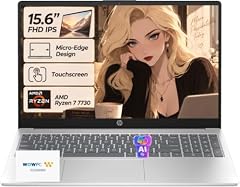
HP 2026 Edition Business Laptop
- CPU
- AMD Ryzen 7 7730U
- RAM
- 24 GB
- Storage
- 1000 GB
- Screen
- 15.6 in
- Touchscreen
- Yes
- Weight
- 1.7 kg
- OS
- Windows 11
$849.99 price as of 2026-10-09 17:21 UTC (Details)
This HP sits between the 16GB and 32GB picks with 24GB of RAM and a 1TB SSD. For a developer, 24GB leaves more room than 16GB for a browser, editor and a container or two, while 1TB of storage keeps project files on the machine. Windows 11, a touchscreen and an AMD Ryzen 7 7730U are stated, and it weighs 1.7kg.
Pros
- 24GB of RAM and 1TB of storage in one listing
- Touchscreen and AMD Ryzen 7 7730U are stated
- Stated weight of 1.7kg is close to lighter 15.6-inch models here
Cons
- No dedicated GPU or graphics memory is stated by the seller
- 24GB is a middle ground: more than the 16GB picks but less than the 32GB ones
- Screen stays at 15.6 inches rather than one of the larger 16 or 17 inch panels
Good fit if
- A developer who wants more than 16GB of memory and a full terabyte of storage without choosing a gaming design
- Students running a VM or database alongside an editor
Skip if
- You want the maximum 32GB or 64GB of memory available in this list
- You need a dedicated GPU for local machine learning
Verdict: A practical 24GB touchscreen laptop with 1TB of storage for code and coursework.
8 24GB RAM with Windows 11 Pro

HP 15.6" FHD IPS Touchscreen Laptop
- CPU
- Intel Core 7 150U
- RAM
- 24 GB
- Storage
- 512 GB
- Screen
- 15.6 in
- Touchscreen
- Yes
- Weight
- 1.7 kg
- OS
- Windows 11 Pro
$899.99 price as of 2026-10-09 17:21 UTC (Details)
This HP is another path to more than 16GB: 24GB of RAM, a touchscreen and Windows 11 Pro. The Intel Core 7 150U is named in the listing, and 512GB of storage is enough for a code setup if you keep large datasets elsewhere. It weighs 1.7kg.
Pros
- 24GB of RAM gives more headroom than a 16GB laptop for containers and browser tabs
- Windows 11 Pro is stated
- Touchscreen is stated and may help with documentation and demos
Cons
- 512GB of storage is smaller than the 1TB and 4TB options in this list
- No dedicated GPU or graphics memory is stated by the seller
- 24GB is not the top memory tier in this guide
Good fit if
- Anyone who wants 24GB of memory and Windows 11 Pro in a touchscreen laptop
- A programmer who keeps large files in cloud storage or on an external drive
Skip if
- You need 1TB or more internal storage for many VM disks and datasets
- You want a discrete GPU for local model training
Verdict: A touchscreen HP with 24GB of RAM and Windows 11 Pro for everyday development.
9 Most stated graphics memory here

HP Victus 15.6" Full HD 144Hz Gaming Laptop
- CPU
- Intel Core i5-12450H
- GPU
- GeForce RTX 3050
- GPU memory
- 6 GB
- RAM
- 16 GB
- Storage
- 512 GB
- Screen
- 15.6 in
- Refresh
- 144 Hz
- OS
- Windows 11 Pro
$875.99 price as of 2026-10-09 17:22 UTC (Details)
For code that touches the GPU, this HP Victus is the pick here that states the most graphics memory: 6GB. The GeForce RTX 3050 gives you a dedicated NVIDIA GPU, and the 144Hz screen is listed. With 16GB of RAM and 512GB of storage, it is aimed at someone who wants a discrete GPU and does not need the largest drive.
Pros
- 6GB of graphics memory, the most stated in this list
- Dedicated GeForce RTX 3050 and 144Hz screen are stated
- Windows 11 Pro and Intel Core i5-12450H are stated
Cons
- 512GB of storage is smaller than several picks here
- 16GB of RAM is lower than the 24GB, 32GB and 64GB picks
- The listing does not state the laptop weight
Good fit if
- A developer who wants a stated NVIDIA GPU with 6GB of graphics memory for local machine learning or game engine experiments
- Someone who also plays games and wants a 144Hz display
Skip if
- You need more RAM for many containers and VMs
- You prefer a laptop with a stated weight for daily carry
Verdict: The highest stated graphics memory in this guide, with a dedicated RTX 3050.
10 Touchscreen with Ryzen and Radeon

Lenovo 15 Inch Touchscreen Laptop
- CPU
- AMD Ryzen 7 8840HS
- GPU
- Radeon 780M
- RAM
- 16 GB
- Storage
- 512 GB
- Screen
- 15 in
- Touchscreen
- Yes
- OS
- Windows 11 Pro
$839.99 price as of 2026-10-09 17:22 UTC (Details)
This Lenovo pairs an AMD Ryzen 7 8840HS with a Radeon 780M GPU, and the listing states Windows 11 Pro. The 15-inch touchscreen and 512GB SSD make it a balanced machine for coursework and everyday coding. The GPU is named as Radeon 780M, with no discrete card or graphics memory amount stated.
Pros
- AMD Ryzen 7 8840HS and touchscreen are stated
- Windows 11 Pro is stated
- Radeon 780M graphics are named in the listing
Cons
- 16GB of RAM is lower than the 24GB, 32GB and 64GB picks in this list
- 512GB of storage is smaller than the 1TB and 4TB options
- Weight and graphics memory amount are not stated by the seller
Good fit if
- A student who wants a touchscreen and a recent AMD processor for coursework
- Someone doing light local graphical work who does not need a discrete GPU
Skip if
- You need more than 16GB of RAM for VMs or many containers
- You need a stated weight for daily carry planning
Verdict: A 15-inch touchscreen Lenovo with a Ryzen 7 and Radeon graphics.
11 Largest screen in this list

NIMO 17.3" AI-Creator-Laptop
- CPU
- AMD Ryzen 5 6600H
- GPU
- Radeon 660M
- RAM
- 32 GB
- Storage
- 1000 GB
- Screen
- 17.3 in
- Weight
- 2.09 kg
- Battery
- 53.58 Wh
$869.99 price as of 2026-10-09 17:23 UTC (Details)
This NIMO gives you a 17.3-inch screen, the largest display among the 14 picks. It combines 32GB of RAM with 1TB of storage, and the listing names an AMD Ryzen 5 6600H and a Radeon 660M. For developers who keep documentation beside code all day, the extra screen area is the main draw.
Pros
- 17.3-inch screen, the largest in this list
- 32GB of RAM and 1TB of storage together
- AMD Ryzen 5 6600H and Radeon 660M are named in the listing
Cons
- At 2.09kg, it is one of the heavier picks here
- No operating system is stated by the seller
- No graphics memory amount is stated by the seller
Good fit if
- A developer who works mostly at a desk and wants a roomy screen for split windows
- Someone who wants 32GB of RAM and 1TB of storage in a large-screen laptop
Skip if
- You carry the laptop daily; the weight is high
- You need a stated operating system out of the box
Verdict: The biggest screen in this price class, with 32GB of RAM and 1TB of storage.
12 2TB of storage at 15.6 inches

NIMO 15.6" IPS FHD-Business-Laptop
- CPU
- Intel Core i3-1215U
- RAM
- 32 GB
- Storage
- 2000 GB
- Screen
- 15.6 in
- Weight
- 1.72 kg
- OS
- Windows 11
$899.99 price as of 2026-10-09 17:23 UTC (Details)
This NIMO offers 2TB of storage, more than every pick here except the 4TB MECHREVO. The 32GB of RAM and 15.6-inch screen make it a practical workhorse for code, container images and virtual machine disks. Windows 11 is stated, and the CPU is listed as an Intel Core i3-1215U.
Pros
- 2TB of storage, second only to the 4TB pick in this guide
- 32GB of RAM for side-by-side tools and containers
- Windows 11 and a 15.6-inch screen are stated
Cons
- The Intel Core i3-1215U is a lower-tier processor than many Core i5, i7 and Ryzen picks here
- No dedicated GPU or graphics memory is stated by the seller
- No touchscreen is stated
Good fit if
- A developer who keeps large datasets, VM images or many project checkouts locally
- A student who wants 32GB of RAM and room to grow without a big screen
Skip if
- You need higher-end CPU performance for heavy builds; this listing names a Core i3
- You want a touchscreen or a discrete GPU
Verdict: A 32GB laptop with unusually large storage in this price class.
13 Only 2-in-1 in this list

Lenovo IdeaPad 5 2-in-1 Convertible Laptop
- CPU
- AMD Ryzen 7 8845HS
- GPU
- Radeon 780M
- RAM
- 16 GB
- Storage
- 512 GB
- Screen
- 16 in
- Touchscreen
- Yes
- Battery
- 57 Wh
- OS
- Windows 11 Home
$869.99 price as of 2026-10-09 17:22 UTC (Details)
This Lenovo IdeaPad is the only convertible in these 14 picks: the listing calls it a 2-in-1 with a 16-inch WUXGA IPS touchscreen. It states 16GB of RAM, 512GB of storage, Windows 11 Home and a Radeon 780M. A convertible is a reasonable choice if you want to switch between laptop and tablet modes for reading, sketching diagrams or giving demos.
Pros
- Only 2-in-1 convertible in this list
- 16-inch WUXGA IPS touchscreen is stated
- Windows 11 Home and AMD Ryzen 7 8845HS are stated
Cons
- 16GB of RAM is lower than the 24GB, 32GB and 64GB picks
- 512GB of storage is on the smaller side in this guide
- Weight is not stated by the seller
Good fit if
- A student or developer who wants a touchscreen and tablet mode for reading and sketching
- Anyone who values a 16-inch screen in a convertible body
Skip if
- You need more than 16GB of RAM for VMs or many containers
- You need a stated weight to plan daily carry
Verdict: A 16-inch convertible with a touchscreen and a recent AMD processor.
14 Lightest 15.6-inch 32GB pick here

Inspiron 15 3530 Laptop
- CPU
- Intel Core i7-1355U
- RAM
- 32 GB
- Storage
- 1000 GB
- Screen
- 15.6 in
- Touchscreen
- Yes
- Weight
- 1.65 kg
- OS
- Windows 11 Home
$894.95 price as of 2026-10-09 17:22 UTC (Details)
This Dell Inspiron gives you 32GB of RAM, 1TB of storage and a touchscreen in a 15.6-inch body that weighs 1.65kg. That makes it the lightest 15.6-inch laptop with 32GB in this guide. Windows 11 Home and an Intel Core i7-1355U are stated, so it covers everyday programming without a dedicated GPU.
Pros
- 32GB of RAM, 1TB of storage and a touchscreen together
- Stated weight of 1.65kg, light for a 32GB 15.6-inch laptop
- Windows 11 Home and Intel Core i7-1355U are stated
Cons
- No dedicated GPU or graphics memory is stated by the seller
- No larger display option is stated; this pick stays at 15.6 inches
Good fit if
- A student or developer who wants 32GB of RAM and 1TB of storage in a lighter 15.6-inch machine
- Anyone who prefers a touchscreen for notes and diagrams
Skip if
- You need a dedicated GPU for local machine learning or 3D work
- You want a larger 17.3-inch screen for desk work
Verdict: A light 32GB Inspiron with 1TB of storage and a touchscreen.
Side by side
| # | Laptop | CPU | GPU | GPU memory | Rentable GPU model | RAM | Storage |
|---|---|---|---|---|---|---|---|
| 1 | Dell 16 Plus Touchscreen Laptop | Intel Core 7 150U | not stated | not stated | not stated | 32 GB | 1000 GB |
| 2 | MECHREVO Dragon 15K 165HZ Gaming Laptop | AMD Ryzen 7 7445HS | RTX 4050 | not stated | not stated | 64 GB | 4000 GB |
| 3 | HP 15.6" FHD Business Laptop | AMD Ryzen 7 7730U | not stated | not stated | not stated | 32 GB | 512 GB |
| 4 | Dell Inspiron 3520 15.6" FHD Laptop | Intel Core i7-1255U | not stated | not stated | not stated | 32 GB | 1000 GB |
| 5 | Lenovo New Gen V-Series Business Laptop | Intel Core 7 240H | not stated | not stated | not stated | 16 GB | 1000 GB |
| 6 | HP OmniBook 16" 2K Touchscreen Laptop | Intel Core Ultra 7 255U | Intel Core Ultra 7 255U | not stated | not stated | not stated | 16 GB | 512 GB |
| 7 | HP 2026 Edition Business Laptop | AMD Ryzen 7 7730U | not stated | not stated | not stated | 24 GB | 1000 GB |
| 8 | HP 15.6" FHD IPS Touchscreen Laptop | Intel Core 7 150U | not stated | not stated | not stated | 24 GB | 512 GB |
| 9 | HP Victus 15.6" Full HD 144Hz Gaming Laptop | Intel Core i5-12450H | GeForce RTX 3050 | 6 GB | not stated | 16 GB | 512 GB |
| 10 | Lenovo 15 Inch Touchscreen Laptop | AMD Ryzen 7 8840HS | Radeon 780M | not stated | not stated | 16 GB | 512 GB |
| 11 | NIMO 17.3" AI-Creator-Laptop | AMD Ryzen 5 6600H | Radeon 660M | not stated | not stated | 32 GB | 1000 GB |
| 12 | NIMO 15.6" IPS FHD-Business-Laptop | Intel Core i3-1215U | not stated | not stated | not stated | 32 GB | 2000 GB |
| 13 | Lenovo IdeaPad 5 2-in-1 Convertible Laptop | AMD Ryzen 7 8845HS | Radeon 780M | not stated | not stated | 16 GB | 512 GB |
| 14 | Inspiron 15 3530 Laptop | Intel Core i7-1355U | not stated | not stated | not stated | 32 GB | 1000 GB |
How we picked
From a pool of 27 laptops that match the listing filter, this guide keeps the ones whose listings state at least 16GB of RAM. The 14 picks below come only from that filtered set. Prices on this page are live and are read from the listing at the time shown next to each price, so the figures can change. Nobody on the site has opened or used any of these laptops. Every specification we mention is exactly what the seller states in the listing: RAM, CPU, GPU, storage, screen size, weight and operating system. Where the listing does not state a spec, we do not guess. This method means the choices are reproducible from the catalogue: filter by RAM, then compare the remaining stated specs.
How to choose
What your editor, browser and containers ask of RAM
Programmers rarely run just one thing. A code editor, a browser with documentation, a local database and a container or virtual machine can all be open at the same time. RAM is what lets those share the machine without constant swapping. The pool rule for this guide starts at 16GB, and the picks range up to 64GB. More RAM leaves more room for these tasks to run side by side, but the catalogue does not state how much any tool uses.
When the GPU matters for code and when it does not
Most everyday programming, web work and backend services do not need a discrete graphics card. The GPU becomes relevant when you train or run local machine learning models, work in 3D or game engines, or render scenes. The amount of graphics memory limits how large a model or scene the card can hold. In this list, the HP Victus states 6GB of graphics memory with a GeForce RTX 3050, and the MECHREVO states an RTX 4050 with no graphics memory amount. Laptops without a stated GPU still suit general programming.
Storage for repositories, images and virtual machines
Repositories themselves may start small, but dependencies, container images, virtual machine disks and datasets add up. More storage means fewer trips to an external drive. This list includes 512GB, 1TB, 2TB and 4TB options. If you expect to keep multiple project images or VM snapshots, choose a model with 1TB or more and keep the 512GB picks for lighter setups.
Screen size and weight when you carry it
A larger screen gives more room to put code beside a browser or documentation. A lighter laptop is easier to carry to class or the office. The picks here range from a 14-inch Lenovo at 1.37kg to 17.3-inch NIMO models at 2.09kg. If you commute daily, weight can matter as much as screen size. If the laptop mostly stays on a desk, a bigger screen may serve you better.
What this guide leaves out (and why)
This guide is built from the catalogue's stated specifications: RAM, CPU, GPU, storage, screen and weight. It does not include observations that would require someone to use the machine, and this site does not guess at them. Battery life in hours is also not part of the listings. For software-specific needs, check the vendor's own documentation. Picks are chosen from the stated specs and live prices.
Questions
Is 16GB of RAM enough for programming?
Sixteen gigabytes is the entry point for this guide, and several picks offer more. More RAM leaves more room for an editor, a browser with many tabs, a local database and containers or virtual machines at the same time. If you regularly run several of these together, pick a 24GB, 32GB or 64GB model from this list. The catalogue gives no measured usage figures, so treat this as headroom advice, not a requirement.
Does this guide cover keyboards, Linux support or build times?
No. The catalogue lists only specifications: RAM, CPU, GPU, storage, screen and weight. It gives no data on keyboard feel, trackpad, fan noise, Linux compatibility or compile times, and we do not guess. For tools like Visual Studio Code, you can check the vendor's own requirements. For Linux support, consult the distribution and hardware documentation. This guide stays with what the listing states.
Can I run Docker Desktop on one of these laptops?
Docker Desktop for Windows installs on Windows systems and requires a full operating system, so a listing that states Windows 11 or Windows 11 Pro is the relevant starting point. Some listings here do not state an OS. The catalogue does not document Docker compatibility beyond the stated OS, and we make no promise that a container tool will run. Check Docker's own installation documentation for current requirements.
Which pick has the most RAM and storage?
The MECHREVO Dragon 15K states 64GB of RAM and 4TB of storage, the most of both in this list. It also states an RTX 4050. The next storage tier is 2TB on a NIMO 15.6-inch business laptop, and several picks combine 32GB of RAM with 1TB of storage. Live prices and availability are shown on the page next to each laptop.
Why are there no MacBooks in this guide?
Every listing in the pool for this guide states Windows 11, Windows 11 Pro or omits the operating system; none states macOS. Apple's developer tools require macOS, but no eligible machine with macOS appears in the pool. If you need macOS for Xcode, you would be looking outside this guide's filter constraints. This page covers the Windows laptops that match the stated rule.
Recent updates
- : First published.