
Best Laptops for Docker and Virtual Machines in 2026: 14 Picks
The Lenovo ThinkPad T14 Business AI is the top pick for Docker and virtual machine work. It combines 64GB of memory with 2TB of storage in a 14-inch chassis that weighs 1.46kg, leaving room for several containers and VM disks without loading your bag. That balance guided the rest of this article. To build it, the catalogue was filtered for laptops that state 32GB or more of RAM and 1TB or more of storage, and only stated specifications were compared.
14 picks from 246 laptops that match this guide with a price we can quote today. Every price below is live and carries the moment it was read.
The picks at a glance
Which one should you buy?
- For a developer with an editor, a browser and several containers open: A 64GB machine like the Lenovo ThinkPad T14 Business AI leaves more memory for containers, a database and a browser to sit side by side. See pick 1
- For a backend engineer who keeps virtual machines for different test environments: The HP 17 Inch Business Laptop combines 64GB of RAM and 2TB of storage with a 17-inch screen, so VM disks and snapshots have room to live. See pick 3
- For a data engineer who wants a dedicated GPU for local model work alongside containers: The Eluktronics HYDROC 16 G2R has 64GB of RAM, 4TB of storage and an RTX 5090 with 24GB of graphics memory, which leaves headroom for models as well as containers. See pick 5
- For a macOS developer who needs Apple hardware to build for Apple platforms: The MacBook Pro with M5 Max and 128GB of memory puts the most RAM in this guide on macOS, where Apple's developer tools run. See pick 2
The 14 picks
1 Best for Docker and virtual machines on the move
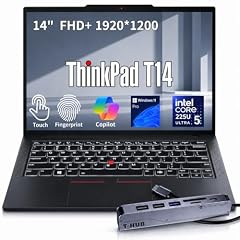
Lenovo ThinkPad T14 Business AI Laptop
- CPU
- Intel Core Ultra 5 225U
- RAM
- 64 GB
- Storage
- 2000 GB
- Screen
- 14 in
- Touchscreen
- Yes
- Weight
- 1.46 kg
- OS
- Windows 11 Pro
$2,149.00 price as of 2026-10-09 19:22 UTC (Details)
This ThinkPad states 64GB of memory and 2TB of storage, which gives containers and virtual machines room to run together. At 14 inches and 1.46kg, it is also one of the easier picks to carry between home, office and class. Windows 11 Pro is stated in the listing.
Pros
- 64GB of memory
- 2TB of built-in storage
- 14-inch touchscreen
- 1.46kg weight, light for the memory and storage it lists
Cons
- No dedicated GPU stated
- No graphics memory stated
Good fit if
- Programmers who carry a laptop to an office or class and run containers and VMs
- Developers who want 64GB without the weight of a gaming laptop
Skip if
- Anyone whose work depends on a discrete GPU for local models or rendering
- Those who want a larger screen for long desktop sessions
Verdict: The ThinkPad T14 Business AI balances memory, storage and portability for container and VM work.
2 Most RAM here

Apple MacBook Pro Laptop with M5 Max
- CPU
- Apple M5 Max
- RAM
- 128 GB
- Storage
- 2000 GB
- Screen
- 16.2 in
- OS
- macOS
$6,999.00 price as of 2026-10-09 19:20 UTC (Details)
128GB of memory is the most in this guide, and it comes on macOS with an Apple M5 Max and 2TB of storage. For programmers who need to keep a large number of containers, virtual machines and local datasets in memory, this is the highest ceiling in the list.
Pros
- 128GB of memory, the most in this list
- macOS for Apple development workflows
- 16.2-inch screen
- 2TB of built-in storage
Cons
- Weight not stated by the seller
- Graphics memory not stated in the listing
Good fit if
- Programmers targeting iOS or macOS and working with large local data
- Developers who want the most memory available in this guide
Skip if
- Windows-only container workflows that require a Windows host
- Anyone who needs a stated discrete graphics memory figure
Verdict: The M5 Max MacBook Pro is the memory ceiling of this guide.
3 17-inch business pick with 64GB and 2TB

HP 17 Inch Laptop for Business
- CPU
- AMD Ryzen 5 7430U
- RAM
- 64 GB
- Storage
- 2000 GB
- Screen
- 17 in
$1,199.99 price as of 2026-10-09 19:21 UTC (Details)
This HP lists 64GB of RAM and 2TB of storage on a 17-inch screen, making it a desk-oriented option for people who run many containers and VMs. The operating system is not stated by the seller, so check that before ordering if you need a specific OS.
Pros
- 64GB of memory
- 2TB of built-in storage
- 17-inch screen, a large option with 64GB in this guide
- AMD Ryzen 5 7430U as stated in the listing
Cons
- Operating system not stated by the seller
- No dedicated GPU stated
- Weight not stated by the seller
Good fit if
- Developers who keep VMs and containers running while working at one desk
- Programmers who prefer a large screen
Skip if
- Those who need to carry the laptop daily without a known weight
- Anyone who needs a stated GPU or graphics memory
Verdict: The HP 17 gives 64GB and 2TB on a large screen for desk-heavy container work.
4 Most storage among 15.6-inch picks

MECHREVO Dragon 15K 165HZ Gaming Laptop
- CPU
- AMD Ryzen 7 7445HS
- GPU
- RTX 4050
- RAM
- 64 GB
- Storage
- 4000 GB
- Screen
- 15.6 in
- Refresh
- 165 Hz
- Weight
- 2.1 kg
$899.99 price as of 2026-10-09 19:23 UTC (Details)
This MECHREVO laptop states 4TB of storage, the most among the 15.6-inch picks in this guide. It also has 64GB of RAM and a GeForce RTX 4050, so it can handle graphics work alongside containers, though the operating system is not stated.
Pros
- 64GB of memory
- 4TB of storage, the most among 15.6-inch picks here
- 15.6-inch screen with 165Hz refresh rate stated
- Discrete GeForce RTX 4050 stated
Cons
- Operating system not stated by the seller
- Graphics memory not stated by the seller
- 2.1kg weight is higher than the lightest 15.6-inch picks
Good fit if
- Developers who keep many VM disks and container images locally
- Programmers who want a discrete GPU without the largest 16- or 17-inch chassis
Skip if
- Those who need a stated OS from the listing
- Anyone who wants a lighter carry
Verdict: The Dragon 15K is the storage-focused 15.6-inch pick in this guide.
5 Most graphics memory here

Eluktronics HYDROC 16 G2R RTX 5090 Gaming Laptop
- CPU
- Intel Core Ultra 9 290HX
- GPU
- RTX 5090
- GPU memory
- 24 GB
- RAM
- 64 GB
- Storage
- 4000 GB
- Screen
- 16 in
- Refresh
- 300 Hz
- Weight
- 2.83 kg
$6,999.00 price as of 2026-10-09 19:21 UTC (Details)
With 24GB of graphics memory, this Eluktronics model has the highest VRAM figure in the guide. It pairs that GPU with 64GB of system RAM, 4TB of storage and Windows 11 Pro, making it a desktop replacement for local model and graphics work.
Pros
- 24GB of graphics memory, the most in this list
- 64GB of system memory
- 4TB of storage
- Windows 11 Pro stated
Cons
- 2.83kg weight is among the heaviest in this guide
- Screen is stated as 16 inches without resolution in the structured specs
- No touchscreen stated
Good fit if
- Developers who run local machine learning containers and need large model memory
- Engineers who want a workstation-class GPU on the go
Skip if
- Anyone who wants a light laptop for daily commuting
- Programmers who do not use a GPU for their container work
Verdict: The HYDROC 16 is the most GPU-heavy pick in this guide.
6 Portable 15.6-inch Windows pick with 48GB and 2TB
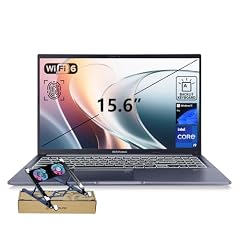
ASUS Vivobook 15 Laptop
- CPU
- Intel Core i9-13900H
- RAM
- 48 GB
- Storage
- 2000 GB
- Screen
- 15.6 in
- Touchscreen
- No
- Weight
- 1.7 kg
- OS
- Windows 11 Pro
$1,349.00 price as of 2026-10-09 19:21 UTC (Details)
This Asus Vivobook states 48GB of RAM and 2TB of storage on a 15.6-inch Windows 11 Pro laptop at 1.7kg. It is a middle option for Windows developers who want more than 32GB without moving to a gaming-class chassis.
Pros
- 48GB of memory
- 2TB of storage
- 1.7kg weight
- Windows 11 Pro stated
Cons
- No discrete GPU stated
- Screen is listed as 15.6 inches without resolution in the structured specs
- No touchscreen stated
Good fit if
- Windows developers who want more than 32GB without the bulk of a gaming laptop
- Students and professionals who carry the machine
Skip if
- Those who need 64GB or more
- Anyone who wants a discrete GPU for local models
Verdict: The Vivobook 15 is a portable Windows option with 48GB and 2TB for container work.
7 16-inch Windows pick with a discrete GPU and 2TB
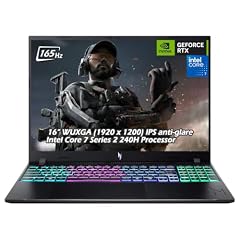
Acer Nitro V 16" WUXGA 165Hz Gaming Laptop
- CPU
- Intel Core 7 240H
- GPU
- GeForce RTX 5060
- RAM
- 32 GB
- Storage
- 2000 GB
- Screen
- 16 in
- Refresh
- 165 Hz
- Weight
- 2.1 kg
- OS
- Windows 11
$2,059.95 price as of 2026-10-09 19:20 UTC (Details)
This Acer Nitro V states 32GB of RAM, 2TB of storage and a GeForce RTX 5060 in a 16-inch Windows machine. It is useful when container work overlaps with local graphics or game engine tasks, and the 2TB drive gives room for large projects.
Pros
- 32GB of RAM
- 2TB of storage
- GeForce RTX 5060 stated
- 16-inch screen with 165Hz refresh rate
Cons
- Graphics memory not stated by the seller
- 2.1kg weight is heavier than the lightest 16-inch picks
- Only 32GB of memory when other picks offer 48GB or more
Good fit if
- Developers who want a dedicated GPU and large storage in a 16-inch chassis
- Programmers who use game engines or local rendering alongside containers
Skip if
- Those who expect 64GB of memory
- Anyone who needs the lightest laptop in this guide
Verdict: The Nitro V 16 pairs a discrete GPU with 2TB on a 16-inch screen.
8 Business 16-inch pick with 2TB

Lenovo ThinkPad E16 Gen 3 Laptop Computer for Business Office Work
- CPU
- Intel Core Ultra 5 225H
- RAM
- 32 GB
- Storage
- 2000 GB
- Screen
- 16 in
- OS
- Windows 11 Pro
$1,139.99 price as of 2026-10-09 19:22 UTC (Details)
This ThinkPad E16 states 32GB of RAM, 2TB of storage and a 16-inch screen with Windows 11 Pro. It is a conventional business shape for programmers who need storage without a gaming GPU.
Pros
- 32GB of RAM
- 2TB of storage
- 16-inch screen
- Windows 11 Pro stated
Cons
- No discrete GPU stated
- Weight not stated by the seller
- No graphics memory stated
Good fit if
- Developers who want 2TB and a 16-inch screen for office work
- Programmers on Windows 11 Pro environments
Skip if
- Those who need a GPU for local rendering
- Anyone who needs a stated weight for travel
Verdict: The ThinkPad E16 is a no-nonsense 16-inch Windows machine for storage-heavy work.
9 Mobile workstation pick with a dedicated GPU

Dell Precision 7680 Laptop
- CPU
- Intel Core i7-13850HX
- GPU
- RTX 2000 Ada
- GPU memory
- 8 GB
- RAM
- 32 GB
- Storage
- 1000 GB
- Screen
- 16 in
- Weight
- 2.68 kg
- OS
- Windows 11 Pro
$2,599.99 price as of 2026-10-09 19:21 UTC (Details)
This Dell Precision lists 32GB of RAM, 1TB of storage and an RTX 2000 Ada with 8GB of graphics memory. The workstation positioning and dedicated GPU make it a candidate for engineering software and compute-heavy container work.
Pros
- RTX 2000 Ada with 8GB of graphics memory stated
- 32GB of RAM
- 16-inch screen
- Windows 11 Pro stated
Cons
- 1TB storage is the smallest in this guide
- 2.68kg weight is heavy for carrying
- No touchscreen stated
Good fit if
- Engineers running compute-heavy containers that use the GPU
- Programmers who want a workstation-class laptop
Skip if
- Developers who need more than 1TB without an external drive
- Anyone who wants a light daily carry
Verdict: The Precision 7680 is the workstation-flavored pick in this guide.
10 Compact touchscreen option for portable work

Lenovo 2026 ThinkPad P14s Gen 7 w/Ryzen AI 7 PRO
- CPU
- AMD Ryzen AI 7 PRO 450
- RAM
- 32 GB
- Storage
- 1000 GB
- Screen
- 14 in
- Touchscreen
- Yes
$1,700.00 price as of 2026-10-09 19:22 UTC (Details)
This ThinkPad P14s states a 14-inch touchscreen, 32GB of RAM and 1TB of storage. It is a smaller option for students and programmers who want a compact touchscreen machine, though the weight and operating system are not stated by the seller.
Pros
- 14-inch touchscreen
- 32GB of RAM
- 1TB of storage
- CPU listed as AMD Ryzen AI 7 PRO
Cons
- Weight not stated by the seller
- Operating system not stated by the seller
- No dedicated GPU stated
Good fit if
- Students who need a compact touchscreen laptop
- Programmers who run containers but want a smaller body
Skip if
- Those who need 2TB or more
- Anyone who needs a discrete GPU
Verdict: The ThinkPad P14s Gen 7 is a compact touchscreen option for container work.
11 Light 16-inch touchscreen pick at 1.6kg

Acer Swift 16 AI Laptop 16" WUXGA 120Hz Touchscreen
- CPU
- AMD Ryzen AI 9 465
- GPU
- Radeon 880M
- RAM
- 32 GB
- Storage
- 1000 GB
- Screen
- 16 in
- Refresh
- 120 Hz
- Touchscreen
- Yes
- Weight
- 1.6 kg
$1,259.00 price as of 2026-10-09 19:20 UTC (Details)
At 1.6kg, this Acer Swift 16 AI is one of the lightest 16-inch touchscreen laptops in this guide. It states 32GB of RAM, 1TB of storage and Windows 11 Pro, with a Radeon 880M integrated GPU listed.
Pros
- 1.6kg weight
- 32GB of RAM
- 1TB of storage
- Windows 11 Pro stated
Cons
- No dedicated graphics memory stated
- Only 1TB storage
- Radeon 880M is the integrated GPU listed
Good fit if
- Developers who want a large touchscreen without a heavy carry
- Programmers who value portability over GPU headroom
Skip if
- Those who need 2TB storage
- Anyone who needs a discrete GPU
Verdict: The Swift 16 AI is a light way to get a 16-inch touchscreen in this list.
12 High-refresh gaming-class pick for graphics-heavy workflow

ASUS ROG Strix G16
- CPU
- Intel Core Ultra 9 275HX
- GPU
- GeForce RTX 5070 Ti
- RAM
- 32 GB
- Storage
- 1000 GB
- Screen
- 16 in
- Refresh
- 240 Hz
- Weight
- 2.65 kg
- OS
- Windows 11 Home
$2,556.46 price as of 2026-10-09 19:20 UTC (Details)
This ROG Strix G16 states a GeForce RTX 5070 Ti, 32GB of RAM, 1TB of storage and a 16-inch screen with a 240Hz refresh rate. It suits programmers who also work with game engines or graphics-heavy containers, though the graphics memory is not stated in the structured specs.
Pros
- GeForce RTX 5070 Ti stated
- 32GB of RAM
- 16-inch screen with 240Hz refresh rate
- Windows 11 Home stated
Cons
- 1TB storage is enough for projects but not the largest in this guide
- 2.65kg weight is heavy
- Graphics memory not stated by the seller
Good fit if
- Developers working with game engines or graphics workloads
- Programmers who want a high-refresh display
Skip if
- Anyone who needs more than 1TB built in
- Those who want a lighter machine
Verdict: The ROG Strix G16 is the high-refresh gaming-class pick for graphics-heavy workflow.
13 Apple option with 48GB for macOS work

Apple 2026 MacBook Pro Laptop
- CPU
- Apple M5 Pro
- RAM
- 48 GB
- Storage
- 1000 GB
- Screen
- 16.2 in
- Weight
- 2.14 kg
- OS
- macOS
$3,299.00 price as of 2026-10-09 19:20 UTC (Details)
This MacBook Pro states an Apple M5 Pro, 48GB of memory, 1TB of storage and a 16.2-inch screen. It is a middle option for Mac users who want more memory than the base configurations but do not need the 128GB model.
Pros
- 48GB of memory
- macOS
- 16.2-inch screen
- 2.14kg weight stated
Cons
- 1TB storage is the smallest Apple option in this guide
- No separate graphics memory listed
- Storage is smaller than the M5 Max 128GB pick
Good fit if
- Programmers who want macOS and more memory than the base models
- People who need a 16-inch Apple laptop without the top memory configuration
Skip if
- Those who want the absolute most memory on macOS
- Anyone who needs 2TB without external storage
Verdict: The M5 Pro MacBook Pro is a middle-ground Apple pick for container work.
14 Lightest 15.6-inch Windows pick with 32GB and 1TB

HP 255 G10 15.6" FHD Business Laptop
- CPU
- AMD Ryzen 7 7730U
- RAM
- 32 GB
- Storage
- 1000 GB
- Screen
- 15.6 in
- Weight
- 1.52 kg
- OS
- Windows 11 Pro
$999.99 price as of 2026-10-09 19:21 UTC (Details)
This HP 255 G10 states 32GB of RAM, 1TB of storage and Windows 11 Pro in a body that weighs 1.52kg. It is a simple, portable Windows option for programmers who want enough memory for containers without carrying extra weight.
Pros
- 1.52kg, the lightest 15.6-inch Windows laptop with 32GB and 1TB in this guide
- 32GB of RAM
- 1TB of storage
- Windows 11 Pro stated
Cons
- No discrete GPU stated
- 15.6-inch screen without resolution in structured specs
- Only 1TB storage
Good fit if
- Programmers who want a light Windows laptop with enough RAM for containers
- Students carrying a laptop all day
Skip if
- Those who need 2TB or more
- Anyone who needs a GPU
Verdict: The HP 255 G10 is the lightweight Windows pick with 32GB.
Side by side
| # | Laptop | CPU | GPU | GPU memory | Rentable GPU model | RAM | Storage |
|---|---|---|---|---|---|---|---|
| 1 | Lenovo ThinkPad T14 Business AI Laptop | Intel Core Ultra 5 225U | not stated | not stated | not stated | 64 GB | 2000 GB |
| 2 | Apple MacBook Pro Laptop with M5 Max | Apple M5 Max | not stated | not stated | not stated | 128 GB | 2000 GB |
| 3 | HP 17 Inch Laptop for Business | AMD Ryzen 5 7430U | not stated | not stated | not stated | 64 GB | 2000 GB |
| 4 | MECHREVO Dragon 15K 165HZ Gaming Laptop | AMD Ryzen 7 7445HS | RTX 4050 | not stated | not stated | 64 GB | 4000 GB |
| 5 | Eluktronics HYDROC 16 G2R RTX 5090 Gaming Laptop | Intel Core Ultra 9 290HX | RTX 5090 | 24 GB | not stated | 64 GB | 4000 GB |
| 6 | ASUS Vivobook 15 Laptop | Intel Core i9-13900H | not stated | not stated | not stated | 48 GB | 2000 GB |
| 7 | Acer Nitro V 16" WUXGA 165Hz Gaming Laptop | Intel Core 7 240H | GeForce RTX 5060 | not stated | not stated | 32 GB | 2000 GB |
| 8 | Lenovo ThinkPad E16 Gen 3 Laptop Computer for Business Office Work | Intel Core Ultra 5 225H | not stated | not stated | not stated | 32 GB | 2000 GB |
| 9 | Dell Precision 7680 Laptop | Intel Core i7-13850HX | RTX 2000 Ada | 8 GB | not stated | 32 GB | 1000 GB |
| 10 | Lenovo 2026 ThinkPad P14s Gen 7 w/Ryzen AI 7 PRO | AMD Ryzen AI 7 PRO 450 | not stated | not stated | not stated | 32 GB | 1000 GB |
| 11 | Acer Swift 16 AI Laptop 16" WUXGA 120Hz Touchscreen | AMD Ryzen AI 9 465 | Radeon 880M | not stated | not stated | 32 GB | 1000 GB |
| 12 | ASUS ROG Strix G16 | Intel Core Ultra 9 275HX | GeForce RTX 5070 Ti | not stated | not stated | 32 GB | 1000 GB |
| 13 | Apple 2026 MacBook Pro Laptop | Apple M5 Pro | not stated | not stated | not stated | 48 GB | 1000 GB |
| 14 | HP 255 G10 15.6" FHD Business Laptop | AMD Ryzen 7 7730U | not stated | not stated | not stated | 32 GB | 1000 GB |
How we picked
From a pool of 60 listed laptops that meet the filter, this guide compares 14 picks. The rule is the one from the catalogue filter: each listing must state at least 32GB of RAM and at least 1TB of storage. No one at this site has tested, handled or measured any of these laptops. The specifications are exactly what each seller states in the listing, and prices are live and read from the listing at the time the page loads. The guide treats memory as headroom for containers and virtual machines, storage as room for images and virtual disks, and graphics memory as a limit for local model work.
How to choose
What your editor, browser and containers ask of RAM
A container does not replace the programs on your laptop, it runs alongside them. The same memory is shared by your editor, browser, database, build tools and any virtual machines. More RAM leaves more room for these to stay open at the same time, which is why this guide starts at 32GB and highlights picks with 48GB, 64GB and 128GB. The pool does not state how much memory Docker or a virtual machine uses, so treat the RAM figure as headroom rather than a promise.
Storage for container images, volumes and VM disks
Container images and virtual machine disks are files, and they can grow as you pull images, install dependencies and create snapshots. A 1TB SSD is enough for many projects, while 2TB or 4TB gives more room before you need an external drive. The picks in this guide all state at least 1TB of storage because of the filter. Check the stated capacity, and remember that the operating system and tools share that same drive.
When the GPU matters for code and when it does not
Most Docker and VM work is CPU and memory work. A discrete GPU becomes useful when you run local machine learning jobs, game engines, or 3D tools from inside a container. The amount of graphics memory limits how large a model or scene the card can hold. The catalogue states a GPU for some picks and not others; this guide lists graphics memory only when the seller states it.
Operating system and the tools you target
The listing states the operating system for most picks. Windows 11 and Windows 11 Pro appear across the Windows group, macOS appears on the Apple picks, and a few listings do not state an OS at all. Apple's developer tools require macOS, so programmers targeting Apple platforms should start with the MacBooks. For Windows container work, choose a pick that states the Windows version you need.
Screen size and weight when your workstation is in the bag
A 14-inch laptop is easier to carry to class or a meeting, while 16-inch and 17-inch screens give more room for code beside a browser or terminal. Weight follows the same trade. The stated weights in this guide run from 1.46kg to 2.83kg, so use the listing figures to decide whether the laptop lives mostly on a desk or mostly in a backpack.
What this guide leaves out (and why)
The catalogue has no data on battery life in hours, keyboard feel, trackpad quality, fan noise, build materials or driver support. Those qualities matter, but this site does not guess them from specifications. If a listing does not state a spec, the guide says so. The picks here are chosen from stated hardware and operating system information only.
Questions
How much memory do I need for Docker and virtual machines?
No single number applies to every workflow. Containers share the same RAM as your editor, browser and any virtual machines, so more memory leaves more room for these to run side by side. The filter for this guide starts at 32GB, and several picks offer 48GB to 128GB. The catalogue does not state per-tool usage, so the guide uses the stated RAM as headroom, not a guarantee.
Is a dedicated GPU necessary for Docker and virtual machines?
No. Most container and virtual machine work uses the CPU, memory and storage. A discrete GPU becomes relevant when you run local machine learning, game engines or 3D tools from inside a container. The amount of graphics memory limits how large a model or scene the GPU can hold. This guide lists a GPU and graphics memory only when the seller states it.
What does the storage figure mean for containers and VMs?
Container images and virtual machine disks are files on the same drive as your operating system and tools. More storage gives more room for dependencies, images, snapshots and virtual disks before you need an external drive. All picks here state at least 1TB, while some offer 2TB or 4TB. The guide does not estimate how much space any single project uses.
Which operating system should I choose for Docker and virtual machines?
The listing states the operating system for most picks, and the right choice depends on the containers and VMs you need. Windows 11 and Windows 11 Pro are stated across the Windows group, and macOS appears on the Apple picks. Apple's developer tools run on macOS, so programmers targeting Apple platforms should start with the MacBooks. The guide does not compare which OS handles Docker better.
Does this guide cover keyboard feel, trackpad comfort or battery life?
No. The catalogue contains no data on keyboard feel, key travel, trackpad quality, fan noise, build materials or battery life in hours. This site does not guess those qualities from specifications, and it does not make claims about driver support or dual-boot setups. The picks here are chosen only from the hardware and operating system figures each seller lists.
Recent updates
- : First published.