
Best Programming Laptops Under 1200 in 2026: 15 Picks by Specs
For a programmer whose budget tops out at 1200, the Lenovo ThinkPad E16 Gen 3 is the stand-out pick: it lists 32GB of RAM and 2TB of storage, which gives an editor, a browser and containers room to run together, and Windows 11 Pro as the operating system. To build the guide, we took the under-1200 pool, kept only the laptops with 16GB or more of RAM, and compared stated specs. Nobody here tested or handled these laptops.
15 picks from 17 laptops that match this guide with a price we can quote today. Every price below is live and carries the moment it was read.
The picks at a glance
Which one should you buy?
- For a React developer with a browser, an editor and a container open: The ThinkPad E16's 32GB of RAM leaves room for a code editor, many browser tabs and a container side by side, and its 2TB drive holds multiple project checkouts. See pick 2
- For a student whose coursework needs a virtual machine: The HP 2025's 32GB of RAM and 2TB SSD give a VM, a compiler and course files more room to coexist, while its 1.5kg weight makes it easier to take to class. See pick 12
- For someone who carries the laptop between campus and a cafe: At 1.47kg, the ThinkPad P14s is the lightest pick in the guide, and its 14-inch screen makes a smaller footprint in a bag. See pick 13
- For a developer starting with local machine learning: The Acer Nitro V specifies an RTX 5050 GPU with 8GB of graphics memory, the most VRAM in this list, which gives local model work more room to fit on the card. See pick 10
The 15 picks
1 Most RAM here

HP 17 Inch Laptop for Business
- CPU
- AMD Ryzen 5 7430U
- RAM
- 64 GB
- Storage
- 2000 GB
- Screen
- 17 in
$1,199.99 price as of 2026-10-09 17:21 UTC (Details)
This HP 17-inch laptop has the highest RAM figure in the guide at 64GB, and its 2TB SSD is tied for the largest storage here. The 17-inch screen is also the largest in the pool, which gives room for a code editor and a browser side by side. It is a broad headroom pick for multitasking work.
Pros
- 64GB of RAM, the most in this guide
- 2TB of storage, tied for the largest here
- 17-inch screen, the largest in this guide
Cons
- No operating system is stated by the seller
- No discrete GPU is stated by the seller
- No weight is stated by the seller
Good fit if
- A developer who runs several VMs or containers at once
- Someone who wants a large screen and maximum RAM
Skip if
- You need a stated operating system before purchase
- You often carry the laptop and need a listed weight
Verdict: The HP 17-inch is the clearest RAM headroom pick under 1200.
2 Best all-around under 1200

Lenovo ThinkPad E16 Gen 3 Laptop Computer for Business Office Work
- CPU
- Intel Core Ultra 5 225H
- RAM
- 32 GB
- Storage
- 2000 GB
- Screen
- 16 in
- OS
- Windows 11 Pro
$1,139.99 price as of 2026-10-09 17:22 UTC (Details)
The ThinkPad E16 Gen 3 is the best-balanced pick on paper in this pool. It lists 32GB of RAM and 2TB of storage, both above the pool's minimum, plus Windows 11 Pro and a 16-inch screen. That combination covers a working developer's day with room for containers.
Pros
- 32GB of RAM, above the pool's minimum
- 2TB of storage, tied for the largest in this list
- 16-inch screen
- Windows 11 Pro as stated
Cons
- No discrete GPU is stated by the seller
- No weight is stated by the seller
Good fit if
- A working developer who runs containers or VMs alongside an editor
- Anyone who wants 2TB of storage for repositories, images, and datasets
Skip if
- You need a stated discrete GPU for local model work
- You want the lightest machine in the guide
Verdict: The ThinkPad E16 Gen 3 is the most balanced under-1200 pick on paper, with 32GB of RAM and 2TB of storage.
3 32GB and 1TB portable workhorse
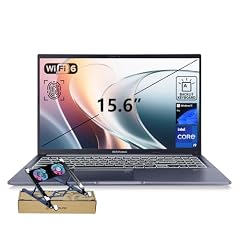
ASUS Vivobook 15 Laptop
- CPU
- Intel Core i9-13900H
- RAM
- 32 GB
- Storage
- 1000 GB
- Screen
- 15.6 in
- Touchscreen
- No
- Weight
- 1.7 kg
- OS
- Windows 11 Pro
$1,199.00 price as of 2026-10-09 17:21 UTC (Details)
This ASUS Vivobook lists 32GB of RAM, a 1TB SSD, a 15.6-inch screen, and Windows 11 Pro. At a stated 1.7kg, it is one of the lighter 15-inch picks in the guide. It is a balanced option for web and backend development.
Pros
- 32GB of RAM
- 1TB SSD
- Stated weight of 1.7kg
- Windows 11 Pro as stated
Cons
- No discrete GPU is stated by the seller
- No touchscreen is listed
Good fit if
- A developer who wants 32GB in a mid-weight laptop
- A programmer who keeps a local server, editor and browser open
Skip if
- You need a discrete GPU
- You need more than 1TB of internal storage
Verdict: The Vivobook 15 is a compact 32GB, 1TB Windows laptop for everyday coding.
4 RTX 4050 with 1TB SSD

Acer Nitro V Gaming Laptop
- CPU
- Intel Core i7-13620H
- GPU
- GeForce RTX 4050 Laptop
- RAM
- 16 GB
- Storage
- 1000 GB
- Screen
- 15.6 in
- Refresh
- 165 Hz
- Weight
- 2.11 kg
$1,199.99 price as of 2026-10-09 17:20 UTC (Details)
This Acer Nitro V couples a GeForce RTX 4050 with 1TB of storage and 16GB of RAM. The 15.6-inch 165Hz screen is one of the highest refresh rates in this list. It is a discrete-GPU option that also gives you a full terabyte of internal storage.
Pros
- Stated GeForce RTX 4050
- 1TB SSD
- 16GB of RAM
- 165Hz screen as listed
Cons
- No operating system is stated by the seller
- Weighs 2.11kg, heavier than several picks
Good fit if
- A developer who wants a discrete GPU and a large SSD
- Someone who uses GPU-accelerated code or local model work
Skip if
- You need a stated operating system
- You prefer a lighter laptop for frequent travel
Verdict: The Acer Nitro V Intel pairs a discrete GPU with a 1TB drive in a 15.6-inch gaming body.
5 Lightest 16-inch pick here

Dell Pro 16(Next-gen Latitude 3550) 16” FHD+ Display Business Laptop
- CPU
- Intel Core i5
- RAM
- 16 GB
- Storage
- 512 GB
- Screen
- 16 in
- Weight
- 1.79 kg
- OS
- Windows 11 Pro
$1,129.95 price as of 2026-10-09 17:21 UTC (Details)
The Dell Pro 16 is a business-oriented 16-inch laptop with a stated weight of 1.79kg, the lightest 16-inch pick in this guide. It lists 16GB of RAM, 512GB of storage, and Windows 11 Pro. The screen gives more room for side-by-side windows than a 14-inch model.
Pros
- 16-inch display
- Stated weight of 1.79kg, lightest 16-inch here
- Windows 11 Pro as stated
- 16GB of RAM
Cons
- 512GB SSD is the minimum tier in this guide
- No discrete GPU is stated by the seller
Good fit if
- A programmer who wants a 16-inch screen without a heavy laptop
- A business developer who works in Windows environments
Skip if
- You need more than 512GB of storage
- You need a discrete GPU
Verdict: The Dell Pro 16 is the lightest 16-inch option in this guide on paper.
6 Touchscreen with 32GB RAM
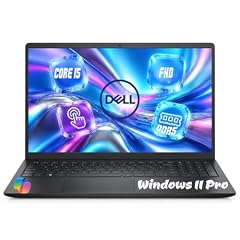
Dell 15.6" FHD Touchscreen Laptop
- CPU
- Intel Core i5-1334U
- RAM
- 32 GB
- Storage
- 1000 GB
- Screen
- 15.6 in
- Refresh
- 60 Hz
- Touchscreen
- Yes
- Weight
- 1.94 kg
- OS
- Windows 11 Pro
$1,159.99 price as of 2026-10-09 17:21 UTC (Details)
This Dell 15.6-inch touchscreen laptop lists 32GB of RAM, a 1TB SSD, and Windows 11 Pro. It is the touchscreen pick with the most memory in the guide. The 1.94kg weight and 60Hz display are stated, while no discrete GPU is listed.
Pros
- Touchscreen is listed
- 32GB of RAM
- 1TB SSD
- Windows 11 Pro as stated
Cons
- No discrete GPU is stated by the seller
- Weighs 1.94kg
- 60Hz screen, lower refresh than gaming-oriented picks
Good fit if
- A developer who wants touch input for review or notes
- Someone who needs 32GB of RAM and 1TB of storage
Skip if
- You require a discrete GPU
- You want the lightest machine in the guide
Verdict: The Dell touchscreen is a 32GB, 1TB Windows laptop for programmers who want touch input.
7 Discrete GPU with 1TB storage

HP Victus Gaming Laptop
- CPU
- Intel Core i5-13420H
- GPU
- GeForce RTX 4050
- GPU memory
- 6 GB
- RAM
- 16 GB
- Storage
- 1000 GB
- Screen
- 15.6 in
- Refresh
- 144 Hz
- Weight
- 2.3 kg
$1,149.00 price as of 2026-10-09 17:22 UTC (Details)
The HP Victus lists a GeForce RTX 4050 with 6GB of graphics memory, alongside 16GB of RAM and a 1TB SSD. It is one of the RTX 4050 options that keeps a full terabyte of internal storage. The 144Hz screen and 2.3kg weight are stated.
Pros
- Stated GeForce RTX 4050 with 6GB VRAM
- 1TB SSD
- 16GB of RAM
- 144Hz screen as listed
Cons
- Weighs 2.3kg, among the heaviest here
- 16GB of RAM is the pool minimum
- Windows 11 is stated, not Windows 11 Pro
Good fit if
- A developer who wants a discrete GPU and a 1TB drive
- Someone who uses GPU-accelerated tasks and keeps large projects local
Skip if
- You need more graphics memory than 6GB
- You want a lighter laptop for daily carry
Verdict: The HP Victus balances a discrete GPU with 1TB of storage in a 15.6-inch body.
8 RTX 4050 on AMD

Lenovo LOQ AMD Ryzen 7 170 RTX 4050 Gaming Laptop
- CPU
- AMD Ryzen 7 170
- GPU
- RTX 4050
- RAM
- 16 GB
- Storage
- 512 GB
- Screen
- 15.6 in
- Refresh
- 144 Hz
- Weight
- 2.4 kg
$1,199.00 price as of 2026-10-09 17:22 UTC (Details)
The Lenovo LOQ specs a GeForce RTX 4050 with an AMD Ryzen 7 170 CPU, 16GB of RAM, and a 144Hz display. Storage is 512GB, which is on the smaller side, and the listing does not state an operating system. It is one of the heaviest picks at 2.4kg.
Pros
- Stated GeForce RTX 4050
- AMD Ryzen 7 170 as listed
- 16GB of RAM
- 144Hz screen as listed
Cons
- 512GB SSD is the minimum tier in this guide
- Weighs 2.4kg, the heaviest in this guide
- No operating system is stated by the seller
Good fit if
- A developer who wants a discrete GPU with an AMD CPU
- Someone who does not need more than 512GB of storage
Skip if
- You need more than 512GB of storage
- You want a lighter machine for travel
Verdict: The Lenovo LOQ spends its budget on a discrete GPU and a high-refresh screen.
9 16-inch RTX 4050 display

ASUS TUF Gaming F16 Gaming Laptop
- CPU
- Intel Core 5 210H
- GPU
- GeForce RTX 4050
- RAM
- 16 GB
- Screen
- 16 in
- Refresh
- 144 Hz
- Weight
- 2.2 kg
- OS
- Windows 11 Home
$1,159.00 price as of 2026-10-09 17:20 UTC (Details)
The ASUS TUF Gaming F16 lists a 16-inch FHD+ 144Hz display and a GeForce RTX 4050, giving a larger screen with a discrete GPU. It states 16GB of RAM, Windows 11 Home, and a 2.2kg weight. The listing does not state storage capacity, so confirm that before purchase.
Pros
- 16-inch 144Hz display
- Stated GeForce RTX 4050
- 16GB of RAM
- Windows 11 Home as stated
Cons
- Storage capacity is not stated by the seller
- Weighs 2.2kg
- 16GB of RAM is the pool minimum
Good fit if
- A developer who wants a 16-inch display and a discrete GPU
- Someone who can confirm storage from a separate specification
Skip if
- You need a stated storage capacity
- You want a lighter laptop
Verdict: The TUF Gaming F16 is a 16-inch RTX 4050 pick, with storage as the detail to confirm.
10 Most graphics memory here

acer Nitro V Gaming Laptop
- CPU
- Intel Core i5-13420H
- GPU
- GeForce RTX 5050
- GPU memory
- 8 GB
- RAM
- 16 GB
- Storage
- 512 GB
- Screen
- 15.6 in
- Refresh
- 165 Hz
- OS
- Windows 11 Home
$1,139.00 price as of 2026-10-09 17:20 UTC (Details)
This Acer Nitro V specifies a GeForce RTX 5050 with 8GB of graphics memory, the most VRAM in the guide. That gives local machine-learning workloads more room on the card. It pairs that GPU with 16GB of RAM and a 512GB SSD, and the 165Hz screen is listed.
Pros
- 8GB of graphics memory, the most in this list
- Stated GeForce RTX 5050
- 512GB SSD
- 165Hz screen as listed
Cons
- 512GB SSD is the minimum tier in this guide
- No weight is stated by the seller
- 16GB of RAM is the pool minimum
Good fit if
- A developer starting with local machine learning
- Someone who wants the largest graphics memory in the under-1200 range
Skip if
- You need more than 512GB of storage
- You need the highest RAM in the guide
Verdict: For graphics memory, this Acer Nitro V is the pick with the most VRAM in this guide.
11 Touchscreen with 512GB

Dell 2026 AI Laptop
- CPU
- Intel Core i7-1355U
- RAM
- 16 GB
- Storage
- 512 GB
- Screen
- 15.6 in
- Touchscreen
- Yes
- Weight
- 1.94 kg
- OS
- Windows 11
$1,149.99 price as of 2026-10-09 17:21 UTC (Details)
The Dell 2026 AI Laptop is a simpler 15.6-inch touchscreen configuration with 16GB of RAM, a 512GB SSD, and Windows 11. It lists an Intel Core i7-1355U and a 1.94kg weight. Compared with the other Dell touchscreen pick, it has less memory and storage but still meets the pool minimum.
Pros
- Touchscreen is listed
- 16GB of RAM
- 512GB SSD
- Windows 11 as stated
Cons
- No discrete GPU is stated by the seller
- 512GB SSD is the minimum tier in this guide
- Windows 11 Pro is not stated
Good fit if
- A developer who wants a touchscreen at the minimum memory tier
- A student whose coursework is mostly browser- and editor-based
Skip if
- You need more than 512GB of storage
- You need 32GB of RAM or a discrete GPU
Verdict: The Dell 2026 AI is a touchscreen Windows laptop for straightforward coding work.
12 Lightest 32GB pick here

HP 2025 Laptop
- CPU
- Intel Core i7-1355U
- RAM
- 32 GB
- Storage
- 2000 GB
- Screen
- 15.6 in
- Weight
- 1.5 kg
- Battery
- 41 Wh
- OS
- Windows 11 Pro
$1,179.00 price as of 2026-10-09 17:21 UTC (Details)
The HP 2025 lists 32GB of RAM, a 2TB SSD, and a stated weight of 1.5kg, which makes it the lightest 32GB laptop in this guide. The 15.6-inch screen and Windows 11 Pro round out a strong carry-friendly configuration. It is a good fit for commuters who want memory headroom.
Pros
- 32GB of RAM
- 2TB of storage, tied for the largest here
- Stated weight of 1.5kg
- Windows 11 Pro as stated
Cons
- No discrete GPU is stated by the seller
- No touchscreen is listed
Good fit if
- A student or commuter who wants 32GB without a heavy laptop
- A developer who needs 2TB of storage and light weight
Skip if
- You need a discrete GPU
- You want a touchscreen
Verdict: The HP 2025 is the lightest 32GB pick in this guide with a 2TB drive.
13 Lightest pick here

Lenovo ThinkPad P14s Mobile Workstation Laptop
- CPU
- Intel Core i5-1135G7
- RAM
- 16 GB
- Storage
- 512 GB
- Screen
- 14 in
- Weight
- 1.47 kg
- OS
- Windows 11 Pro
$1,199.99 price as of 2026-10-09 17:22 UTC (Details)
The ThinkPad P14s is the lightest pick in the guide at 1.47kg, with a 14-inch screen that makes a smaller footprint in a bag. It lists 16GB of RAM, 512GB of storage, and Windows 11 Pro. It is a carry-first business workstation on paper.
Pros
- Stated weight of 1.47kg, the lightest here
- 14-inch screen, the smallest in this guide
- Windows 11 Pro as stated
- 16GB of RAM
Cons
- 512GB SSD is the minimum tier in this guide
- No discrete GPU is stated by the seller
Good fit if
- A commuter or student who carries the laptop daily
- A developer who prefers a compact machine for class or coworking
Skip if
- You need more than 512GB of storage
- You want a larger 16-inch screen
Verdict: The ThinkPad P14s is the portability pick for the under-1200 guide.
14 AMD RTX 4050 on 16 inches
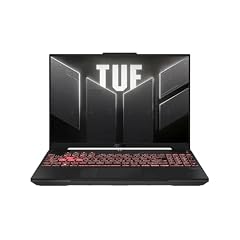
ASUS TUF Gaming A16 Laptop
- CPU
- AMD Ryzen 7 7445HS
- GPU
- GeForce RTX 4050
- RAM
- 16 GB
- Storage
- 512 GB
- Screen
- 16 in
- Refresh
- 145 Hz
- OS
- Windows 11
$1,162.40 price as of 2026-10-09 17:20 UTC (Details)
The ASUS TUF Gaming A16 is a 16-inch RTX 4050 laptop with an AMD Ryzen 7 7445HS, 16GB of RAM, and a 145Hz display. It lists 512GB of storage and Windows 11. The listing does not state a weight, so portability is harder to judge.
Pros
- 16-inch 145Hz display
- Stated GeForce RTX 4050
- 512GB SSD
- Windows 11 as stated
Cons
- 512GB SSD is the minimum tier in this guide
- No weight is stated by the seller
- 16GB of RAM is the pool minimum
Good fit if
- A developer who wants a 16-inch screen with an AMD CPU and an NVIDIA GPU
- Someone using GPU-accelerated libraries
Skip if
- You need more than 512GB of storage
- You need a stated weight to plan travel
Verdict: The TUF Gaming A16 is a 16-inch RTX 4050 option, with storage at the minimum tier.
15 40GB RAM and 2TB storage

ASUS Vivobook 16" WUXGA Laptop
- CPU
- Intel Core i7-1355U
- RAM
- 40 GB
- Storage
- 2000 GB
- Screen
- 16 in
- OS
- Windows 11
$1,139.00 price as of 2026-10-09 17:21 UTC (Details)
The ASUS Vivobook 16 is the only pick with 40GB of RAM, and its 2TB of storage is tied for the largest in this guide. It lists a 16-inch screen and an Intel Core i7-1355U, with Windows 11. The listing does not state a weight or a discrete GPU.
Pros
- 40GB of RAM, the only pick at this figure
- 2TB of storage, tied for the largest here
- 16-inch screen
- Windows 11 as stated
Cons
- No discrete GPU is stated by the seller
- No weight is stated by the seller
- Windows 11 Pro is not stated
Good fit if
- A developer who wants unusual 40GB of RAM for many containers and tabs
- Someone who wants 2TB of storage for repositories and images
Skip if
- You need a discrete GPU for local model work
- You need a stated weight
Verdict: The ASUS Vivobook 16 offers the guide's only 40GB RAM configuration.
Side by side
| # | Laptop | CPU | GPU | GPU memory | Rentable GPU model | RAM | Storage |
|---|---|---|---|---|---|---|---|
| 1 | HP 17 Inch Laptop for Business | AMD Ryzen 5 7430U | not stated | not stated | not stated | 64 GB | 2000 GB |
| 2 | Lenovo ThinkPad E16 Gen 3 Laptop Computer for Business Office Work | Intel Core Ultra 5 225H | not stated | not stated | not stated | 32 GB | 2000 GB |
| 3 | ASUS Vivobook 15 Laptop | Intel Core i9-13900H | not stated | not stated | not stated | 32 GB | 1000 GB |
| 4 | Acer Nitro V Gaming Laptop | Intel Core i7-13620H | GeForce RTX 4050 Laptop | not stated | not stated | 16 GB | 1000 GB |
| 5 | Dell Pro 16(Next-gen Latitude 3550) 16” FHD+ Display Business Laptop | Intel Core i5 | not stated | not stated | not stated | 16 GB | 512 GB |
| 6 | Dell 15.6" FHD Touchscreen Laptop | Intel Core i5-1334U | not stated | not stated | not stated | 32 GB | 1000 GB |
| 7 | HP Victus Gaming Laptop | Intel Core i5-13420H | GeForce RTX 4050 | 6 GB | not stated | 16 GB | 1000 GB |
| 8 | Lenovo LOQ AMD Ryzen 7 170 RTX 4050 Gaming Laptop | AMD Ryzen 7 170 | RTX 4050 | not stated | not stated | 16 GB | 512 GB |
| 9 | ASUS TUF Gaming F16 Gaming Laptop | Intel Core 5 210H | GeForce RTX 4050 | not stated | not stated | 16 GB | not stated |
| 10 | acer Nitro V Gaming Laptop | Intel Core i5-13420H | GeForce RTX 5050 | 8 GB | not stated | 16 GB | 512 GB |
| 11 | Dell 2026 AI Laptop | Intel Core i7-1355U | not stated | not stated | not stated | 16 GB | 512 GB |
| 12 | HP 2025 Laptop | Intel Core i7-1355U | not stated | not stated | not stated | 32 GB | 2000 GB |
| 13 | Lenovo ThinkPad P14s Mobile Workstation Laptop | Intel Core i5-1135G7 | not stated | not stated | not stated | 16 GB | 512 GB |
| 14 | ASUS TUF Gaming A16 Laptop | AMD Ryzen 7 7445HS | GeForce RTX 4050 | not stated | not stated | 16 GB | 512 GB |
| 15 | ASUS Vivobook 16" WUXGA Laptop | Intel Core i7-1355U | not stated | not stated | not stated | 40 GB | 2000 GB |
How we picked
The pool for this guide is the 17 listings that match the group rule: priced from 1100.00 to 1199.99 and stating 16GB or more of RAM. We selected 15 of those for the guide, keeping one configuration per model and preferring listings with clear, stated specifications. The page prints the live price and the time it was read from each store listing; we do not repeat prices in the text. Nobody here tested, benchmarked, or handled these laptops. Every spec in the write-up, including RAM, storage, CPU, GPU, graphics memory, screen size, weight, and operating system, comes from the pool data.
How to choose
What your editor, browser and containers ask of RAM
A code editor does not demand much by itself, but the rest of your day does. Browsers with many tabs, a local database, containers, and virtual machines all hold data in RAM at the same time. More RAM leaves more room for these to run side by side.
In this guide, every pick has at least 16GB, and several list 32GB, 40GB, or 64GB. If you routinely keep a container stack and a heavy editor open, start at the 32GB tier. If your work is mostly an editor and a terminal, 16GB can still be enough, but the higher-RAM machines are the safer long-term bet.
When the GPU matters for code and when it does not
The GPU matters when your coding work touches machine learning, local model work, 3D, or game engines. The amount of graphics memory limits how large a model or scene the card can hold. Discrete GPUs in this guide include the GeForce RTX 4050 and RTX 5050, with 6GB to 8GB of VRAM.
Web and backend work rarely needs a discrete GPU, and the laptops without a stated GPU are still viable for editors, browsers, and containers. Choose a GPU pick only when you can point to a task that uses it.
Storage for repositories, images and virtual machines
A laptop drive holds more than your code. Repositories, dependencies, container images, virtual machine disks, and datasets grow quickly, and a 512GB drive fills faster than it first appears. The picks here range from 512GB to 2TB.
If you keep container images or VM disks around, look at the 1TB or 2TB options. If you mostly store code and use cloud storage, 512GB can be acceptable, but you will manage space more often.
Screen size and weight when you carry it
Carrying a laptop changes how much screen you can live with. The lightest pick is the 1.47kg ThinkPad P14s, while the 32GB HP 2025 is 1.5kg. At the other end, gaming laptops with discrete GPUs are usually heavier, with the Lenovo LOQ at 2.4kg.
A larger 16- or 17-inch screen gives more room for code beside a browser, but the weight may matter more on a commute. Choose the lightest machine that still has the RAM and storage you need.
What this guide leaves out (and why)
This guide is based on the specifications a seller lists for each laptop: RAM, CPU, GPU, graphics memory, storage, screen size, weight, and operating system where available. The catalogue cannot tell us about keyboard feel, trackpad quality, display quality in person, fan noise, heat, or build quality.
We do not test or use the laptops, and the site does not guess on those points. Battery life in hours is also not available for most listings, so you should treat a listed battery capacity as one detail, not a runtime promise.
Questions
Does this guide cover keyboards, trackpads, or screen quality?
No. The catalogue only gives stated specifications like RAM, storage, CPU, GPU, screen size, weight, and operating system. It does not include keyboard feel, trackpad behavior, display brightness or color quality, fan noise, heat, or build quality. This site does not guess on those points and nobody here has handled these laptops. Use the listed specs to compare, then look for return policies or a retail display before you commit.
Can I run Linux on these laptops?
The catalogue does not provide Linux compatibility data, and this site does not claim that a specific laptop runs Linux well. Most laptops can have an operating system installed, but driver support, secure boot, and firmware details vary by model. If Linux is a requirement, check the maker's support pages and Linux community resources before buying. This guide sticks to what the seller lists: Windows versions, RAM, storage, CPU, and GPU.
How much RAM do I need for programming?
The pool minimum here is 16GB, and that is a reasonable floor for an editor, a browser, and a few local services. The picks with 32GB, 40GB, or 64GB leave more room for containers, virtual machines, a local database, and many browser tabs at the same time. We do not state exact requirements for any tool because the source requirements we link to are minimal; more RAM simply gives you more headroom to run more at once.
Is a discrete GPU necessary for programming?
No for many kinds of programming. Web, backend, and mobile work usually does not need a discrete GPU. A GPU becomes relevant when you train or run local machine-learning models, work in 3D, or build game engines. The amount of graphics memory limits how large a model or scene the card can hold. In this guide, the RTX 4050 and RTX 5050 picks give you that option.
Why do some laptops have missing specs?
Sellers sometimes omit details such as weight, operating system, or storage capacity. In those cases we say not stated by the seller rather than guess. If a key spec is missing, the laptop may still be a good fit, but check the maker's spec page before buying. The live listing on the page may include more information than this summary shows.
Do the prices update automatically?
Yes. The page prints the current price and the time it was read from the store listing. Laptop prices change often, especially on configurations that are close to a budget boundary. This guide avoids repeating prices in the text so you only see the live figure beside each pick. The under-1200 label refers to the window the pool was built from, not a promise that a price will stay at any amount.
Recent updates
- : First published.