
Best 14-Inch and Smaller Laptops for Programming in 2026
The MacBook Air 13-inch with the M5 chip and 24GB of unified memory leads this guide because its stated specs line up: a 1.23kg body, a 13-inch screen, 1TB of storage and enough memory for an editor, a browser and a container at the same time. This guide covers 14-inch and smaller laptops for programming, from that Air to a 128GB MacBook Pro and 64GB Windows workstations. The picks are chosen from the stated specifications in the catalogue, not from any use of the units, and prices are live on the page.
14 picks from 46 laptops that match this guide with a price we can quote today. Every price below is live and carries the moment it was read.
The picks at a glance
Which one should you buy?
- For a developer who carries the laptop between campus and a cafe: A 1.12kg body and 32GB of RAM keep the ThinkPad X1 Carbon light enough for a backpack while leaving room for an editor and a browser. See pick 11
- For a macOS or iOS developer who needs Apple's tools: The MacBook Air states macOS and 24GB of memory, so Xcode and the rest of Apple's toolchain have a platform that matches the work. See pick 1
- For a developer who keeps containers, databases and a browser open: With 64GB of RAM and 4000GB of storage, the Lenovo V-Series leaves room for local containers, a database, a browser and the projects that grow around them. See pick 12
- For a machine learning developer who loads models into graphics memory: The stated GeForce RTX 5070 in the Acer Predator gives local model work a GPU to hold a model in graphics memory. See pick 5
The 14 picks
1 Best macOS ultraportable here
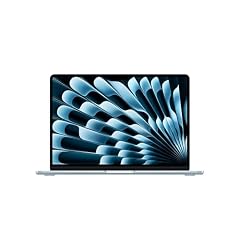
Apple 2026 MacBook Air 13-inch Laptop with M5 chip
- CPU
- Apple M5
- RAM
- 24 GB
- Storage
- 1000 GB
- Screen
- 13 in
- Weight
- 1.23 kg
- OS
- macOS
$1,599.00 price as of 2026-10-09 17:20 UTC (Details)
This 13-inch MacBook Air pairs an Apple M5 chip with 24GB of unified memory and 1TB of storage while weighing 1.23kg. It is the lightest Apple pick in this list and the most complete small macOS laptop for daily programming work.
Pros
- 24GB of unified memory, more than the 16GB MacBook Air configurations in the pool
- 1TB of storage for repositories and dependencies
- 13-inch screen and 1.23kg weight
- macOS for Apple platform development
Cons
- No discrete GPU is stated
- 13-inch screen leaves less room for code beside a browser than 14-inch picks
- 24GB is less than the 64GB and 128GB machines further down
Good fit if
- macOS or iOS developers who want the lightest Apple chassis in this guide
- Students and commuters who keep an editor and browser open and value 24GB over the 16GB MacBook Air configurations
Skip if
- You need 64GB or more for containers, virtual machines or large datasets
- You want a larger 14.2-inch or 14.5-inch screen
Verdict: The MacBook Air 13-inch with 24GB is the small macOS laptop most programmers should start with when the day includes a browser, an editor and a container.
2 Best 36GB Apple pick

Apple 2026 MacBook Pro Laptop
- CPU
- Apple M5 Max
- RAM
- 36 GB
- Storage
- 2000 GB
- Screen
- 14.2 in
- Weight
- 1.63 kg
- OS
- macOS
$3,499.00 price as of 2026-10-09 17:20 UTC (Details)
The 14.2-inch MacBook Pro with the M5 Max chip moves from the Air's 24GB to 36GB and doubles its storage to 2TB. It is the stepping stone between the Air and the 128GB MacBook Pro for programmers who need more headroom without leaving macOS.
Pros
- 36GB of unified memory
- 2TB of storage
- 14.2-inch screen
- Apple M5 Max chip as stated in the listing
Cons
- 1.63kg, heavier than the MacBook Air and several 14-inch Windows picks
- No separate graphics memory is stated
- 36GB trails the 64GB and 128GB picks in this list
Good fit if
- Apple-platform developers who want 36GB and 2TB in a carryable 14.2-inch Pro
- Developers running local databases and several services at once on macOS
Skip if
- You want the lightest Apple option, the Air is 1.23kg
- You need more than 36GB, look at the 64GB Windows or 128GB Mac picks
Verdict: Choose the 14.2-inch MacBook Pro when you want macOS, 36GB and 2TB without stepping up to the 128GB configuration.
3 Most RAM here

Apple MacBook Pro with M5 Max
- CPU
- Apple M5 Max
- RAM
- 128 GB
- Storage
- 2000 GB
- Screen
- 14.2 in
- OS
- macOS
$6,699.00 price as of 2026-10-09 17:20 UTC (Details)
This MacBook Pro states 128GB of unified memory, the most in this guide, with 2TB of storage on a 14.2-inch screen. For work that keeps large datasets, virtual machines or local models resident in memory, this is the pick that removes memory as the first wall you hit.
Pros
- 128GB of memory, the most in this list
- 2TB of storage
- Apple M5 Max chip as stated
- 14.2-inch screen
Cons
- Weight is not stated by the seller
- 14.2-inch screen, the same size as the 36GB MacBook Pro, with far more memory than most coding work needs
- Only 2TB of storage when some Windows picks here state 4TB
Good fit if
- Data and machine learning developers on macOS whose datasets or local models live in memory
- Systems programmers running many virtual machines at the same time
Skip if
- Your work fits in 36GB or 64GB
- You need a stated weight before you choose a daily carry laptop
Verdict: The 128GB MacBook Pro is for memory-bound work where nothing else in the guide has enough headroom.
4 Best compact Windows touchscreen here

Microsoft Surface Laptop
- CPU
- Qualcomm Snapdragon X2 Elite
- RAM
- 16 GB
- Storage
- 1000 GB
- Screen
- 13.8 in
- Refresh
- 120 Hz
- Touchscreen
- Yes
- Weight
- 1.36 kg
- OS
- Windows 11
$1,599.99 price as of 2026-10-09 17:22 UTC (Details)
The Surface Laptop 2026 is the smallest Windows pick in this guide at 13.8 inches and 1.36kg. It combines a touchscreen, a 120Hz refresh rate, 16GB of RAM and 1TB of storage in a Windows 11 machine that fits a backpack easily.
Pros
- 13.8-inch touchscreen with a stated 120Hz refresh rate
- 1.36kg weight
- 1TB of storage
- Windows 11
Cons
- 16GB of RAM, the lowest tier in this guide
- No discrete GPU is stated
- 1TB of storage is the common size here, not the largest
Good fit if
- Windows developers who want the smallest screen in this guide at 13.8 inches
- Developers who want a touchscreen in a compact Windows laptop
Skip if
- You need more than 16GB of RAM
- You want a stated discrete GPU
Verdict: The Surface Laptop 2026 is the compact Windows touchscreen for developers who value a small body over maximum memory.
5 Only stated GeForce RTX GPU here

Acer Predator Helios Neo 14 AI Gaming Laptop
- CPU
- Intel Core Ultra 9 285H
- GPU
- GeForce RTX 5070
- RAM
- 32 GB
- Storage
- 1000 GB
- Screen
- 14.5 in
- Refresh
- 165 Hz
- Weight
- 1.9 kg
$1,899.99 price as of 2026-10-09 17:20 UTC (Details)
The Predator Helios Neo 14 keeps a 14.5-inch screen while adding a GeForce RTX 5070, 32GB of RAM, a 165Hz display and 1TB of storage. It is the only pick in this list that states a GeForce RTX GPU, which matters for local machine learning and 3D engine work.
Pros
- GeForce RTX 5070 as stated in the listing
- 32GB of RAM
- 165Hz refresh rate on a 14.5-inch screen
- 1TB of storage
Cons
- 1.9kg, the heaviest pick in this guide
- No graphics memory size is stated by the seller
- 14.5-inch display is tied for the largest in this guide
Good fit if
- Developers experimenting with local machine learning or 3D engines
- Programmers who want a stated GeForce RTX GPU in a laptop of 14.5 inches or less
Skip if
- You carry the laptop on foot all day, 1.9kg is heavy for the category
- You do not use GPU-accelerated workloads and could spend on memory instead
Verdict: The Acer Predator is the laptop to consider when a stated GeForce RTX GPU matters for machine learning or 3D work.
6 Windows touchscreen with 32GB and 1TB
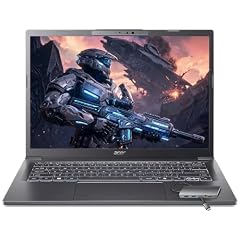
Acer Aspire Laptop 2026
- CPU
- Intel Core Ultra 7 258V
- RAM
- 32 GB
- Storage
- 1000 GB
- Screen
- 14 in
- Touchscreen
- Yes
- Weight
- 1.4 kg
- OS
- Windows 11 Home
$1,099.99 price as of 2026-10-09 17:20 UTC (Details)
The Acer Aspire sits in the middle of this guide: 32GB of RAM, 1TB of storage, a 14-inch touchscreen and Windows 11 at 1.4kg. It is the mainstream Windows option for programmers who want more memory than the Surface without moving to a workstation.
Pros
- 32GB of RAM
- 1TB of storage
- 14-inch touchscreen
- 1.4kg weight
Cons
- No discrete GPU is stated
- 14-inch screen is smaller than the 14.5-inch picks here
- 32GB is shared with many picks here, so it does not stand out
Good fit if
- Web and full-stack developers on Windows who run an editor, a browser and a local server
- Students who want 32GB and 1TB in a 14-inch touchscreen
Skip if
- You need a discrete GPU for local model work
- You prefer a 13-inch class body for daily carrying
Verdict: The Acer Aspire is the mainstream Windows touchscreen with 32GB and 1TB for full-stack work.
7 Dell workstation with 32GB and 1TB

Dell Precision 3490 Mobile Workstation Laptop
- CPU
- Intel Core Ultra 5 135H
- RAM
- 32 GB
- Storage
- 1000 GB
- Screen
- 14 in
- Weight
- 1.4 kg
- OS
- Windows 11 Pro
$1,299.99 price as of 2026-10-09 17:21 UTC (Details)
The Dell Precision 3490 is a 14-inch mobile workstation with 32GB of RAM, 1TB of storage and Windows 11 Pro. It is for developers whose IT team expects workstation-class naming and who do not need a gaming GPU.
Pros
- 32GB of RAM
- 1TB of storage
- Windows 11 Pro
- 1.4kg weight, among the lighter workstations here
Cons
- No discrete GPU is stated
- 32GB is not the top memory tier in this guide
- Touchscreen is not stated by the seller
Good fit if
- Corporate developers who need Windows 11 Pro on a 14-inch workstation
- Developers running local services who are fine without a GPU
Skip if
- You need more than 32GB
- You want a touchscreen or a discrete GPU
Verdict: The Dell Precision 3490 is a 14-inch workstation for Windows developers who want 32GB and 1TB in a business package.
8 HP workstation with a stated Radeon GPU

HP ZBook 8 G1ak Laptop
- CPU
- AMD Ryzen AI 7 PRO 350
- GPU
- Radeon 860M
- RAM
- 32 GB
- Storage
- 1000 GB
- Screen
- 14 in
- Touchscreen
- Yes
- Weight
- 1.44 kg
- OS
- Windows 11 Pro
$1,699.99 price as of 2026-10-09 17:22 UTC (Details)
The HP ZBook 8 G1ak combines a 14-inch touchscreen, 32GB of RAM, 1TB of storage and a stated Radeon 860M with Windows 11 Pro. It is the HP answer for programmers who want a workstation with some graphics capacity in a compact body.
Pros
- Radeon 860M as stated in the listing
- 32GB of RAM
- 14-inch touchscreen
- 1TB of storage and Windows 11 Pro
Cons
- 1.44kg, heavier than several 14-inch Windows picks here
- No GeForce GPU and no graphics memory size stated
- 32GB is the common tier here, not a differentiator
Good fit if
- Windows developers who want a workstation with a stated Radeon GPU
- Programmers using GPU-accelerated libraries in a 14-inch touchscreen
Skip if
- You need a GeForce-class GPU for local model work
- You want the lightest Windows workstation, some picks here are lighter
Verdict: The HP ZBook is for Windows developers who want a workstation with a stated Radeon GPU and a touchscreen.
9 Business ThinkPad with 32GB and Windows 11 Pro
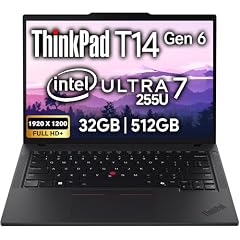
Lenovo ThinkPad T14 Gen 6 Business Laptop 14" FHD+ IPS
- CPU
- Intel Core Ultra 7 255U
- RAM
- 32 GB
- Storage
- 512 GB
- Screen
- 14 in
- Touchscreen
- No
- OS
- Windows 11 Pro
$1,639.95 price as of 2026-10-09 17:22 UTC (Details)
The ThinkPad T14 Gen 6 is a 14-inch business laptop with an Intel Core Ultra 7 255U, 32GB of RAM and Windows 11 Pro. Its 512GB drive is smaller than most picks here, but the 32GB memory and business operating system fit corporate developers.
Pros
- 32GB of RAM
- Windows 11 Pro
- 14-inch screen
- Intel Core Ultra 7 255U as stated in the listing
Cons
- 512GB of storage, the smallest in this guide
- Weight is not stated by the seller
- No discrete GPU is stated
Good fit if
- Corporate developers who need Windows 11 Pro and 32GB in a 14-inch body
- Developers whose repositories and dependencies fit in 512GB
Skip if
- You keep large datasets or container images locally, 512GB will fill up
- You need a stated weight before choosing your carry laptop
Verdict: The ThinkPad T14 Gen 6 fits corporate developers who need Windows 11 Pro and 32GB and can live with 512GB of storage.
10 Lightest 64GB pick here

Lenovo ThinkPad P14s Gen 7 AMD Ryzen AI 9 PRO 470
- CPU
- AMD Ryzen AI 9 PRO 470
- GPU
- Radeon 890M
- RAM
- 64 GB
- Storage
- 2000 GB
- Screen
- 14 in
- Refresh
- 60 Hz
- Weight
- 1.29 kg
- OS
- Windows 11 Pro
$3,199.00 price as of 2026-10-09 17:22 UTC (Details)
The ThinkPad P14s Gen 7 with a Ryzen AI 9 PRO 470 states 64GB of RAM, 2TB of storage and a Radeon 890M in a 14-inch body that weighs 1.29kg. It is the lightest laptop here that states 64GB.
Pros
- 64GB of RAM
- 2TB of storage
- Radeon 890M as stated in the listing
- 1.29kg and a 14-inch touchscreen
Cons
- Still less memory than the 128GB MacBook Pro
- No GeForce GPU stated
- Windows 11 Pro, not macOS
Good fit if
- Data and machine learning developers on Windows who want 64GB in a light body
- Developers running virtual machines who also want a touchscreen
Skip if
- You need a GeForce GPU
- You prefer macOS for Apple platform development
Verdict: The ThinkPad P14s Gen 7 AMD is the lightest 64GB pick here and suits memory-heavy Windows work in a small chassis.
11 Lightest here

Lenovo Gen 11 ThinkPad X1 Carbon Laptop
- CPU
- Intel Core i7-1365U
- RAM
- 32 GB
- Screen
- 14 in
- Touchscreen
- No
- Weight
- 1.12 kg
- Battery
- 57 Wh
- OS
- Windows 11 Pro
$2,699.00 price as of 2026-10-09 17:22 UTC (Details)
The ThinkPad X1 Carbon is the lightest laptop in this guide at 1.12kg, with a 14-inch screen, 32GB of RAM and Windows 11 Pro. It is the carry-everywhere Windows pick for programmers who weigh every gram.
Pros
- 1.12kg, the lightest pick in this list
- 32GB of RAM
- 14-inch screen
- Windows 11 Pro
Cons
- Storage is not stated by the seller
- No discrete GPU is stated
- No touchscreen is stated
Good fit if
- Developers who commute or walk between meetings and want the lightest 14-inch laptop
- Consultants who need Windows 11 Pro in a small bag
Skip if
- You need the listing to state the storage size before buying
- You need a discrete GPU or a touchscreen
Verdict: The ThinkPad X1 Carbon is the lightest laptop in this guide for programmers who carry it everywhere, once you confirm its storage.
12 Most storage here
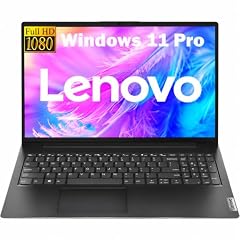
Lenovo New Gen V-Series Business Laptop
- CPU
- Intel Core 7 240H
- RAM
- 64 GB
- Storage
- 4000 GB
- Screen
- 14 in
- Weight
- 1.37 kg
- Battery
- 47 Wh
- OS
- Windows 11 Pro
$1,699.99 price as of 2026-10-09 17:22 UTC (Details)
The Lenovo V-Series business laptop states 4000GB of storage, the most in this guide, with 64GB of RAM and a 14-inch screen at 1.37kg. It is built for programmers who keep large datasets, container images and virtual machine disks on the machine.
Pros
- 4000GB of storage, the most in this list
- 64GB of RAM
- 1.37kg weight and a 14-inch screen
- Windows 11 Pro
Cons
- No discrete GPU is stated
- The listing names Intel Core 7 240H, a different naming family from the Core Ultra picks here
- No touchscreen is stated
Good fit if
- Developers who keep large datasets, container images and VM disks on the local drive
- Programmers who want 64GB and 4TB in a 1.37kg business body
Skip if
- You do not need 4TB and want a lighter or GPU-equipped machine
- You need a discrete GPU
Verdict: The Lenovo V-Series is the storage king of this guide for local datasets, container images and VM disks.
13 Intel workstation with 64GB and 2TB

Lenovo ThinkPad P14s Gen 6 Intel Core Ultra 9 285H
- CPU
- Intel Core Ultra 9 285H
- RAM
- 64 GB
- Storage
- 2000 GB
- Screen
- 14.5 in
- Refresh
- 60 Hz
- Touchscreen
- No
- Weight
- 1.31 kg
- OS
- Windows 11 Pro
$2,899.00 price as of 2026-10-09 17:22 UTC (Details)
The ThinkPad P14s Gen 6 with an Intel Core Ultra 9 285H states 64GB of RAM, 2TB of storage and a 14.5-inch screen at 1.31kg. It is a high-end Intel Windows workstation for developers who want the newest Core Ultra naming without moving to a 15-inch body.
Pros
- 64GB of RAM
- 2TB of storage
- 14.5-inch screen
- 1.31kg weight
Cons
- No discrete GPU is stated
- 60Hz refresh rate as stated in the listing
- At 14.5 inches it is at the top of the guide's size range
Good fit if
- Windows developers who want a high-memory Intel workstation under 15 inches
- Programmers running local databases and multiple containers on Windows
Skip if
- You need a discrete GPU
- You want the lightest or smallest pick, this is 14.5 inches
Verdict: The ThinkPad P14s Gen 6 Intel is the high-memory Intel workstation for Windows developers who want 64GB and 2TB in 14.5 inches.
14 64GB ThinkPad with 2TB and touch
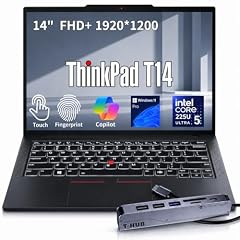
Lenovo ThinkPad T14 Business AI Laptop
- CPU
- Intel Core Ultra 5 225U
- RAM
- 64 GB
- Storage
- 2000 GB
- Screen
- 14 in
- Touchscreen
- Yes
- Weight
- 1.46 kg
- OS
- Windows 11 Pro
$2,149.00 price as of 2026-10-09 17:22 UTC (Details)
The ThinkPad T14 AI brings 64GB of RAM, 2TB of storage and a touchscreen to a 14-inch body that weighs 1.46kg. It is for Windows developers who want the T14 form with more memory than the 32GB T14 Gen 6.
Pros
- 64GB of RAM
- 2TB of storage
- Touchscreen
- Windows 11 Pro
Cons
- 1.46kg, heavier than the X1 Carbon and the P14s AMD pick
- No discrete GPU is stated
- Intel Core Ultra 5 225U as stated, and 64GB is more memory than many coding workloads need
Good fit if
- Windows developers who want a business ThinkPad with 64GB and 2TB
- Developers who use touch for reading documents alongside code
Skip if
- You want the lightest ThinkPad, the X1 Carbon is 1.12kg
- You need a discrete GPU
Verdict: The ThinkPad T14 AI stacks 64GB and 2TB with a touchscreen for Windows developers who want the T14 in its memory-heavy form.
Side by side
| # | Laptop | CPU | GPU | GPU memory | Rentable GPU model | RAM | Storage |
|---|---|---|---|---|---|---|---|
| 1 | Apple 2026 MacBook Air 13-inch Laptop with M5 chip | Apple M5 | not stated | not stated | not stated | 24 GB | 1000 GB |
| 2 | Apple 2026 MacBook Pro Laptop | Apple M5 Max | not stated | not stated | not stated | 36 GB | 2000 GB |
| 3 | Apple MacBook Pro with M5 Max | Apple M5 Max | not stated | not stated | not stated | 128 GB | 2000 GB |
| 4 | Microsoft Surface Laptop | Qualcomm Snapdragon X2 Elite | not stated | not stated | not stated | 16 GB | 1000 GB |
| 5 | Acer Predator Helios Neo 14 AI Gaming Laptop | Intel Core Ultra 9 285H | GeForce RTX 5070 | not stated | not stated | 32 GB | 1000 GB |
| 6 | Acer Aspire Laptop 2026 | Intel Core Ultra 7 258V | not stated | not stated | not stated | 32 GB | 1000 GB |
| 7 | Dell Precision 3490 Mobile Workstation Laptop | Intel Core Ultra 5 135H | not stated | not stated | not stated | 32 GB | 1000 GB |
| 8 | HP ZBook 8 G1ak Laptop | AMD Ryzen AI 7 PRO 350 | Radeon 860M | not stated | not stated | 32 GB | 1000 GB |
| 9 | Lenovo ThinkPad T14 Gen 6 Business Laptop 14" FHD+ IPS | Intel Core Ultra 7 255U | not stated | not stated | not stated | 32 GB | 512 GB |
| 10 | Lenovo ThinkPad P14s Gen 7 AMD Ryzen AI 9 PRO 470 | AMD Ryzen AI 9 PRO 470 | Radeon 890M | not stated | not stated | 64 GB | 2000 GB |
| 11 | Lenovo Gen 11 ThinkPad X1 Carbon Laptop | Intel Core i7-1365U | not stated | not stated | not stated | 32 GB | not stated |
| 12 | Lenovo New Gen V-Series Business Laptop | Intel Core 7 240H | not stated | not stated | not stated | 64 GB | 4000 GB |
| 13 | Lenovo ThinkPad P14s Gen 6 Intel Core Ultra 9 285H | Intel Core Ultra 9 285H | not stated | not stated | not stated | 64 GB | 2000 GB |
| 14 | Lenovo ThinkPad T14 Business AI Laptop | Intel Core Ultra 5 225U | not stated | not stated | not stated | 64 GB | 2000 GB |
How we picked
We started with the pool behind this guide: 35 laptop listings that state a screen of 14.5 inches or smaller and 16GB of RAM or more. That rule comes from the guide's filter, and it is why 13-inch MacBook Airs, 13.8-inch Surface Laptops and 14.5-inch Acer and Lenovo machines all appear here. From those 35 listings we chose 14 picks, favoring established makers, new-condition listings and a spread across macOS and Windows, memory sizes, storage sizes, GPU mentions and weight. No one on the site has used these laptops. Every specification in the picks is what the seller's listing states, and where a value such as weight or storage is absent we say not stated by the seller. Prices are live and read from the store listing at the time the page loads.
How to choose
What a 14-inch or smaller screen changes for your code
Small screens trade desktop room for portability. On a 13-inch MacBook Air you can keep an editor and a browser side by side, but you will see less of each than on the 14.5-inch Acer or Lenovo picks. The stated screen sizes in this guide range from 13 to 14.5 inches, and the weight range is wide: the lightest pick states 1.12kg and the heaviest states 1.9kg.
If you write code mostly on external monitors, screen size matters less than memory and storage. If you carry the laptop to class or client sites, a lighter 13-inch or 13.8-inch body changes the daily load more than one extra inch of panel.
What your editor, browser and containers ask of RAM
An editor such as Visual Studio Code lists modest hardware requirements: its documentation recommends a 1.6 GHz or faster processor and 1GB of RAM. What surrounds the editor is what consumes memory, not the editor alone. Browsers with many tabs, a local database, containers and virtual machines all want RAM, which is why every pick here starts at 16GB.
Most picks in this guide state 32GB or more, and several state 64GB. More RAM leaves more room for these to run side by side. If your day is an editor plus a browser, 16GB can be enough. If you add containers or virtual machines, the 32GB and 64GB machines are the safer choices.
When the GPU matters for code and when it does not
Most programming does not need a discrete GPU, which is why most picks in this guide do not state one. The GPU becomes relevant when the work is machine learning, local model work, or 3D and game engines: the amount of graphics memory limits how large a model or scene a GPU can hold.
In this list the Acer Predator states a GeForce RTX 5070, the HP ZBook states a Radeon 860M and the Lenovo P14s Gen 7 AMD states a Radeon 890M. The rest list no separate graphics card. If your projects do not touch those workloads, you can spend the memory and storage budget elsewhere.
Storage for repositories, images and virtual machines
Source code is small, but the things around it are not: package caches, dependencies, container images, virtual machine disks and datasets accumulate. The picks in this guide state storage from 512GB up to 4000GB.
The Lenovo V-Series is the one to look at if you keep several project images and VM disks locally. The ThinkPad T14 Gen 6, with 512GB, is the smallest and suits developers whose repositories and dependencies fit comfortably. The 1TB and 2TB machines cover most full-stack and data work without thinning out.
macOS, Windows and the work you do
Operating system is a fork in the road. Apple's Xcode, the toolchain for iOS, macOS and related Apple platforms, requires macOS, and Apple's developer documentation lists the macOS versions each Xcode release supports. That points Apple-platform developers to the MacBook Air and MacBook Pro picks here.
The Windows picks state Windows 11 or Windows 11 Pro and cover corporate and general development. The catalogue does not measure how any operating system performs; it only states what each listing ships with, so choose by the platform your team or coursework targets.
What this guide leaves out (and why)
The catalogue behind this guide states RAM, CPU, GPU, storage, screen size, weight and operating system. It does not state keyboard feel, trackpad comfort, fan noise, heat, build quality or battery run-time, so this guide does not guess at them.
Nobody on the site has used these laptops. Prices are live and shown by the page at the time you read it. The picks here are chosen from the stated specifications and the makers' own published spec pages, nothing more.
Questions
Does this guide include 13-inch laptops or only 14-inch screens?
It includes both. The rule for the pool is any listing that states a screen of 14.5 inches or smaller and 16GB of RAM or more. That allows 13-inch MacBook Airs, 13.8-inch Surface Laptops, 14-inch ThinkPads and the 14.5-inch Acer and Lenovo picks in the guide. The screen sizes are read from each listing and stated in the pick details.
Why do some picks have no GPU listed?
The catalogue states a GPU only when the listing includes one. Several picks list a GPU such as the GeForce RTX 5070, Radeon 860M or Radeon 890M, while other listings say nothing about a separate graphics card. For those picks the guide says 'not stated by the seller.' If local machine learning or 3D engine work matters to you, choose a pick with a stated GPU and remember that the listing often does not give its graphics memory size.
How much RAM do I need for containers and virtual machines?
The source documentation in this guide does not give a RAM figure for Docker or any hypervisor, so this guide does not state one. What the picks show is headroom: the low end here is 16GB, most picks state 32GB or more, and several state 64GB or 128GB. A browser, an editor, a local database and a container can all claim memory at the same time, so more RAM leaves more room for them to run side by side.
Can I use a 14-inch or smaller laptop for machine learning?
You can, with the right stated parts. Machine learning and local model work are where GPU matters most, because the amount of graphics memory limits how large a model a card can hold. In this guide the Acer Predator states a GeForce RTX 5070, the HP ZBook states a Radeon 860M and the Lenovo P14s Gen 7 AMD states a Radeon 890M. None of the listings state the GPU's memory size, so treat that as an open question before you buy.
Does this guide cover keyboards, Linux support or battery life?
No, and that is deliberate. The catalogue states RAM, storage, screen, weight, CPU, GPU and operating system. It has no data on keyboard feel, trackpad comfort, fan noise, build quality, Linux compatibility or battery run-time, and the site does not guess. For Linux, the listings only state Windows or macOS, so this guide cannot confirm driver support or dual-boot behavior. Read the stated specs, then check the maker's own documentation for anything the table does not cover.
Recent updates
- : First published.