
Best Programming Laptops Under $1,500 in 2026: 6 Picks
The Acer Swift Go 16 is the best under $1,500 for most programmers: it lists 32GB of RAM, 2TB of storage, Windows 11 Pro and a touchscreen, all at 1.6kg, the lightest weight in this pool. For that combination of memory, storage and portability, it is the easiest pick to recommend before you add a GPU. These six choices are selected from listings priced in this guide's window that state at least 16GB of RAM; nobody here has tested them, and the page prints live prices beside each pick.
6 picks from 8 laptops that match this guide with a price we can quote today. Every price below is live and carries the moment it was read.
The picks at a glance
| # | Pick | Laptop | Price |
|---|---|---|---|
| 1 | Best under $1,500 for most programmers | Acer Swift Go 16 16" WUXGA Touchscreen Laptop | $1,489.00 price as of 2026-10-09 17:20 UTC (Details) |
| 2 | Best under $1,500 with a discrete GPU | Lenovo LOQ AMD Ryzen 7 170 RTX 4050 Gaming Laptop | $1,499.00 price as of 2026-10-09 17:22 UTC (Details) |
| 3 | Best under $1,500 for a large screen | NIMO Copilot+ PC | $1,499.99 price as of 2026-10-09 17:23 UTC (Details) |
| 4 | Lightest discrete-GPU pick here | ASUS TUF A15 Gaming Laptop | $1,499.00 price as of 2026-10-09 17:20 UTC (Details) |
| 5 | Best under $1,500 for a 16GB touchscreen pick | Dell 15 Touchscreen Laptop | $1,499.99 price as of 2026-10-09 17:21 UTC (Details) |
| 6 | Best under $1,500 for 32GB and Windows 11 Pro | Lenovo ThinkPad E16 Gen 2 Business Laptop | $1,409.00 price as of 2026-10-09 17:22 UTC (Details) |
Which one should you buy?
- For a web developer with an editor, a browser and a container open: The 32GB of RAM and 2TB of storage give room to keep the frontend build, a local API and a database container running while the browser stays open. See pick 1
- For a developer experimenting with local machine learning models: The discrete RTX 4050 GPU is the kind of component that matters when a model needs graphics memory, and the 32GB of RAM leaves headroom for the rest of the stack. See pick 2
- For a student whose coursework needs a virtual machine: With 32GB of RAM, Windows 11 Pro and a 16-inch screen, this pick leaves room for coursework and a VM side by side. See pick 6
- For a programmer who wants one large screen for code and docs: The 17.3-inch screen is the largest in this pool, so two editor panes or docs and a terminal have more room on one display. See pick 3
The 6 picks
1 Best under $1,500 for most programmers

Acer Swift Go 16 16" WUXGA Touchscreen Laptop
- CPU
- AMD Ryzen AI 9 465
- GPU
- Radeon 880M
- RAM
- 32 GB
- Storage
- 2000 GB
- Screen
- 16 in
- Touchscreen
- Yes
- Weight
- 1.6 kg
- OS
- Windows 11 Pro
$1,489.00 price as of 2026-10-09 17:20 UTC (Details)
This is the pick that pairs the most useful everyday specs: 32GB of RAM, 2TB of storage, a 16-inch touchscreen and Windows 11 Pro. It is also the lightest machine in this pool at 1.6kg, which makes it the easiest to carry between home, office and class. No discrete GPU is listed, so it is not the pick for GPU-heavy work.
Pros
- 32GB of RAM, matched only by the other 32GB picks in this list
- 2TB of storage listed, the most available here alongside the NIMO
- 1.6kg weight, the lightest in this pool
- Windows 11 Pro and touchscreen are stated in the listing
Cons
- No discrete GPU listed, so graphics memory is not stated
- The integrated Radeon 880M is not a substitute for a discrete GPU in local ML work
- The 16-inch touchscreen adds size for someone who prefers a smaller body
Good fit if
- A web or backend developer who wants 32GB and a light carry with lots of storage
- A programmer who wants Windows 11 Pro and a touchscreen without a discrete GPU
Skip if
- You need a discrete GPU for machine learning or game engine work
- You prefer a laptop with a smaller footprint than 16 inches
Verdict: The Acer Swift Go 16 is the balanced pick for programmers who value RAM, storage and a light body.
2 Best under $1,500 with a discrete GPU

Lenovo LOQ AMD Ryzen 7 170 RTX 4050 Gaming Laptop
- CPU
- AMD Ryzen 7 170
- GPU
- RTX 4050
- RAM
- 32 GB
- Storage
- 1000 GB
- Screen
- 15.6 in
- Refresh
- 144 Hz
- Weight
- 2.4 kg
$1,499.00 price as of 2026-10-09 17:22 UTC (Details)
This is one of two picks in the pool with a discrete NVIDIA GPU, and the RTX 4050 is the higher-numbered card of the two. It combines that GPU with 32GB of RAM and a 1TB SSD, which makes it the strongest candidate here for local machine learning experiments or 3D work. The trade-off is weight: at 2.4kg it is the heaviest laptop in this list.
Pros
- RTX 4050 discrete GPU listed, the highest-numbered discrete GPU in this pool
- 32GB of RAM
- 1TB SSD
- 144Hz refresh rate stated
Cons
- 2.4kg, the heaviest pick in this pool
- Operating system not stated by the seller
- No touchscreen listed
Good fit if
- A developer doing local ML or 3D work that benefits from a discrete GPU
- A programmer who also wants a 144Hz display for graphics-heavy work
Skip if
- You carry the laptop daily and want a lighter machine
- You need the listing to state the operating system before you buy
Verdict: The Lenovo LOQ is the GPU-first choice for under $1,500 coding.
3 Best under $1,500 for a large screen

NIMO Copilot+ PC
- CPU
- AMD Ryzen AI 9 HX 370
- GPU
- Radeon 890M
- RAM
- 32 GB
- Storage
- 2000 GB
- Screen
- 17.3 in
- Refresh
- 144 Hz
- Weight
- 2.09 kg
- Battery
- 75 Wh
$1,499.99 price as of 2026-10-09 17:23 UTC (Details)
At 17.3 inches, this has the largest display in the pool, which gives code, documentation and terminals more room on one screen. It also lists 32GB of RAM and 2TB of SSD storage, so it competes with the Acer on memory and storage. The trade-offs are no stated operating system and a 2.09kg body.
Pros
- 17.3-inch screen, the largest in this pool
- 32GB of RAM and 2TB SSD
- 144Hz refresh rate stated
- 75Wh battery capacity stated
Cons
- Operating system not stated by the seller
- No discrete GPU listed, so graphics memory is not stated
- 2.09kg weight is heavier than the Acer, Dell and ThinkPad picks
Good fit if
- A programmer who wants one big screen for code and docs without an external monitor
- A developer who stores many repositories and container images and wants 2TB
Skip if
- You want the lightest laptop in this price range
- You need the seller to state the operating system
Verdict: The NIMO Copilot+ PC is the large-screen choice for programmers who want maximum display room and storage.
4 Lightest discrete-GPU pick here

ASUS TUF A15 Gaming Laptop
- CPU
- AMD Ryzen 7 4800H
- GPU
- GeForce RTX 3050
- RAM
- 32 GB
- Storage
- 512 GB
- Screen
- 15.6 in
- Refresh
- 144 Hz
- Weight
- 2.31 kg
- OS
- Windows 10 Home
$1,499.00 price as of 2026-10-09 17:20 UTC (Details)
For a developer who wants discrete graphics but a little less weight than the LOQ, this is the alternative: an RTX 3050, 32GB of RAM and a 144Hz display at 2.31kg. The trade-off is storage: 512GB is the smallest internal drive in this pool. The listing states Windows 10 Home.
Pros
- Discrete RTX 3050 GPU listed
- 32GB of RAM
- 144Hz display stated
- 2.31kg, lighter than the other discrete-GPU pick in this pool
Cons
- 512GB storage, the smallest in this pool
- The listing states Windows 10 Home while several other picks state Windows 11 Pro
- 2.31kg is still heavier than the non-GPU picks here
Good fit if
- A developer who wants discrete graphics with 32GB and does not need a huge internal drive
- A programmer who wants a 144Hz display for browser and graphics-heavy work
Skip if
- You keep large datasets or many VM disks on the internal drive
- You prefer a lighter machine or a listing that states a newer Windows version
Verdict: The ASUS TUF A15 is the lighter discrete-GPU alternative in this pool, with a smaller drive as the trade-off.
5 Best under $1,500 for a 16GB touchscreen pick
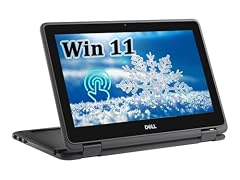
Dell 15 Touchscreen Laptop
- CPU
- Intel Core i7-1355U
- RAM
- 16 GB
- Storage
- 1000 GB
- Screen
- 15.6 in
- Touchscreen
- Yes
- Weight
- 1.94 kg
- OS
- Windows 11 Pro
$1,499.99 price as of 2026-10-09 17:21 UTC (Details)
This is the only pick in the pool that lists 16GB of RAM, so it sits at the minimum this guide allows. It still offers a 1TB SSD, Windows 11 Pro and a touchscreen, all at 1.94kg. If most of your work fits in an editor and browser, 16GB can be enough, but the other five picks give you 32GB for the same window.
Pros
- 1TB SSD
- Windows 11 Pro and touchscreen stated
- 1.94kg, lighter than the three gaming-oriented picks
- Intel Core i7-1355U is listed; the U suffix is Intel's power-efficient mobile class
Cons
- 16GB of RAM, the lowest amount in this pool
- No discrete GPU listed, so graphics memory is not stated
- Touchscreen not stated on several competing picks, so it is a different feature mix
Good fit if
- A web developer whose editor, browser and local server fit in 16GB
- A student who wants Windows 11 Pro, a touchscreen and 1TB in a 15.6-inch body
Skip if
- You run many containers or VMs and want 32GB
- You need a discrete GPU for graphics or ML work
Verdict: The Dell 15 is the 16GB touchscreen pick for programmers who prioritize Windows 11 Pro and storage over RAM.
6 Best under $1,500 for 32GB and Windows 11 Pro

Lenovo ThinkPad E16 Gen 2 Business Laptop
- CPU
- Intel Core Ultra 5 125H
- RAM
- 32 GB
- Storage
- 1000 GB
- Screen
- 16 in
- Refresh
- 60 Hz
- Weight
- 1.81 kg
- Battery
- 47 Wh
- OS
- Windows 11 Pro
$1,409.00 price as of 2026-10-09 17:22 UTC (Details)
This ThinkPad pairs 32GB of RAM with Windows 11 Pro and a 16-inch screen, which covers a typical setup for a backend, systems or VM-oriented developer. It weighs 1.81kg, between the lighter Acer and the gaming laptops. The listing does not state a discrete GPU, so graphics memory is not listed.
Pros
- 32GB of RAM
- Windows 11 Pro stated
- 1TB SSD
- 16-inch screen and 1.81kg weight
Cons
- No discrete GPU listed, so graphics memory is not stated
- 60Hz refresh rate is the lowest stated among the picks that list refresh rate
- Touchscreen not stated by the seller
Good fit if
- A developer running local VMs or containers who wants Windows 11 Pro and 32GB
- A programmer who wants a 16-inch screen without the weight of the 17.3-inch pick
Skip if
- You need a discrete GPU
- You want a touchscreen or a higher refresh rate
Verdict: The ThinkPad E16 is the straightforward 32GB Windows 11 Pro pick for daily programming work.
Side by side
| # | Laptop | CPU | GPU | GPU memory | Rentable GPU model | RAM | Storage |
|---|---|---|---|---|---|---|---|
| 1 | Acer Swift Go 16 16" WUXGA Touchscreen Laptop | AMD Ryzen AI 9 465 | Radeon 880M | not stated | not stated | 32 GB | 2000 GB |
| 2 | Lenovo LOQ AMD Ryzen 7 170 RTX 4050 Gaming Laptop | AMD Ryzen 7 170 | RTX 4050 | not stated | not stated | 32 GB | 1000 GB |
| 3 | NIMO Copilot+ PC | AMD Ryzen AI 9 HX 370 | Radeon 890M | not stated | not stated | 32 GB | 2000 GB |
| 4 | ASUS TUF A15 Gaming Laptop | AMD Ryzen 7 4800H | GeForce RTX 3050 | not stated | not stated | 32 GB | 512 GB |
| 5 | Dell 15 Touchscreen Laptop | Intel Core i7-1355U | not stated | not stated | not stated | 16 GB | 1000 GB |
| 6 | Lenovo ThinkPad E16 Gen 2 Business Laptop | Intel Core Ultra 5 125H | not stated | not stated | not stated | 32 GB | 1000 GB |
How we picked
The pool for this guide is the six laptops in the under $1,500 window that state 16GB of RAM or more. The group rule was the price window and the 16GB minimum, and because the pool holds fewer than a dozen laptops, every entry appears as a pick. No one at the site has used, tested or benchmarked these machines. The specs in the picks come only from what the seller states in each listing: CPU, GPU, RAM, storage, screen size, weight and operating system. Where a spec is missing, the guide says it was not stated by the seller. Prices are live and printed on the page with the time each price was read, so they can change after you look.
How to choose
What your editor, browser and containers ask of RAM
The pool starts at 16GB and five of the six picks list 32GB. A code editor alone needs little, as the published requirements for Visual Studio Code show a 1GB RAM recommendation and a small disk footprint, so the reason to buy more RAM is everything around the editor: a browser with many tabs, a local database, Docker containers, virtual machines and build tooling. More RAM leaves room for those to run side by side. If your daily work is a single editor plus a browser, 16GB may be enough; if you keep containers and VMs open, 32GB gives you more headroom.
When the GPU matters for code and when it does not
For web, backend, mobile or systems programming, the GPU is usually not the deciding spec; an editor and browser run on integrated graphics. The GPU becomes relevant when your work touches machine learning, local models, 3D or game engines. The amount of graphics memory limits how large a model or scene the card can hold, and none of the listings in this pool state graphics memory, so compare by the GPU name. Two picks list discrete Nvidia GPUs: the RTX 4050 and the RTX 3050. Two list integrated Radeon graphics, and two do not state a GPU.
Storage for repositories, images and virtual machines
Storage in this pool ranges from 512GB to 2TB. Large repositories, container images, VM disks and datasets all take space, so a bigger drive means less time managing free space. The Acer and NIMO both list 2TB, the Lenovo LOQ, Dell and ThinkPad list 1TB, and the ASUS lists 512GB. If you know your projects or virtual machines are large, head toward the 2TB picks; if you keep most data in the cloud or on external drives, 512GB can still be workable.
Screen size and weight when you carry it
The pool has 15.6-inch, 16-inch and 17.3-inch screens. Weight ranges from 1.6kg on the Acer to 2.4kg on the Lenovo LOQ. A larger screen gives more room for code and documentation, but it usually adds weight. If the laptop travels with you to class, an office or a client site, the lighter picks are easier to carry; if it mostly stays on a desk, the 17.3-inch NIMO gives the most display space without an external monitor.
What this guide leaves out (and why)
The catalogue used for this guide lists the specifications shown on each pick: CPU, GPU, RAM, storage, screen size, weight and operating system. It does not include attributes outside those specifications, and the site does not guess at them. If an attribute not listed here matters to you, verify it separately before buying.
Questions
How much RAM do I need for programming?
This guide's window starts at 16GB, and five of the six picks list 32GB. Visual Studio Code's published requirements are modest, so the extra memory is for what runs around the editor: browser tabs, a local database, Docker containers, virtual machines and build tooling. More RAM leaves room for those to run side by side. If you work mostly in one editor and a browser, 16GB may be enough.
Do I need a discrete GPU for programming?
For common web, backend or systems work, no. Integrated graphics can handle an editor and browser. A discrete GPU matters when your work touches machine learning, local models, 3D or game engines, because the amount of graphics memory limits how large a model or scene the card can hold. The listings here do not state graphics memory, so if GPU work is central, favor the picks that name a discrete GPU.
Does this guide cover attributes the catalogue does not include?
No. This guide is built only from the seller-stated specifications that appear in each listing: CPU, GPU, RAM, storage, screen size, weight and operating system. The catalogue does not include other attributes, and the site does not guess at them. If you need a detail that is not listed here, verify it with the seller or with a source you trust before buying.
Are there any laptops under 14 inches in this guide?
No. The smallest screens in this pool are 15.6 inches, on the Lenovo LOQ, ASUS TUF A15 and Dell 15. The pool also includes 16-inch models from Acer and Lenovo and a 17.3-inch NIMO. The lightest pick is the Acer Swift Go 16 at 1.6kg. A 14-inch laptop would need a different price window or filter.
What does it mean when a pick does not state an operating system?
Some pool entries do not have an OS field in the listing. This guide does not guess what operating system is installed. Where the seller states one, the picks list Windows 11 Pro or Windows 10 Home. If you require a particular OS for your toolchain, choose a pick whose listing states it, or verify the missing OS with the seller before buying.
Can I do iOS or macOS development with these picks?
No, because none of the picks are Apple laptops. Apple's development tools, including Xcode, run on Apple hardware and list supported macOS versions on Apple's system requirements page. The six laptops in this guide are Windows-based or do not state an OS. For iOS and macOS work, look outside this pool.
Recent updates
- : First published.