
Best ASUS Programming Laptops in 2026: 14 Picks by Specs
The ASUS ROG Strix G16 (2025) is the top pick for programmers who want a discrete GPU and a 16-inch screen. Its stated specs include 32GB of RAM, an RTX 5070 Ti, a 1TB SSD and a 2.65kg chassis. The rest of the list ranges from light Vivobooks to high-RAM ROG and TUF machines. Picks come from 41 ASUS listings that state 16GB of RAM or more; the prices you see are live from the store listing at the time of reading.
14 picks from 40 laptops that match this guide with a price we can quote today. Every price below is live and carries the moment it was read.
The picks at a glance
Which one should you buy?
- For a full-stack developer with a browser, an editor and a container open: The 32GB of RAM leaves room for a database, a container and many browser tabs at once, and the RTX 5070 Ti gives you a discrete GPU for local model experiments. See pick 1
- For a data scientist who trains or runs local models: A discrete GPU with 12GB of graphics memory holds larger models and scenes before you need to move them to the cloud. See pick 7
- For a student who carries the laptop to class: At 1.7kg with a 16-inch OLED screen, it fits in a backpack and still gives you 32GB of RAM for coursework. See pick 5
- For a systems programmer with large repos and virtual machines: 64GB of RAM and 2TB of storage leave room for multiple VMs, container images and large checkouts. See pick 8
The 14 picks
1 Top pick

ASUS ROG Strix G16
- CPU
- Intel Core Ultra 9 275HX
- GPU
- GeForce RTX 5070 Ti
- RAM
- 32 GB
- Storage
- 1000 GB
- Screen
- 16 in
- Refresh
- 240 Hz
- Weight
- 2.65 kg
- OS
- Windows 11 Home
$2,556.46 price as of 2026-10-09 17:20 UTC (Details)
This 16-inch ROG Strix combines 32GB of RAM, a GeForce RTX 5070 Ti and a 1TB SSD in a single listing. It gives you room for a browser, editor, containers and local model work without moving up to an 18-inch chassis.
Pros
- 32GB of RAM for side-by-side development tools
- GeForce RTX 5070 Ti discrete GPU
- 1TB SSD
- 16-inch 240Hz display
Cons
- Weighs 2.65kg, heavier than the 1.7kg Vivobooks in this list
- Storage is 1TB while some picks offer 2TB or 4TB
Good fit if
- A developer who wants one machine for web work and occasional local model experiments
- Someone who does not mind carrying a 2.65kg laptop to work or class
Skip if
- You want a lighter daily carry; the Vivobook S16 is 1.7kg
- You need more than 1TB of built-in storage
Verdict: A balanced 16-inch choice for programming with a discrete GPU.
2 Only RTX 5090 here

ASUS ROG Strix SCAR 18
- CPU
- Intel Core Ultra 9 275HX
- GPU
- GeForce RTX 5090
- RAM
- 32 GB
- Storage
- 2000 GB
- Screen
- 18 in
- Refresh
- 240 Hz
- Weight
- 2.85 kg
- OS
- Windows 11 Pro
$4,499.99 price as of 2026-10-09 17:20 UTC (Details)
This is the only pick whose listing names a GeForce RTX 5090. It also states 32GB of RAM, an 18-inch screen and 2TB of storage, so it sits at the top of the ROG line in this list.
Pros
- GeForce RTX 5090, the only one in this list
- 32GB of RAM
- 2TB SSD
- 18-inch display
Cons
- Weighs 2.85kg, among the heaviest here
- No graphics memory amount stated by the seller
Good fit if
- A developer who wants the RTX 5090 chip named in the listing
- Someone working with machine learning or 3D and willing to carry a large laptop
Skip if
- You need to keep weight below 2kg
- You want a stated graphics memory amount; this listing does not state one
Verdict: The top-spec ROG in this list, though the listing does not state its graphics memory.
3 Highest refresh rate here

ASUS ROG Strix G16
- CPU
- Intel Core Ultra 9 290HX
- GPU
- GeForce RTX 5080
- RAM
- 32 GB
- Screen
- 16 in
- Refresh
- 300 Hz
- Weight
- 1.76 kg
- OS
- Windows 11 Home
$3,899.99 price as of 2026-10-09 17:20 UTC (Details)
This 2026 ROG Strix lists an Intel Core Ultra 9 290HX, a GeForce RTX 5080 and a 300Hz display. It is also lighter than the other ROG picks at 1.76kg, though the listing does not state its storage capacity.
Pros
- 16-inch 300Hz display, the highest refresh rate in this list
- GeForce RTX 5080 discrete GPU
- 32GB of RAM
- 1.76kg, light for a ROG laptop
Cons
- Storage capacity not stated by the seller
- No storage figure to compare with the 1TB and 2TB picks
Good fit if
- A programmer who wants a lighter ROG with the RTX 5080 chip
- Someone who values a high-refresh display for occasional gaming alongside work
Skip if
- You need a stated storage capacity; this listing omits it
- You prefer a 15.6-inch or 18-inch screen
Verdict: A light ROG with an RTX 5080, though the storage size is missing from the listing.
4 48GB RAM and 2TB SSD
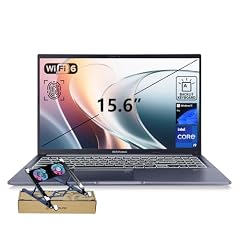
ASUS Vivobook 15 Laptop
- CPU
- Intel Core i9-13900H
- RAM
- 48 GB
- Storage
- 2000 GB
- Screen
- 15.6 in
- Touchscreen
- No
- Weight
- 1.7 kg
- OS
- Windows 11 Pro
$1,349.00 price as of 2026-10-09 17:21 UTC (Details)
This Vivobook 15 is a large-memory pick: 48GB of RAM and a 2TB SSD in a 1.7kg chassis. It does not list a discrete GPU, so it suits programmers who want headroom for many processes without local GPU work.
Pros
- 48GB of RAM, more than many other picks
- 2TB SSD
- 1.7kg, tied for the lightest in this list
- Windows 11 Pro
Cons
- No discrete GPU stated by the seller
- 15.6-inch screen, smaller than the 16-inch and 18-inch options
Good fit if
- A developer who runs a heavy editor, many tabs, containers and local services at once
- Someone who wants a light laptop with large RAM and storage and no gaming GPU
Skip if
- You plan to run machine learning or 3D work that needs a discrete GPU
- You prefer a larger 16-inch or 18-inch display
Verdict: A light Vivobook with unusually high RAM and storage for programming tasks.
5 Tied for lightest here
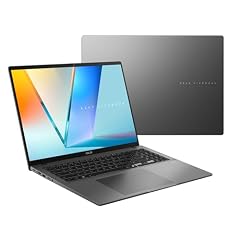
ASUS Vivobook S16 Laptop
- CPU
- AMD Ryzen AI 9 465
- RAM
- 32 GB
- Storage
- 1000 GB
- Screen
- 16 in
- Weight
- 1.7 kg
- Battery
- 70 Wh
- OS
- Windows 11 Home
$1,349.49 price as of 2026-10-09 17:21 UTC (Details)
The Vivobook S16 weighs 1.7kg and lists a 16-inch OLED display, 32GB of RAM and a 1TB SSD. It is a carry-friendly option with no discrete GPU stated, aimed at everyday coding rather than GPU work.
Pros
- 1.7kg, tied for the lightest in this list
- 16-inch OLED display
- 32GB of RAM
- 1TB SSD
Cons
- No discrete GPU stated by the seller
- The listing mentions AMD Radeon graphics but no graphics memory amount is stated
Good fit if
- A student or consultant who carries the laptop between campus, cafes and client sites
- A web developer who wants a light laptop for editing, browsers and containers
Skip if
- You need a discrete GPU for local model work
- You want a larger 18-inch screen or more than 1TB of storage
Verdict: A light 16-inch OLED Vivobook for programmers who value portability.
6 Only AMD Radeon GPU here

ASUS TUF Gaming A16 Laptop 16" WUXGA 165Hz 100% sRGB AMD 8-core Ryzen 7
- CPU
- AMD Ryzen 7 7735HS
- GPU
- Radeon RX 7700S
- GPU memory
- 8 GB
- RAM
- 32 GB
- Storage
- 1000 GB
- Screen
- 16 in
- Refresh
- 165 Hz
- Weight
- 2.2 kg
$1,569.00 price as of 2026-10-09 17:20 UTC (Details)
This TUF A16 is the only pick in this list with an AMD Radeon RX 7700S, and it states 8GB of graphics memory. With 32GB of RAM, a 16-inch 165Hz display and a 1TB SSD, it is a versatile AMD-based option.
Pros
- AMD Radeon RX 7700S with 8GB of graphics memory, the only Radeon here
- 32GB of RAM
- 1TB SSD
- 16-inch 165Hz display
Cons
- Weighs 2.2kg, heavier than the 1.7kg Vivobooks
- Operating system listed as Windows 11 without an edition
Good fit if
- A programmer who wants an AMD CPU and GPU combination
- Someone who does occasional GPU work and wants a stated 8GB of graphics memory
Skip if
- You prefer an Intel and NVIDIA combination
- You want a lighter laptop; 2.2kg is in the middle of this list
Verdict: A TUF with a Radeon GPU and a stated graphics memory amount.
7 Most graphics memory here

ASUS ROG Strix G18 18” Gaming Laptop
- CPU
- Intel Core Ultra 9 275HX
- GPU
- RTX 5070 Ti
- GPU memory
- 12 GB
- RAM
- 32 GB
- Storage
- 2000 GB
- Screen
- 18 in
- Refresh
- 240 Hz
- Weight
- 3 kg
$3,199.99 price as of 2026-10-09 17:20 UTC (Details)
The ROG Strix G18 lists a GeForce RTX 5070 Ti with 12GB of graphics memory, the highest stated graphics memory in this list. It also has 32GB of RAM, an 18-inch display and a 2TB SSD, making it a strong pick for local model work.
Pros
- 12GB of graphics memory, the most stated in this list
- 32GB of RAM
- 2TB SSD
- 18-inch 240Hz display
Cons
- Weighs 3kg, one of the heaviest picks
- Operating system not stated by the seller
Good fit if
- A machine learning developer who wants as much stated graphics memory as possible
- Someone who works on 3D or game code and does not mind an 18-inch, 3kg laptop
Skip if
- You need a laptop under 2.5kg
- You want the operating system stated; this listing does not state one
Verdict: The pick with the most stated graphics memory, at the cost of weight.
8 Most RAM here

ASUS ROG Strix G18 G815 Gaming AI Laptop | 18" WUXGA 144Hz
- CPU
- Intel Core i9-14900HX
- GPU
- GeForce RTX 5070
- GPU memory
- 8 GB
- RAM
- 64 GB
- Storage
- 2000 GB
- Screen
- 18 in
- Refresh
- 144 Hz
- Weight
- 3.2 kg
$3,059.00 price as of 2026-10-09 17:20 UTC (Details)
This ROG Strix G18 states 64GB of RAM, tied for the highest amount in this list. It also lists a GeForce RTX 5070, 2TB of storage and an 18-inch display, so it can hold a lot of running software and data.
Pros
- 64GB of RAM, the most stated in this list
- 2TB SSD
- GeForce RTX 5070 discrete GPU
- 18-inch display
Cons
- Weighs 3.2kg, the heaviest pick here
- Graphics memory is stated as 8GB, less than the 12GB ROG Strix G18
Good fit if
- A developer who runs multiple virtual machines, containers and large builds at the same time
- Someone who wants maximum RAM and is willing to carry a heavy laptop
Skip if
- You need a lighter machine for commuting
- You want a stated graphics memory amount larger than 8GB
Verdict: A 64GB RAM, 2TB ROG for heavy parallel workloads.
9 40GB RAM and 2TB storage

ASUS Vivobook 16" WUXGA Laptop
- CPU
- Intel Core i7-1355U
- RAM
- 40 GB
- Storage
- 2000 GB
- Screen
- 16 in
- OS
- Windows 11
$1,139.00 price as of 2026-10-09 17:21 UTC (Details)
This Vivobook 16 lists 40GB of RAM and 2TB of storage, with a dual-drive arrangement described as 1TB SSD plus 1TB docking station. It is a light, GPU-less option for programmers who want high memory and storage in a 16-inch body.
Pros
- 40GB of RAM
- 2TB total storage as stated
- 16-inch screen
- Intel Core i7-1355U
Cons
- Weight not stated by the seller
- No discrete GPU stated by the seller
Good fit if
- A programmer who wants a lot of RAM and storage without a gaming GPU
- Someone who does not need a stated weight figure and mainly uses the laptop on a desk
Skip if
- You need a stated weight to plan your carry setup
- You want a discrete GPU for machine learning
Verdict: A high-memory, high-storage Vivobook, though the listing does not state its weight.
10 32GB RAM and 2TB SSD

ASUS TUF 18 AI Gaming Laptop
- CPU
- AMD Ryzen 7 260
- GPU
- GeForce RTX 5060
- GPU memory
- 8 GB
- RAM
- 32 GB
- Storage
- 2000 GB
- Screen
- 18 in
- Refresh
- 144 Hz
- Weight
- 2.6 kg
$2,079.00 price as of 2026-10-09 17:20 UTC (Details)
This TUF 18 AI is one of the large-screen TUF options, with 32GB of RAM, a 2TB SSD, a GeForce RTX 5060 and 8GB of graphics memory. It is a 2.6kg 18-inch laptop that balances memory, storage and a discrete GPU.
Pros
- 18-inch display
- 32GB of RAM
- 2TB SSD
- GeForce RTX 5060 with 8GB of graphics memory
Cons
- Weighs 2.6kg, heavier than the Vivobooks
- Only 8GB of graphics memory, less than the 12GB ROG Strix G18
Good fit if
- A developer who wants a big 18-inch screen and 2TB of storage
- Someone who does local GPU work and prefers an 8GB card to no card
Skip if
- You need a lighter laptop for commuting
- You want a more portable 16-inch or 15.6-inch laptop
Verdict: A big TUF with 32GB of RAM and a 2TB SSD for desktop-style coding.
11 32GB RAM with RTX 5060

ASUS TUF 16" FHD+
- CPU
- Intel Core i7-14650HX
- GPU
- GeForce RTX 5060
- GPU memory
- 8 GB
- RAM
- 32 GB
- Storage
- 1000 GB
- Screen
- 16 in
- Refresh
- 165 Hz
- OS
- Windows 11
$2,122.83 price as of 2026-10-09 17:20 UTC (Details)
This 16-inch TUF lists 32GB of RAM, a GeForce RTX 5060 with 8GB of graphics memory and a 1TB SSD. It is a straightforward middle-ground pick for programmers who want a discrete GPU without stepping up to an 18-inch screen.
Pros
- 32GB of RAM
- GeForce RTX 5060 with 8GB of graphics memory
- 1TB SSD
- 16-inch 165Hz display
Cons
- Weight not stated by the seller
- No stated weight, so you cannot compare portability directly
Good fit if
- A developer who wants a discrete GPU and stated graphics memory
- Someone who does not need a stated weight figure
Skip if
- You need a known weight for travel planning
- You want more than 1TB of built-in storage
Verdict: A 16-inch TUF with 32GB RAM and 8GB of graphics memory, though weight is missing.
12 Most storage here

ASUS ROG Strix G16 Gaming Laptop 2025
- CPU
- Intel Core i7
- GPU
- GeForce RTX 5060
- RAM
- 64 GB
- Storage
- 4000 GB
- Screen
- 16 in
- Refresh
- 165 Hz
- Weight
- 2.65 kg
- OS
- Windows 11 Pro
$2,839.00 price as of 2026-10-09 17:20 UTC (Details)
This ROG Strix G16 states 64GB of RAM and 4TB of storage, the largest storage amount in this list. It also has a GeForce RTX 5060, so it offers plenty of room for repositories, container images and virtual machine disks.
Pros
- 4TB SSD, the most storage in this list
- 64GB of RAM
- GeForce RTX 5060 discrete GPU
- 16-inch display
Cons
- Weighs 2.65kg, heavier than the 1.7kg Vivobooks
- Graphics memory not stated by the seller
Good fit if
- A developer who keeps large datasets, multiple VMs or many container images locally
- Someone who wants maximum RAM and storage in a 16-inch body
Skip if
- You need a stated graphics memory amount
- You want a lighter carry; 2.65kg is above the lightest picks
Verdict: The storage king here with 64GB of RAM and a 4TB SSD.
13 18-inch with 2TB storage

ASUS ROG Strix G18 Gaming Laptop
- CPU
- AMD Ryzen 9 9955HX
- GPU
- RTX 5070
- RAM
- 32 GB
- Storage
- 2000 GB
- Screen
- 18 in
- Refresh
- 240 Hz
- Weight
- 3 kg
- OS
- Windows 11 Pro
$2,625.00 price as of 2026-10-09 17:20 UTC (Details)
This ROG Strix G18 lists an AMD Ryzen 9 9955HX, a GeForce RTX 5070, 32GB of RAM and 2TB of storage. It is one of two 18-inch ROG picks with 2TB, giving you a large screen and room for big local projects.
Pros
- 18-inch display
- 32GB of RAM
- 2TB SSD
- GeForce RTX 5070 discrete GPU
Cons
- Weighs 3kg, heavy for carrying
- No graphics memory amount stated by the seller
Good fit if
- A programmer who wants a big screen and 2TB of storage
- Someone who uses an AMD Ryzen machine and does not mind the weight
Skip if
- You need a lighter laptop for daily commutes
- You want a stated graphics memory figure
Verdict: A large-screen ROG with 2TB of storage and an AMD Ryzen processor.
14 Windows 11 Pro with 32GB RAM

ASUS TUF F16 Gaming Laptop
- CPU
- Intel Core i7-14650HX
- GPU
- GeForce RTX 5060
- RAM
- 32 GB
- Storage
- 1000 GB
- Screen
- 16 in
- Refresh
- 165 Hz
- Weight
- 2.27 kg
- OS
- Windows 11 Pro
$2,119.00 price as of 2026-10-09 17:20 UTC (Details)
This TUF F16 lists Windows 11 Pro, 32GB of RAM, a GeForce RTX 5060 and a 1TB SSD. The Pro edition of Windows can matter for developers who manage domains or use enterprise management features.
Pros
- Windows 11 Pro, useful for corporate or domain-joined setups
- 32GB of RAM
- GeForce RTX 5060 discrete GPU
- 1TB SSD
Cons
- Weighs 2.27kg, more than the Vivobooks
- Only 1TB of storage when several picks offer 2TB or 4TB
Good fit if
- A corporate developer who needs Windows 11 Pro features
- Someone who wants a 16-inch TUF with a discrete GPU
Skip if
- You prefer Windows 11 Home or another OS
- You need more than 1TB of built-in storage
Verdict: A Windows 11 Pro TUF with 32GB RAM for developers in managed environments.
Side by side
| # | Laptop | CPU | GPU | GPU memory | Rentable GPU model | RAM | Storage |
|---|---|---|---|---|---|---|---|
| 1 | ASUS ROG Strix G16 | Intel Core Ultra 9 275HX | GeForce RTX 5070 Ti | not stated | not stated | 32 GB | 1000 GB |
| 2 | ASUS ROG Strix SCAR 18 | Intel Core Ultra 9 275HX | GeForce RTX 5090 | not stated | not stated | 32 GB | 2000 GB |
| 3 | ASUS ROG Strix G16 | Intel Core Ultra 9 290HX | GeForce RTX 5080 | not stated | not stated | 32 GB | not stated |
| 4 | ASUS Vivobook 15 Laptop | Intel Core i9-13900H | not stated | not stated | not stated | 48 GB | 2000 GB |
| 5 | ASUS Vivobook S16 Laptop | AMD Ryzen AI 9 465 | not stated | not stated | not stated | 32 GB | 1000 GB |
| 6 | ASUS TUF Gaming A16 Laptop 16" WUXGA 165Hz 100% sRGB AMD 8-core Ryzen 7 | AMD Ryzen 7 7735HS | Radeon RX 7700S | 8 GB | not stated | 32 GB | 1000 GB |
| 7 | ASUS ROG Strix G18 18” Gaming Laptop | Intel Core Ultra 9 275HX | RTX 5070 Ti | 12 GB | not stated | 32 GB | 2000 GB |
| 8 | ASUS ROG Strix G18 G815 Gaming AI Laptop | 18" WUXGA 144Hz | Intel Core i9-14900HX | GeForce RTX 5070 | 8 GB | not stated | 64 GB | 2000 GB |
| 9 | ASUS Vivobook 16" WUXGA Laptop | Intel Core i7-1355U | not stated | not stated | not stated | 40 GB | 2000 GB |
| 10 | ASUS TUF 18 AI Gaming Laptop | AMD Ryzen 7 260 | GeForce RTX 5060 | 8 GB | not stated | 32 GB | 2000 GB |
| 11 | ASUS TUF 16" FHD+ | Intel Core i7-14650HX | GeForce RTX 5060 | 8 GB | not stated | 32 GB | 1000 GB |
| 12 | ASUS ROG Strix G16 Gaming Laptop 2025 | Intel Core i7 | GeForce RTX 5060 | not stated | not stated | 64 GB | 4000 GB |
| 13 | ASUS ROG Strix G18 Gaming Laptop | AMD Ryzen 9 9955HX | RTX 5070 | not stated | not stated | 32 GB | 2000 GB |
| 14 | ASUS TUF F16 Gaming Laptop | Intel Core i7-14650HX | GeForce RTX 5060 | not stated | not stated | 32 GB | 1000 GB |
How we picked
The pool for this guide contained 41 ASUS laptops that matched the group rule: the listing states 16GB of RAM or more. That rule is the entire shortlist; no other filter was applied. From those 41, we chose 14 picks to cover the range of RAM amounts, storage sizes, screen sizes, weights, GPU types and operating system editions. The prices shown are live prices read from the store listing at the time of writing, and they may change. Nobody at this site has used, tested or benchmarked any of these laptops. The specifications in the guide are exactly what the seller states in each listing; where a spec is missing, the guide says it is not stated by the seller.
How to choose
What your editor, browser and containers ask of RAM
The amount of RAM you need depends on how many heavy things you keep open at once. A code editor, a browser with many tabs, a local database, a container runtime and a virtual machine all compete for the same memory. More RAM leaves more room for these to run side by side before you start closing tabs or stopping containers. The listings in this pool range from 16GB to 64GB, so the choice is about how much parallel work you expect. If you frequently run multiple containers or VMs, aim toward the higher end of the pool; for lighter web work, the entry-level amount may be enough. The guide cannot tell you a required size, because it does not run your workload.
When the GPU matters for code and when it does not
For everyday editing, compiling, container work and web development, the CPU, RAM and storage do most of the work. A discrete GPU becomes relevant when you move into machine learning, local model experiments, 3D engines or game development. The amount of graphics memory on the card limits how large a model or scene the card can hold in one go, which is why the stated graphics memory figure can matter more than the GPU name. Several picks in this list have 8GB of graphics memory, one has 12GB, and others do not state a graphics memory amount. If you are not doing GPU work, a Vivobook without a discrete GPU can be the lighter and simpler choice.
Storage for repositories, images and virtual machines
Source code is small, but the dependencies, container images, virtual machine disks and datasets around it are not. A 512GB drive can fill up quickly if you keep many projects and environment images on the laptop. The picks here start at 1TB and go up to 4TB, so there is room for local caches and multiple checkouts. If you mostly work on a server or in the cloud, 1TB is a reasonable baseline; if you keep everything local, look at the 2TB and 4TB options.
Screen size and weight when you carry it
Screen size is a trade-off between workspace and portability. The 15.6-inch and 16-inch models in this list are easier to fit in a backpack than the 18-inch models, and their weights range from 1.7kg to 2.65kg. The 18-inch picks weigh 2.6kg to 3.2kg, which is more noticeable on a commute. If you spend most of your day at a desk, a larger screen gives you more room for code beside a browser. If you move between campus, office and cafe, the lighter Vivobooks will be easier to carry.
Operating system and toolchain fit
All of these ASUS laptops list Windows 11 Home, Windows 11 Pro or Windows 11 without an edition. Windows is the native environment for many corporate and .NET workflows, and the Docker docs cover installing Docker Desktop on Windows. If you develop for Apple platforms, Xcode and the Apple toolchain run on macOS, not on these Windows laptops; that kind of work points to a Mac, which is outside this ASUS pool. The listing's operating system is the one the seller states; the site does not test other operating systems on these machines.
What this guide leaves out (and why)
This guide is built from the specifications stated in each store listing: processor, RAM, storage, GPU, screen size, weight and operating system. It does not include keyboard feel, trackpad quality, fan noise, heat, build quality, battery life, Linux compatibility or software performance, because the catalogue has no data for those and the site does not guess. The maker's product page is the best place to find additional details, and software vendors' requirements pages are the right source for compatibility questions.
Questions
Does this guide cover keyboards, build quality or Linux support?
No. The catalogue only lists stated specifications: processor, RAM, storage, GPU, screen, weight and operating system. The site does not guess about typing feel, heat, fans, Linux compatibility or driver support. Your best next step is to read the maker's product page and, if possible, try the keyboard in a store.
How much RAM do I need for programming?
The listings here state 16GB to 64GB of RAM. More RAM leaves more room for an editor, a browser with many tabs, a local database and containers to run at the same time. For most web and backend work, 16GB is a workable floor; heavier local workloads benefit from 32GB or more. The right amount depends on what you run side by side.
Do I need a discrete GPU for programming?
For everyday editing, container work and web development, integrated graphics can be enough if the laptop states no discrete GPU. A discrete GPU becomes relevant for machine learning, local model work, 3D engines and game development, because the amount of graphics memory limits how large a model or scene the card can hold. Look at the stated GPU and graphics memory.
What does 'not stated by the seller' mean?
When a listing does not include a spec, such as weight or storage, the guide says it is not stated by the seller. The site does not guess a weight or storage figure. You can check the maker's product page for the missing detail, but the pool only records what the store listing states.
Which ASUS laptop here is best for machine learning?
Look for a pick with a discrete GPU and more graphics memory. In this list, the ROG Strix G18 with an RTX 5070 Ti states 12GB of graphics memory, the most stated here. The ROG Strix G16 2026 and the ROG Strix SCAR 18 list higher RTX 50-series chips but the listings do not state their graphics memory amounts.
Can the site tell me if a framework or tool runs on these laptops?
No. The site only has the stated specifications and does not run software or measure performance. The maker pages and the software vendors' requirements pages, such as Docker and Visual Studio Code, are the right sources for compatibility questions.
Recent updates
- : First published.