
Best Lightweight Laptops for Programming in 2026
The Apple 2026 MacBook Air 13-inch with the M5 chip is the top pick for most programmers: it weighs 1.23 kg, states 24GB of unified memory and has macOS for Apple platform work. This guide compares the seven laptops in the catalogue that state a weight of 1.3 kg or less and 16GB of RAM or more, selecting picks from those stated specifications only.
7 picks from 12 laptops that match this guide with a price we can quote today. Every price below is live and carries the moment it was read.
The picks at a glance
| # | Pick | Laptop | Price |
|---|---|---|---|
| 1 | Best overall for most programmers | Apple 2026 MacBook Air 13-inch Laptop with M5 chip | $1,599.00 price as of 2026-10-09 17:20 UTC (Details) |
| 2 | Best 16GB MacBook Air with 512GB storage | Apple 2026 MacBook Air 13-inch Laptop with M5 chip | $1,099.00 price as of 2026-10-09 17:20 UTC (Details) |
| 3 | Best 16GB MacBook Air with 1TB storage | Apple 2026 MacBook Air 13-inch Laptop with M5 chip | $1,399.00 price as of 2026-10-09 17:20 UTC (Details) |
| 4 | Lightest pick here | Lenovo Gen 11 ThinkPad X1 Carbon Laptop | $2,699.00 price as of 2026-10-09 17:22 UTC (Details) |
| 5 | Most RAM and storage here | Lenovo ThinkPad P14s Gen 7 AMD Ryzen AI 9 PRO 470 | $3,199.00 price as of 2026-10-09 17:22 UTC (Details) |
| 6 | Best 14-inch pick with 32GB RAM and 512GB storage | HYYUO 14 Inch Laptop | $309.99 price as of 2026-10-09 17:22 UTC (Details) |
| 7 | Best 15.6-inch pick at 1.3 kg | Laptop computer | $349.99 price as of 2026-10-09 17:22 UTC (Details) |
Which one should you buy?
- For a developer carrying a laptop to class and a cafe: A 1.23 kg MacBook Air with 24GB of unified memory leaves room for an editor, a browser and a local development server without weighing down a backpack. See pick 1
- For a React developer with a browser, an editor and a container open: The ThinkPad X1 Carbon states 32GB of RAM in a 1.12 kg body, enough headroom to keep multiple toolchains and containers side by side. See pick 4
- For a student whose coursework includes virtual machines: The ThinkPad P14s Gen 7 states 64GB of RAM, the most in this pool, which gives virtual machines and local databases space to breathe. See pick 5
- For a student who wants 32GB of RAM on a light frame: The HYYUO 14-inch states 32GB of RAM on a 1.27 kg frame, a way to get the same memory headroom as heavier business laptops without the extra weight. See pick 6
The 7 picks
1 Best overall for most programmers
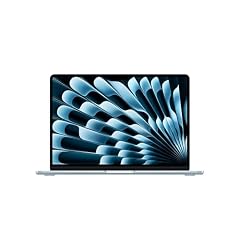
Apple 2026 MacBook Air 13-inch Laptop with M5 chip
- CPU
- Apple M5
- RAM
- 24 GB
- Storage
- 1000 GB
- Screen
- 13 in
- Weight
- 1.23 kg
- OS
- macOS
$1,599.00 price as of 2026-10-09 17:20 UTC (Details)
Weighs 1.23 kg and states 24GB of unified memory with 1TB of storage, making it the most balanced lightweight pick in this list. macOS makes it the natural choice if you target Apple platforms, and the M5 chip is named in the listing.
Pros
- 24GB unified memory, more than the 16GB Air models
- 1TB storage, the largest among the Apple Air options here
- macOS supports Apple development tools
- 1.23 kg, among the lightest in this pool
Cons
- No discrete GPU stated, so local machine learning is limited to integrated graphics
- Smaller 13-inch screen than the 14 and 15.6-inch picks
- Apple-only operating system, not a match for Windows-only workflows
Good fit if
- Developers who want one light Mac for web, backend and Apple platform work
- People who carry the laptop daily and want a large SSD for repositories
Skip if
- You need Windows-only tools or a Windows environment
- You want a bigger screen for split-pane coding
Verdict: A light, well-balanced Apple laptop for most programmers who stay within macOS.
2 Best 16GB MacBook Air with 512GB storage
Apple 2026 MacBook Air 13-inch Laptop with M5 chip
- CPU
- Apple M5
- RAM
- 16 GB
- Storage
- 512 GB
- Screen
- 13 in
- Weight
- 1.23 kg
- OS
- macOS
$1,099.00 price as of 2026-10-09 17:20 UTC (Details)
This Apple Air states 16GB of unified memory and a 512GB SSD in a 1.23 kg body. It covers the same macOS development path as the larger-memory Air models with a smaller storage allocation.
Pros
- 16GB unified memory, enough for an editor, browser and local database to run together
- 512GB SSD, workable for repos and dependencies
- 1.23 kg, same weight as the other 13-inch Airs
- Apple M5 chip as listed
Cons
- 512GB storage will fill faster if you keep multiple VMs or datasets
- No discrete GPU stated
- One memory tier below the 24GB Air
Good fit if
- Students and developers who want macOS
- Programmers who store most work in the cloud or on external drives
Skip if
- You keep large container images and virtual machines locally
- You want 24GB or more RAM headroom
Verdict: A sensible entry Mac for programming when 512GB of local storage is enough.
3 Best 16GB MacBook Air with 1TB storage
Apple 2026 MacBook Air 13-inch Laptop with M5 chip
- CPU
- Apple M5
- RAM
- 16 GB
- Storage
- 1000 GB
- Screen
- 13 in
- Weight
- 1.23 kg
- OS
- macOS
$1,399.00 price as of 2026-10-09 17:20 UTC (Details)
This Air pairs 16GB of unified memory with 1TB of storage, which is useful if you want the lighter memory tier but more room for repositories and images. It stays at 1.23 kg, so the larger SSD does not cost you weight.
Pros
- 1TB SSD gives more room for repos and project files
- 16GB unified memory
- 1.23 kg
- macOS for Apple development
Cons
- No discrete GPU stated
- 13-inch screen is the smaller end of this pool
- 16GB may feel limiting with many containers and VMs open
Good fit if
- Developers who want a Mac with extra storage but do not need 24GB of memory
- People who prefer Apple tools and carry the laptop daily
Skip if
- You want the most RAM in a light Mac
- You need a Windows environment
Verdict: A middle option among the Airs: more storage, same light weight.
4 Lightest pick here

Lenovo Gen 11 ThinkPad X1 Carbon Laptop
- CPU
- Intel Core i7-1365U
- RAM
- 32 GB
- Screen
- 14 in
- Touchscreen
- No
- Weight
- 1.12 kg
- Battery
- 57 Wh
- OS
- Windows 11 Pro
$2,699.00 price as of 2026-10-09 17:22 UTC (Details)
At 1.12 kg this is the lightest laptop in the pool, and it still states 32GB of RAM, which is more than the 16GB Airs. The 14-inch screen and Windows 11 Pro make it a strong travel machine for Windows-based development.
Pros
- 1.12 kg, the lightest in this list
- 32GB RAM, above the 16GB entries
- 14-inch WUXGA display with 100% sRGB as stated
- Windows 11 Pro
Cons
- Storage not stated by the seller, so capacity is unknown
- No discrete GPU stated
- Older Intel Core i7-1365U model, no vPro detail in this pool beyond the name
Good fit if
- Developers who fly or commute often and want a light Windows laptop
- Programmers who run Windows containers and need 32GB of RAM
Skip if
- You need a stated storage capacity to plan local datasets
- You want a discrete GPU for local machine learning
Verdict: The lightest pick, with a healthy 32GB memory allocation for Windows tooling.
5 Most RAM and storage here

Lenovo ThinkPad P14s Gen 7 AMD Ryzen AI 9 PRO 470
- CPU
- AMD Ryzen AI 9 PRO 470
- GPU
- Radeon 890M
- RAM
- 64 GB
- Storage
- 2000 GB
- Screen
- 14 in
- Refresh
- 60 Hz
- Weight
- 1.29 kg
- OS
- Windows 11 Pro
$3,199.00 price as of 2026-10-09 17:22 UTC (Details)
The P14s is the heavyweight in this light pool: 64GB of RAM, a 2TB SSD and a 14-inch touch display at 1.29 kg. The AMD Ryzen AI 9 PRO 470 and Radeon 890M graphics as stated make it the pick with the most room for containers, VMs and local model work among the integrated-GPU machines.
Pros
- 64GB RAM, the most of any pick
- 2TB storage, the largest in this pool
- Radeon 890M graphics named, useful for local graphics and lighter ML
- 14-inch touch display
Cons
- 1.29 kg, heavier than the Airs and X1 Carbon
- Windows 11 Pro only, not macOS
- Large specs come with a larger footprint than the lightest picks
Good fit if
- Developers who run many VMs, containers and local databases at once
- Data and backend programmers who want the most headroom in a portable machine
Skip if
- You want the lightest possible bag load
- You are building for Apple platforms
Verdict: A 1.29 kg workstation-class laptop with the most RAM and storage in this pool.
6 Best 14-inch pick with 32GB RAM and 512GB storage

HYYUO 14 Inch Laptop
- CPU
- Intel Pentium 6500Y
- RAM
- 32 GB
- Storage
- 512 GB
- Screen
- 14 in
- Weight
- 1.27 kg
$309.99 price as of 2026-10-09 17:22 UTC (Details)
This HYYUO 14-inch model states 32GB of RAM on a 1.27 kg frame and a 512GB SSD, which makes it an entry-level way to get memory headroom without a heavy bag. The Intel Pentium 6500Y is a low-power chip, so treat this as a light-duty coding machine.
Pros
- 32GB RAM, the same as the X1 Carbon
- 1.27 kg, under the 1.3 kg pool limit
- 512GB SSD
- 14-inch screen balances view and portability
Cons
- Intel Pentium 6500Y is a low-power processor, not a high-end mobile chip
- No operating system stated by the seller
- No discrete GPU stated
Good fit if
- Students and hobbyists who want a light laptop for editors and terminals
- Programmers who need 32GB of RAM for local services but do not need a discrete GPU
Skip if
- You compile large codebases or run heavy container workloads
- You need a preinstalled operating system from the listing
Verdict: A light 14-inch laptop that emphasizes RAM over processor power.
7 Best 15.6-inch pick at 1.3 kg

Laptop computer
- CPU
- Intel Pentium Gold 6500Y
- RAM
- 32 GB
- Storage
- 512 GB
- Screen
- 15.6 in
- Weight
- 1.3 kg
$349.99 price as of 2026-10-09 17:22 UTC (Details)
This is the only 15.6-inch laptop in the pool and it still meets the 1.3 kg limit with 32GB of RAM and a 512GB SSD. The larger screen gives more room for code beside a browser, though the Pentium Gold 6500Y chip is at the low-power end.
Pros
- 15.6-inch FHD IPS display, the largest in this pool
- 32GB RAM
- 1.3 kg, right at the pool limit
- 512GB SSD
Cons
- Intel Pentium Gold 6500Y is a low-power processor
- No operating system stated by the seller
- No discrete GPU stated
Good fit if
- Developers who want a bigger screen on a light machine
- Students who prefer one screen for editor and browser side by side
Skip if
- You need a fast modern processor for compilation
- You want a stated OS from the listing
Verdict: The largest screen that still meets the 1.3 kg test, with 32GB of RAM.
Side by side
| # | Laptop | CPU | GPU | GPU memory | Rentable GPU model | RAM | Storage |
|---|---|---|---|---|---|---|---|
| 1 | Apple 2026 MacBook Air 13-inch Laptop with M5 chip | Apple M5 | not stated | not stated | not stated | 24 GB | 1000 GB |
| 2 | Apple 2026 MacBook Air 13-inch Laptop with M5 chip | Apple M5 | not stated | not stated | not stated | 16 GB | 512 GB |
| 3 | Apple 2026 MacBook Air 13-inch Laptop with M5 chip | Apple M5 | not stated | not stated | not stated | 16 GB | 1000 GB |
| 4 | Lenovo Gen 11 ThinkPad X1 Carbon Laptop | Intel Core i7-1365U | not stated | not stated | not stated | 32 GB | not stated |
| 5 | Lenovo ThinkPad P14s Gen 7 AMD Ryzen AI 9 PRO 470 | AMD Ryzen AI 9 PRO 470 | Radeon 890M | not stated | not stated | 64 GB | 2000 GB |
| 6 | HYYUO 14 Inch Laptop | Intel Pentium 6500Y | not stated | not stated | not stated | 32 GB | 512 GB |
| 7 | Laptop computer | Intel Pentium Gold 6500Y | not stated | not stated | not stated | 32 GB | 512 GB |
How we picked
This guide starts with the seven laptops in the catalogue that state a weight of 1.3 kg or less and 16GB of RAM or more. The pool's rule keeps only listings that meet both limits, so the picks here are the whole shortlist. Prices shown are live and read from the store listing at the time the page loads; nobody on the site has tested, benchmarked or handled any of these laptops. Every specification in the picks and advice comes from the listing as stated, or from the maker's own spec pages listed in the sources. Weight, RAM, storage and operating system are what the seller states; where a spec is missing, the text says so.
How to choose
What your editor, browser and containers ask of RAM
A programming laptop spends most of its time with an editor, a browser full of documentation, a local database and often a container or virtual machine running at once. More RAM leaves more room for these to run side by side. Every pick here states at least 16GB; six of the seven state 24GB or more, and two state 32GB while one states 64GB. If you keep many containers or VMs open, the 32GB and 64GB machines give you the most headroom.
Visual Studio Code's own requirements recommend 1GB of RAM and a 1.6GHz processor, which is far below what any laptop in this pool states. The practical limit for most programmers is not the editor itself but everything running around it.
When the GPU matters for code and when it does not
For everyday web, backend and mobile work, the GPU matters little: the integrated graphics in these laptops can drive the display and handle normal UI rendering. The GPU becomes relevant when you do machine learning, run local model experiments, or work in 3D and game engines. The amount of graphics memory limits how large a model or scene the card can hold.
Only one pick, the Lenovo ThinkPad P14s Gen 7, names a graphics processor in the listing: the Radeon 890M. The Apple Airs and the Lenovo X1 Carbon do not state a GPU, so their graphics capabilities are not stated by the seller. If local ML is a major part of your work, look for a pick that names a discrete or substantial integrated GPU, and check the graphics memory figure.
Storage for repositories, images and virtual machines
Repositories, dependencies, container images, virtual machine disks and datasets all take up local storage. A 512GB SSD can hold a comfortable working set, while 1TB and 2TB give you room to keep multiple project environments without reaching for an external drive.
In this pool, the ThinkPad P14s Gen 7 states 2TB, the three MacBook Air models state either 1TB or 512GB, and the HYYUO models state 512GB. The ThinkPad X1 Carbon has no storage stated by the seller, so plan around that unknown if you tend to keep large local datasets.
Screen size and weight when you carry it
Weight is the whole point of this guide, and every pick sits at 1.3 kg or less. The lightest is the ThinkPad X1 Carbon at 1.12 kg, while the MacBook Airs and the HYYUO 14-inch are close behind at 1.23 to 1.27 kg. The P14s reaches 1.29 kg and the 15.6-inch HYYUO is exactly at the 1.3 kg limit.
Screen size trades against portability: the larger 15.6-inch panel gives you more room for code beside a browser, while the 13 and 14-inch machines are easier to balance on a cafe table and fit in a smaller bag. Pick the size that matches where you actually work.
Operating system: macOS, Windows, or not stated
The operating system determines which platform tools you can use without a virtual machine. The Apple MacBook Air picks run macOS, so they are the natural choices if you develop for iOS or macOS and want Apple's development tools on Apple hardware. The Lenovo laptops state Windows 11 Pro, which suits Windows-based development and Windows containers.
The two HYYUO listings do not state an operating system, so you should confirm what is preinstalled before buying if you need a particular OS out of the box. For all picks, the OS is one part of the decision: RAM, storage and weight matter just as much for daily programming work.
What this guide leaves out (and why)
This guide is built from listing specifications only. It does not cover keyboard feel, trackpad quality, screen brightness for long sessions, fan noise, heat, build quality or battery life in hours, because the catalogue has no reliable data for those qualities. No laptop here was tested or handled by the site.
If those factors decide your purchase, the stated specs can only take you so far. Use this list to narrow the field to light machines with enough RAM, then check the maker's documentation and retail listing details before you commit.
Questions
Does this guide cover keyboards, screen quality or Linux support?
No. The catalogue provides RAM, CPU, GPU, storage, screen size, weight and operating system as stated by the seller. It has no data on keyboard feel, trackpad comfort, screen brightness for long sessions, fan noise, heat or build quality, and the site does not guess. Linux compatibility and driver support are also not covered, because the listings do not state them and nobody here has tested the machines.
Can a lightweight laptop run Docker, virtual machines and local databases?
It can, up to the limits of its stated memory and storage. Docker Desktop and virtual machines run alongside your editor when there is enough RAM, which is why this pool requires at least 16GB and includes picks with 24GB, 32GB and 64GB. Container images and VM disks also take storage, so the 1TB and 2TB models give more room. The catalogue does not state how much a given workload uses, so treat capacity as headroom rather than a guarantee.
Which pick is best for iOS or macOS development?
The Apple MacBook Air picks are the ones that run macOS, which is what Apple's development tools require. The 13-inch Air with 24GB of unified memory and 1TB of storage is the most balanced of the three Airs in this pool. The 16GB Air with 1TB storage is also viable, and the 16GB Air with 512GB storage is the entry point. For Apple platform work you need macOS, so the Windows and OS-not-stated picks are not direct alternatives.
Why is there no discrete GPU on most of these picks?
The catalogue only includes laptops that state a weight of 1.3 kg or less and 16GB of RAM or more. Discrete GPUs add weight and power draw, so they are uncommon in this weight class. Among these picks, only the Lenovo ThinkPad P14s Gen 7 names a Radeon 890M graphics processor. The others do not state a GPU. If local machine learning is important, the amount of graphics memory limits how large a model you can hold, so check the GPU listing before choosing.
What does the pool's under-1.3 kg rule mean for real-world use?
A laptop at 1.3 kg or less is light enough to carry between home, class, the office and a cafe without it dominating your bag. The lightest pick here is 1.12 kg and the heaviest is exactly 1.3 kg, so the difference is noticeable over a long commute. That weight range often comes with tradeoffs: fewer ports, smaller screens and integrated graphics. This pool still includes 14 and 15.6-inch screens, 64GB of RAM and 2TB of storage, so light does not automatically mean limited.
Can you recommend a laptop for machine learning in this weight class?
For local machine learning, the key stated spec is the GPU and its graphics memory. In this pool, the ThinkPad P14s Gen 7 is the only pick that names a graphics processor, the Radeon 890M, and it also has 64GB of RAM and 2TB of storage. The Apple Airs and other picks do not state a GPU, so their suitability for local model work is not stated by the seller. For larger models you generally want a discrete GPU, and those are rare at 1.3 kg.
Recent updates
- : First published.