
Best HP Programming Laptops in 2026: 14 Picks by Specs
The HP OmniBook 16 AI Laptop is the top pick for programming: 32GB of RAM, a 1TB SSD, a 16-inch touchscreen and a stated Radeon 840M GPU at 1.64kg. It suits an editor, a browser and a container open at once. The 14 picks below are HP laptops that state 16GB or more of RAM, chosen from stated specifications and live listings; no unit was tested by this site.
14 picks from 72 laptops that match this guide with a price we can quote today. Every price below is live and carries the moment it was read.
The picks at a glance
Which one should you buy?
- For a developer who keeps an editor, a browser and a container open: The 32GB of RAM and 1TB SSD leave room for your editor, many browser tabs and a local container without shuffling storage. The 16-inch touchscreen gives more code beside the browser. See pick 1
- For someone who runs local machine learning experiments: The OMEN 16 has 8GB of graphics memory and a stated RTX 5070 GPU, which sets the practical limit for how large a model or scene the laptop can hold in memory. The Ryzen 9 and 32GB of system RAM back it up. See pick 3
- For a student who carries the laptop between classes and a cafe: At 1.44kg with a 14-inch screen, the ZBook is the lightest pick in this guide and still states 32GB of RAM and 1TB of storage, enough for coursework that needs a virtual machine. See pick 5
- For a developer who wants one large screen at a desk: The 17.3-inch display and 32GB of RAM let you keep code, documentation and a terminal visible at once. The stated Windows 11 Pro matters if your workplace images need it. See pick 12
The 14 picks
1 Top overall pick for everyday programming

HP OmniBook 16 AI Laptop AMD Ryzen AI 7 445 32GB DDR5 RAM 1TB SSD 2K
- CPU
- AMD Ryzen AI 7 445
- GPU
- Radeon 840M
- RAM
- 32 GB
- Storage
- 1000 GB
- Screen
- 16 in
- Touchscreen
- Yes
- Weight
- 1.64 kg
$1,299.99 price as of 2026-10-09 17:21 UTC (Details)
The OmniBook 16 AI states 32GB of RAM, 1TB of storage, a 16-inch touchscreen and a Radeon 840M GPU while weighing 1.64kg. That combination covers the usual programming load of an editor, a browser and a container open at once, and it is easier to carry than the 17.3-inch picks.
Pros
- 32GB of RAM: headroom for an editor, browser tabs and containers side by side
- 1TB SSD for repositories, dependencies and container images
- 16-inch touchscreen at a stated 1.64kg
- Radeon 840M GPU stated
Cons
- Operating system not stated by the seller
- No separate graphics memory stated
- 1TB is not the largest storage in this guide; the 2TB pick has more
Good fit if
- Web, backend or mobile developers who keep several tools open at once
- Programmers who want one HP for both a desk and a bag
Skip if
- Anyone who needs 64GB of RAM for local virtual machines
- Those who want a larger 17.3-inch display on the same HP line
Verdict: An HP with 32GB, 1TB, a 16-inch touchscreen and moderate carrying weight.
2 Best large-screen pick with a stated GPU

HP OmniBook 7 AI Laptop
- CPU
- Intel Core Ultra 7 258V
- GPU
- RTX 4050
- GPU memory
- 6 GB
- RAM
- 32 GB
- Storage
- 1000 GB
- Screen
- 17.3 in
- Touchscreen
- Yes
- Weight
- 2.35 kg
$1,599.00 price as of 2026-10-09 17:21 UTC (Details)
This OmniBook 7 states 32GB of RAM, 1TB of storage, a 17.3-inch touchscreen and an RTX 4050 GPU with 6GB of graphics memory. Windows 11 Pro is listed, and the 83Wh battery is stated, though battery life in hours is not.
Pros
- 32GB RAM and 1TB SSD
- RTX 4050 GPU with 6GB of graphics memory stated
- 17.3-inch touchscreen and Windows 11 Pro stated
- 83Wh battery capacity stated
Cons
- 2.35kg, one of the heavier picks in this guide
- 6GB graphics memory is less than the OMEN pick's 8GB
- 1TB storage is not the 2TB maximum here
Good fit if
- Programmers using machine learning or 3D work where 6GB of graphics memory is the stated limit
- Developers who want a large touchscreen on a desk
Skip if
- Those who need the most graphics memory in this guide
- People who carry the laptop daily and want near 1.44kg
Verdict: An HP with a large touchscreen and a stated RTX 4050 GPU.
3 Most graphics memory here
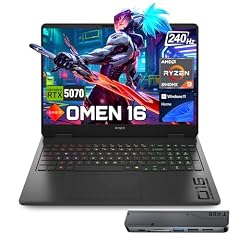
HP OMEN 16 RTX 5070 AMD Ryzen 9 8940HX 240Hz Gaming Laptop
- CPU
- AMD Ryzen 9 8940HX
- GPU
- RTX 5070
- GPU memory
- 8 GB
- RAM
- 32 GB
- Storage
- 1000 GB
- Screen
- 16 in
- Refresh
- 240 Hz
- Weight
- 2.45 kg
$2,199.00 price as of 2026-10-09 17:21 UTC (Details)
The OMEN 16 lists 8GB of graphics memory, the most in this selection, which sets a higher ceiling for local model or scene work than the 6GB RTX picks. It pairs an RTX 5070 GPU with a Ryzen 9 and 32GB of RAM, and the 240Hz display is stated.
Pros
- 8GB of graphics memory, the most in this list
- RTX 5070 GPU stated
- 32GB of RAM and 1TB SSD
- Windows 11 Home stated
Cons
- 2.45kg, the heaviest pick in this guide
- 240Hz refresh rate is listed but offers no stated benefit for text coding
- 1TB storage, not the 2TB maximum
Good fit if
- Developers running local machine learning experiments where graphics memory is the constraint
- Programmers working in game engines or 3D graphics APIs
Skip if
- Those who need a lighter laptop and do not use the GPU
- Anyone whose workload needs more than 32GB of system RAM; the 64GB pick is the alternative
Verdict: The HP pick with the most graphics memory in this guide.
4 Most RAM here

HP OmniBook 7 16" 2K OLED Touchscreen Laptop
- CPU
- Intel Core 9 270H
- RAM
- 64 GB
- Storage
- 1000 GB
- Screen
- 16 in
- Refresh
- 120 Hz
- Touchscreen
- Yes
- Weight
- 1.92 kg
- OS
- Windows 11 Pro
$2,079.99 price as of 2026-10-09 17:21 UTC (Details)
With 64GB of RAM, this OmniBook 7 is the only pick in this guide with more than 32GB. The 1TB SSD, 16-inch touchscreen, 120Hz display and Windows 11 Pro are stated, at 1.92kg.
Pros
- 64GB RAM, the most in this guide
- 1TB SSD and 16-inch touchscreen
- Windows 11 Pro and 120Hz display stated
- 1.92kg for a 64GB machine
Cons
- No separate GPU with its own graphics memory is stated
- Storage is 1TB, not the 2TB maximum
- At 1.92kg it is not the lightest pick
Good fit if
- Developers who run virtual machines, many containers and local services at once
- Those who want the highest RAM HP option in this guide
Skip if
- People who only need 16GB or 32GB and want a lighter or smaller machine
- Those whose priority is graphics memory rather than system RAM
Verdict: An HP with the most RAM in this guide for memory-heavy work.
5 Lightest here

HP ZBook 8 G1ak Laptop
- CPU
- AMD Ryzen AI 7 PRO 350
- GPU
- Radeon 860M
- RAM
- 32 GB
- Storage
- 1000 GB
- Screen
- 14 in
- Touchscreen
- Yes
- Weight
- 1.44 kg
- OS
- Windows 11 Pro
$1,699.99 price as of 2026-10-09 17:22 UTC (Details)
The ZBook 8 G1ak lists 1.44kg and a 14-inch screen, the lightest combination in this selection. It still states 32GB of RAM, 1TB of storage, a touchscreen, Windows 11 Pro and a Radeon 860M GPU.
Pros
- 1.44kg, the lightest in this guide
- 32GB RAM and 1TB SSD on a 14-inch laptop
- Touchscreen and Windows 11 Pro stated
- Radeon 860M GPU stated
Cons
- 14-inch screen offers less room for split views than the 16- and 17.3-inch picks
- No separate graphics memory stated
- 1TB storage, not the 2TB maximum
Good fit if
- Students and commuters who carry the laptop between classes and workspaces
- Programmers who want 32GB in the smallest and lightest package here
Skip if
- Those who want a large screen for fixed-desk coding
- Those whose local model work needs more graphics memory than this pick lists
Verdict: An HP that cuts screen size and weight without cutting RAM or storage.
6 Lightest 15.6-inch pick

HP 255 G10 15.6" FHD Business Laptop
- CPU
- AMD Ryzen 7 7730U
- RAM
- 32 GB
- Storage
- 1000 GB
- Screen
- 15.6 in
- Weight
- 1.52 kg
- OS
- Windows 11 Pro
$999.99 price as of 2026-10-09 17:21 UTC (Details)
At 1.52kg, this 255 G10 is the lightest 15.6-inch laptop in the guide, while stating 32GB of RAM, 1TB of storage and Windows 11 Pro. The Ryzen 7 7730U is listed; the seller does not state a GPU.
Pros
- 1.52kg with a 15.6-inch screen
- 32GB RAM and 1TB SSD
- Windows 11 Pro and Ryzen 7 7730U stated
Cons
- No GPU is stated by the seller
- Storage is 1TB, not the 2TB maximum
- No touchscreen is stated
Good fit if
- Backend or systems programmers who do not need a GPU
- People who want a 15.6-inch screen without the weight of the gaming picks
Skip if
- Those who want a touchscreen
- Those whose work needs a stated GPU
Verdict: A portable 15.6-inch HP with 32GB and 1TB.
7 16GB RAM with a stated RTX 4050

HP Victus Gaming Laptop
- CPU
- Intel Core i5-13420H
- GPU
- GeForce RTX 4050
- GPU memory
- 6 GB
- RAM
- 16 GB
- Storage
- 1000 GB
- Screen
- 15.6 in
- Refresh
- 144 Hz
- Weight
- 2.3 kg
$1,149.00 price as of 2026-10-09 17:22 UTC (Details)
This Victus lists a GeForce RTX 4050 with 6GB of graphics memory, 16GB of RAM and a 1TB SSD on a 15.6-inch screen. Windows 11 and a 144Hz refresh rate are stated, and the 2.3kg weight tells you it is not an ultralight.
Pros
- RTX 4050 with 6GB of graphics memory stated
- 1TB SSD, more storage than the 512GB entry pick
- 144Hz refresh rate and Windows 11 stated
- 16GB RAM
Cons
- 2.3kg is heavier than the 15.6-inch 255 G10 at 1.52kg
- 16GB RAM is the lower end of the RAM range in this guide
- 6GB graphics memory is less than the OMEN pick's 8GB
Good fit if
- Programmers who want a GPU for 3D or local model work without moving to a heavier OMEN
- Developers who are content with 16GB and want 1TB storage
Skip if
- People who plan to run many containers or VMs and want 32GB or more
- Those who want the lightest possible bag
Verdict: An HP with a stated RTX 4050 and 1TB storage at 16GB.
8 Most storage here

HP 15.6" FHD IPS Touchscreen Laptop
- CPU
- Intel Core 7 150U
- RAM
- 16 GB
- Storage
- 2000 GB
- Screen
- 15.6 in
- Touchscreen
- Yes
- Weight
- 1.6 kg
- OS
- Windows 11
$999.99 price as of 2026-10-09 17:21 UTC (Details)
At 2TB, this 15.6-inch HP has the most storage in the guide, enough room for many repositories, dependencies, container images, virtual machine disks and datasets. It also states 16GB of RAM, a touchscreen, Windows 11 and a 1.6kg weight.
Pros
- 2TB storage, the most in this list
- 16GB RAM and a touchscreen
- Windows 11 stated
- 1.6kg for a 15.6-inch machine
Cons
- 16GB RAM is the lower end of the RAM range in this guide
- No GPU with separate graphics memory is stated
- Storage capacity is not matched by system RAM: at 16GB it has less RAM than the 32GB group
Good fit if
- Developers who keep virtual machine disks or container images locally
- Data work where repositories and datasets outgrow a 1TB drive
Skip if
- Those who want more system RAM than 16GB for many services at once
- Those who prefer a smaller or lighter pick and do not need 2TB
Verdict: An HP with the most storage in this guide.
9 Intel alternative with 32GB and a touchscreen

HP OmniBook 16" 2K Touch Laptop
- CPU
- Intel Core Ultra 7 255U
- RAM
- 32 GB
- Storage
- 1000 GB
- Screen
- 16 in
- Touchscreen
- Yes
$1,297.99 price as of 2026-10-09 17:21 UTC (Details)
This OmniBook 16 lists an Intel Core Ultra 7 255U, 32GB of RAM, 1TB of storage and a 16-inch touchscreen. The seller does not state the operating system, weight or GPU, so those stay unknown.
Pros
- 32GB RAM and 1TB SSD
- 16-inch touchscreen
- Intel Core Ultra 7 255U stated
Cons
- Operating system not stated by the seller
- Weight not stated by the seller
- GPU not stated by the seller
Good fit if
- Developers who want 32GB and a 16-inch touchscreen from an Intel listing
- Anyone who does not need a stated GPU for their daily work
Skip if
- Those who need a stated Windows edition before buying
- Anyone who needs the seller to state the weight
Verdict: A 32GB Intel HP with a 16-inch touchscreen and unstated extras.
10 32GB RAM with a stated RTX 4050

HP Victus 15.6" Gaming Laptop
- CPU
- AMD Ryzen 7 7445HS
- GPU
- GeForce RTX 4050
- GPU memory
- 6 GB
- RAM
- 32 GB
- Storage
- 1000 GB
- Screen
- 15.6 in
- Refresh
- 144 Hz
- OS
- Windows 11
$1,299.00 price as of 2026-10-09 17:22 UTC (Details)
This Victus sits between the 16GB RTX picks and the 8GB OMEN: 32GB of RAM, a GeForce RTX 4050 with 6GB of graphics memory, a 1TB SSD and a 144Hz display. Windows 11 is stated; the seller does not list the weight.
Pros
- 32GB RAM and 1TB SSD
- RTX 4050 GPU with 6GB graphics memory stated
- 144Hz refresh rate and Windows 11 stated
Cons
- Weight not stated by the seller
- 6GB graphics memory is less than the OMEN pick's 8GB
- 1TB storage is not the 2TB maximum
Good fit if
- Programmers who run containers or VMs and also want a GPU
- Those who want more system RAM than the 16GB Victus pick without losing the GPU
Skip if
- Those who need a stated weight before carrying it daily
- Those who need the most graphics memory in this guide
Verdict: An HP with 32GB of RAM and a stated RTX 4050.
11 Touchscreen business pick with 32GB

HP 15.6" Touchscreen Business Laptop
- CPU
- Intel Core i7-1355U
- RAM
- 32 GB
- Storage
- 1000 GB
- Screen
- 15.6 in
- Touchscreen
- Yes
- Weight
- 1.6 kg
- OS
- Windows 11 Pro
$1,319.00 price as of 2026-10-09 17:21 UTC (Details)
This business-configured HP states 32GB of RAM, 1TB of storage, a touchscreen and Windows 11 Pro in a 1.6kg 15.6-inch body. No GPU is listed, so graphics work is not specified by the seller.
Pros
- 32GB RAM and 1TB SSD
- Touchscreen and Windows 11 Pro stated
- 1.6kg with a 15.6-inch screen
Cons
- No GPU stated by the seller
- 1TB storage, not the 2TB maximum
- Screen resolution not stated by the seller
Good fit if
- Developers who want a touchscreen in a 15.6-inch HP
- Corporate programmers whose image requires Windows 11 Pro
Skip if
- Those who need a GPU
- Those who prefer a 17-inch display for fixed-desk work
Verdict: An HP with 32GB, touch and Windows 11 Pro.
12 17.3-inch screen with 32GB
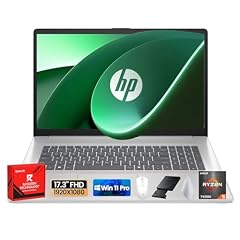
HP 17 Laptop
- CPU
- AMD Ryzen 5 7430U
- RAM
- 32 GB
- Storage
- 1000 GB
- Screen
- 17.3 in
- OS
- Windows 11 Pro
$959.99 price as of 2026-10-09 17:21 UTC (Details)
The HP 17 gives you a 17.3-inch display plus 32GB of RAM and 1TB of storage, with Windows 11 Pro stated. The seller does not list the weight or a GPU, so this pick is best judged on screen and memory.
Pros
- 32GB RAM and 1TB SSD
- 17.3-inch screen, among the largest in this guide
- Windows 11 Pro stated
Cons
- Weight not stated by the seller
- No GPU stated by the seller
- Only one of the 17.3-inch picks here also has a GPU; if that matters to your work, check the OmniBook 7
Good fit if
- Developers who want code, documentation and a terminal visible without an external monitor
- Those who want 32GB on a large-screen HP
Skip if
- Those who need a stated weight before deciding
- Those who need a GPU for local model work
Verdict: A large-screen 32GB HP for desk-style coding.
13 Entry 16-inch HP with a touchscreen

HP OmniBook 3 16 inch Next Gen AI PC
- CPU
- AMD Ryzen AI 5 430
- GPU
- Radeon 840M
- RAM
- 16 GB
- Storage
- 512 GB
- Screen
- 16 in
- Touchscreen
- Yes
- Weight
- 1.64 kg
- OS
- Windows 11 Home
$903.76 price as of 2026-10-09 17:21 UTC (Details)
The OmniBook 3 states 16GB of RAM, a 512GB SSD, a 16-inch touchscreen, a Radeon 840M GPU and Windows 11 Home. It is the smallest storage figure in this guide, which keeps expectations clear.
Pros
- 16-inch touchscreen at 1.64kg
- Radeon 840M GPU and Windows 11 Home stated
- 16GB RAM meets the guide's minimum
Cons
- 512GB storage is the smallest in this list
- 16GB RAM is the lower end of the range here
- No separate graphics memory stated
Good fit if
- Students or first-time programmers who want a large HP touchscreen
- Those whose repositories and local data fit comfortably within 512GB
Skip if
- People who plan to keep many local virtual machines or container images
- Those who want 32GB or more from the start
Verdict: A 16-inch entry HP with touch, but less storage and RAM than the rest.
14 24GB of RAM with a touchscreen
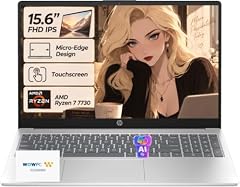
HP 2026 Edition Business Laptop
- CPU
- AMD Ryzen 7 7730U
- RAM
- 24 GB
- Storage
- 1000 GB
- Screen
- 15.6 in
- Touchscreen
- Yes
- Weight
- 1.7 kg
- OS
- Windows 11
$849.99 price as of 2026-10-09 17:21 UTC (Details)
This 2026 business laptop is the only pick here with 24GB, a middle option between the 16GB and 32GB groups. It also lists a Ryzen 7 7730U, 1TB of storage, a touchscreen and Windows 11, in a 1.7kg body.
Pros
- 24GB RAM, between the 16GB and 32GB picks
- 1TB SSD and touchscreen
- Ryzen 7 7730U and Windows 11 stated
- 1.7kg for a 15.6-inch laptop
Cons
- No GPU stated by the seller
- Windows 11 is not Windows 11 Pro, if your workplace requires Pro
- 1TB storage, not the 2TB maximum
Good fit if
- Developers who want more than 16GB and a touchscreen
- Students who want 1TB storage and a 15.6-inch screen at 1.7kg
Skip if
- Those whose workplace image requires Windows 11 Pro
- Those who expect a GPU or 32GB
Verdict: An HP with 24GB, touch and 1TB for a middle-RAM workflow.
Side by side
| # | Laptop | CPU | GPU | GPU memory | Rentable GPU model | RAM | Storage |
|---|---|---|---|---|---|---|---|
| 1 | HP OmniBook 16 AI Laptop AMD Ryzen AI 7 445 32GB DDR5 RAM 1TB SSD 2K | AMD Ryzen AI 7 445 | Radeon 840M | not stated | not stated | 32 GB | 1000 GB |
| 2 | HP OmniBook 7 AI Laptop | Intel Core Ultra 7 258V | RTX 4050 | 6 GB | not stated | 32 GB | 1000 GB |
| 3 | HP OMEN 16 RTX 5070 AMD Ryzen 9 8940HX 240Hz Gaming Laptop | AMD Ryzen 9 8940HX | RTX 5070 | 8 GB | not stated | 32 GB | 1000 GB |
| 4 | HP OmniBook 7 16" 2K OLED Touchscreen Laptop | Intel Core 9 270H | not stated | not stated | not stated | 64 GB | 1000 GB |
| 5 | HP ZBook 8 G1ak Laptop | AMD Ryzen AI 7 PRO 350 | Radeon 860M | not stated | not stated | 32 GB | 1000 GB |
| 6 | HP 255 G10 15.6" FHD Business Laptop | AMD Ryzen 7 7730U | not stated | not stated | not stated | 32 GB | 1000 GB |
| 7 | HP Victus Gaming Laptop | Intel Core i5-13420H | GeForce RTX 4050 | 6 GB | not stated | 16 GB | 1000 GB |
| 8 | HP 15.6" FHD IPS Touchscreen Laptop | Intel Core 7 150U | not stated | not stated | not stated | 16 GB | 2000 GB |
| 9 | HP OmniBook 16" 2K Touch Laptop | Intel Core Ultra 7 255U | not stated | not stated | not stated | 32 GB | 1000 GB |
| 10 | HP Victus 15.6" Gaming Laptop | AMD Ryzen 7 7445HS | GeForce RTX 4050 | 6 GB | not stated | 32 GB | 1000 GB |
| 11 | HP 15.6" Touchscreen Business Laptop | Intel Core i7-1355U | not stated | not stated | not stated | 32 GB | 1000 GB |
| 12 | HP 17 Laptop | AMD Ryzen 5 7430U | not stated | not stated | not stated | 32 GB | 1000 GB |
| 13 | HP OmniBook 3 16 inch Next Gen AI PC | AMD Ryzen AI 5 430 | Radeon 840M | not stated | not stated | 16 GB | 512 GB |
| 14 | HP 2026 Edition Business Laptop | AMD Ryzen 7 7730U | not stated | not stated | not stated | 24 GB | 1000 GB |
How we picked
This guide is built from a pool of 73 HP laptops that match the site's brand filter: each listing states at least 16GB of RAM. The shortlist was narrowed to 14 picks that cover different programming situations: desktop replacement work, GPU-accelerated local model work, carrying between campus and home, and large screens for split-view coding. Specs are exactly as the seller states them; where a listing omits an operating system, weight or GPU, the pick says so rather than guessing. Prices are live and read from the listing at the time shown next to each product. Nobody on this site has opened, used, benchmarked or reviewed any of these laptops.
How to choose
What your editor, browser and containers ask of RAM
Most picks here are chosen from the same catalogue, so RAM is the first divide. Ten of the 14 picks state 32GB or more, one states 64GB, one states 24GB, and three state 16GB. More RAM leaves more room for an editor, a browser with many tabs, a local database and containers or virtual machines running at the same time. If that describes your day, skip the 16GB options and look at the 32GB group.
When the GPU matters for code and when it does not
Seven of the 14 picks state a GPU. For plain text editing, API work and most server code, the GPU matters much less than RAM and storage. A stated GPU with graphics memory becomes relevant when you do machine learning, work in 3D or game engines, or call graphics APIs. The amount of graphics memory limits how large a model or scene the card can hold; the OMEN pick has 8GB, while the RTX 4050 picks list 6GB.
Storage for repositories, images and virtual machines
Twelve of the 14 picks state 1TB of storage, one states 2TB and one states 512GB. Storage holds repositories, dependencies, container images, virtual machine disks and datasets. If you keep many of those locally, the 2TB pick is the one to start with. If your work is mostly in the cloud or on a remote server, 512GB may be enough.
Screen size and weight when you carry it
Screens here run from 14 inches to 17.3 inches and stated weights from 1.44kg to 2.45kg. The lightest pick is the 14-inch ZBook; the 17.3-inch OmniBook and 17.3-inch HP 17 trade portability for a desk-sized display. A bigger screen gives more room for code beside a browser, but a heavier machine is harder to carry to class or a coworking space.
Operating system and what the listing states
The HP picks here are Windows or unspecified. Twelve list a version of Windows 11, and two listings leave the operating system unstated. If your work requires a particular Windows edition, such as Pro for a managed image, check the stated OS before deciding. When a listing omits the OS, treat it as unknown unless the live listing says otherwise.
What this guide leaves out (and why)
This guide does not cover keyboard feel, trackpad quality, fan noise, screen brightness in practice, Linux compatibility or measured battery life. The catalogue has no data for those, and the site does not guess. Use the listed specs and the live listing details before you buy.
Questions
How much RAM do I need for programming?
The 14 picks here range from 16GB to 64GB of RAM. More RAM leaves more room for an editor, browser tabs, a database and containers running side by side. If you regularly run virtual machines or several local services, a 32GB pick gives more headroom. If your work is mostly text editing and simple scripts, 16GB can be enough. The right amount depends on how many tools you keep open at once.
Does the GPU matter for programming?
For ordinary editing, running a server and writing API code, the GPU is not the main concern. It matters when you use machine learning, 3D engines or graphics APIs, because the amount of graphics memory limits how large a model or scene the card can hold. In this guide, four picks list RTX-class GPUs with stated graphics memory. Choose one of those if your work touches those areas; otherwise RAM and storage matter more.
Does this guide cover keyboards, Linux support or battery life?
No. The catalogue only states specs such as RAM, storage, CPU, GPU, screen size, weight and operating system. It has no data on keyboard feel, trackpad quality, fan noise, Linux compatibility or measured battery life, and this site does not guess. Use the listed specs to compare laptops and read the live listing for details that matter to you.
Why do some picks say "operating system not stated by the seller"?
A few listings omit the operating system, the weight or the GPU. Rather than guess, this guide marks those fields as not stated by the seller. If a detail is missing, it is missing in the catalogue, not an oversight in the guide. Check the live listing before buying when that detail matters to your workflow.
Are all picks Windows laptops?
Every pick in this guide is an HP model with at least 16GB of RAM. Most list a version of Windows 11, and two listings leave the operating system unstated. None of the picks are Apple or ChromeOS laptops. The guide is a brand-specific look at HP machines, not a comparison across makers.
Which HP should I choose if I carry the laptop every day?
If you carry the laptop every day, the 14-inch ZBook is the lightest pick here at 1.44kg and still has 32GB of RAM and 1TB of storage. The 255 G10 is close at 1.52kg with the same memory and storage on a 15.6-inch screen. The 17.3-inch picks offer more screen space but are heavier to take along.
Recent updates
- : First published.