
Best Dell Programming Laptops in 2026: 14 Picks by Specs
The Dell 16 Touchscreen Business Laptop is the first choice here for a programmer who wants 32GB of RAM, a 1TB SSD, a 16-inch touchscreen and Windows 11 Pro on one machine. That memory and storage combination leaves room for an editor, browser, database and containers at the same time. The list is drawn from a Dell pool with at least 16GB of RAM, and every pick is chosen from stated specifications and current listing data, not from direct experience.
14 picks from 34 laptops that match this guide with a price we can quote today. Every price below is live and carries the moment it was read.
The picks at a glance
Which one should you buy?
- For a web developer with an editor, a browser and a container open: 32GB of RAM in this 16-inch Dell leaves room for all three at once, and the 1TB SSD keeps repositories and local images nearby. See pick 1
- For a student whose coursework needs a virtual machine: At 1.4kg and 14 inches, this Precision is easy to carry, and 32GB of RAM gives a virtual machine room alongside the usual editor and browser. See pick 2
- For a machine learning developer who spends the day with local models: The 12GB of graphics memory on this 17.3-inch Precision is tied for the most in this guide, and the 2TB SSD leaves space for datasets and checkpoints. See pick 5
- For a programmer who keeps many repositories and container images on disk: 64GB of RAM and a 2TB SSD mean large projects can stay open and stored on the same machine. See pick 4
The 14 picks
1 Best overall for programming

Dell 16 Touchscreen Business Laptop
- CPU
- Intel Core 7 150U
- RAM
- 32 GB
- Storage
- 1000 GB
- Screen
- 16 in
- Touchscreen
- Yes
- Weight
- 2 kg
- OS
- Windows 11 Pro
$1,399.98 price as of 2026-10-09 17:21 UTC (Details) Typical price: $2,599.99, 46% off
This 16-inch Dell balances the memory and storage that programming work usually asks for. It has 32GB of RAM, a 1TB SSD, a touchscreen, and Windows 11 Pro. Listed weight is 2kg, heavier than the 14-inch Precision in this list, but the larger screen gives code room beside a browser.
Pros
- 32GB of RAM, enough to run a browser, editor, database and one or more containers at once
- 1TB of SSD storage for repositories and local images
- 16-inch touchscreen and Windows 11 Pro
Cons
- Listed at 2kg, heavier than the 14-inch Precision 3490 in this guide
- No dedicated graphics card is stated by the seller
Good fit if
- A programmer who wants a roomy screen and enough memory to keep several tools open
- A developer who will stay on Windows 11 Pro and wants a touchscreen
Skip if
- Anyone who needs the portability of a 1.4kg 14-inch machine
- A programmer doing local machine learning that needs a stated discrete GPU
Verdict: A well-rounded Dell for everyday programming with 32GB of RAM, 1TB of storage and a large touchscreen.
2 Lightest Precision here

Dell Precision 3490 Mobile Workstation Laptop
- CPU
- Intel Core Ultra 5 135H
- RAM
- 32 GB
- Storage
- 1000 GB
- Screen
- 14 in
- Weight
- 1.4 kg
- OS
- Windows 11 Pro
$1,299.99 price as of 2026-10-09 17:21 UTC (Details)
At 1.4kg and 14 inches, this is the lightest Precision workstation in this guide. It still has 32GB of RAM and a 1TB SSD, so it can carry the same sort of memory headroom as a larger Dell while taking up less bag space. No GPU is listed, so it makes sense for work that stays on the integrated side.
Pros
- 1.4kg, the lightest weight among the picks in this guide
- 14-inch screen, easy to carry between campus and a cafe
- 32GB of RAM and 1TB storage
Cons
- Smaller 14-inch display offers less room to place code side by side
- No discrete graphics card is stated by the seller
- No touchscreen is stated by the seller
Good fit if
- A programmer who commutes and wants a lighter workstation-class Dell
- A student who needs 32GB for coursework but does not need a large screen
Skip if
- Someone who wants a 16-inch or 17-inch display for side-by-side windows
- A developer who needs a stated discrete GPU for machine learning
Verdict: The most portable Precision in this guide with 32GB of RAM and a 1TB SSD.
3 Best for machine learning on a 16-inch chassis

Dell Precision 7680 Laptop
- CPU
- Intel Core i7-13850HX
- GPU
- RTX 2000 Ada
- GPU memory
- 8 GB
- RAM
- 32 GB
- Storage
- 1000 GB
- Screen
- 16 in
- Weight
- 2.68 kg
- OS
- Windows 11 Pro
$2,599.99 price as of 2026-10-09 17:21 UTC (Details)
This Precision 7680 pairs 32GB of system RAM with an RTX 2000 Ada GPU that has 8GB of dedicated graphics memory. That amount of VRAM limits how large a local model can be, but it is a clear step beyond a laptop with no discrete GPU. It also has a 1TB SSD and a 16-inch screen.
Pros
- RTX 2000 Ada with 8GB of graphics memory, useful for local model work
- 32GB of RAM and 1TB of storage
- 16-inch screen and Windows 11 Pro
Cons
- Listed at 2.68kg, so it is not a light carry
- 32GB of RAM is less than the 64GB and 128GB Precision workstations in this guide
Good fit if
- A programmer doing local machine learning who wants a discrete GPU in a 16-inch Dell
- A developer who needs Windows 11 Pro for work software
Skip if
- Someone who needs more system RAM for large in-memory datasets
- A programmer who wants the lightest possible daily carry
Verdict: A 16-inch Precision with a dedicated 8GB RTX GPU for machine learning and heavier local workloads.
4 Best for a 64GB memory workload

Dell Precision 7680 Mobile Workstation 16" FHD+ Laptop
- CPU
- Intel Core i7-13850HX
- GPU
- RTX 1000
- GPU memory
- 6 GB
- RAM
- 64 GB
- Storage
- 2000 GB
- Screen
- 16 in
- OS
- Windows 11 Pro
$2,899.99 price as of 2026-10-09 17:21 UTC (Details)
This 16-inch Precision steps up to 64GB of RAM and a 2TB SSD, both the highest among the 7680 models in this guide. The RTX 1000 GPU has 6GB of graphics memory, smaller than the RTX 2000 Ada and RTX 4000 Ada cards elsewhere here. The large memory and storage make it a match for bigger projects and many container images.
Pros
- 64GB of RAM, tied for the second-most memory in this guide
- 2TB SSD, one of the largest storage capacities here
- Includes a discrete RTX 1000 GPU with 6GB of graphics memory
Cons
- 6GB of graphics memory is the least among the discrete GPUs in this guide
- No weight is stated by the seller, so carrying heft is unknown
- Large workstation, less portable than the 14-inch Precision
Good fit if
- A developer who keeps several large repositories, databases and container images on one machine
- A programmer who wants 64GB of RAM for memory-heavy tasks
Skip if
- Someone who needs more than 6GB of graphics memory for machine learning
- A developer who needs a listed weight to plan a commuting bag
Verdict: A 16-inch workstation with 64GB of RAM and a 2TB SSD for projects that outgrow 32GB machines.
5 Largest display with 12GB of graphics memory

Dell Precision 7780 Mobile Workstation 17.3" FHD
- CPU
- Intel Core i9-13950HX
- GPU
- RTX 4000 Ada
- GPU memory
- 12 GB
- RAM
- 32 GB
- Storage
- 2000 GB
- Screen
- 17.3 in
- OS
- Windows 11 Pro
$2,799.99 price as of 2026-10-09 17:21 UTC (Details)
This 17.3-inch Precision has the largest display in this guide and an RTX 4000 Ada GPU with 12GB of graphics memory, tied for the most VRAM here. It also pairs 32GB of RAM with 2TB of storage. A large screen gives code and documentation room, while the GPU handles local model work up to what 12GB allows.
Pros
- 17.3-inch display, the largest screen in this guide
- 12GB of graphics memory, tied for the most VRAM here
- 2TB SSD for large datasets and container images
Cons
- No weight is stated by the seller, and 17-inch workstations are typically heavy
- Only 32GB of RAM compared with the 64GB and 128GB machines in this guide
- Large chassis is not a casual carry
Good fit if
- A developer who wants maximum screen real estate for code and documentation
- A programmer doing machine learning who wants one of the largest VRAM options in this guide
Skip if
- Anyone who needs a lighter machine for daily commuting
- A developer who needs 64GB or more system RAM
Verdict: A 17.3-inch Precision with 12GB of graphics memory and 2TB of storage for large screens and GPU work.
6 Gaming-class GPU on a 16-inch screen

Dell Alien-Ware 16X Aurora Gaming AI Laptop 16" WQXGA 240Hz
- CPU
- Intel Core Ultra 9 275HX
- GPU
- GeForce RTX 5070
- GPU memory
- 8 GB
- RAM
- 32 GB
- Storage
- 2000 GB
- Screen
- 16 in
- Refresh
- 240 Hz
- OS
- Windows 11 Pro
$2,499.00 price as of 2026-10-09 17:21 UTC (Details)
This Alienware brings an RTX 5070 GPU with 8GB of graphics memory to a 16-inch screen with a 240Hz refresh rate. It has 32GB of RAM and a 2TB SSD, which gives it the same memory headroom as many workstations and twice the storage of the regular 7680. Its gaming-class GPU is a fit for local machine learning and graphics work.
Pros
- RTX 5070 with 8GB of graphics memory for machine learning and graphics experiments
- 2TB SSD, matching the largest storage in this guide
- 240Hz refresh rate and 16-inch screen, one of the highest refresh rates listed here
Cons
- No weight is stated by the seller
- Alienware model, which is oriented toward gaming rather than a business form
- 32GB of RAM is less than the 64GB and 128GB picks here
Good fit if
- A programmer who also experiments with GPU-heavy tools and wants a high-refresh display
- A developer who wants 2TB of storage in a 16-inch Dell
Skip if
- Someone who needs the maximum 128GB of RAM
- A developer who wants a lighter, business-focused chassis
Verdict: A 16-inch Alienware with an RTX 5070, 32GB of RAM and 2TB of storage.
7 Most RAM among gaming-class Dells here

Dell Alienware 15 AI Gaming Laptop 15.3" WUXGA 165Hz FreeSync AMD 8-core
- CPU
- AMD Ryzen 7 260
- GPU
- GeForce RTX 5060
- GPU memory
- 8 GB
- RAM
- 64 GB
- Storage
- 2000 GB
- Screen
- 15.3 in
- Refresh
- 165 Hz
- Weight
- 2.25 kg
$2,699.00 price as of 2026-10-09 17:21 UTC (Details)
This 15.3-inch Alienware combines 64GB of RAM with an RTX 5060 GPU that has 8GB of graphics memory. It also has a 2TB SSD and a 165Hz refresh rate. For a programmer who wants one machine for GPU experimentation and large memory, this option offers more system RAM than the 16-inch Alienware in this guide.
Pros
- 64GB of RAM, among the highest in this guide
- RTX 5060 with 8GB of graphics memory
- 2TB SSD and 165Hz refresh rate
Cons
- Listed at 2.25kg, heavier than the 1.4kg Precision 3490
- 15.3-inch screen is smaller than the 16-inch and 17.3-inch picks
Good fit if
- A programmer who wants 64GB of RAM and a discrete GPU in one machine
- A developer who likes a high-refresh display for side projects
Skip if
- Someone who wants the largest 17.3-inch display
- A programmer who needs more than 8GB of graphics memory
Verdict: A 15.3-inch Alienware with 64GB of RAM, an RTX 5060 and a 2TB SSD.
8 The AMD-powered pick here
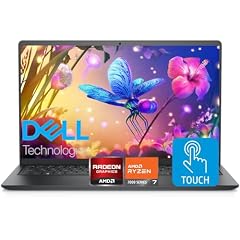
Dell Inspiron 15.6" FHD Touchscreen Laptop
- CPU
- AMD Ryzen 7 7730U
- RAM
- 32 GB
- Storage
- 1000 GB
- Screen
- 15.6 in
- Touchscreen
- Yes
- OS
- Windows 11 Pro
$919.00 price as of 2026-10-09 17:21 UTC (Details)
This 15.6-inch Inspiron is the only pick in this guide with an AMD Ryzen 7 7730U. It has 32GB of RAM, a 1TB SSD and a touchscreen, so it offers the same type of memory and storage headroom as the Intel machines here. The seller does not list a weight.
Pros
- 32GB of RAM and 1TB of storage
- Touchscreen on a 15.6-inch display
- AMD Ryzen 7 7730U, a different processor option from the Intel machines in this guide
Cons
- No weight is stated by the seller
- No discrete GPU is stated
- 15.6-inch screen, smaller than the 16-inch and 17.3-inch picks
Good fit if
- A programmer who prefers an AMD processor among Dell choices
- A developer who wants 32GB and 1TB in a touchscreen Inspiron
Skip if
- Someone who needs a discrete GPU for machine learning
- A programmer who must know the laptop weight before buying
Verdict: The AMD-powered Inspiron in this guide with 32GB of RAM and a 1TB SSD.
9 Lightest 15.6-inch Inspiron with a stated weight

Inspiron 15 3530 Laptop
- CPU
- Intel Core i7-1355U
- RAM
- 32 GB
- Storage
- 1000 GB
- Screen
- 15.6 in
- Touchscreen
- Yes
- Weight
- 1.65 kg
- OS
- Windows 11 Home
$894.95 price as of 2026-10-09 17:22 UTC (Details)
At 1.65kg, this 15.6-inch Inspiron has the lightest stated weight among the 15.6-inch Inspirons in this guide with a weight in the listing. It has 32GB of RAM, a 1TB SSD and a touchscreen, with Windows 11 Home. That makes it a practical daily machine for code, class and a bag.
Pros
- 1.65kg, the lightest stated weight among the 15.6-inch Inspirons here
- 32GB of RAM and 1TB of storage
- Touchscreen on a 15.6-inch display
Cons
- Windows 11 Home rather than Windows 11 Pro, which some workplaces require
- No discrete GPU is stated
- 15.6-inch screen is not the biggest display in this guide
Good fit if
- A student or commuting programmer who wants 32GB and 1TB in a lighter 15.6-inch Dell
- A developer who wants a touchscreen for reading and note work
Skip if
- Someone who needs Windows 11 Pro for a managed work environment
- A programmer who needs a discrete GPU
Verdict: A lighter 15.6-inch Inspiron with 32GB of RAM, 1TB of storage and a touchscreen.
10 Core i5 with 32GB of RAM
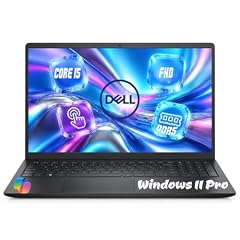
Dell 15.6" FHD Touchscreen Laptop
- CPU
- Intel Core i5-1334U
- RAM
- 32 GB
- Storage
- 1000 GB
- Screen
- 15.6 in
- Refresh
- 60 Hz
- Touchscreen
- Yes
- Weight
- 1.94 kg
- OS
- Windows 11 Pro
$1,159.99 price as of 2026-10-09 17:21 UTC (Details)
This 15.6-inch Dell pairs an Intel Core i5-1334U with 32GB of RAM and a 1TB SSD, all in a touchscreen chassis with Windows 11 Pro. The i5 processor and 32GB memory are a workable combination for code when the workload is more about memory than raw multi-core speed, though this guide does not measure processor performance. It is listed at 1.94kg.
Pros
- 32GB of RAM and 1TB of storage
- Windows 11 Pro and touchscreen
- 15.6-inch display at 1.94kg
Cons
- Intel Core i5-1334U, while other picks use Core 7 or Core Ultra processors
- No discrete GPU is stated
Good fit if
- A programmer who wants 32GB and a touchscreen without seeking a higher CPU tier
- A developer who uses Windows 11 Pro
Skip if
- Someone who wants a Core 7 or Core Ultra processor from the other picks
- A programmer who needs a discrete GPU
Verdict: A 15.6-inch touchscreen Dell with 32GB of RAM and 1TB of storage.
11 Core Ultra 7 with 32GB of RAM
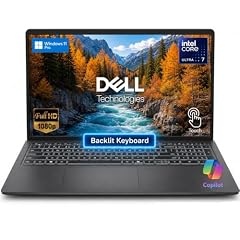
Dell 15.6 Touchscreen Laptop
- CPU
- Intel Core Ultra 7 255U
- RAM
- 32 GB
- Storage
- 1000 GB
- Screen
- 15.6 in
- Touchscreen
- Yes
- Weight
- 1.94 kg
- OS
- Windows 11 Pro
$1,299.99 price as of 2026-10-09 17:21 UTC (Details)
This 15.6-inch Dell uses an Intel Core Ultra 7 255U and comes with 32GB of RAM, a 1TB SSD and a touchscreen. It has Windows 11 Pro and is listed at 1.94kg. It is a straightforward mid-size choice for code that needs memory headroom.
Pros
- Intel Core Ultra 7 255U processor
- 32GB of RAM and 1TB of storage
- Windows 11 Pro and touchscreen
Cons
- Listed at 1.94kg, not the lightest 15.6-inch option here
- No discrete GPU is stated
Good fit if
- A programmer who wants a 15.6-inch Dell with an Intel Core Ultra 7 and 32GB of RAM
- A developer who wants Windows 11 Pro
Skip if
- Someone who needs 64GB or 128GB of RAM
- A programmer who needs a discrete GPU
Verdict: A 15.6-inch Core Ultra 7 Dell with 32GB of RAM, 1TB of storage and a touchscreen.
12 Core Ultra 9 with 2TB storage
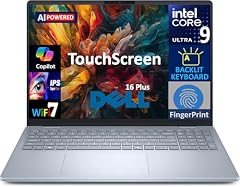
Dell 16 Plus AI Powered Laptop 16.0" Touchscreen IPS WUXGA Display
- CPU
- Intel Core Ultra 9
- RAM
- 32 GB
- Storage
- 2000 GB
- Screen
- 16 in
- Refresh
- 60 Hz
- Touchscreen
- Yes
- Battery
- 64 Wh
- OS
- Windows 11 Pro
$1,569.99 price as of 2026-10-09 17:21 UTC (Details)
This Dell 16 Plus has a 16-inch touchscreen, 32GB of RAM and a 2TB SSD, one of the largest storage capacities in this guide. It lists an Intel Core Ultra 9 processor. The seller does not state an operating system or weight, so Windows is not confirmed in the listing.
Pros
- 2TB SSD, tied for the most storage in this guide
- 32GB of RAM and a 16-inch touchscreen
- Intel Core Ultra 9 processor
Cons
- Operating system is not stated by the seller
- Weight is not stated by the seller
- Battery capacity is stated at 64Wh, but runtime hours are not listed by the seller
Good fit if
- A programmer who wants a 16-inch touchscreen with 2TB of local storage
- A developer who is comfortable buying a laptop whose operating system is not stated in the listing
Skip if
- Someone who needs a stated Windows 11 Pro license in the listing
- A programmer who must know the weight before choosing
Verdict: A 16-inch touchscreen Dell with 32GB of RAM, a 2TB SSD and an Intel Core Ultra 9 processor.
13 Most RAM here

Dell Precision 7780 Mobile Workstation 17.3" FHD Laptop
- CPU
- Intel Core i9-13950HX
- GPU
- RTX 3500 Ada
- GPU memory
- 12 GB
- RAM
- 128 GB
- Storage
- 1000 GB
- Screen
- 17.3 in
- OS
- Windows 11 Pro
$4,899.21 price as of 2026-10-09 17:21 UTC (Details)
This 17.3-inch Precision has 128GB of RAM, the most of any pick in this guide. It also has an RTX 3500 Ada GPU with 12GB of graphics memory, tied for the most VRAM here, and a 1TB SSD. For programmers who need maximum system memory for large in-memory work, this is the Dell to start from.
Pros
- 128GB of RAM, the most in this guide
- RTX 3500 Ada with 12GB of graphics memory, tied for the most VRAM here
- 17.3-inch display and Windows 11 Pro
Cons
- Only 1TB of storage, less than several 2TB picks here
- No weight is stated by the seller
- A large workstation that is not intended for casual carrying
Good fit if
- A developer who runs memory-hungry local services or large virtual machines
- A programmer who wants one machine with maximum system RAM and a strong discrete GPU
Skip if
- Someone who needs more than 1TB of internal storage
- A programmer who needs a light machine for daily commuting
Verdict: The highest-RAM Dell in this guide, with 128GB and a 12GB RTX GPU.
14 64GB business Dell with a 16-inch screen

Dell Pro 16 PC16250 Business Laptop
- CPU
- Intel Core 5 120U
- RAM
- 64 GB
- Storage
- 1000 GB
- Screen
- 16 in
- OS
- Windows 11 Pro
$1,599.99 price as of 2026-10-09 17:21 UTC (Details)
This Dell Pro 16 has 64GB of RAM and a 1TB SSD on a 16-inch 2K IPS screen. It runs Windows 11 Pro and uses an Intel Core 5 120U processor. It offers a full 64GB of memory without the workstation-class GPU, which keeps it a business-oriented choice for code and containers rather than local model training.
Pros
- 64GB of RAM and 1TB of storage
- 16-inch 2K IPS display
- Windows 11 Pro
Cons
- No discrete GPU is stated
- Weight is not stated by the seller
- Intel Core 5 120U is the only processor listed, and this guide does not rank it against Core 7 or Core Ultra
Good fit if
- A programmer who wants 64GB of RAM in a business-style 16-inch Dell
- A developer who works with many containers and local databases at once
Skip if
- Someone who needs a discrete GPU for machine learning
- A programmer who wants a 17.3-inch screen
Verdict: A business-minded 16-inch Dell with 64GB of RAM, 1TB of storage and Windows 11 Pro.
Side by side
| # | Laptop | CPU | GPU | GPU memory | Rentable GPU model | RAM | Storage |
|---|---|---|---|---|---|---|---|
| 1 | Dell 16 Touchscreen Business Laptop | Intel Core 7 150U | not stated | not stated | not stated | 32 GB | 1000 GB |
| 2 | Dell Precision 3490 Mobile Workstation Laptop | Intel Core Ultra 5 135H | not stated | not stated | not stated | 32 GB | 1000 GB |
| 3 | Dell Precision 7680 Laptop | Intel Core i7-13850HX | RTX 2000 Ada | 8 GB | not stated | 32 GB | 1000 GB |
| 4 | Dell Precision 7680 Mobile Workstation 16" FHD+ Laptop | Intel Core i7-13850HX | RTX 1000 | 6 GB | not stated | 64 GB | 2000 GB |
| 5 | Dell Precision 7780 Mobile Workstation 17.3" FHD | Intel Core i9-13950HX | RTX 4000 Ada | 12 GB | not stated | 32 GB | 2000 GB |
| 6 | Dell Alien-Ware 16X Aurora Gaming AI Laptop 16" WQXGA 240Hz | Intel Core Ultra 9 275HX | GeForce RTX 5070 | 8 GB | not stated | 32 GB | 2000 GB |
| 7 | Dell Alienware 15 AI Gaming Laptop 15.3" WUXGA 165Hz FreeSync AMD 8-core | AMD Ryzen 7 260 | GeForce RTX 5060 | 8 GB | not stated | 64 GB | 2000 GB |
| 8 | Dell Inspiron 15.6" FHD Touchscreen Laptop | AMD Ryzen 7 7730U | not stated | not stated | not stated | 32 GB | 1000 GB |
| 9 | Inspiron 15 3530 Laptop | Intel Core i7-1355U | not stated | not stated | not stated | 32 GB | 1000 GB |
| 10 | Dell 15.6" FHD Touchscreen Laptop | Intel Core i5-1334U | not stated | not stated | not stated | 32 GB | 1000 GB |
| 11 | Dell 15.6 Touchscreen Laptop | Intel Core Ultra 7 255U | not stated | not stated | not stated | 32 GB | 1000 GB |
| 12 | Dell 16 Plus AI Powered Laptop 16.0" Touchscreen IPS WUXGA Display | Intel Core Ultra 9 | not stated | not stated | not stated | 32 GB | 2000 GB |
| 13 | Dell Precision 7780 Mobile Workstation 17.3" FHD Laptop | Intel Core i9-13950HX | RTX 3500 Ada | 12 GB | not stated | 128 GB | 1000 GB |
| 14 | Dell Pro 16 PC16250 Business Laptop | Intel Core 5 120U | not stated | not stated | not stated | 64 GB | 1000 GB |
How we picked
The pool file for this guide contained 35 Dell laptops that state at least 16GB of RAM, and the group rule was exactly that: Dell laptops with a stated RAM of 16GB or more. From that pool, this guide selects 14 picks that cover everyday coding, large-memory work, GPU-adjacent machine learning, and portable use. No one at this site has tested, benchmarked, or lived with these machines. The specifications come from the seller listings, and where a listing does not state a spec, this guide says so. Prices are live listing prices shown by the page and can change at any time; the text keeps its advice away from price amounts.
How to choose
What your editor, browser and containers ask of RAM
Programming work often means keeping an editor, a browser with many tabs, a local database and one or more containers running at the same time. More RAM leaves more room for these to run side by side. This guide starts with a 16GB minimum from the Dell pool, and every pick in the list states 32GB or more, so the main choice is whether 32GB is enough or whether you want 64GB or 128GB for larger projects and virtual machines.
A 64GB or 128GB machine costs in other ways: it tends to be larger, heavier or aimed at workstation use. Start with what you actually keep open during a day of coding, then pick the memory tier above that.
When the GPU matters for code and when it does not
Most everyday programming works fine with integrated graphics or no discrete GPU at all. A separate GPU becomes relevant when you train or run machine learning models, work in 3D or game engines, or use tools that offload work to the graphics card. The amount of graphics memory limits how large a model or scene the card can hold, as a general rule.
Among the picks here, the RTX 2000 Ada, RTX 3500 Ada, RTX 4000 Ada, RTX 5060 and RTX 5070 models state 8GB or 12GB of graphics memory. If machine learning is not part of your work, a laptop without a stated discrete GPU is enough for code, containers and databases.
Storage for repositories, images and virtual machines
Repositories, dependencies, container images, virtual machine disks and datasets all take space. A 512GB drive can disappear quickly once you pull down a few large projects and images. The picks in this guide range from 1TB to 2TB, with a few 512GB options in the original pool. The 2TB models give you the most room for local data without carrying an external drive.
If you frequently download large datasets or keep several VM snapshots, look for the 2TB picks. If you work mainly in the cloud, 1TB is often enough for code and a working set of dependencies.
Screen size and weight when you carry it
A 16-inch or 17.3-inch display gives you more room to place code beside a browser or documentation. A 14-inch laptop is easier to carry from campus to a cafe or between meetings. Weight matters too: the Precision 3490 is listed at 1.4kg, while the 16-inch Precision 7680 models are listed at 2.68kg and the 17.3-inch Precision models do not state a weight at all.
If you move often, a lighter 14-inch or 15.6-inch pick with 32GB of RAM is a more practical daily driver. If you rarely move the machine, the larger and heavier workstations give you more screen and often more GPU options.
What this guide leaves out (and why)
The listings state components and measurements: memory, processor, graphics, storage, screen, weight and operating system. They do not state physical comfort, fan or thermal behavior, charge duration, or operating-system compatibility beyond what is listed. This site has not used the laptops, and it does not guess at those qualities. If a specification such as weight or operating system is missing, the guide says so.
Questions
Why are all the laptops in this guide Dell models with at least 16GB of RAM?
The guide is built around the keyword 'best dell programming laptops', so every pick comes from a pool of Dell laptops that the filter found when requiring a stated RAM of 16GB or more. That group rule is the whole shortlist rule. A 16GB machine is the floor here, and the picks that made the final list all state 32GB or more because those configurations offer more room for editors, browsers, databases and containers.
How much RAM do I need for programming?
There is no single number that fits every programmer. The right amount depends on how many tools you keep open at the same time. An editor, browser and a few containers will use more memory than a minimalist setup. This guide treats RAM as headroom: more RAM leaves more room for these things to run side by side. The pool starts at 16GB, and the picks range from 32GB to 128GB.
When does the GPU matter for code?
A discrete GPU matters when you work with machine learning, 3D or game engines, or tools that offload work to the graphics card. The amount of graphics memory limits how large a model or scene the card can hold, in general terms. The picks with 8GB or 12GB of graphics memory are included for that kind of work. For everyday web, backend or systems programming, a laptop without a stated discrete GPU is usually enough.
Why do you talk about storage and not compile times?
The listings do not provide compile times, build times, frame rates, training times, or any benchmark scores. This site has not used these laptops, so it cannot report measured performance. What the listings do state is storage capacity, RAM, CPU model, GPU and graphics memory. Storage affects how many repositories, container images and virtual machine disks you can keep on the machine, which is a useful thing to compare.
Does this guide cover keyboards, trackpads, battery life or Linux?
No. This site does not report physical input feel, fan or thermal behavior, charge duration, or operating-system compatibility beyond the stated operating system. The listing data does not include those details, and the site does not guess based on physical use. If those factors matter to you, check the maker's published specifications and any documentation from the software vendor.
Are the prices on the page current?
The prices shown on the page are live listing prices read from the store listing at the time the page was prepared. They can change at any moment, so this guide deliberately avoids quoting prices in the text. The dollar figures you see come directly from the current listing when the page loads, along with a timestamp for when that price was read.
Recent updates
- : First published.