
Best Acer Programming Laptops in 2026: 15 Picks by Specs
For a programmer who wants an Acer with headroom, the Acer Nitro V 16 with an Intel Core 7 240H, an NVIDIA GeForce RTX 5060, 32GB of RAM and 2TB of storage covers the everyday coding workload while leaving room for containers and local models. The picks below came from a catalogue of Acer laptops that state 16GB of RAM or more, with no physical testing and prices read live from the listings.
15 picks from 23 laptops that match this guide with a price we can quote today. Every price below is live and carries the moment it was read.
The picks at a glance
Which one should you buy?
- For a developer with an editor, a browser and a container open: More RAM leaves more room for an IDE, many browser tabs and a local container or database running at once. The Nitro V 16 with 32GB of RAM and 2TB of storage suits a working set this size. See pick 1
- For a data or machine learning developer who wants a dedicated GPU: Graphics memory limits how large a local model or scene a laptop can hold. The Predator Helios Neo 16S with a GeForce RTX 5070 Ti and 12GB of graphics memory is the pick with the most stated graphics memory in this list. See pick 15
- For a student who carries the laptop between class and a workspace: A lighter machine with a smaller screen is easier to carry around campus. The Aspire with a 14-inch screen and 1.4kg weight is the lightest pick here with 32GB of RAM. See pick 4
- For a systems or backend developer running many virtual machines: RAM and storage are the two specs that matter most when you keep several VM disks and project images on one drive. The Predator Helios Neo 18 with 32GB of RAM and 2TB of storage gives those workloads room to breathe, at the cost of a 3.3kg weight. See pick 7
The 15 picks
1 Best overall for a working programmer
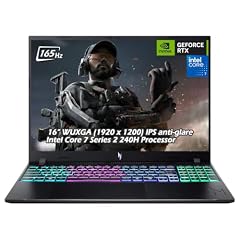
Acer Nitro V 16" WUXGA 165Hz Gaming Laptop
- CPU
- Intel Core 7 240H
- GPU
- GeForce RTX 5060
- RAM
- 32 GB
- Storage
- 2000 GB
- Screen
- 16 in
- Refresh
- 165 Hz
- Weight
- 2.1 kg
- OS
- Windows 11
$2,059.95 price as of 2026-10-09 17:20 UTC (Details)
It combines 32GB of RAM, a 2TB SSD, a 16-inch screen and a GeForce RTX 5060, so it covers the everyday programming workload and leaves room for local GPU work. Among the picks that state 32GB of RAM, this is one of only two with 2TB of storage, and it carries that capacity in a 2.1kg body.
Pros
- 32GB of RAM, enough for editors, browsers and containers side by side
- 2TB of storage, the most along with two other picks in this list
- GeForce RTX 5060 with a dedicated GPU for local model and 3D work
- 16-inch screen and 2.1kg weight for a desktop-like working area
Cons
- Heavier than the 14-inch Acer picks at 2.1kg
- Operating system is stated as Windows 11 but the full configuration details are not listed
Good fit if
- A programmer who wants one Acer for code, containers, local GPU experiments and large repositories
- Someone who prefers a 16-inch screen beside a browser and a terminal
Skip if
- You want the lightest machine for daily commuting
- You need more than 2TB of built-in storage
Verdict: A well-rounded Acer with 32GB of RAM, a 2TB SSD and a dedicated NVIDIA GPU.
2 Best mix of power and portability among 16-inch Nitro picks
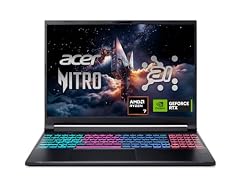
Acer Nitro V 16S AI Gaming Laptop
- CPU
- AMD Ryzen 7 260
- GPU
- GeForce RTX 5060 Laptop
- RAM
- 32 GB
- Storage
- 1000 GB
- Screen
- 16 in
- Refresh
- 180 Hz
- Weight
- 2.1 kg
$1,399.99 price as of 2026-10-09 17:20 UTC (Details)
At 2.1kg with a 16-inch screen, an AMD Ryzen 7 260 and a GeForce RTX 5060 Laptop GPU, it offers 32GB of RAM and 1TB of storage in a portable gaming-style body. It is a strong middle option between the heavier 18-inch models and the lighter 14-inch machines.
Pros
- 32GB of RAM for side-by-side tools
- GeForce RTX 5060 Laptop GPU for local GPU workloads
- 1TB of storage for repositories and project images
- 180Hz refresh rate screen for a smooth workspace
Cons
- Weight is 2.1kg, heavier than the 14-inch picks
- Operating system is not stated by the seller
Good fit if
- A developer who wants a 16-inch Nitro with 32GB of RAM
- Someone doing occasional local GPU work without choosing a Predator tier machine
Skip if
- You want a touchscreen or a lighter 14-inch chassis
- You need more than 1TB of storage
Verdict: A practical 16-inch Acer with 32GB of RAM and a dedicated NVIDIA GPU.
3 Best 14.5-inch pick for a powerful but smaller laptop

Acer Predator Helios Neo 14 AI Gaming Laptop
- CPU
- Intel Core Ultra 9 285H
- GPU
- GeForce RTX 5070
- RAM
- 32 GB
- Storage
- 1000 GB
- Screen
- 14.5 in
- Refresh
- 165 Hz
- Weight
- 1.9 kg
$1,899.99 price as of 2026-10-09 17:20 UTC (Details)
It packs an Intel Core Ultra 9 285H, a GeForce RTX 5070, 32GB of RAM and a 14.5-inch screen into a 1.9kg body. For programmers who want Predator power without a 16-inch or 18-inch chassis, this is the smallest Predator in the picks with 32GB of RAM.
Pros
- 32GB of RAM in a compact 14.5-inch body
- GeForce RTX 5070 for local GPU work
- 1.9kg weight, easier to carry than the larger Predator models
- 1TB of storage for code and datasets
Cons
- Smaller screen than the 16-inch and 18-inch picks
- Weight is still above the 14-inch Aspire and Swift models
Good fit if
- A developer who wants a compact Acer with strong CPU and GPU specs
- Someone who carries the laptop but still wants 32GB of RAM
Skip if
- You want a larger screen for long coding sessions
- You need 2TB or more of storage
Verdict: A compact Predator with 32GB of RAM and a strong GPU for a smaller laptop.
4 Lightest pick with 32GB of RAM
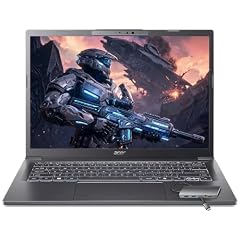
Acer Aspire Laptop 2026
- CPU
- Intel Core Ultra 7 258V
- RAM
- 32 GB
- Storage
- 1000 GB
- Screen
- 14 in
- Touchscreen
- Yes
- Weight
- 1.4 kg
- OS
- Windows 11 Home
$1,099.99 price as of 2026-10-09 17:20 UTC (Details)
At 1.4kg and 14 inches, it is the lightest and most portable Acer in these picks that still states 32GB of RAM. It uses integrated graphics through an Intel Core Ultra 7 258V, making it a clear choice for programmers who do not need a dedicated GPU.
Pros
- Lightest pick at 1.4kg
- 32GB of RAM in a 14-inch chassis
- Touchscreen display
- 1TB of storage
Cons
- No dedicated GPU stated by the seller, so local GPU work is not covered
- Smaller screen than the 16-inch models
Good fit if
- A student or commuter whose work is editor, browser and cloud-based
- Someone who wants a light Windows laptop with 32GB of RAM
Skip if
- You plan to train or run local models on the GPU
- You want a larger screen for long hours of code
Verdict: The most portable Acer in this guide without giving up 32GB of RAM.
5 Entry point with a dedicated GPU and 16GB of RAM
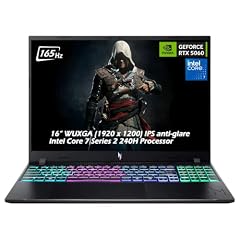
Acer Nitro V Gaming Laptop
- CPU
- Intel Core 7 240H
- GPU
- GeForce RTX 5060
- RAM
- 16 GB
- Storage
- 512 GB
- Screen
- 16 in
- Refresh
- 165 Hz
- Weight
- 2.1 kg
- OS
- Windows 11
$1,549.95 price as of 2026-10-09 17:20 UTC (Details)
A 16-inch Nitro V with an Intel Core 7 240H, a GeForce RTX 5060 and 16GB of RAM is a reasonable starting point for programmers who want a dedicated GPU without the 32GB configurations. Its 512GB SSD is the smallest storage among the 16-inch Nitro picks, which keeps the focus on the GPU and screen.
Pros
- GeForce RTX 5060 dedicated GPU
- 16-inch 165Hz display
- Windows 11 stated in the listing
Cons
- 16GB of RAM, the base amount for this guide
- 512GB of storage is the smallest among the Nitro 16-inch picks
- 2.1kg weight is not light for carrying
Good fit if
- A developer who wants a dedicated GPU and is comfortable with 16GB of RAM
- Someone who mostly works in one place and wants a 16-inch screen
Skip if
- You expect to run many containers or VMs at once
- You need more than 512GB for local repositories and images
Verdict: A straightforward 16-inch Nitro with a dedicated GPU and the minimum RAM for this guide.
6 Best 15.6-inch Nitro with 1TB of storage

Acer Nitro V Gaming Laptop
- CPU
- Intel Core i7-13620H
- GPU
- GeForce RTX 4050 Laptop
- RAM
- 16 GB
- Storage
- 1000 GB
- Screen
- 15.6 in
- Refresh
- 165 Hz
- Weight
- 2.11 kg
$1,199.99 price as of 2026-10-09 17:20 UTC (Details)
With an Intel Core i7-13620H, a GeForce RTX 4050 Laptop GPU, 16GB of RAM and 1TB of storage in a 15.6-inch chassis, this Nitro is a balanced pick for someone who wants a standard laptop size and a dedicated GPU. It is one of several 15.6-inch Nitro choices here but the one with 1TB of storage and 16GB of RAM.
Pros
- 1TB of storage at a common 15.6-inch size
- GeForce RTX 4050 Laptop GPU for local GPU work
- 165Hz display
- 16GB of RAM meets the guide's minimum
Cons
- 16GB of RAM, not as much headroom as the 32GB picks
- 2.11kg weight for carrying to class or work
Good fit if
- A programmer who wants a 15.6-inch Acer with a dedicated GPU
- Someone who prefers a common screen size with 1TB of storage
Skip if
- You want a lighter 14-inch machine
- You need 32GB of RAM for containers and VMs
Verdict: A solid 15.6-inch Nitro with a dedicated GPU and 1TB of storage.
7 Best large-screen pick for code beside previews
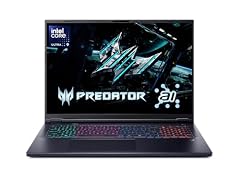
Acer Predator Helios Neo 18 AI Gaming Laptop
- CPU
- Intel Core Ultra 9 275HX
- GPU
- GeForce RTX 5070 Ti
- RAM
- 32 GB
- Storage
- 2000 GB
- Screen
- 18 in
- Refresh
- 240 Hz
- Weight
- 3.3 kg
$2,668.46 price as of 2026-10-09 17:20 UTC (Details)
The 18-inch screen is the largest in this guide, with an Intel Core Ultra 9 275HX, a GeForce RTX 5070 Ti, 32GB of RAM and 2TB of storage. It is the pick for programmers who want maximum screen room and are willing to carry a 3.3kg laptop.
Pros
- 18-inch screen, the largest in this guide
- 32GB of RAM
- GeForce RTX 5070 Ti GPU
- 2TB of storage
Cons
- Heaviest pick at 3.3kg
- Less portable than every other Acer in this list
Good fit if
- A developer who works mostly at a desk and wants a huge workspace
- Someone running local GPU experiments and needing a large screen and 2TB of storage
Skip if
- You carry the laptop regularly
- You want a compact machine for a backpack
Verdict: A desktop-class Acer with the largest screen and strong specs for stationary work.
8 Best 15.6-inch pick with 8GB of graphics memory

acer Nitro V 15.6” FHD IPS 165Hz Gaming Laptop
- CPU
- Intel Core i5-13420H
- GPU
- GeForce RTX 5050
- GPU memory
- 8 GB
- RAM
- 16 GB
- Storage
- 512 GB
- Screen
- 15.6 in
- Refresh
- 165 Hz
- Weight
- 2.11 kg
$1,049.99 price as of 2026-10-09 17:20 UTC (Details)
This Nitro V states an NVIDIA GeForce RTX 5050 with 8GB of GDDR7 VRAM, the most clearly stated graphics memory among the 15.6-inch Nitro picks. With 16GB of RAM and 512GB of storage, it is a focused option for programmers who want a discrete GPU and know the graphics memory limit matters for local models.
Pros
- 8GB of graphics memory stated in the listing
- GeForce RTX 5050 dedicated GPU
- Windows 11 Home stated
- 15.6-inch 165Hz display
Cons
- 16GB of RAM, the guide minimum
- 512GB of storage limits space for large datasets
Good fit if
- A developer who wants a dedicated GPU with clearly stated graphics memory
- Someone on a 15.6-inch budget who still wants a gaming-class GPU
Skip if
- You need 32GB of RAM
- You need more than 512GB of storage
Verdict: A 15.6-inch Nitro with 8GB of graphics memory for local GPU work.
9 Best 16-inch Nitro with a high refresh rate for code previews

Acer Nitro V Gaming Laptop
- GPU
- GeForce RTX 5050 Laptop
- RAM
- 16 GB
- Storage
- 1000 GB
- Screen
- 16 in
- Refresh
- 180 Hz
- Weight
- 2.4 kg
$1,249.00 price as of 2026-10-09 17:20 UTC (Details)
It pairs a 16-inch 180Hz screen with a GeForce RTX 5050 Laptop GPU, 16GB of RAM and 1TB of storage. The listing does not state the processor or weight, so it stands out mainly for its screen and storage balance rather than for CPU details.
Pros
- 1TB of storage
- 16-inch 180Hz display
- GeForce RTX 5050 Laptop GPU
- 16GB of RAM
Cons
- Processor not stated by the seller
- Weight not stated by the seller
- 16GB of RAM, not as much headroom as 32GB picks
Good fit if
- A programmer who wants a 16-inch screen with 1TB of storage and a dedicated GPU
- Someone less concerned with the exact processor as long as RAM and GPU meet the need
Skip if
- You want a stated processor for planning
- You want the lighter 2.1kg Nitro instead of an unstated weight
Verdict: A 16-inch Nitro with a dedicated GPU and 1TB of storage, though the CPU is not stated.
10 Lightest 15.6-inch Nitro in this guide

acer Nitro V 15.6" FHD IPS 165Hz Gaming Notebook Intel Core i5-13420H
- CPU
- Intel Core i5-13420H
- GPU
- GeForce RTX 5050
- RAM
- 16 GB
- Storage
- 512 GB
- Screen
- 15.6 in
- Refresh
- 165 Hz
- Weight
- 1.75 kg
$989.99 price as of 2026-10-09 17:20 UTC (Details)
At 1.75kg, it is the lightest of the 15.6-inch Nitro V picks, with an Intel Core i5-13420H, a GeForce RTX 5050, 16GB of RAM and 512GB of storage. It gives a dedicated GPU in a more carryable 15.6-inch body than the other Nitro V models.
Pros
- 1.75kg weight, light for a 15.6-inch gaming laptop
- GeForce RTX 5050 dedicated GPU
- 165Hz display
- Windows 11 Home stated
Cons
- 512GB of storage, on the smaller side
- 16GB of RAM, the guide minimum
Good fit if
- A student who wants a 15.6-inch Nitro that is easier to carry
- A developer who needs a dedicated GPU but prefers a lighter laptop
Skip if
- You need 1TB or more of local storage
- You want 32GB of RAM
Verdict: A portable 15.6-inch Nitro with a dedicated GPU and a stated Windows 11 Home operating system.
11 Strong 16-inch Predator with 240Hz display

acer Predator Helios Neo 16 AI Gaming Laptop
- CPU
- Intel Core Ultra 9 275HX
- GPU
- GeForce RTX 5070 Ti
- RAM
- 16 GB
- Storage
- 1000 GB
- Screen
- 16 in
- Refresh
- 240 Hz
- Weight
- 2.7 kg
$2,199.99 price as of 2026-10-09 17:20 UTC (Details)
This Predator Helios Neo 16 pairs an Intel Core Ultra 9 275HX with a GeForce RTX 5070 Ti, 16GB of RAM, 1TB of storage and a 240Hz screen. It is a high-spec Predator at 16GB of RAM, so it suits programmers who want the CPU and GPU without the 32GB memory step.
Pros
- GeForce RTX 5070 Ti GPU
- 240Hz display
- Intel Core Ultra 9 275HX processor
- 1TB of storage
Cons
- 16GB of RAM on a machine with this GPU tier
- 2.7kg weight, heavy for carrying
Good fit if
- A developer who wants a top Predator CPU and GPU and is fine with 16GB of RAM
- Someone who values a high refresh rate display for general responsiveness
Skip if
- You plan to run many containers or VMs alongside the editor
- You want a lighter laptop
Verdict: A powerful 16-inch Predator with a strong GPU and high refresh rate, but base-level RAM.
12 Best touchscreen Swift for a portable programming setup

Acer Swift 16 AI Laptop 16" WUXGA 120Hz Touchscreen
- CPU
- AMD Ryzen AI 9 465
- GPU
- Radeon 880M
- RAM
- 32 GB
- Storage
- 1000 GB
- Screen
- 16 in
- Refresh
- 120 Hz
- Touchscreen
- Yes
- Weight
- 1.6 kg
$1,259.00 price as of 2026-10-09 17:20 UTC (Details)
A 16-inch touchscreen with AMD Ryzen AI 9 465, Radeon 880M graphics, 32GB of RAM and 1TB of storage in a 1.6kg body makes this a strong pick for programmers who want a large screen without gaming-class weight. The Radeon 880M is the integrated GPU stated in the listing, so it is not aimed at local GPU training.
Pros
- 32GB of RAM in a 1.6kg, 16-inch chassis
- Touchscreen display
- 1TB of storage
- Windows 11 Pro stated
Cons
- Integrated Radeon 880M graphics only, no dedicated GPU
- Less suited to large local GPU workloads
Good fit if
- A web or backend developer who wants a light 16-inch machine with 32GB of RAM
- Someone who appreciates a touchscreen for reading and reviewing code
Skip if
- You need a discrete NVIDIA GPU for machine learning or 3D engines
- You prefer a 14-inch compact body
Verdict: A light 16-inch Swift with 32GB of RAM and a touchscreen, built for code rather than local GPU work.
13 Best Swift Go for a 16-inch touchscreen with 32GB of RAM

Acer Swift Go 16 AI Copilot+PC Laptop
- CPU
- AMD Ryzen AI 9 465
- RAM
- 32 GB
- Storage
- 1000 GB
- Screen
- 16 in
- Refresh
- 120 Hz
- Touchscreen
- Yes
- Weight
- 1.6 kg
- OS
- Windows 11
$1,229.00 price as of 2026-10-09 17:20 UTC (Details)
This Swift Go 16 has a 16-inch touchscreen, AMD Ryzen AI 9 465, 32GB of RAM and 1TB of storage at 1.6kg. It is nearly identical to the other Swift 16 pick but with the Copilot+ PC branding in the listing, so choose between them on that distinction.
Pros
- 32GB of RAM
- 16-inch touchscreen
- 1.6kg weight
- 1TB of storage
Cons
- Integrated graphics only, not for large local model work
- Listing does not state a discrete GPU
Good fit if
- A programmer who wants a light Windows laptop with a large touchscreen
- Someone interested in a Copilot+ PC listing with 32GB of RAM
Skip if
- You need a dedicated GPU
- You want a smaller 14-inch screen
Verdict: A portable 16-inch Swift Go with 32GB of RAM and a touchscreen.
14 Best Swift Go for large storage with 32GB of RAM

Acer Swift Go 16 16" WUXGA Touchscreen Laptop
- CPU
- AMD Ryzen AI 9 465
- GPU
- Radeon 880M
- RAM
- 32 GB
- Storage
- 2000 GB
- Screen
- 16 in
- Touchscreen
- Yes
- Weight
- 1.6 kg
- OS
- Windows 11 Pro
$1,489.00 price as of 2026-10-09 17:20 UTC (Details)
It combines 32GB of RAM, 2TB of storage (listed as 1TB SSD and 1TB dock), a 16-inch touchscreen and AMD Ryzen AI 9 465 graphics in a 1.6kg body. For programmers who want a light Swift but need more room for repositories and VM disks, this is the Swift with the most stated storage in this guide.
Pros
- 2TB of total storage, the most among Swift picks here
- 32GB of RAM
- 16-inch touchscreen
- 1.6kg weight
Cons
- Storage is described as 1TB SSD plus a 1TB dock, so part of it is not built into the laptop
- No dedicated GPU stated by the seller
Good fit if
- A developer who wants a light 16-inch Acer with 32GB of RAM and extra storage
- Someone who keeps many project repositories and container images
Skip if
- You want all storage on a single internal drive
- You need a discrete GPU
Verdict: A spacious 16-inch Swift with 32GB of RAM and 2TB of combined storage.
15 Most graphics memory in this guide

acer Predator Helios Neo 16S AI Gaming Laptop
- CPU
- Intel Core Ultra 9 275HX
- GPU
- GeForce RTX 5070 Ti
- GPU memory
- 12 GB
- RAM
- 32 GB
- Storage
- 1000 GB
- Screen
- 16 in
- Refresh
- 240 Hz
- Weight
- 2.3 kg
It states 12GB of GDDR7 VRAM on a GeForce RTX 5070 Ti, the largest graphics memory figure among all picks, with 32GB of RAM, a 16-inch screen and 1TB of storage. This is the pick to point a machine learning developer toward when the limiting factor for local models is graphics memory.
Pros
- 12GB of graphics memory, the most in this guide
- GeForce RTX 5070 Ti GPU
- 32GB of RAM
- Windows 11 Pro and 240Hz display stated
Cons
- 2.3kg weight for carrying
- 1TB of storage may fill quickly with large model files
Good fit if
- A machine learning developer who wants a laptop with large graphics memory for local models
- A programmer working with 3D engines who values GPU memory
Skip if
- You only write web or backend code and do not use the GPU
- You want a lighter 14-inch machine
Verdict: The Acer in this guide with the largest stated graphics memory and 32GB of system RAM.
Side by side
| # | Laptop | CPU | GPU | GPU memory | Rentable GPU model | RAM | Storage |
|---|---|---|---|---|---|---|---|
| 1 | Acer Nitro V 16" WUXGA 165Hz Gaming Laptop | Intel Core 7 240H | GeForce RTX 5060 | not stated | not stated | 32 GB | 2000 GB |
| 2 | Acer Nitro V 16S AI Gaming Laptop | AMD Ryzen 7 260 | GeForce RTX 5060 Laptop | not stated | not stated | 32 GB | 1000 GB |
| 3 | Acer Predator Helios Neo 14 AI Gaming Laptop | Intel Core Ultra 9 285H | GeForce RTX 5070 | not stated | not stated | 32 GB | 1000 GB |
| 4 | Acer Aspire Laptop 2026 | Intel Core Ultra 7 258V | not stated | not stated | not stated | 32 GB | 1000 GB |
| 5 | Acer Nitro V Gaming Laptop | Intel Core 7 240H | GeForce RTX 5060 | not stated | not stated | 16 GB | 512 GB |
| 6 | Acer Nitro V Gaming Laptop | Intel Core i7-13620H | GeForce RTX 4050 Laptop | not stated | not stated | 16 GB | 1000 GB |
| 7 | Acer Predator Helios Neo 18 AI Gaming Laptop | Intel Core Ultra 9 275HX | GeForce RTX 5070 Ti | not stated | not stated | 32 GB | 2000 GB |
| 8 | acer Nitro V 15.6” FHD IPS 165Hz Gaming Laptop | Intel Core i5-13420H | GeForce RTX 5050 | 8 GB | not stated | 16 GB | 512 GB |
| 9 | Acer Nitro V Gaming Laptop | not stated | GeForce RTX 5050 Laptop | not stated | not stated | 16 GB | 1000 GB |
| 10 | acer Nitro V 15.6" FHD IPS 165Hz Gaming Notebook Intel Core i5-13420H | Intel Core i5-13420H | GeForce RTX 5050 | not stated | not stated | 16 GB | 512 GB |
| 11 | acer Predator Helios Neo 16 AI Gaming Laptop | Intel Core Ultra 9 275HX | GeForce RTX 5070 Ti | not stated | not stated | 16 GB | 1000 GB |
| 12 | Acer Swift 16 AI Laptop 16" WUXGA 120Hz Touchscreen | AMD Ryzen AI 9 465 | Radeon 880M | not stated | not stated | 32 GB | 1000 GB |
| 13 | Acer Swift Go 16 AI Copilot+PC Laptop | AMD Ryzen AI 9 465 | not stated | not stated | not stated | 32 GB | 1000 GB |
| 14 | Acer Swift Go 16 16" WUXGA Touchscreen Laptop | AMD Ryzen AI 9 465 | Radeon 880M | not stated | not stated | 32 GB | 2000 GB |
| 15 | acer Predator Helios Neo 16S AI Gaming Laptop | Intel Core Ultra 9 275HX | GeForce RTX 5070 Ti | 12 GB | not stated | 32 GB | 1000 GB |
How we picked
We picked from a pool of 27 Acer laptop listings that met one rule: the listing states 16GB of RAM or more. We kept 15 of those entries and folded near-duplicate configurations so each pick represents a distinct combination of processor, graphics, memory, storage, screen and weight. Every specification in this guide is exactly what the seller's listing states; no unit was physically reviewed by this site. Prices on the page are live prices read from the store at the time the page loads. Where a spec such as weight or graphics memory is not stated by the seller, we say so instead of guessing. The awards compare the picks with one another on stated specifications only.
How to choose
What your editor, browser and containers ask of RAM
When you write code, the memory that matters most is the RAM that holds your editor, your browser with many tabs, a local database, a container and sometimes a virtual machine at the same time. More RAM leaves more room for these to run side by side without you having to close things to keep working.
The Acer pool in this guide starts at 16GB of RAM, which is the useful minimum for that kind of daily work. Several picks step up to 32GB, and two Predator Helios Neo 16S configurations go to 64GB. If you run Docker containers, a local database or several browser profiles as a normal part of your day, the 32GB and 64GB options give you more headroom.
When the GPU matters for code and when it does not
For web, backend and most systems programming, the GPU is not the deciding spec; your RAM, storage and screen matter more. The GPU becomes relevant when you work with machine learning, local models, 3D engines or other workloads that run on the graphics card.
The amount of graphics memory limits how large a model or scene the card can hold. The listing states 8GB of VRAM on some 15.6-inch Nitro picks and 12GB on one Predator Helios Neo 16S pick, while several Swift and Aspire models state no dedicated GPU at all. If you know your work stays on the CPU, those integrated-graphics machines are lighter and easier to carry. If you plan to experiment with local models, choose a pick with a stated GeForce RTX card and as much graphics memory as you can find.
Storage for repositories, images and virtual machines
Source code is small, but the working files around it are not: node modules, build artifacts, container images, virtual machine disks, datasets and cached dependencies all take space. A 512GB SSD is enough for a laptop used mostly for one project at a time, while 1TB gives more room to keep several environments ready.
The picks range from 512GB to 4TB of storage. The Nitro V 16 with 32GB of RAM and 2TB of storage is the strongest balance for a developer who wants one machine for code and containers. One Swift Go 16 lists 2TB as 1TB SSD plus a 1TB dock, so part of that capacity is not built into the laptop. If you expect to keep multiple VM disks or large model files, look at the 2TB and 4TB Predator configurations.
Screen size and weight when you carry it
A larger screen gives you room to read code beside a browser or a preview window, but it usually means a heavier laptop. The 18-inch Predator is the largest screen in this guide at 3.3kg, while the 14-inch Aspire is the lightest at 1.4kg with 32GB of RAM.
If the laptop stays on a desk, the 16-inch and 18-inch options are comfortable. If you carry it to class, to the office or between rooms, the 14.5-inch Predator at 1.9kg and the Swift models at 1.6kg are easier choices. The 15.6-inch Nitro with a 1.75kg weight is the lightest of the 15.6-inch gaming-style picks.
What this guide leaves out (and why)
The site does not test laptops. Nobody here has typed on these keyboards, carried these machines or checked their batteries, so this guide makes no claim about keyboard comfort, trackpad quality, fan noise, heat, build quality or battery life. Those are real concerns for a programming laptop, but the catalogue has no data for them.
This guide also does not cover Linux support or compatibility. The pool states Windows 11 on many entries and leaves the operating system unstated on others; the site will not guess how a given Acer works with a Linux distribution. Stick to the stated specs: RAM, CPU, GPU, storage, screen, weight and operating system.
Acer brand choices within one catalogue
All picks share the Acer brand, but they are not the same kind of machine. The Nitro and Predator lines state dedicated NVIDIA GeForce GPUs and higher refresh screens, which helps if you also use the GPU for local models or 3D work. The Swift and Aspire lines are lighter, with integrated graphics and touchscreens, which suits programmers who mostly write code and carry the laptop often.
Compare the picks with each other on the stated specs rather than on the brand name. A 14-inch Aspire with 32GB of RAM and a 1.4kg weight is a very different tool from an 18-inch Predator with a GeForce RTX 5070 Ti and 3.3kg weight, even though both are Acer laptops that satisfy the 16GB RAM rule.
Questions
Does this guide cover keyboards, trackpads or battery life?
No. The catalogue lists specifications such as RAM, CPU, GPU, storage, screen size, weight and operating system, but it has no data on keyboard feel, key travel, trackpad comfort, fan noise, heat, build quality or battery life in hours. Nobody at this site has used these laptops, so we do not guess at those qualities. Use the stated specs to compare the machines and check the seller's listing for any additional detail before you buy.
Is 16GB of RAM enough for programming on an Acer?
16GB is the starting point in this guide and can run an editor, a browser and a container at the same time. More RAM leaves more room for a local database, a virtual machine or several containers at once. If you regularly see memory pressure or keep many tools open, a pick with 32GB or 64GB gives more headroom. The right amount depends on your own workload, not on a fixed number.
Which Acer pick is best for machine learning or local models?
For local GPU work, the most important stated spec is graphics memory, because it limits how large a model or scene the card can hold. The Acer Predator Helios Neo 16S with a GeForce RTX 5070 Ti and 12GB of graphics memory is the pick with the most stated VRAM in this guide. Several Nitro picks state 8GB of graphics memory. The Swift and Aspire models do not state a dedicated GPU, so they are not aimed at this workload.
Can I use these Acer laptops for Docker containers or virtual machines?
The pool includes Windows 11 listings, and Docker Desktop has a Windows installer, which you can confirm on the Docker documentation page linked in the sources. That said, this guide makes no claim about how a specific Acer runs Docker or a hypervisor. RAM and storage are the specs that matter most when you run containers or virtual machines, so choose a pick with 32GB or more of RAM and a larger SSD if that is your normal setup.
Should I choose a Nitro, Predator, Swift or Aspire for programming?
It depends on the work. The Nitro and Predator lines state dedicated NVIDIA GeForce GPUs and higher refresh screens, which helps if you also run local models or 3D tools. The Swift and Aspire lines are lighter, weigh as little as 1.4kg, and many have touchscreens, but they do not state a dedicated GPU. Compare the stated specs for your workload: RAM and storage for backend or web work, GPU and graphics memory for local model work, and weight and screen for portability.
Does this guide cover Linux support or whether one of these runs Linux well?
No. The catalogue does not state Linux compatibility, driver support or dual-boot behavior, and the site does not guess. Some entries state Windows 11 or Windows 11 Pro, and others leave the operating system unstated by the seller. If running Linux is a requirement, you should research the specific Acer model from the maker's documentation and community resources before buying. This guide only compares the specifications the seller lists.
Recent updates
- : First published.