
Best Programming Laptops Under $1100 in 2026: 14 Picks
The Acer Aspire with 32GB of memory and a 1TB SSD is our top pick for programmers shopping in this price range. That combination gives an editor, a browser and containerized services room to run at the same time, while the 14-inch screen and 1.4kg body keep it easy to carry. For this guide we started with every listing in this price window that states 16GB or more of RAM, then compared storage, graphics memory, screen size and weight from the listed specifications. No laptop was tested.
14 picks from 23 laptops that match this guide with a price we can quote today. Every price below is live and carries the moment it was read.
The picks at a glance
Which one should you buy?
- For a developer with an editor, a browser and several containers open: 32GB of memory in the Acer Aspire leaves room for these workloads at the same time, and the 1TB SSD holds project files and images. See pick 1
- For a student who carries the laptop to class and a cafe: The MacBook Air is the lightest pick here at 1.23kg, with a 13-inch screen and 512GB of storage for coursework repositories. See pick 2
- For a developer working on local machine learning or 3D code: The Acer Nitro V has 8GB of graphics memory, the largest amount in this list, which affects how large a model or scene the GPU can hold. See pick 4
- For someone who wants one machine for code and a large display: The HP OmniBook pairs a 17.3-inch screen with 2TB of storage, the most in this list, for big repositories and virtual machine disks. See pick 3
The 14 picks
1 Best under $1100
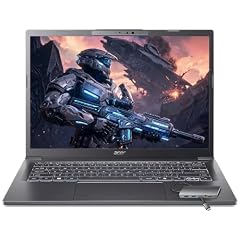
Acer Aspire Laptop 2026
- CPU
- Intel Core Ultra 7 258V
- RAM
- 32 GB
- Storage
- 1000 GB
- Screen
- 14 in
- Touchscreen
- Yes
- Weight
- 1.4 kg
- OS
- Windows 11 Home
$1,099.99 price as of 2026-10-09 17:20 UTC (Details)
The Acer Aspire pairs 32GB of RAM with a 1TB SSD, a rare combination in this price window. Its 14-inch screen and 1.4kg weight keep it portable, and the touchscreen is a useful extra for reading and navigating code on a smaller display. It has no discrete graphics card stated, so this pick is for general development rather than GPU-heavy work.
Pros
- 32GB of memory, tied for the most in this list
- 1TB SSD
- 14-inch screen and 1.4kg weight
- Touchscreen
Cons
- No discrete GPU stated by the seller
- 14-inch screen is smaller than 16- and 17-inch picks
Good fit if
- Developers who run an editor, browsers and containers at once
- People who carry the laptop most days
Skip if
- You need a discrete GPU for machine learning or 3D work
- You prefer a 15-inch or larger screen
Verdict: A balanced pick for this price range that puts RAM and storage ahead of graphics.
2 Lightest here
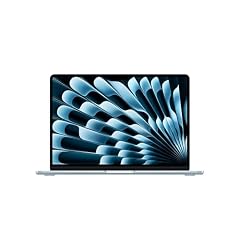
Apple 2026 MacBook Air 13-inch Laptop with M5 chip
- CPU
- Apple M5
- RAM
- 16 GB
- Storage
- 512 GB
- Screen
- 13 in
- Weight
- 1.23 kg
- OS
- macOS
$1,099.00 price as of 2026-10-09 17:20 UTC (Details)
The MacBook Air is the lightest laptop in this guide at 1.23kg. It has 16GB of unified memory, 512GB of storage and a 13-inch screen, enough for a typical web or backend development workflow in a machine that is easy to take anywhere. Apple's Xcode system requirements point to macOS, so this is the natural pick for Apple platform work.
Pros
- Lightest here at 1.23kg
- 13-inch screen
- macOS for Apple platform development
- 512GB SSD
Cons
- 512GB storage is less than several other picks
- 13-inch screen is smaller than the rest of this guide
Good fit if
- iOS or macOS developers
- Students who carry the laptop daily
Skip if
- You need more than 512GB of storage
- You want a larger screen for side-by-side code
Verdict: The portable Mac for programmers who want macOS in the lightest possible frame.
3 Most storage here

HP OmniBook 17.3" FHD AI PC
- CPU
- Intel Core Ultra 7 255U
- RAM
- 16 GB
- Storage
- 2000 GB
- Screen
- 17.3 in
- Weight
- 2.01 kg
- OS
- Windows 11 Pro
$1,099.00 price as of 2026-10-09 17:21 UTC (Details)
The HP OmniBook has 2TB of storage, the most in this guide. That makes it a strong fit for large repositories, container images and virtual machine disks. It also offers a 17.3-inch screen and 16GB of RAM, though its weight of 2.01kg makes it less portable than smaller picks.
Pros
- 2TB storage, the most in this guide
- 17.3-inch screen
- 16GB RAM
- Windows 11 Pro
Cons
- 2.01kg, one of the heavier picks
- No discrete GPU stated by the seller
- 16GB RAM is less than the 24GB and 32GB picks
Good fit if
- Developers who keep large datasets or virtual machine images
- People who want a large screen from a desktop replacement
Skip if
- You carry the laptop on long commutes
- You need more than 16GB of RAM
Verdict: The storage-first choice for developers with big local environments.
4 Most graphics memory here

acer Nitro V 15.6” FHD IPS 165Hz Gaming Laptop
- CPU
- Intel Core i5-13420H
- GPU
- GeForce RTX 5050
- GPU memory
- 8 GB
- RAM
- 16 GB
- Storage
- 512 GB
- Screen
- 15.6 in
- Refresh
- 165 Hz
- Weight
- 2.11 kg
$1,049.99 price as of 2026-10-09 17:20 UTC (Details)
The Acer Nitro V has 8GB of graphics memory, the largest amount in this guide. For local machine learning or 3D work, the amount of graphics memory helps determine how large a model or scene the card can hold. It pairs the RTX 5050 with a 165Hz 15.6-inch screen, 16GB of RAM and a 512GB SSD.
Pros
- 8GB graphics memory, the most in this guide
- RTX 5050 discrete GPU
- 165Hz screen
- 16GB RAM
Cons
- 512GB storage
- 2.11kg, on the heavier side
- 16GB RAM is less than the 24GB and 32GB picks
Good fit if
- Developers exploring local models or GPU programming
- Programmers who also use 3D or game engines
Skip if
- You need more storage for datasets
- You want a lighter machine for travel
Verdict: The GPU-first pick for programmers who need the most graphics memory in this price range.
5 32GB RAM and a 17.3-inch screen

NIMO 17.3" Gaming Laptop
- CPU
- AMD Ryzen 9 8945HS
- GPU
- Radeon 780M
- RAM
- 32 GB
- Storage
- 1000 GB
- Screen
- 17.3 in
- Weight
- 2.09 kg
- Battery
- 75 Wh
- OS
- Windows 11
$1,099.99 price as of 2026-10-09 17:23 UTC (Details) Typical price: $1,569.98, 30% off
The NIMO pairs 32GB of RAM with a 17.3-inch screen and a 1TB SSD. The large display gives you room for code and documentation side by side, while the memory leaves headroom for editors, browsers and local development services. The Radeon 780M graphics are listed, and the pool does not state a graphics memory amount.
Pros
- 32GB RAM, tied for the most in this guide
- 17.3-inch screen
- 1TB SSD
- Windows 11
Cons
- 2.09kg, heavier than mid-size picks
- No separate graphics memory amount stated
- Large chassis is not ideal for small bags
Good fit if
- Developers who value screen space
- People running multiple local services
Skip if
- You need a light travel laptop
- You want a discrete GPU with dedicated VRAM
Verdict: A large-screen, high-RAM choice for programmers who work in one place.
6 16-inch touchscreen with 1TB

Dell 16 Laptop DC16251-16.0-inch 16
- CPU
- Intel Core 7 150U
- RAM
- 16 GB
- Storage
- 1000 GB
- Screen
- 16 in
- Touchscreen
- Yes
- Weight
- 1.9 kg
- OS
- Windows 11 Home
$1,079.11 price as of 2026-10-09 17:21 UTC (Details)
This Dell 16 has a 16-inch touchscreen, 16GB of RAM and a 1TB SSD. The larger display is useful for keeping a browser beside an editor, and the touchscreen is a convenience that not every pick offers. No graphics processor is stated, so it is best for general development work.
Pros
- 16-inch touchscreen
- 1TB SSD
- 16GB RAM
- Windows 11 Home
Cons
- No GPU stated by seller
- 1.9kg
- 16GB RAM is less than the 24GB and 32GB picks
Good fit if
- Developers who want a big touchscreen
- People who value 1TB of storage
Skip if
- You need discrete graphics
- You want a lighter laptop
Verdict: A straightforward 16-inch touchscreen workhorse for everyday programming.
7 Thin 13.8-inch touchscreen

Microsoft Surface Laptop 7 AI Copilot+ PC for Business
- CPU
- Qualcomm Snapdragon X Plus
- RAM
- 16 GB
- Storage
- 1000 GB
- Screen
- 13.8 in
- Refresh
- 120 Hz
- Touchscreen
- Yes
- Weight
- 1.34 kg
- OS
- Windows 11 Home
$1,079.99 price as of 2026-10-09 17:22 UTC (Details)
The Surface Laptop 7 is a thin 13.8-inch touchscreen laptop with 16GB of RAM and a 1TB SSD. At 1.34kg it is among the lightest picks here, ahead of most 15- and 16-inch machines. It has a 120Hz screen and Windows 11 Home, with no discrete GPU stated.
Pros
- 1.34kg, second lightest in this guide
- 13.8-inch touchscreen
- 1TB SSD
- 120Hz screen
Cons
- 16GB RAM
- No discrete GPU stated by seller
- Screen is smaller than 16-inch picks
Good fit if
- Programmers who move between desks
- Developers who want a touchscreen without a big chassis
Skip if
- You need a larger display
- You need more than 16GB of RAM
Verdict: A polished portable pick for programmers who want a light touchscreen machine.
8 RTX 5050 and a 120Hz 16-inch screen

Lenovo IdeaPad Pro 5-2025
- CPU
- AMD Ryzen AI 7 350
- GPU
- GeForce RTX 5050
- RAM
- 16 GB
- Storage
- 1000 GB
- Screen
- 16 in
- Refresh
- 120 Hz
- Weight
- 1.78 kg
- OS
- Windows 11 Home
$1,099.00 price as of 2026-10-09 17:22 UTC (Details)
The IdeaPad Pro 5 combines an RTX 5050 with a 120Hz 16-inch screen, 16GB of RAM and a 1TB SSD. The discrete GPU makes it useful for local machine learning and 3D work, while the 1.78kg weight is reasonable for a 16-inch machine. The seller does not list a graphics memory amount.
Pros
- RTX 5050 discrete GPU
- 16-inch 120Hz screen
- 1TB SSD
- 1.78kg
Cons
- Graphics memory amount not stated by seller
- 16GB RAM
- No touchscreen is stated
Good fit if
- Developers who want GPU acceleration and a large screen
- Programmers who use game engines
Skip if
- You need the largest graphics memory in this guide
- You need more than 16GB of RAM
Verdict: A 16-inch GPU laptop that balances screen size, weight and storage.
9 Business-style 16-inch Windows 11 Pro choice

Lenovo ThinkPad E16 16 Ryzen 7 7735HS 16GB DDR5 512GB SSD Type-C Hub
- CPU
- AMD Ryzen 7 7735HS
- GPU
- Radeon 680M
- RAM
- 16 GB
- Storage
- 512 GB
- Screen
- 16 in
- Touchscreen
- No
- Weight
- 1.77 kg
- OS
- Windows 11 Pro
$1,093.99 price as of 2026-10-09 17:22 UTC (Details)
The ThinkPad E16 is a 16-inch Windows 11 Pro laptop with 16GB of RAM and a 512GB SSD. It uses the Radeon 680M graphics listed in the pool, with no graphics memory amount stated. At 1.77kg it is a straightforward business-style machine for development work.
Pros
- Windows 11 Pro
- 16-inch screen
- 1.77kg
- Radeon 680M graphics listed
Cons
- 512GB storage
- 16GB RAM
- No graphics memory amount stated
Good fit if
- Corporate developers who need Windows 11 Pro
- People who prefer a plain 16-inch work laptop
Skip if
- You need more storage or RAM
- You want a discrete GPU with dedicated VRAM
Verdict: A dependable business laptop for programmers who need Windows 11 Pro.
10 24GB of RAM
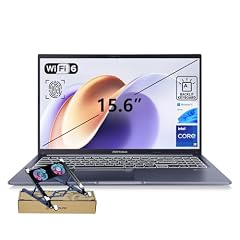
ASUS Vivobook 15 Laptop
- CPU
- Intel Core i9-13900H
- RAM
- 24 GB
- Storage
- 1000 GB
- Screen
- 15.6 in
- Touchscreen
- No
- Weight
- 1.7 kg
- OS
- Windows 11 Home
$1,099.00 price as of 2026-10-09 17:20 UTC (Details)
The ASUS Vivobook is the only pick here with 24GB of RAM, a middle ground between the 16GB baseline and the 32GB machines. It also has a 1TB SSD, a 15.6-inch screen and a 1.7kg weight. No discrete GPU is stated, so it suits CPU-focused development.
Pros
- 24GB RAM, unique in this guide
- 1TB SSD
- 15.6-inch screen
- 1.7kg
Cons
- No discrete GPU stated by seller
- Not the 32GB option for maximum headroom
Good fit if
- Developers who want more than 16GB of RAM without a gaming GPU
- People who need 1TB of storage
Skip if
- You need 32GB of RAM
- You need a discrete GPU
Verdict: A middle-RAM pick for programmers who want extra headroom without a gaming design.
11 Windows 11 Pro 16-inch business laptop
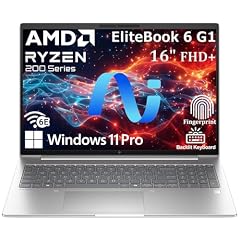
HP EliteBook 6 G1a 16 Laptop
- CPU
- AMD Ryzen 5 220
- RAM
- 16 GB
- Storage
- 512 GB
- Screen
- 16 in
- Weight
- 1.75 kg
- OS
- Windows 11 Pro
$1,099.99 price as of 2026-10-09 17:21 UTC (Details)
The HP EliteBook 6 G1a is a 16-inch Windows 11 Pro laptop with 16GB of RAM and a 512GB SSD. Its 1.75kg weight and business-focused configuration make it a simple choice for development work that does not need a discrete GPU. The pool does not state a graphics processor for this model.
Pros
- Windows 11 Pro
- 16-inch screen
- 1.75kg
- Business-style configuration
Cons
- 512GB storage
- 16GB RAM
- No GPU stated by seller
Good fit if
- Professional developers in managed environments
- People who want Windows 11 Pro
Skip if
- You need more storage
- You want a discrete GPU
Verdict: A clean 16-inch Windows 11 Pro laptop for everyday professional coding.
12 2-in-1 touchscreen with 16GB RAM
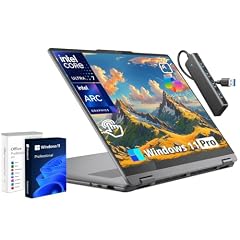
Lenovo Yoga 7i 16" 2-in-1 Touchscreen Laptop Intel Ultra 7 256V
- CPU
- Intel Core Ultra 7 256V
- RAM
- 16 GB
- Storage
- 1000 GB
- Screen
- 16 in
- Touchscreen
- Yes
- Weight
- 1.91 kg
- OS
- Windows 11 Pro
$1,059.99 price as of 2026-10-09 17:22 UTC (Details)
The Yoga 7i is a 2-in-1 touchscreen laptop with a 16-inch display, 16GB of RAM and a 1TB SSD. Its convertible design lets you fold the screen for a different working position, while the large display leaves room for code. It weighs 1.91kg.
Pros
- 2-in-1 touchscreen
- 16-inch screen
- 1TB SSD
- 16GB RAM
Cons
- 1.91kg
- No discrete GPU stated by seller
- 16GB RAM is less than the 24GB and 32GB picks
Good fit if
- Developers who like a convertible form factor
- People who want a large touchscreen
Skip if
- You need a discrete GPU
- You prioritize the lightest possible carry
Verdict: A flexible 16-inch 2-in-1 for programmers who want touch and a large display.
13 144Hz screen with RTX 4050

msi Thin 15 15.6” 144Hz FHD Gaming Laptop
- CPU
- Intel Core i7-13620H
- GPU
- GeForce RTX 4050
- RAM
- 16 GB
- Storage
- 512 GB
- Screen
- 15.6 in
- Refresh
- 144 Hz
- OS
- Windows 11
$1,099.98 price as of 2026-10-09 17:22 UTC (Details)
The MSI Thin 15 has an RTX 4050, a 144Hz 15.6-inch screen, 16GB of RAM and a 512GB SSD. It is one of the few picks here with a discrete GPU, though the seller does not state a graphics memory amount. The 144Hz screen is a useful extra for developers who also run 3D or game engines.
Pros
- RTX 4050 discrete GPU
- 144Hz screen
- 15.6-inch display
- 16GB RAM
Cons
- 512GB storage
- 16GB RAM
- Weight not stated by the seller
Good fit if
- Programmers who use 3D engines and want a 144Hz screen
- Developers who want a discrete GPU at this price
Skip if
- You need more than 512GB of storage
- You need 32GB of RAM
Verdict: A compact 15.6-inch GPU laptop for programmers who also work with 3D or games.
14 16GB and 1TB at 16 inches

Dell Pro 16 PC16250 Business Laptop
- CPU
- Intel Core 5 120U
- RAM
- 16 GB
- Storage
- 1000 GB
- Screen
- 16 in
- OS
- Windows 11 Pro
$1,049.99 price as of 2026-10-09 17:21 UTC (Details)
The Dell Pro 16 is a 16-inch Windows 11 Pro laptop with 16GB of RAM and a 1TB SSD. It uses an Intel Core 5 120U processor and has no discrete GPU stated. The 16-inch screen is useful for side-by-side windows, and the 1TB drive gives projects room to grow.
Pros
- Windows 11 Pro
- 16-inch screen
- 1TB SSD
- 16GB RAM
Cons
- Weight not stated by seller
- No GPU stated by seller
- 16GB RAM is less than the 24GB and 32GB picks
Good fit if
- Developers on a business budget who want a big screen
- People who need 1TB of storage
Skip if
- You need discrete graphics
- You need a stated carry weight to plan your bag
Verdict: A business-style 16-inch laptop with solid storage for everyday programming.
Side by side
| # | Laptop | CPU | GPU | GPU memory | Rentable GPU model | RAM | Storage |
|---|---|---|---|---|---|---|---|
| 1 | Acer Aspire Laptop 2026 | Intel Core Ultra 7 258V | not stated | not stated | not stated | 32 GB | 1000 GB |
| 2 | Apple 2026 MacBook Air 13-inch Laptop with M5 chip | Apple M5 | not stated | not stated | not stated | 16 GB | 512 GB |
| 3 | HP OmniBook 17.3" FHD AI PC | Intel Core Ultra 7 255U | not stated | not stated | not stated | 16 GB | 2000 GB |
| 4 | acer Nitro V 15.6” FHD IPS 165Hz Gaming Laptop | Intel Core i5-13420H | GeForce RTX 5050 | 8 GB | not stated | 16 GB | 512 GB |
| 5 | NIMO 17.3" Gaming Laptop | AMD Ryzen 9 8945HS | Radeon 780M | not stated | not stated | 32 GB | 1000 GB |
| 6 | Dell 16 Laptop DC16251-16.0-inch 16 | Intel Core 7 150U | not stated | not stated | not stated | 16 GB | 1000 GB |
| 7 | Microsoft Surface Laptop 7 AI Copilot+ PC for Business | Qualcomm Snapdragon X Plus | not stated | not stated | not stated | 16 GB | 1000 GB |
| 8 | Lenovo IdeaPad Pro 5-2025 | AMD Ryzen AI 7 350 | GeForce RTX 5050 | not stated | not stated | 16 GB | 1000 GB |
| 9 | Lenovo ThinkPad E16 16 Ryzen 7 7735HS 16GB DDR5 512GB SSD Type-C Hub | AMD Ryzen 7 7735HS | Radeon 680M | not stated | not stated | 16 GB | 512 GB |
| 10 | ASUS Vivobook 15 Laptop | Intel Core i9-13900H | not stated | not stated | not stated | 24 GB | 1000 GB |
| 11 | HP EliteBook 6 G1a 16 Laptop | AMD Ryzen 5 220 | not stated | not stated | not stated | 16 GB | 512 GB |
| 12 | Lenovo Yoga 7i 16" 2-in-1 Touchscreen Laptop Intel Ultra 7 256V | Intel Core Ultra 7 256V | not stated | not stated | not stated | 16 GB | 1000 GB |
| 13 | msi Thin 15 15.6” 144Hz FHD Gaming Laptop | Intel Core i7-13620H | GeForce RTX 4050 | not stated | not stated | 16 GB | 512 GB |
| 14 | Dell Pro 16 PC16250 Business Laptop | Intel Core 5 120U | not stated | not stated | not stated | 16 GB | 1000 GB |
How we picked
The pool contained 18 laptops in this guide's price range, and we chose 14 of them. The selection rule came from the pool file: every laptop had to be priced within the guide's budget window and state at least 16GB of RAM. We then covered the range of programming setups: Mac and Windows, light and heavy, with and without a discrete GPU. Prices shown on the page are live prices read from the listing at the time the pool was generated, so they can change. No laptop here was tested by anyone on the site. Every specification in the picks, including RAM, storage, GPU, graphics memory, screen size and weight, comes from the seller's stated specifications or from the maker's published spec page.
How to choose
What this price range buys a programmer
In this list every laptop has at least 16GB of RAM, so the baseline is high enough for a modern editor, a browser with many tabs, and a local development server at the same time. The differences show up in storage, graphics, screen size and weight. Some picks add a discrete GPU, some have 24GB or 32GB of RAM, and one has 2TB of storage.
RAM for your editor, browser and containers
More RAM leaves more room for the many things a programmer keeps open: an IDE, a browser, a local database, containers and virtual machines. The 16GB machines in this guide cover most everyday work, while the 24GB and 32GB picks give extra headroom for running several of these at once. Visual Studio Code's published hardware guidance is modest, but the actual memory use grows with what you open.
When the GPU matters for code and when it does not
For web, backend and systems development, the CPU, RAM and storage do most of the work. A discrete GPU matters more for machine learning, local model work, 3D and game engines. The amount of graphics memory limits how large a model or scene the card can hold. In this guide, the Acer Nitro V has 8GB of graphics memory, while several other picks list an RTX 4050 or RTX 5050 without a stated graphics memory amount.
Storage for repositories, images and virtual machines
Repositories, dependencies, container images and virtual machine disks take up space, so larger drives give you more room to keep multiple projects and environments ready. Storage here ranges from 512GB to 2TB. The HP OmniBook is the only pick with 2TB, while several 15- and 16-inch machines offer 1TB.
Screen size and weight when you carry it
Screen sizes in this guide range from 13 inches to 17.3 inches. A larger display lets you keep code and a browser beside each other, but it usually means a heavier machine. The lightest pick is the MacBook Air at 1.23kg, while the 17.3-inch NIMO and HP OmniBook are over 2kg. If you carry the laptop to class or the office, weight matters as much as screen size.
What this guide leaves out (and why)
This guide does not judge keyboards, trackpads, fans, battery life, build quality or Linux compatibility, because the catalogue we work from does not state them. Nobody on the site has used these laptops. Picks are based on the specifications in the listings and on maker and vendor documentation, so if a spec is missing, we say it is not stated by the seller rather than guessing.
Questions
Is 16GB of RAM enough for programming?
Every laptop in this guide has at least 16GB of RAM, which is enough for a typical editor, browser and local development server in one session. The 24GB and 32GB picks give extra room for containers, virtual machines and many browser tabs at the same time. Which amount is right depends on what you run, and the site does not publish usage claims beyond the stated specs.
Do I need a discrete GPU for programming?
For most web, backend and systems work, the CPU, RAM and storage matter more than the GPU. A discrete GPU becomes useful for machine learning, local model work, 3D and game engines. The amount of graphics memory helps determine how large a model or scene the card can hold. The Acer Nitro V has 8GB of graphics memory, the highest in this list.
Can I use a Mac for programming if I am not doing iOS development?
Yes. macOS is used for many kinds of development, and Apple's Xcode system requirements state that Xcode runs on macOS, so a Mac is necessary for Apple platform work. The MacBook Air in this guide has 16GB of RAM and 512GB of storage, which covers a typical development setup, though storage is less than the 1TB and 2TB Windows picks.
Does this guide cover keyboards, fans, battery life or Linux compatibility?
No. The catalogue we use lists RAM, CPU, GPU, storage, screen size, weight and operating system, but it does not state keyboard feel, fan noise, battery life in hours or Linux support. This site does not guess at those qualities, so the picks are based only on the specifications that are stated.
What does "not stated by the seller" mean?
Some listings leave out a specification, such as weight or graphics memory. When that happens, this guide says "not stated by the seller" and does not invent a value. If you need that detail before buying, check the maker's spec page or ask the seller directly.
Recent updates
- : First published.