
Best Lenovo Programming Laptops in 2026: 14 Picks
For programmers who want one maker's line across work styles, the Lenovo ThinkPad T14 Business AI is the lead pick: 64GB of RAM, 2TB of storage and a 14-inch touchscreen in a 1.46kg body. That combination leaves room for an editor, a browser, local services and project files while staying easy to carry. This guide compares 14 Lenovo laptops from the catalogue that state 16GB or more of RAM, using only the specs in each listing and the maker's published information.
14 picks from 87 laptops that match this guide with a price we can quote today. Every price below is live and carries the moment it was read.
The picks at a glance
Which one should you buy?
- For a React developer with a browser, an editor and a container open: The ThinkPad T14 Business AI keeps 64GB of RAM available, so all of those can share the machine without forcing you to close projects. Its 2TB drive also leaves room for node_modules, build caches and container images. See pick 1
- For a machine learning engineer who wants local GPU memory: The Legion Pro 7i states 16GB of graphics memory on an RTX 5080 and 64GB of system RAM, which gives local model work more room to stay in GPU memory. See pick 4
- For a student whose coursework needs a virtual machine: The V14 G5 gives you 32GB of RAM and 1TB of storage in a 1.37kg 14-inch laptop, enough to carry between campus and home while keeping a VM and course files. See pick 11
- For a systems programmer who keeps several services and containers running: The ThinkPad E16 Gen3 states 32GB of RAM and 2TB of storage on a 16-inch screen, so a database, message queue and build tools can stay open side by side. See pick 6
The 14 picks
1 Top pick
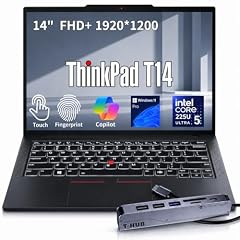
Lenovo ThinkPad T14 Business AI Laptop
- CPU
- Intel Core Ultra 5 225U
- RAM
- 64 GB
- Storage
- 2000 GB
- Screen
- 14 in
- Touchscreen
- Yes
- Weight
- 1.46 kg
- OS
- Windows 11 Pro
$2,149.00 price as of 2026-10-09 17:22 UTC (Details)
This 14-inch ThinkPad is the lead pick because it combines 64GB of RAM with 2TB of storage in a 1.46kg chassis. That leaves room for a browser, editor, local database and container workloads at the same time. Its touchscreen is stated in the listing.
Pros
- 64GB of RAM, enough headroom for multitasking development work
- 2TB of storage for repositories, images and virtual disks
- 14-inch screen and 1.46kg weight for carrying between desks
- Touchscreen stated in the listing
Cons
- No discrete GPU stated by the seller
- 16-inch picks offer more room for code side by side
- Intel Core Ultra 5 is the entry Ultra tier in Intel's naming scheme
Good fit if
- Developers who run editors, browsers and local services side by side
- People who want 64GB in a portable 14-inch body
Skip if
- You need a discrete GPU for local model work or game engines
- You prefer a larger screen for split-view coding
Verdict: A practical top pick for memory-heavy development in a portable ThinkPad.
2 Most RAM and graphics memory here

Lenovo ThinkPad P16 Gen 3 Intel Core Ultra 9 275HX
- CPU
- Intel Core Ultra 9 275HX
- GPU
- RTX PRO 5000
- GPU memory
- 24 GB
- RAM
- 128 GB
- Storage
- 4000 GB
- Screen
- 16 in
- Refresh
- 120 Hz
- Weight
- 2.54 kg
$8,299.00 price as of 2026-10-09 17:22 UTC (Details)
This mobile workstation has the highest stated memory and graphics memory in this list: 128GB of RAM, 4TB of storage and 24GB of graphics memory on the RTX PRO 5000. It is built for the heaviest local workloads, from large datasets to rendering and machine learning.
Pros
- 128GB RAM, more than any other pick here
- 24GB graphics memory, more than any other pick here
- 4TB storage for large datasets and virtual machines
- 120Hz refresh rate stated
Cons
- 2.54kg weight is among the heaviest here
- Workstation class, not a casual carry
- No operating system stated by the seller
Good fit if
- Developers working with large local models or datasets
- Engineers who need maximum RAM and storage in one machine
Skip if
- You want a light laptop for frequent travel
- You do not need workstation-class graphics
Verdict: The maximum-spec Lenovo for programming tasks that push memory and graphics.
3 Lightest here

Lenovo Gen 11 ThinkPad X1 Carbon Laptop
- CPU
- Intel Core i7-1365U
- RAM
- 32 GB
- Screen
- 14 in
- Touchscreen
- No
- Weight
- 1.12 kg
- Battery
- 57 Wh
- OS
- Windows 11 Pro
$2,699.00 price as of 2026-10-09 17:22 UTC (Details)
At 1.12kg, this is the lightest pick in the guide. It still states 32GB of RAM and a 14-inch screen, making it a strong choice for programmers who carry a laptop most of the day.
Pros
- 1.12kg, the lightest laptop in this list
- 32GB RAM for multitasking development
- 14-inch screen for portable code work
- Windows 11 Pro stated
Cons
- No discrete GPU stated by the seller
- Storage not stated by the seller
- Older Intel Core i7 naming from a previous generation
Good fit if
- Developers who commute and want the lightest possible laptop
- Those who can work with cloud or remote machines for heavy compute
Skip if
- You need more than the stated RAM for local VMs
- You need large local storage for datasets and images
Verdict: A featherweight Lenovo for programmers who value portability above all.
4 Most graphics memory in a gaming line

Lenovo Legion Pro 7i Gen 10 16" Gaming Laptop
- CPU
- Intel Core Ultra 9 275HX
- GPU
- GeForce RTX 5080
- GPU memory
- 16 GB
- RAM
- 64 GB
- Storage
- 2000 GB
- Screen
- 16 in
- Refresh
- 240 Hz
- OS
- Windows 11 Pro
$4,398.00 price as of 2026-10-09 17:22 UTC (Details)
For local machine learning and GPU-heavy code, this Legion states 16GB of graphics memory on an RTX 5080 plus 64GB of system RAM. That combination gives you room for larger models and faster experimentation than the 8GB graphics picks.
Pros
- 16GB graphics memory, the most in the Legion picks here
- 64GB RAM for running data pipelines and model code
- 2TB storage for datasets and checkpoints
- 240Hz refresh rate stated
Cons
- 2.57kg weight makes it less portable
- Listed as a gaming laptop, which may be more than you need for non-GPU work
- Windows 11 Pro stated, but the listing is aimed at gamers
Good fit if
- Machine learning developers who want local GPU memory
- Programmers who work on game engines or 3D applications
Skip if
- You need a slim laptop for carrying to meetings
- Your GPU work fits within integrated graphics or a smaller GPU
Verdict: A high-memory gaming laptop well matched to local model work.
5 Lightest 64GB pick

Lenovo ThinkPad P14s Gen 7 AMD Ryzen AI 9 PRO 470
- CPU
- AMD Ryzen AI 9 PRO 470
- GPU
- Radeon 890M
- RAM
- 64 GB
- Storage
- 2000 GB
- Screen
- 14 in
- Refresh
- 60 Hz
- Weight
- 1.29 kg
- OS
- Windows 11 Pro
$3,199.00 price as of 2026-10-09 17:22 UTC (Details)
This is the lightest 64GB pick in the guide at 1.29kg, and it keeps a 14-inch screen and 2TB of storage. It balances high memory with a form factor that is easy to carry.
Pros
- 64GB RAM in a 1.29kg 14-inch body, the lightest 64GB pick here
- 2TB storage for projects and local data
- 14-inch screen for portable development
- Touchscreen stated
Cons
- Graphics are limited to the listed Radeon 890M
- 60Hz refresh rate, lower than some other picks
- No discrete GPU with separate graphics memory stated
Good fit if
- Developers who need 64GB but also need to travel light
- People who want a mobile workstation without a large chassis
Skip if
- You need discrete graphics memory for local models
- You want a larger screen for long coding sessions
Verdict: A rare mix of 64GB and portability in a 14-inch ThinkPad.
6 Most storage in the E-series

Lenovo ThinkPad E16 Gen 3 Laptop Computer for Business Office Work
- CPU
- Intel Core Ultra 5 225H
- RAM
- 32 GB
- Storage
- 2000 GB
- Screen
- 16 in
- OS
- Windows 11 Pro
$1,139.99 price as of 2026-10-09 17:22 UTC (Details)
The E-series is Lenovo's business line, and this 16-inch pick states 32GB of RAM and 2TB of storage. That makes it a solid choice for backend and full-stack work where you keep multiple projects, containers and virtual machines around.
Pros
- 2TB storage, the largest in the E-series picks here
- 32GB RAM for multiple services at once
- 16-inch screen for more code beside a browser
- Windows 11 Pro stated
Cons
- No discrete GPU stated by the seller
- 16-inch size is less portable than 14-inch alternatives
Good fit if
- Backend and full-stack developers who keep several services running
- Programmers who want a larger ThinkPad screen
Skip if
- You need a discrete GPU for rendering or model work
- You prefer a lighter 14-inch laptop
Verdict: A roomy E-series ThinkPad with strong storage for daily development.
7 Most storage in a 14-inch
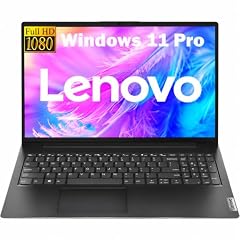
Lenovo New Gen V-Series Business Laptop
- CPU
- Intel Core 7 240H
- RAM
- 64 GB
- Storage
- 4000 GB
- Screen
- 14 in
- Weight
- 1.37 kg
- Battery
- 47 Wh
- OS
- Windows 11 Pro
$1,699.99 price as of 2026-10-09 17:22 UTC (Details)
This V-series 14-inch laptop states 64GB of RAM and 4TB of storage, more storage than any other 14-inch pick. It is a high-memory option for developers who keep large local datasets and multiple virtual machines.
Pros
- 4TB storage, the most in any 14-inch pick here
- 64GB RAM for memory-heavy work
- 1.37kg weight, easy to carry
- 14-inch screen
Cons
- No discrete GPU stated by the seller
- Intel Core 7 240H uses the newer naming tier without the Ultra label
- 47Wh battery capacity stated, lower than the 80Wh or 90Wh picks
Good fit if
- Developers who need large local storage in a portable body
- Those running VMs or containers that benefit from 64GB RAM
Skip if
- You want a discrete GPU for machine learning
- You do not need 4TB of storage and prefer a smaller drive
Verdict: Maximum storage and high RAM in a 14-inch Lenovo.
8 Most battery capacity here

Lenovo ThinkPad P16v Gen 2 Mobile Workstation Laptop
- CPU
- Intel Core Ultra 7 165H
- GPU
- RTX 2000 Ada
- GPU memory
- 8 GB
- RAM
- 64 GB
- Storage
- 1000 GB
- Screen
- 16 in
- Refresh
- 60 Hz
- Battery
- 90 Wh
$2,999.99 price as of 2026-10-09 17:22 UTC (Details)
This mobile workstation pairs 64GB of RAM with an RTX 2000 Ada and 8GB of graphics memory. It is suited to developers who need both a lot of system memory and a discrete GPU for local model or rendering work.
Pros
- 64GB RAM plus 8GB graphics memory
- RTX 2000 Ada listed with 8GB VRAM
- Windows 11 Pro stated
- 90Wh battery capacity, the highest in this list
Cons
- 1TB storage is lower than several 2TB and 4TB picks
- 16-inch screen, so less portable than 14-inch options
Good fit if
- Developers who run local model experiments and need GPU memory
- Those who want a workstation with 64GB RAM
Skip if
- You want more than 1TB of built-in storage
- You need a lighter 14-inch machine
Verdict: A workstation-class Lenovo with strong RAM and GPU memory.
9 Only 15.3-inch OLED with stated 8GB VRAM

Lenovo Legion 5a Gaming Laptop
- CPU
- AMD Ryzen 7 250
- GPU
- GeForce RTX 5060
- GPU memory
- 8 GB
- RAM
- 32 GB
- Storage
- 1000 GB
- Screen
- 15.3 in
- Refresh
- 165 Hz
- Weight
- 2.27 kg
$1,999.99 price as of 2026-10-09 17:22 UTC (Details)
This Legion states 32GB of RAM, an RTX 5060 with 8GB of graphics memory, and a 165Hz OLED display. It is a reasonable midpoint for programmers who want a GPU for local development without moving to the 64GB workstation class.
Pros
- 8GB graphics memory on the RTX 5060
- 32GB RAM for everyday development plus GPU work
- 165Hz OLED display stated
- 1TB storage
Cons
- 2.27kg weight is heavier than the 14-inch picks
- Windows 11 without the Pro designation stated
- 80Wh battery capacity, lower than the P16v
Good fit if
- Developers who use game engines or local machine-learning libraries
- Those who want a larger high-refresh display for code and graphics
Skip if
- You need 64GB RAM for very large data work
- You want a laptop under 2kg
Verdict: A GPU-focused Lenovo with a bright OLED screen and solid RAM.
10 Lightest OLED pick

Lenovo IdeaPad Pro 5-2025
- CPU
- AMD Ryzen AI 7 350
- GPU
- GeForce RTX 5050
- RAM
- 16 GB
- Storage
- 1000 GB
- Screen
- 16 in
- Refresh
- 120 Hz
- Weight
- 1.78 kg
- OS
- Windows 11 Home
$1,099.00 price as of 2026-10-09 17:22 UTC (Details)
This is the lightest OLED pick in the guide at 1.78kg, and it still lists a 16-inch OLED display, 16GB of RAM and an RTX 5050. It is a reasonable student or first-workstation pick for code plus light GPU work.
Pros
- 1.78kg, the lightest OLED pick in this list
- 16-inch OLED display with 120Hz refresh rate stated
- RTX 5050 GPU listed
- 1TB storage
Cons
- 16GB RAM is the lowest in this guide
- No graphics memory amount stated by the seller
- Windows 11 Home instead of Pro stated
Good fit if
- Students who want a large display without a heavy laptop
- Developers who want a GPU for occasional local experiments
Skip if
- You need 32GB or more for many containers and VMs
- You need a known graphics memory amount
Verdict: A light, large-screen Lenovo for code and occasional GPU work.
11 Lightest 32GB V-series pick

Lenovo V14 G5 14" FHD Anti-Glare Laptop for Home & Work
- CPU
- Intel Core 7 240H
- RAM
- 32 GB
- Storage
- 1000 GB
- Screen
- 14 in
- Weight
- 1.37 kg
- Battery
- 47 Wh
- OS
- Windows 11 Home
$969.99 price as of 2026-10-09 17:22 UTC (Details)
At 1.37kg with a 14-inch screen, 32GB of RAM and 1TB of storage, this V-series laptop covers the essentials for a student or a developer on the move. It offers high memory without the weight of larger models.
Pros
- 32GB RAM in a 1.37kg 14-inch laptop
- 1TB storage for projects and tools
- Windows 11 Home stated
- 47Wh battery capacity stated
Cons
- No discrete GPU stated by the seller
- 14-inch screen is smaller for split-window work
Good fit if
- Students who need RAM for coursework and side projects
- Developers who commute and want a light 14-inch machine
Skip if
- You need a discrete GPU for local models
- You want more than 1TB of built-in storage
Verdict: A portable 14-inch Lenovo with generous RAM for its weight.
12 Largest touchscreen in the T-series picks

Lenovo 2026 Laptop
- CPU
- Intel Core Ultra 7 255H
- RAM
- 32 GB
- Storage
- 1000 GB
- Screen
- 16 in
- Touchscreen
- Yes
- Weight
- 1.79 kg
- Battery
- 52.5 Wh
- OS
- Windows 11 Pro
$2,019.00 price as of 2026-10-09 17:22 UTC (Details)
This ThinkPad T16 states a 16-inch touchscreen, 32GB of RAM and 1TB of storage. It is a useful middle ground for developers who want a roomy display and touch input without moving to a workstation-class machine.
Pros
- 16-inch touchscreen stated
- 32GB RAM for multitasking development
- 1TB storage
- Windows 11 Pro stated
Cons
- No discrete GPU stated by the seller
- 52.5Wh battery capacity stated, lower than several other picks
- 1.79kg weight is heavier than 14-inch alternatives
Good fit if
- Developers who like a large touchscreen for navigation
- Those who want a business ThinkPad with 32GB RAM
Skip if
- You need discrete graphics memory
- You want a lighter laptop for daily carrying
Verdict: A roomy T-series ThinkPad with touch and 32GB of RAM.
13 Most storage in a 15.6-inch workstation

Lenovo ThinkPad P15 Mobile Workstation
- CPU
- Intel Core i7-11850H
- GPU
- RTX A2000
- GPU memory
- 4 GB
- RAM
- 64 GB
- Storage
- 2000 GB
- Screen
- 15.6 in
- Weight
- 1.81 kg
- OS
- Windows 11 Pro
$2,999.00 price as of 2026-10-09 17:22 UTC (Details)
This older ThinkPad P-series workstation states 64GB of RAM, 2TB of storage and an RTX A2000 with 4GB of graphics memory. It offers workstation memory and a discrete GPU, which can suit developers who need more RAM than modern thin-and-light laptops provide.
Pros
- 64GB RAM for large local workloads
- 2TB storage
- Discrete RTX A2000 GPU with 4GB graphics memory stated
- Windows 11 Pro stated
Cons
- 4GB graphics memory is the lowest discrete GPU amount in this list
- Older Intel Core i7 naming from a previous generation
- 15.6-inch screen, not as large as the 16-inch P-series
Good fit if
- Developers who want 64GB RAM and a discrete GPU at a moderate VRAM level
- Those using workstation-class applications without extreme GPU needs
Skip if
- You need more than 4GB graphics memory for local models
- You prefer a newer Intel processor naming generation
Verdict: A high-RAM workstation with a modest discrete GPU.
14 Thin workstation with 8GB graphics

Lenovo ThinkPad P1 Gen 7
- CPU
- Intel Core Ultra 7
- GPU
- RTX 3000 Ada
- GPU memory
- 8 GB
- RAM
- 32 GB
- Screen
- 16 in
- Weight
- 1.86 kg
$2,999.70 price as of 2026-10-09 17:22 UTC (Details)
The ThinkPad P1 Gen 7 lists 32GB of RAM, an RTX 3000 Ada with 8GB of graphics memory, and a 16-inch screen at 1.86kg. It fits between portable 14-inch business laptops and heavier workstation-class machines.
Pros
- 8GB graphics memory on the RTX 3000 Ada
- 32GB RAM
- 16-inch screen in a 1.86kg frame
Cons
- No operating system stated by the seller
- Storage not stated by the seller
- 32GB RAM is lower than the 64GB and 128GB picks
Good fit if
- Developers who want a GPU in a relatively light 16-inch chassis
- Those who can confirm OS and storage from the current listing
Skip if
- You need a stated operating system
- You need more than the stated 32GB RAM
Verdict: A thin mobile workstation with discrete GPU memory and a large screen.
Side by side
| # | Laptop | CPU | GPU | GPU memory | Rentable GPU model | RAM | Storage |
|---|---|---|---|---|---|---|---|
| 1 | Lenovo ThinkPad T14 Business AI Laptop | Intel Core Ultra 5 225U | not stated | not stated | not stated | 64 GB | 2000 GB |
| 2 | Lenovo ThinkPad P16 Gen 3 Intel Core Ultra 9 275HX | Intel Core Ultra 9 275HX | RTX PRO 5000 | 24 GB | not stated | 128 GB | 4000 GB |
| 3 | Lenovo Gen 11 ThinkPad X1 Carbon Laptop | Intel Core i7-1365U | not stated | not stated | not stated | 32 GB | not stated |
| 4 | Lenovo Legion Pro 7i Gen 10 16" Gaming Laptop | Intel Core Ultra 9 275HX | GeForce RTX 5080 | 16 GB | not stated | 64 GB | 2000 GB |
| 5 | Lenovo ThinkPad P14s Gen 7 AMD Ryzen AI 9 PRO 470 | AMD Ryzen AI 9 PRO 470 | Radeon 890M | not stated | not stated | 64 GB | 2000 GB |
| 6 | Lenovo ThinkPad E16 Gen 3 Laptop Computer for Business Office Work | Intel Core Ultra 5 225H | not stated | not stated | not stated | 32 GB | 2000 GB |
| 7 | Lenovo New Gen V-Series Business Laptop | Intel Core 7 240H | not stated | not stated | not stated | 64 GB | 4000 GB |
| 8 | Lenovo ThinkPad P16v Gen 2 Mobile Workstation Laptop | Intel Core Ultra 7 165H | RTX 2000 Ada | 8 GB | not stated | 64 GB | 1000 GB |
| 9 | Lenovo Legion 5a Gaming Laptop | AMD Ryzen 7 250 | GeForce RTX 5060 | 8 GB | not stated | 32 GB | 1000 GB |
| 10 | Lenovo IdeaPad Pro 5-2025 | AMD Ryzen AI 7 350 | GeForce RTX 5050 | not stated | not stated | 16 GB | 1000 GB |
| 11 | Lenovo V14 G5 14" FHD Anti-Glare Laptop for Home & Work | Intel Core 7 240H | not stated | not stated | not stated | 32 GB | 1000 GB |
| 12 | Lenovo 2026 Laptop | Intel Core Ultra 7 255H | not stated | not stated | not stated | 32 GB | 1000 GB |
| 13 | Lenovo ThinkPad P15 Mobile Workstation | Intel Core i7-11850H | RTX A2000 | 4 GB | not stated | 64 GB | 2000 GB |
| 14 | Lenovo ThinkPad P1 Gen 7 | Intel Core Ultra 7 | RTX 3000 Ada | 8 GB | not stated | 32 GB | not stated |
How we picked
This guide starts from 87 Lenovo laptops in the catalogue that state 16GB of RAM or more. We selected 14 of them to cover the ThinkPad, Legion, IdeaPad and V-series lines on the specs that matter to programmers: RAM, storage, GPU and graphics memory, screen size, weight and operating system. Prices shown on the page are live prices read from each listing at the moment the page loads. Nobody on this site has used, tested or benchmarked these laptops. Every specification in the picks is exactly what the seller states, and when a spec is missing, the text says not stated by the seller. Use the live price and the listing details to confirm the current configuration before you buy.
How to choose
What your editor, browser and containers ask of RAM
More RAM leaves more room for an editor, a browser with many tabs, a local database and containers or virtual machines at the same time. The picks here start at 16GB and go up to 128GB. Seven of the fourteen picks state 64GB or more, and one states 128GB. If you regularly run a local stack, 32GB is a common level in this list; if you run several VMs or large data work, 64GB gives more headroom.
When the GPU matters for code and when it does not
Most editing, compiling and web work does not require a discrete GPU, and many picks here do not list one. The GPU becomes relevant for machine learning, local model work, and 3D or game engines. The amount of graphics memory limits how large a model or scene a card can hold. In this list, the ThinkPad P16 Gen 3 states 24GB, the Legion Pro 7i states 16GB, and several others state 8GB.
Storage for repositories, images and virtual machines
Repositories, dependencies, container images, virtual machine disks and datasets all take space. The selected picks state between 1TB and 4TB of storage. A larger drive, like the 2TB and 4TB options here, leaves more room to keep multiple projects and local images without external storage. If you mostly work in the cloud, 1TB may be enough.
Screen size and weight when you carry it
A larger screen gives more room for code beside a browser, but it usually comes with more weight. The lightest pick in this list is the ThinkPad X1 Carbon at 1.12kg. If you carry the laptop between campus, office and home, 14-inch models around 1.3 to 1.5kg are easier to manage. The 16-inch workstation picks weigh more, and the P16 Gen 3 is the heaviest selected model at 2.54kg.
Operating system and what this guide leaves out
Many of the selected laptops state Windows 11 Pro, some state Windows 11 Home, and a few do not state an operating system. The catalogue has no data on keyboard feel, trackpad, fan noise, battery life, Linux compatibility or build quality, so this guide does not guess. Use the stated OS and the other stated specs to narrow the field.
Questions
Does this guide cover keyboards or Linux?
No. The catalogue provides RAM, CPU, GPU, screen, weight, storage and operating system, but it does not state keyboard feel, trackpad quality, fan noise, Linux compatibility or battery life. This site does not guess at those. Choose based on the stated specs and check the maker's pages for anything the listing omits.
How much RAM do I need for programming?
It depends on your stack. 16GB is the minimum in this guide, 32GB is a common level for running an editor, browser and local services, and 64GB suits developers who run several virtual machines or large data workloads. The right amount is the one that matches the projects you actually keep open.
Why do some picks not have a GPU?
Some Lenovo laptops in the catalogue do not state a discrete GPU. For web, backend and most application code, a separate GPU is not necessary. A stated GPU and graphics memory matter for machine learning, local model work, and 3D or game engines. If that is your work, choose one of the picks with stated VRAM.
Can I use these laptops for machine learning?
Lenovo laptops with a stated NVIDIA GeForce RTX or RTX PRO GPU and a stated amount of graphics memory can hold larger models and data in GPU memory than integrated-only options. Exact support depends on the software, drivers and model size, which the catalogue does not state. Compare the VRAM figure and use NVIDIA's RTX laptop pages to see what the 50 series offers.
Are these laptops new?
All picks come from the catalogue's Lenovo listings as they appear. None of the selected products is labeled as renewed or as a reseller configuration. Condition can change, so check the current listing before you order.
Recent updates
- : First published.