
Best Laptop for Programming in 2026: 14 Picks by Specs
The Apple MacBook Air 13-inch with the M5 chip and 24GB of unified memory is the top pick here: it pairs more memory than the other MacBook Air listings with 1TB of storage, a 13-inch display and a 1.23kg frame, while macOS keeps Apple's development tools available. The 14 picks below were chosen from catalogue listings that state 16GB of RAM or more, with specs taken from each listing and prices read live.
14 picks from 426 laptops that match this guide with a price we can quote today. Every price below is live and carries the moment it was read.
The picks at a glance
Which one should you buy?
- For a developer with an editor, a browser and a container open: This MacBook Air has 24GB of unified memory and 1TB of storage, enough stated headroom to keep a browser, an editor and a container running without constantly closing projects. Its 1.23kg frame makes it easy to carry between desk and meeting rooms. See pick 1
- For a machine learning engineer working with local models: The HYDROC pairs 64GB of RAM with a GeForce RTX 5090 and 24GB of graphics memory, the largest amounts stated in this list. That is the configuration to compare if local model work and large 3D scenes are on your roadmap. See pick 11
- For a systems programmer who wants Windows 11 Pro and 32GB: The ThinkPad E16 states Windows 11 Pro and 32GB of RAM on a 16-inch screen. It is here for developers whose daily work involves configuration, virtualization or enterprise tooling rather than GPU-heavy tasks. See pick 6
- For a student who carries the laptop between campus and a cafe: At 1.4kg and 14 inches, the Acer Aspire is a compact Windows pick with 32GB of RAM and 1TB of storage. It balances enough memory for coursework with a screen and weight that stay easy to move. See pick 7
The 14 picks
1 Best overall
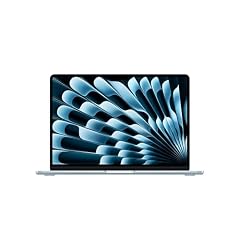
Apple 2026 MacBook Air 13-inch Laptop with M5 chip
- CPU
- Apple M5
- RAM
- 24 GB
- Storage
- 1000 GB
- Screen
- 13 in
- Weight
- 1.23 kg
- OS
- macOS
$1,599.00 price as of 2026-10-09 17:20 UTC (Details)
This is the only Mac in the 14 picks, and it pairs 24GB of unified memory with 1TB of storage in a 1.23kg, 13-inch frame. For programmers who write web or backend code by day and might build an iOS app on the side, macOS keeps Apple's development tools in reach without adding a second machine.
Pros
- 24GB unified memory, more than the other MacBook Air listings
- 1TB of storage in a 13-inch shell
- 1.23kg, the lightest weight in this list
- macOS, the stated OS, supports Apple's development tools
Cons
- No discrete GPU is stated by the seller
- Unified memory is shared with the GPU, so there is no separate graphics memory amount
- 13-inch display is small next to the 16 to 18-inch picks
Good fit if
- Web, backend or mobile developers who want a portable Mac
- Students who carry the laptop to class and need 24GB of memory
Skip if
- Machine learning work that needs a discrete GPU with stated graphics memory
- A workflow that needs a larger screen or a Windows-only toolchain
Verdict: The MacBook Air 13-inch is the balanced pick for programmers who want 24GB, 1TB and portability in one Mac.
2 Most storage among 32GB picks
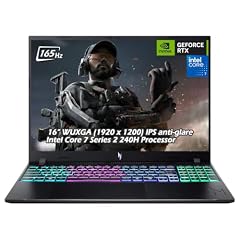
Acer Nitro V 16" WUXGA 165Hz Gaming Laptop
- CPU
- Intel Core 7 240H
- GPU
- GeForce RTX 5060
- RAM
- 32 GB
- Storage
- 2000 GB
- Screen
- 16 in
- Refresh
- 165 Hz
- Weight
- 2.1 kg
- OS
- Windows 11
$2,059.95 price as of 2026-10-09 17:20 UTC (Details)
The Nitro V 16 combines 32GB of RAM, a GeForce RTX 5060 and 2TB of storage, the most storage of any pick that states 32GB. That makes it a strong one-machine answer for a developer who keeps container images, VM disks and datasets next to code.
Pros
- 32GB of RAM and 2TB of storage
- GeForce RTX 5060 discrete GPU
- 16-inch 165Hz display
- Windows 11 stated
Cons
- 2.1kg, heavier than the ultraportable picks
- Graphics memory is not stated by the seller
- Windows 11 Home is not listed, only Windows 11
Good fit if
- Developers running local models or 3D engines alongside web work
- Anyone who wants 2TB on a 16-inch machine without going to 17-inch sizes
Skip if
- Frequent travel where 1.5kg or less matters
- Workflows that need macOS or Windows 11 Pro
Verdict: A 16-inch Windows pick with the largest storage among the 32GB laptops here.
3 Largest screen here

ASUS ROG Strix G18
- CPU
- Intel Core i9
- GPU
- GeForce RTX 5070
- RAM
- 32 GB
- Storage
- 1000 GB
- Screen
- 18 in
- Refresh
- 144 Hz
- OS
- Windows 11 Home
$2,788.74 price as of 2026-10-09 17:20 UTC (Details)
With an 18-inch display, this ASUS ROG pick offers the most screen area for keeping code, terminal and documentation visible at once. Its 32GB of RAM and GeForce RTX 5070 cover GPU-side work, though the listing does not state a weight.
Pros
- 18-inch display, the largest in this guide
- 32GB of RAM
- GeForce RTX 5070 discrete GPU
- 144Hz refresh rate stated
Cons
- Weight is not stated by the seller
- 1TB of storage is lower than several picks
- A very large body makes it less of a carry-everywhere machine
Good fit if
- A developer with a fixed desk who wants the largest screen
- Game engine and 3D work that benefits from a discrete GPU
Skip if
- You need a stated weight before choosing
- Storage demands go beyond 1TB
Verdict: The G18 is for programmers who prioritize screen area over portability.
4 Lightest 16-inch discrete-GPU pick

GIGABYTE AERO X16
- CPU
- AMD Ryzen AI 9 HX 370
- GPU
- GeForce RTX 5070
- RAM
- 32 GB
- Storage
- 1000 GB
- Screen
- 16 in
- Weight
- 1.9 kg
- OS
- Windows 11 Home
$2,390.00 price as of 2026-10-09 17:21 UTC (Details)
The AERO X16 states 32GB of RAM and a GeForce RTX 5070 in a 1.9kg 16-inch body. Among the 16-inch laptops here with a discrete GPU, it has the lowest stated weight, which matters when the machine moves between office and home.
Pros
- 32GB of RAM and GeForce RTX 5070
- 1.9kg, lighter than the other 16-inch discrete-GPU picks
- 16-inch screen balances workspace and portability
- 1TB of storage
Cons
- Graphics memory is not stated by the seller
- 1TB storage is modest next to 2TB and 4TB picks
- Windows 11 Home, not Pro
Good fit if
- Developers who run local ML or 3D tasks and still carry the laptop
- People who want a discrete GPU without a 2kg-plus body
Skip if
- You need more than 1TB of internal storage
- You require Windows 11 Pro
Verdict: A portable 16-inch Windows machine with the RAM and GPU for compute-heavy code.
5 Best touchscreen ultraportable

Microsoft Surface Laptop
- CPU
- Qualcomm Snapdragon X2 Elite
- RAM
- 16 GB
- Storage
- 1000 GB
- Screen
- 13.8 in
- Refresh
- 120 Hz
- Touchscreen
- Yes
- Weight
- 1.36 kg
- OS
- Windows 11
$1,599.99 price as of 2026-10-09 17:22 UTC (Details)
The Surface Laptop 2026 states Windows 11, a Snapdragon X2 Elite processor, 16GB of RAM and 1TB of storage in a 1.36kg body. The touchscreen and 120Hz display make it a different Windows option for programmers who want a light 13.8-inch machine with storage to spare.
Pros
- 1.36kg, among the lightest picks here
- 1TB of storage in a 13.8-inch ultraportable
- Touchscreen and 120Hz refresh rate stated
- Windows 11 stated
Cons
- 16GB of RAM is the floor of this guide and lower than most picks
- No discrete GPU is stated by the seller
- 13.8-inch display leaves less room than 16-inch and larger picks
Good fit if
- Windows web or backend developers who move between meetings
- Developers who want a touchscreen for occasional tablet-style use
Skip if
- You need 32GB or more for many containers and VMs
- GPU work for local models is on your plan
Verdict: A light touchscreen Windows pick with 1TB, best for portable web and backend work.
6 Best for systems work

Lenovo ThinkPad E16
- CPU
- Intel Core Ultra 7 255H
- RAM
- 32 GB
- Screen
- 16 in
- Refresh
- 60 Hz
- OS
- Windows 11 Pro
$1,759.99 price as of 2026-10-09 17:22 UTC (Details)
The ThinkPad E16 lists Windows 11 Pro and 32GB of RAM on a 16-inch screen, which suits systems work that stays inside Windows. The listing does not state storage or weight, so its role here is a RAM-first business pick rather than an all-specs answer.
Pros
- 32GB of RAM
- Windows 11 Pro stated
- 16-inch screen
- Intel Core Ultra 7 255H processor stated
Cons
- Storage is not stated by the seller
- Weight is not stated by the seller
- 60Hz refresh rate, lower than several picks
Good fit if
- Developers in enterprise or systems roles that use Windows 11 Pro
- People who add external storage and care most about RAM and screen size
Skip if
- You need a stated internal storage size
- Portability depends on a stated weight
Verdict: A Windows 11 Pro pick with 32GB for systems-focused developers.
7 Lightest 14-inch Windows pick
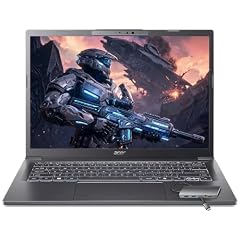
Acer Aspire Laptop 2026
- CPU
- Intel Core Ultra 7 258V
- RAM
- 32 GB
- Storage
- 1000 GB
- Screen
- 14 in
- Touchscreen
- Yes
- Weight
- 1.4 kg
- OS
- Windows 11 Home
$1,099.99 price as of 2026-10-09 17:20 UTC (Details)
The Aspire 14 states 32GB of RAM, 1TB of storage and a touchscreen in a 1.4kg frame. It gives a campus-hopping programmer a small Windows machine without dropping below the memory headroom that most 32GB picks here offer.
Pros
- 32GB of RAM with 1TB of storage
- 1.4kg, one of the lightest picks in this guide
- 14-inch touchscreen
- Windows 11 Home stated
Cons
- No discrete GPU stated by the seller
- 14-inch display is smaller than mid-size and large picks
- 1TB storage is adequate but not the 2TB or 4TB ceiling here
Good fit if
- Students and commuters who want 32GB in a small Windows laptop
- Web developers who keep one or two containers open while moving
Skip if
- Machine learning work that needs a discrete GPU
- A desk-based workflow that would benefit from 16 inches or more
Verdict: A compact Windows laptop with 32GB and 1TB for programmers on the move.
8 Only 48GB pick here
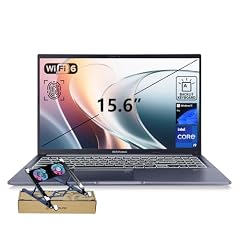
ASUS Vivobook 15 Laptop
- CPU
- Intel Core i9-13900H
- RAM
- 48 GB
- Storage
- 2000 GB
- Screen
- 15.6 in
- Touchscreen
- No
- Weight
- 1.7 kg
- OS
- Windows 11 Pro
$1,349.00 price as of 2026-10-09 17:21 UTC (Details)
The Vivobook 15 is the sole pick that states 48GB of RAM, sitting between the 32GB group and the 64GB trio. With 2TB of storage and a 15.6-inch screen, it is a strong candidate for local databases and several containers without needing a GPU.
Pros
- 48GB of RAM, unique in this guide
- 2TB of storage
- 15.6-inch screen at 1.7kg
- Windows 11 Pro stated
Cons
- No discrete GPU stated by the seller
- 1.7kg is heavier than the compact picks
- Touchscreen is not stated on this configuration
Good fit if
- Developers running many containers, VMs or local databases
- Users who want a lot of RAM and storage without GPU needs
Skip if
- GPU-accelerated local model work is required
- You need a lighter laptop for daily carrying
Verdict: A high-RAM, high-storage Windows pick for container-heavy development.
9 Tied for most RAM here

HP 17 Inch Laptop for Business
- CPU
- AMD Ryzen 5 7430U
- RAM
- 64 GB
- Storage
- 2000 GB
- Screen
- 17 in
$1,199.99 price as of 2026-10-09 17:21 UTC (Details)
The HP 17 states 64GB of RAM and 2TB of storage, tied for the top memory amount in this guide. It offers a 17-inch screen for code and data without stating a weight or OS, so it suits someone who plans to keep it plugged in at a desk.
Pros
- 64GB of RAM, tied for the most in this guide
- 2TB of storage
- 17-inch screen
- AMD Ryzen 5 7430U processor stated
Cons
- Weight is not stated by the seller
- Operating system is not stated by the seller
- No discrete GPU stated
Good fit if
- Data preparation and VM-heavy work that benefits from 64GB
- Developers who want a large screen and do not plan to carry it daily
Skip if
- You need a stated operating system before buying
- Portability depends on a stated weight
Verdict: A desk-bound 17-inch machine with the top RAM tier and 2TB of storage.
10 Tied for largest storage here

MECHREVO Dragon 15K 165HZ Gaming Laptop
- CPU
- AMD Ryzen 7 7445HS
- GPU
- RTX 4050
- RAM
- 64 GB
- Storage
- 4000 GB
- Screen
- 15.6 in
- Refresh
- 165 Hz
- Weight
- 2.1 kg
$899.99 price as of 2026-10-09 17:22 UTC (Details)
The Dragon 15K states 64GB of RAM and 4TB of storage, tying with the HYDROC for the largest drive in this guide. An RTX 4050 adds a discrete GPU, while the listing does not state an operating system.
Pros
- 64GB of RAM, tied for most in this guide
- 4TB of storage, tied for largest in this guide
- GeForce RTX 4050 discrete GPU
- 165Hz refresh rate stated
Cons
- Operating system is not stated by the seller
- 2.1kg, heavier than the ultraportable picks
- 15.6-inch screen is smaller than the 17 and 18-inch picks
Good fit if
- Developers who accumulate large datasets and container images
- Users who want 64GB and a discrete GPU on a 15.6-inch body
Skip if
- You need a stated operating system
- A lighter laptop matters more than 4TB
Verdict: The largest storage and a 64GB RAM tier make this a data-heavy Windows option.
11 Most graphics memory here

Eluktronics HYDROC 16 G2R RTX 5090 Gaming Laptop
- CPU
- Intel Core Ultra 9 290HX
- GPU
- RTX 5090
- GPU memory
- 24 GB
- RAM
- 64 GB
- Storage
- 4000 GB
- Screen
- 16 in
- Refresh
- 300 Hz
- Weight
- 2.83 kg
$6,999.00 price as of 2026-10-09 17:21 UTC (Details)
The HYDROC is the only pick that states dedicated graphics memory: 24GB on an RTX 5090, alongside 64GB of RAM and 4TB of storage. It is the machine to compare for local model work and large 3D scenes, with the trade-off of a 2.83kg frame.
Pros
- 64GB of RAM, tied for most in this guide
- 24GB of graphics memory, the most stated here
- 4TB of storage, tied for largest in this guide
- Windows 11 Pro stated
Cons
- 2.83kg, the heaviest weight in this guide
- 24GB of graphics memory and 4TB of storage exceed what many web projects need
- 16-inch screen is not the largest despite the heavy body
Good fit if
- Machine learning engineers who want maximum graphics memory
- Game engine developers working on large scenes locally
Skip if
- You carry the laptop daily
- Your work is mostly web or backend code without GPU tasks
Verdict: The maximum-spec pick here: 64GB, 4TB, RTX 5090 and 24GB of graphics memory.
12 Lightest 15.6-inch pick

Samsung Galaxy Book4 Edge Laptop
- CPU
- Qualcomm Snapdragon X
- RAM
- 16 GB
- Screen
- 15.6 in
- Weight
- 1.5 kg
- OS
- Windows 11 Home
$799.98 price as of 2026-10-09 17:23 UTC (Details)
The Galaxy Book4 Edge states Windows 11 Home, a Snapdragon X processor and 16GB of RAM in a 1.5kg 15.6-inch shell. It is the lightest 15.6-inch laptop in this guide, though the listing does not state the storage size in its specs.
Pros
- 1.5kg, the lightest 15.6-inch pick here
- 15.6-inch screen for code and browser space
- Windows 11 Home stated
- Qualcomm Snapdragon X processor stated
Cons
- Storage is not stated by the seller
- 16GB of RAM is the minimum used for this guide
- No discrete GPU stated
Good fit if
- Windows developers who want a large screen without the weight
- Commuters who prefer Windows over a smaller ultraportable
Skip if
- You need a stated internal storage size
- 32GB or more is required for your workflow
Verdict: A light 15.6-inch Windows laptop for programmers who prioritize screen size and weight.
13 Best touchscreen business pick

Dell 16 Touchscreen Business Laptop
- CPU
- Intel Core 7 150U
- RAM
- 32 GB
- Storage
- 1000 GB
- Screen
- 16 in
- Touchscreen
- Yes
- Weight
- 2 kg
- OS
- Windows 11 Pro
$1,399.98 price as of 2026-10-09 17:21 UTC (Details) Typical price: $2,599.99, 46% off
The Dell 16 Touchscreen combines 32GB of RAM, 1TB of storage, a 16-inch touchscreen and Windows 11 Pro in a middleweight 2kg body. It is a capable business-leaning option for developers who want a stated OS and plenty of RAM.
Pros
- 32GB of RAM and 1TB of storage
- 16-inch touchscreen
- Windows 11 Pro stated
- 2kg, mid-range weight for a 16-inch pick
Cons
- No discrete GPU stated by the seller
- 2kg is heavier than the 13 and 14-inch picks
- 1TB storage is less than the 2TB and 4TB picks
Good fit if
- Enterprise and systems developers who use Windows 11 Pro
- Developers who want a touchscreen with 32GB of RAM
Skip if
- GPU-accelerated machine learning is planned
- You need a lighter machine for daily carrying
Verdict: A 16-inch Windows 11 Pro touchscreen with 32GB and 1TB for business-minded developers.
14 Most compact discrete-GPU pick

Acer Predator Helios Neo 14 AI Gaming Laptop
- CPU
- Intel Core Ultra 9 285H
- GPU
- GeForce RTX 5070
- RAM
- 32 GB
- Storage
- 1000 GB
- Screen
- 14.5 in
- Refresh
- 165 Hz
- Weight
- 1.9 kg
$1,899.99 price as of 2026-10-09 17:20 UTC (Details)
The Predator Helios Neo 14 fits a GeForce RTX 5070 and 32GB of RAM into a 14.5-inch, 1.9kg body, the smallest screen among the picks with a discrete GPU. It covers GPU work while staying closer to ultraportable sizes.
Pros
- 32GB of RAM and GeForce RTX 5070
- 14.5-inch screen, the smallest with a discrete GPU here
- 1.9kg weight is portable for a GPU laptop
- 165Hz display stated
Cons
- Operating system is not stated by the seller
- Graphics memory is not stated by the seller
- 1TB storage is below the 2TB and 4TB options
Good fit if
- Developers who want GPU acceleration without a 16-inch gaming footprint
- Machine learning or 3D work that moves between sites
Skip if
- You need more than 1TB of storage
- You prefer a larger screen for desktop-style coding
Verdict: A compact GPU laptop that balances 32GB, RTX 5070 and portability.
Side by side
| # | Laptop | CPU | GPU | GPU memory | Rentable GPU model | RAM | Storage |
|---|---|---|---|---|---|---|---|
| 1 | Apple 2026 MacBook Air 13-inch Laptop with M5 chip | Apple M5 | not stated | not stated | not stated | 24 GB | 1000 GB |
| 2 | Acer Nitro V 16" WUXGA 165Hz Gaming Laptop | Intel Core 7 240H | GeForce RTX 5060 | not stated | not stated | 32 GB | 2000 GB |
| 3 | ASUS ROG Strix G18 | Intel Core i9 | GeForce RTX 5070 | not stated | not stated | 32 GB | 1000 GB |
| 4 | GIGABYTE AERO X16 | AMD Ryzen AI 9 HX 370 | GeForce RTX 5070 | not stated | not stated | 32 GB | 1000 GB |
| 5 | Microsoft Surface Laptop | Qualcomm Snapdragon X2 Elite | not stated | not stated | not stated | 16 GB | 1000 GB |
| 6 | Lenovo ThinkPad E16 | Intel Core Ultra 7 255H | not stated | not stated | not stated | 32 GB | not stated |
| 7 | Acer Aspire Laptop 2026 | Intel Core Ultra 7 258V | not stated | not stated | not stated | 32 GB | 1000 GB |
| 8 | ASUS Vivobook 15 Laptop | Intel Core i9-13900H | not stated | not stated | not stated | 48 GB | 2000 GB |
| 9 | HP 17 Inch Laptop for Business | AMD Ryzen 5 7430U | not stated | not stated | not stated | 64 GB | 2000 GB |
| 10 | MECHREVO Dragon 15K 165HZ Gaming Laptop | AMD Ryzen 7 7445HS | RTX 4050 | not stated | not stated | 64 GB | 4000 GB |
| 11 | Eluktronics HYDROC 16 G2R RTX 5090 Gaming Laptop | Intel Core Ultra 9 290HX | RTX 5090 | 24 GB | not stated | 64 GB | 4000 GB |
| 12 | Samsung Galaxy Book4 Edge Laptop | Qualcomm Snapdragon X | not stated | not stated | not stated | 16 GB | not stated |
| 13 | Dell 16 Touchscreen Business Laptop | Intel Core 7 150U | not stated | not stated | not stated | 32 GB | 1000 GB |
| 14 | Acer Predator Helios Neo 14 AI Gaming Laptop | Intel Core Ultra 9 285H | GeForce RTX 5070 | not stated | not stated | 32 GB | 1000 GB |
How we picked
The catalogue produced 433 priced listings that state 16GB of RAM or more, which became 60 pool entries after similar configurations were folded together. From that pool we selected 14 laptops that cover web, backend, data and machine learning, mobile, systems and student use. The rule for inclusion is the pool's group rule: only listings that state at least 16GB of memory, the smallest amount that leaves room for an editor, a browser and a container at once. Nobody at this site has used, tested or benchmarked any of these laptops. Every specification you see comes from the listing as provided, and prices are live: the page reads each listing price at the time shown next to it.
How to choose
What your editor, browser and containers ask of RAM
This guide only includes listings that state 16GB or more, the smallest amount that leaves room for an editor, a browser and a container at once. More RAM leaves more room for those to run side by side. Eleven of the 14 picks state 32GB or more, and three of those state 64GB. If you keep a database, several containers or virtual machines open, the 32GB and 64GB picks give you the most headroom.
When the GPU matters for code and when it does not
For plain web and backend work, a discrete GPU is not what the listing needs; integrated graphics or no stated GPU is enough for the kind of code those projects involve. For machine learning, local model work, and 3D or game engines, a discrete GPU matters, and the amount of graphics memory limits how large a model or scene the card can hold. Six of the 14 picks state a discrete GPU. Only one of those six states a graphics memory amount: 24GB on the HYDROC pick.
Storage for repositories, images and virtual machines
Repositories, dependencies, container images, virtual machine disks and datasets all take space. The storage amounts in this guide go from 1TB up to 4TB on the stated picks, and five picks reach 2TB or more. If you keep many container images or VM disks, the 2TB and 4TB options leave the most room. One pick does not state storage, and that is called out instead of guessed.
Screen size and weight when you carry it
Among the picks that state a weight, the range is 1.23kg to 2.83kg, and the screens run from 13 inches to 18 inches. Smaller screens are easier to carry; larger screens leave more room for code beside a browser. The Apple 13-inch at 1.23kg is the lightest, with the Surface 13.8-inch and Acer Aspire 14 close behind. The 16-inch picks such as the Dell Touchscreen and Gigabyte AERO sit in the middle, while the 17-inch and 18-inch picks are more desk-bound.
Operating system: macOS, Windows and what the listing states
The pool includes macOS and Windows laptops. Apple's development tools, including Xcode, run on macOS, so iOS and macOS development points to the MacBook Air pick. The Windows picks state Windows 11 Home or Windows 11 Pro; some of the picks, including the HP 17, the MECHREVO and the Predator, do not state an operating system, and those are flagged rather than guessed. ChromeOS is not part of this pool.
What this guide leaves out and why
This guide is built from catalogue specifications: RAM, CPU, GPU, storage, screen, weight and operating system. It does not cover keyboard comfort, trackpads, fan noise, heat, battery hours or Linux compatibility, because the catalogue does not state those and this site does not guess.
Questions
Does this guide cover keyboard feel or how a laptop runs Linux?
No. The catalogue lists RAM, CPU, GPU, storage, screen, weight and operating system, not keyboard comfort, trackpad behavior, fan noise, heat or Linux compatibility. This guide sticks to stated specifications. If a tool or operating system is not stated, we say so rather than guess.
How much RAM should a programmer look for?
The pool for this guide starts at 16GB because that is the smallest amount that leaves room for an editor, a browser and a container at once. More RAM leaves more room for a database, containers or virtual machines side by side. Three of the 14 picks state 64GB, the most here. We do not quote how much any tool uses because the catalogue does not state it.
Why does graphics memory matter for machine learning?
A discrete GPU can hold a local model or a 3D scene in graphics memory, and the amount of graphics memory limits how large that model or scene can be. One of the 14 picks states 24GB of graphics memory, the most in this guide. For plain web or backend work, a discrete GPU is not essential.
Can I do iOS development on a Windows laptop?
No. Apple's development tools, including Xcode, run on macOS, and the MacBook Air pick in this guide is the macOS system. The Windows picks have their stated Windows editions, but they are not configured for Apple's toolchain. If iOS or macOS development is your job, start with the Mac.
Why do some entries say a spec is not stated?
The catalogue often leaves fields blank, such as weight, operating system or storage for a few entries. This guide cannot fill in a missing number. When a spec is absent from the listing, the pick says not stated by the seller instead of estimating from the product name.
Are the prices on this page live?
Yes. The page shows each pick's listing price with the time it was read. Prices can change as listings update, so the guide does not compare prices in prose. The price beside each pick is the number to check at the moment you read it.
Recent updates
- : First published.