
Best Lightweight Laptops for Programming in 2026: 15 Picks by Specs
The Lenovo Gen 11 ThinkPad X1 Carbon is the top pick for programmers who carry a laptop all day: it is the lightest pick here at 1.12 kg, states 32GB of memory, and a 14-inch screen with Windows 11 Pro. It was chosen from a pool of 38 laptops whose listings state a weight of 1.5 kg or less and at least 16GB of RAM, using only the specs each seller states.
15 picks from 38 laptops that match this guide with a price we can quote today. Every price below is live and carries the moment it was read.
The picks at a glance
Which one should you buy?
- For a developer who carries the laptop to an office and back: The ThinkPad X1 Carbon is 1.12 kg, the lightest pick in this guide, with 32GB of memory for an editor, browser and a few containers at the same time. Its 14-inch screen is a familiar size for code without adding weight. See pick 1
- For a student whose coursework uses virtual machines: The Lenovo ThinkPad T14 states 64GB of RAM and 2TB of storage at 1.46 kg, so it can hold several VM disk images and keep them running side by side with an IDE and course materials. See pick 2
- For an iOS or macOS developer who wants a light Apple machine: The 13-inch MacBook Air at 1.23 kg runs macOS, which is where Apple's development tools run. The 24GB unified memory version leaves room for Xcode, a simulator and a browser at the same time. See pick 3
- For someone who writes code on the move and needs a 2-in-1: The Microsoft Surface Laptop at 1.36 kg with a touchscreen and 120Hz display keeps the bag light while offering a stated 1TB SSD for repositories and local containers. See pick 4
The 15 picks
1 Lightest pick

Lenovo Gen 11 ThinkPad X1 Carbon Laptop
- CPU
- Intel Core i7-1365U
- RAM
- 32 GB
- Screen
- 14 in
- Touchscreen
- No
- Weight
- 1.12 kg
- Battery
- 57 Wh
- OS
- Windows 11 Pro
$2,699.00 price as of 2026-10-09 17:22 UTC (Details)
At 1.12 kg it is the lightest laptop in this guide, which makes it the clearest answer for someone who carries a machine on public transit or between meeting rooms. It pairs that weight with 32GB of RAM and a 14-inch screen, a balance few listings here match. The listing does not state storage, so check that before you order if you need room for many repositories.
Pros
- 1.12 kg, the lightest weight in this list
- 32GB of RAM for an editor, browser and containers
- 14-inch screen with Windows 11 Pro
Cons
- Storage not stated by the seller
- No touchscreen stated
Good fit if
- A developer who prioritizes the lightest carry
- Someone who wants 32GB in a compact 14-inch machine
Skip if
- You need a stated large SSD or a second drive
- You want a touchscreen
Verdict: The lightest pick in the guide and one of the most practical for daily carry.
2 Most RAM here
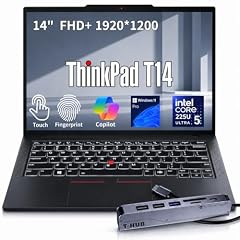
Lenovo ThinkPad T14 Business AI Laptop
- CPU
- Intel Core Ultra 5 225U
- RAM
- 64 GB
- Storage
- 2000 GB
- Screen
- 14 in
- Touchscreen
- Yes
- Weight
- 1.46 kg
- OS
- Windows 11 Pro
$2,149.00 price as of 2026-10-09 17:22 UTC (Details)
This ThinkPad T14 states 64GB of RAM, the most memory in this guide, plus 2TB of storage at 1.46 kg. For programmers who keep virtual machines, multiple toolchains or large local datasets open, that combination gives rare headroom in a laptop this light. The 14-inch touchscreen and Windows 11 Pro round out a machine aimed at business and development use.
Pros
- 64GB of memory, the most in this list
- 2TB of storage, tied for the largest in this list
- 14-inch touchscreen at 1.46 kg
Cons
- Heavier than several other picks here
- Smaller screen than 15.6-inch picks
Good fit if
- A developer running several VMs or large local databases
- Someone who wants one machine for code and coursework
Skip if
- You need the lightest possible bag
- 16GB would already cover your daily workflow and you prefer a lower-spec machine
Verdict: The highest-memory pick here for heavy local workloads in a portable body.
3 Best for iOS and macOS development
Apple 2026 MacBook Air 13-inch Laptop with M5 chip
- CPU
- Apple M5
- RAM
- 24 GB
- Storage
- 1000 GB
- Screen
- 13 in
- Weight
- 1.23 kg
- OS
- macOS
$1,599.00 price as of 2026-10-09 17:20 UTC (Details)
Apple's development tools run on Apple hardware, and this MacBook Air states macOS with the Apple M5 chip. At 1.23 kg and 13 inches, it is easy to carry, while 24GB of unified memory and 1TB of storage give a programmer room for a simulator, an editor and a browser. The smaller 13-inch screen is the trade-off for the light weight.
Pros
- macOS, so Apple's development tools are available
- 1.23 kg and 13-inch screen for light carry
- 24GB unified memory and 1TB storage
Cons
- 13-inch screen is the smallest in this guide
- Apple-only platforms, so not a Windows machine
Good fit if
- An iOS or macOS developer who wants Apple hardware
- A programmer who wants a light machine with a long list of stated specs
Skip if
- You need Windows-specific tooling or workflows
- You want a larger screen for side-by-side code
Verdict: A light macOS option with 24GB of memory for developers in the Apple ecosystem.
4 Best touchscreen pick

Microsoft Surface Laptop
- CPU
- Qualcomm Snapdragon X2 Elite
- RAM
- 16 GB
- Storage
- 1000 GB
- Screen
- 13.8 in
- Refresh
- 120 Hz
- Touchscreen
- Yes
- Weight
- 1.36 kg
- OS
- Windows 11
$1,599.99 price as of 2026-10-09 17:22 UTC (Details)
The Surface Laptop states a 13.8-inch touchscreen at 120Hz, 16GB of RAM, 1TB of storage and a 1.36 kg weight. The touchscreen and high refresh rate are useful when you switch between code, documentation and a browser, and the stated 1TB SSD provides room for repositories and container images. It is a Windows 11 machine with a Qualcomm Snapdragon X2 Elite processor.
Pros
- 13.8-inch touchscreen with 120Hz refresh rate
- 1TB storage stated
- 1.36 kg, near the middle of this guide's weight range
Cons
- 16GB of RAM, the entry level for this guide
- Windows on Snapdragon may be a consideration for your specific toolchain, which this guide cannot verify
Good fit if
- A developer who wants a touchscreen and a light machine
- Someone who wants 1TB storage in a 13.8-inch body
Skip if
- You want more than 16GB of RAM
- You prefer a non-touch screen to save weight or cost
Verdict: A solid Windows touchscreen laptop at a practical weight with 1TB of storage.
5 Best under $2000 for macOS
Apple 2026 MacBook Air 13-inch Laptop with M5 chip
- CPU
- Apple M5
- RAM
- 16 GB
- Storage
- 512 GB
- Screen
- 13 in
- Weight
- 1.23 kg
- OS
- macOS
$1,099.00 price as of 2026-10-09 17:20 UTC (Details)
This 13-inch MacBook Air is the 16GB version of the same M5 machine, with 512GB of storage and a 1.23 kg weight. It brings the starting MacBook Air configuration into this guide without the larger memory or storage of the 24GB version. For programmers who want Apple hardware and do not need 1TB, this is the lighter-spec sibling.
Pros
- macOS on the Apple M5 chip
- 1.23 kg, tied for the lightest Apple pick here
- 512GB storage stated
Cons
- 16GB of RAM and 512GB storage are the entry configuration
- 13-inch screen
Good fit if
- An iOS or macOS developer who wants a lighter-bag Apple machine
- Someone who does not need 24GB or 1TB
Skip if
- You expect to run several simulators or large local models
- You need more than 512GB of local storage
Verdict: A lighter-spec MacBook Air for programmers who want the Apple platform without extra memory and storage.
6 Best 13.8-inch Windows pick

Microsoft Surface Laptop 7 AI Copilot+ PC for Business
- CPU
- Qualcomm Snapdragon X Plus
- RAM
- 16 GB
- Storage
- 1000 GB
- Screen
- 13.8 in
- Refresh
- 120 Hz
- Touchscreen
- Yes
- Weight
- 1.34 kg
- OS
- Windows 11 Home
$1,079.99 price as of 2026-10-09 17:22 UTC (Details)
This Surface Laptop 7 states a 13.8-inch 2K+ touchscreen at 120Hz, 16GB of RAM, 1TB of storage and a 1.34 kg weight. It is one of two Surface Laptops in this guide with the same screen size, and its stated 1TB SSD gives more room than the 1.5TB model despite the lower model number. The Snapdragon X Plus processor and Windows 11 Home are in the listing.
Pros
- 1.34 kg with a 13.8-inch touchscreen
- 120Hz refresh rate stated
- 1TB storage stated
Cons
- 16GB of RAM is the guide's entry level
- Windows on Snapdragon compatibility depends on your toolchain and is not verified here
Good fit if
- A developer who wants a light touchscreen Windows laptop
- Someone who wants a 13.8-inch screen with 120Hz
Skip if
- You need 32GB or more of RAM
- You prefer a keyboard-first clamshell without touch
Verdict: A light, touch-friendly Surface for everyday programming with 1TB storage.
7 Largest storage among 13.8-inch Surfaces

Microsoft Surface Copilot+ PC Laptop
- CPU
- Qualcomm Snapdragon X Plus
- RAM
- 16 GB
- Storage
- 1500 GB
- Screen
- 13.8 in
- Touchscreen
- Yes
- Weight
- 1.34 kg
- OS
- Windows 11
$1,289.00 price as of 2026-10-09 17:22 UTC (Details)
This Surface Copilot+ PC states 1.5TB of storage, the most among the 13.8-inch Surface picks here, with 16GB of RAM and a 1.34 kg weight. It also has the same 120Hz touchscreen as the other Surface Laptop. The 13.8-inch size keeps the weight down while the larger SSD gives you more room for multiple projects and container images.
Pros
- 1.5TB storage, the most of any 13.8-inch pick here
- 120Hz touchscreen
- 1.34 kg weight
Cons
- 16GB of RAM
- Only one size of RAM option in the listing
Good fit if
- A programmer who wants more local storage in a light 13.8-inch body
- Someone who prefers a Surface-style touchscreen
Skip if
- You are set on 32GB or more memory
- You want a smaller SSD to reduce the price
Verdict: The highest-storage Surface-size pick for programmers who keep many local files and images.
8 Best 14-inch touchscreen with 32GB
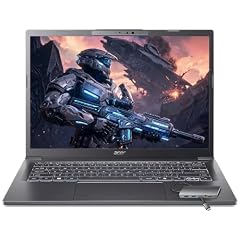
Acer Aspire Laptop 2026
- CPU
- Intel Core Ultra 7 258V
- RAM
- 32 GB
- Storage
- 1000 GB
- Screen
- 14 in
- Touchscreen
- Yes
- Weight
- 1.4 kg
- OS
- Windows 11 Home
$1,099.99 price as of 2026-10-09 17:20 UTC (Details)
The Acer Aspire states 32GB of RAM and 1TB of storage on a 14-inch touchscreen at 1.4 kg. It is one of the few picks here that combines a stated 32GB memory with a touchscreen and a 14-inch screen. The Intel Core Ultra 7 258V and Windows 11 Home are in the listing.
Pros
- 32GB of RAM with a 14-inch touchscreen
- 1TB storage stated
- 1.4 kg weight
Cons
- Heavier than the lightest picks
- No discrete GPU stated
Good fit if
- A developer who wants 32GB in a touchscreen 14-inch laptop
- Someone who wants a Windows machine with room for containers and local databases
Skip if
- You need a stated discrete GPU
- You want the lightest possible 14-inch machine
Verdict: A well-rounded 14-inch Windows touchscreen with 32GB and 1TB.
9 Most graphics memory here

Lenovo ThinkPad P14s Gen 7 AMD Ryzen AI 9 PRO 470
- CPU
- AMD Ryzen AI 9 PRO 470
- GPU
- Radeon 890M
- RAM
- 64 GB
- Storage
- 2000 GB
- Screen
- 14 in
- Refresh
- 60 Hz
- Weight
- 1.29 kg
- OS
- Windows 11 Pro
$3,199.00 price as of 2026-10-09 17:22 UTC (Details)
This ThinkPad P14s states 64GB of RAM, 2TB of storage, a Radeon 890M GPU and a 1.29 kg weight with a 14-inch touchscreen. It is one of the lightest high-memory picks in the guide and the only one with a stated Radeon 890M graphics chip. For local model work or 3D scenes, the amount of graphics memory on the stated GPU is what limits how large a model or scene the card can hold.
Pros
- 64GB of RAM and 2TB storage
- Stated Radeon 890M graphics
- 1.29 kg with a 14-inch touchscreen
Cons
- One of the higher-priced picks if you compare by specs alone
- 60Hz refresh rate stated
Good fit if
- A programmer doing local machine learning or 3D work
- Someone who wants a very light machine with maximum memory
Skip if
- You do not need a stated discrete-class GPU
- You want a higher refresh rate display
Verdict: A rare combination of 64GB memory, a stated Radeon GPU and a 1.29 kg body.
10 Best for 64GB Intel users

Lenovo ThinkPad P14s Gen 6 Intel Core Ultra 9 285H
- CPU
- Intel Core Ultra 9 285H
- RAM
- 64 GB
- Storage
- 2000 GB
- Screen
- 14.5 in
- Refresh
- 60 Hz
- Touchscreen
- No
- Weight
- 1.31 kg
- OS
- Windows 11 Pro
$2,899.00 price as of 2026-10-09 17:22 UTC (Details)
This ThinkPad P14s Gen 6 states an Intel Core Ultra 9 285H, 64GB of RAM, 2TB of storage and a 14.5-inch non-touch display at 1.31 kg. It gives Intel-focused developers the same 64GB and 2TB ceiling as the AMD P14s in this list. The 14.5-inch screen is slightly larger than the 14-inch ThinkPads while still weighing 1.31 kg.
Pros
- 64GB of RAM with an Intel Core Ultra 9
- 2TB storage
- 1.31 kg with a 14.5-inch screen
Cons
- 60Hz non-touch display stated
- No discrete GPU stated
Good fit if
- A programmer who prefers Intel and wants 64GB
- Someone who wants a slightly larger screen without much extra weight
Skip if
- You want a touchscreen
- You need a stated discrete GPU
Verdict: A high-memory Intel ThinkPad that stays under 1.31 kg.
11 Largest storage in this guide
Lenovo New Gen V-Series Business Laptop
- CPU
- Intel Core 7 240H
- RAM
- 64 GB
- Storage
- 4000 GB
- Screen
- 14 in
- Weight
- 1.37 kg
- Battery
- 47 Wh
- OS
- Windows 11 Pro
$1,699.99 price as of 2026-10-09 17:22 UTC (Details)
This Lenovo V-Series states 4TB of storage, the most in this guide, with 64GB of RAM and a 1.37 kg weight on a 14-inch screen. For a programmer who keeps many repositories, VM disks or datasets locally, that storage is a clear standout. The Intel Core 7 240H and Windows 11 Pro are in the listing.
Pros
- 4TB storage, the most of any pick here
- 64GB of RAM
- 1.37 kg with a 14-inch screen
Cons
- No touchscreen stated
- One of the heavier 14-inch picks here
Good fit if
- A developer who stores large projects and VM images locally
- Someone who wants maximum RAM and storage in a 14-inch body
Skip if
- You prefer a touchscreen
- 4TB is far more storage than you need and you want a lighter machine
Verdict: The largest-storage pick for programmers who work with very large local data.
12 Best Windows workstation balance

Lenovo ThinkPad P14s Gen 6 21QL0013US 14" Copilot+ PC Mobile Workstation
- CPU
- AMD Ryzen AI 7 PRO 350
- RAM
- 32 GB
- Storage
- 1000 GB
- Screen
- 14 in
- Weight
- 1.39 kg
- OS
- Windows 11 Pro
$1,737.99 price as of 2026-10-09 17:22 UTC (Details)
This ThinkPad P14s Gen 6 states 32GB of RAM, 1TB of storage and a 14-inch touchscreen at 1.39 kg, with the AMD Ryzen AI 7 PRO 350 and Windows 11 Pro. It is a balanced 14-inch workstation without the 64GB or 2TB of its siblings, making it a middle option in the ThinkPad P14s family here. The touchscreen and Copilot+ PC label are in the listing.
Pros
- 32GB of RAM with a 14-inch touchscreen
- 1TB storage
- 1.39 kg weight
Cons
- Less memory than the 64GB ThinkPads
- No discrete GPU stated
Good fit if
- A developer who wants a portable ThinkPad workstation with 32GB
- Someone who wants touch without the top-spec price
Skip if
- You need 64GB for VMs or datasets
- You want the lightest P14s in this guide
Verdict: A middle-ground ThinkPad P14s for programmers who want 32GB and a touchscreen.
13 Best 1.39 kg ThinkPad with 32GB
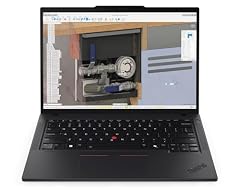
Lenovo Copilot+ PC ThinkPad P14s Gen 6 Mobile Workstation
- CPU
- AMD Ryzen AI 7 PRO 350
- RAM
- 32 GB
- Storage
- 1000 GB
- Screen
- 14 in
- Touchscreen
- No
- Weight
- 1.39 kg
- OS
- Windows 11 Pro
$1,679.00 price as of 2026-10-09 17:22 UTC (Details)
This ThinkPad P14s Gen 6 states 32GB of RAM and 1TB of storage at 1.39 kg with a 14-inch screen, the AMD Ryzen AI 7 PRO 350 and Windows 11 Pro. It shares the same chassis class as the other P14s picks but keeps to 32GB, which is enough for many programmers while staying lighter than the 64GB versions. The listing also marks it as a Copilot+ PC.
Pros
- 32GB of RAM and 1TB storage
- 1.39 kg weight
- Windows 11 Pro with a 14-inch screen
Cons
- No touchscreen stated
- Same 14-inch size as several lighter picks
Good fit if
- A business programmer who wants a light ThinkPad with 32GB
- Someone who wants a Copilot+ PC without the top memory
Skip if
- You want a touchscreen
- You need more than 1TB of storage
Verdict: A lighter 32GB ThinkPad for daily Windows development.
14 Best 14-inch Windows workstation

Dell Precision 3490 Mobile Workstation Laptop
- CPU
- Intel Core Ultra 5 135H
- RAM
- 32 GB
- Storage
- 1000 GB
- Screen
- 14 in
- Weight
- 1.4 kg
- OS
- Windows 11 Pro
$1,299.99 price as of 2026-10-09 17:21 UTC (Details)
The Dell Precision 3490 states 32GB of RAM, 1TB of storage and a 14-inch screen at 1.4 kg with Windows 11 Pro. It is a mobile workstation-class listing without a stated discrete GPU, which keeps the weight lower. The Intel Core Ultra 5 135H is in the listing.
Pros
- 32GB of RAM and 1TB storage
- 1.4 kg with a 14-inch screen
- Windows 11 Pro stated
Cons
- No discrete GPU stated
- Weight is at the upper end of the 14-inch picks
Good fit if
- A developer who wants 32GB in a 14-inch Windows laptop
- Someone who prefers a workstation-style listing
Skip if
- You need a stated discrete GPU
- You want a lighter 14-inch machine
Verdict: A solid 32GB Windows workstation that stays within the lightweight rule.
15 Best entry ThinkPad workstation

Lenovo ThinkPad P14s Mobile Workstation Laptop
- CPU
- Intel Core i5-1135G7
- RAM
- 16 GB
- Storage
- 512 GB
- Screen
- 14 in
- Weight
- 1.47 kg
- OS
- Windows 11 Pro
$1,199.99 price as of 2026-10-09 17:22 UTC (Details)
This ThinkPad P14s states 16GB of RAM and 512GB of storage at 1.47 kg with a 14-inch screen and Windows 11 Pro. It is the entry configuration in the P14s family here, with an Intel Core i5-1135G7. For programmers who do not need 32GB or more, it is the lower-spec path to a ThinkPad workstation in this guide.
Pros
- Windows 11 Pro with a 14-inch screen
- 1.47 kg weight
- ThinkPad workstation listing
Cons
- 16GB of RAM and 512GB storage are the guide's entry levels
- Older Intel Core i5-1135G7 in the listing
Good fit if
- A programmer starting out who wants a 14-inch ThinkPad
- Someone who does not need 32GB yet
Skip if
- You already run many containers or VMs and need more RAM
- You want more than 512GB of storage
Verdict: A lighter and lower-spec ThinkPad workstation for more casual coding needs.
Side by side
| # | Laptop | CPU | GPU | GPU memory | Rentable GPU model | RAM | Storage |
|---|---|---|---|---|---|---|---|
| 1 | Lenovo Gen 11 ThinkPad X1 Carbon Laptop | Intel Core i7-1365U | not stated | not stated | not stated | 32 GB | not stated |
| 2 | Lenovo ThinkPad T14 Business AI Laptop | Intel Core Ultra 5 225U | not stated | not stated | not stated | 64 GB | 2000 GB |
| 3 | Apple 2026 MacBook Air 13-inch Laptop with M5 chip | Apple M5 | not stated | not stated | not stated | 24 GB | 1000 GB |
| 4 | Microsoft Surface Laptop | Qualcomm Snapdragon X2 Elite | not stated | not stated | not stated | 16 GB | 1000 GB |
| 5 | Apple 2026 MacBook Air 13-inch Laptop with M5 chip | Apple M5 | not stated | not stated | not stated | 16 GB | 512 GB |
| 6 | Microsoft Surface Laptop 7 AI Copilot+ PC for Business | Qualcomm Snapdragon X Plus | not stated | not stated | not stated | 16 GB | 1000 GB |
| 7 | Microsoft Surface Copilot+ PC Laptop | Qualcomm Snapdragon X Plus | not stated | not stated | not stated | 16 GB | 1500 GB |
| 8 | Acer Aspire Laptop 2026 | Intel Core Ultra 7 258V | not stated | not stated | not stated | 32 GB | 1000 GB |
| 9 | Lenovo ThinkPad P14s Gen 7 AMD Ryzen AI 9 PRO 470 | AMD Ryzen AI 9 PRO 470 | Radeon 890M | not stated | not stated | 64 GB | 2000 GB |
| 10 | Lenovo ThinkPad P14s Gen 6 Intel Core Ultra 9 285H | Intel Core Ultra 9 285H | not stated | not stated | not stated | 64 GB | 2000 GB |
| 11 | Lenovo New Gen V-Series Business Laptop | Intel Core 7 240H | not stated | not stated | not stated | 64 GB | 4000 GB |
| 12 | Lenovo ThinkPad P14s Gen 6 21QL0013US 14" Copilot+ PC Mobile Workstation | AMD Ryzen AI 7 PRO 350 | not stated | not stated | not stated | 32 GB | 1000 GB |
| 13 | Lenovo Copilot+ PC ThinkPad P14s Gen 6 Mobile Workstation | AMD Ryzen AI 7 PRO 350 | not stated | not stated | not stated | 32 GB | 1000 GB |
| 14 | Dell Precision 3490 Mobile Workstation Laptop | Intel Core Ultra 5 135H | not stated | not stated | not stated | 32 GB | 1000 GB |
| 15 | Lenovo ThinkPad P14s Mobile Workstation Laptop | Intel Core i5-1135G7 | not stated | not stated | not stated | 16 GB | 512 GB |
How we picked
We picked from a pool of 38 laptops whose listings state a weight of 1.5 kg or less and at least 16GB of RAM. The rule keeps the focus on machines light enough for a daily commute or campus walk while leaving room for an editor, a browser, containers and virtual machines. We then organized the shortlist around the stated specs: memory, storage, screen size, weight, operating system, CPU and any stated graphics memory. Nobody on this site tested or measured the laptops. Every specification comes from the product listing, and the prices shown on the page are live prices read from the store at the time the page loads.
How to choose
What your editor, browser and containers ask of RAM
The listings in this guide state between 16GB and 64GB of RAM. A code editor, a browser with documentation and several tabs, a local database, and containers or virtual machines can all sit in memory at the same time. More RAM leaves more room for these to run side by side before you need to close something.
If you regularly run Docker containers or VMs, a pick with 32GB or 64GB gives you more headroom. If your work is mostly an editor and a browser, 16GB is enough for many developers, but the 32GB and 64GB options in this guide are there for when that combination starts to feel tight.
When the GPU matters for code and when it does not
Most programming tasks do not depend on a discrete GPU; an editor, compiler and browser are CPU and memory workloads. The GPU becomes relevant when you work on machine learning, local model inference, 3D graphics or game engines. The amount of graphics memory a card has limits how large a model or scene the card can hold, as a general fact.
Only one pick in this guide, the Lenovo ThinkPad P14s Gen 7 with a stated Radeon 890M, lists a named GPU model. If your work needs a discrete GPU, look for a listing that states one. If not, the integrated graphics in most modern chips are enough for everyday programming.
Storage for repositories, images and virtual machines
The picks here state storage from 256GB to 4TB. A programming laptop can fill storage quickly with cloned repositories, package caches, container images, virtual machine disks and datasets. Larger SSDs give you more room to keep several projects and environments local.
If you work with VMs or containers, the 1TB to 4TB options in this guide are worth attention. If you mostly work in the cloud and clone small repos, 512GB may be enough. Remember that the page's listed storage is what the seller states; a laptop with no storage listed, like the lightest ThinkPad X1 Carbon here, needs a check before you order.
Screen size and weight when you carry it
All picks in this guide state a weight of 1.5 kg or less. The lightest is the ThinkPad X1 Carbon at 1.12 kg; the heaviest are several 15.6-inch models at 1.5 kg. A lighter laptop is easier to carry to an office, class or cafe, but it often comes with a smaller screen.
Screen sizes in the pool range from 13 inches to 15.6 inches. A 14-inch screen is a common balance between portability and room for code, while a 13-inch or 13.8-inch screen keeps the weight down. If you frequently pair an editor with a browser, decide whether you want the larger screen or the lightest bag.
Operating system and your target platform
The listings state macOS, Windows 11, Windows 11 Home or Windows 11 Pro. Your operating system choice affects which development tools are directly available. Apple's development tools run on Apple hardware, so iOS and macOS development points to the MacBook Air picks; for Windows-targeted work, the Windows 11 listings are the relevant ones.
This guide does not assess Linux compatibility or whether a specific tool runs on any machine. The catalog lists the operating system the seller states, and that is what we use. Choose the OS that matches your daily workflow and the platforms you build for.
What this guide leaves out (and why)
The catalogue for this guide contains the specifications shown in each listing. It does not include information about how a machine feels to use, how long the battery lasts in practice, or whether a specific tool or operating system will work well on it. This site does not guess at those details.
This guide answers which lightweight laptops with at least 16GB of RAM are available and how they compare on stated specs. For details that require using a machine, you will need to rely on the manufacturer's published information or your own trial.
Questions
Is 16GB of RAM enough for programming in a lightweight laptop?
Yes for many developers. Visual Studio Code's stated requirements recommend 1GB of RAM, though a real editor session with a browser, terminals and a local server uses more. The 16GB picks in this guide are the entry level; 32GB and 64GB options give more headroom for containers, virtual machines and large local databases. If you regularly run several of those at once, choose a 32GB or 64GB pick.
Does this guide cover Linux compatibility or dual boot?
No. The catalog only states the operating system that ships with the laptop, such as Windows 11 or macOS. It gives no data about whether a laptop runs Linux well, whether drivers support a distro, or how dual boot behaves. This site does not guess about those things. If Linux support matters to your workflow, use the manufacturer's support pages and community documentation before choosing.
Why do some picks have no storage or GPU listed?
Every specification in this guide comes from the seller's listing. If a listing does not state the storage capacity or a graphics card, we mark it as not stated by the seller rather than guessing. The ThinkPad X1 Carbon, for example, is the lightest pick but the listing does not include its SSD size. Before buying, check the full product listing for the missing specs.
Can these laptops handle machine learning or local models?
Some can, depending on the stated graphics. General programming does not need a discrete GPU, but local model work benefits from graphics memory, and the amount of graphics memory limits how large a model or scene the card can hold. In this guide, the Lenovo ThinkPad P14s Gen 7 states a Radeon 890M; the other picks do not state a discrete GPU. We do not promise that any tool or framework will run.
Which pick is best for iOS development?
The MacBook Air picks state macOS, which is the OS required for Apple's development tools. The 24GB version with 1TB storage gives more memory and disk for Xcode, simulators and a browser. If you need less, the 16GB version with 512GB is the lighter-spec sibling. For Windows-targeted development, choose one of the Windows 11 picks instead.
How much do these laptops weigh?
All picks weigh 1.5 kg or less according to the listings. The lightest is the Lenovo ThinkPad X1 Carbon at 1.12 kg. Several 13-inch MacBook Air models state 1.23 kg, the Surface Laptops state 1.34 to 1.36 kg, and the 14-inch ThinkPads range from 1.29 to 1.47 kg. The 15.6-inch models in the pool state 1.5 kg.
Recent updates
- : First published.