
Best MSI Programming Laptops in 2026: 12 Picks by Specs
The Katana 15 HX is the first MSI laptop to consider for programming: 32GB of RAM, a 1TB NVMe drive and a 15.6-inch screen leave room for an editor, a browser and containers to run side by side. This guide covers 12 MSI laptops from a catalogue snapshot that matched 15 listings with 16GB of RAM or more. No unit was tested; every claim is based on the specifications stated by the seller and on the maker's published information.
12 picks from 15 laptops that match this guide with a price we can quote today. Every price below is live and carries the moment it was read.
The picks at a glance
Which one should you buy?
- For a React developer with a browser, an editor and a container open: The Katana 15 HX's 32GB of RAM and 1TB drive leave room for a dev server, a local database and several browser tabs. The 15.6-inch screen keeps the setup portable. See pick 2
- For a machine learning engineer who works with local models: The Titan 18's 24GB of graphics memory is the most in this list, which determines how large a local model or dataset the GPU can hold. Its 64GB of system RAM leaves room for data loading and preprocessing at the same time. See pick 12
- For a student who carries the laptop between campus and a cafe: The Cyborg A15 AI is the lightest pick here at 1.95kg and still has 16GB of RAM and a 1TB drive. That is enough to keep coursework, an editor and a browser together on the go. See pick 6
- For a backend developer running several virtual machines: The Vector A16 HX offers 64GB of RAM, the most available on this list, which leaves headroom for several VMs or containers side by side. The RTX 5080 with 16GB of graphics memory is useful if the same machine also handles local model work. See pick 7
The 12 picks
1 Big-screen 16GB option
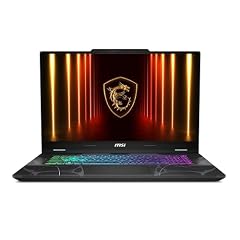
msi Cyborg 17 17.3" FHD 144Hz Gaming Laptop
- GPU
- GeForce RTX 5060
- RAM
- 16 GB
- Storage
- 1000 GB
- Screen
- 17.3 in
- Refresh
- 144 Hz
- Weight
- 2.49 kg
- OS
- Windows 11 Home
$1,567.07 price as of 2026-10-09 17:22 UTC (Details)
The Cyborg 17 is the large-screen entry in the 16GB tier. It pairs a 17.3-inch display with a 1TB SSD and a GeForce RTX 5060. The 2.49kg weight is higher than the Cyborg A15, but the larger panel gives more room for code and documentation side by side.
Pros
- 17.3-inch screen, the largest in the 16GB group
- 1TB SSD for a full project workspace
- 16GB of RAM, the floor for this guide
Cons
- 2.49kg, heavier than the Cyborg A15
- Graphics memory for the RTX 5060 is not stated by the seller
- Windows 11 Home rather than Windows 11 Pro
Good fit if
- A developer who wants a big screen without moving to an 18-inch model
- Someone who does not need to carry the laptop every day
Skip if
- A programmer who carries the laptop often; the Cyborg A15 is 1.95kg
- One who wants more than 16GB for containers and virtual machines
Verdict: The Cyborg 17 is a spacious 17.3-inch MSI option for programmers who value screen area over portability.
2 Best balance for day-to-day programming

msi Katana 15 HX 15.6” 165Hz QHD+ Gaming Laptop
- CPU
- Intel Core i9-14900HX
- GPU
- GeForce RTX 5070
- RAM
- 32 GB
- Storage
- 1000 GB
- Screen
- 15.6 in
- Refresh
- 165 Hz
- Weight
- 2.25 kg
- OS
- Windows 11 Home
$2,189.74 price as of 2026-10-09 17:22 UTC (Details)
The Katana 15 HX combines 32GB of RAM, a 1TB SSD and a 15.6-inch screen in a 2.25kg chassis. It has more memory than the 16GB Cyborg and Thin models, while staying noticeably lighter than the 18-inch Crosshair and Titan picks.
Pros
- 32GB of RAM, above the 16GB floor
- 1TB NVMe SSD for repositories and containers
- 15.6-inch screen and 2.25kg weight for a portable build
Cons
- Windows 11 Home instead of Windows 11 Pro
- Graphics memory for the RTX 5070 is not stated by the seller
- 1TB drive is smaller than the 2TB Vector and Crosshair options
Good fit if
- A developer who wants one machine for code, containers and occasional GPU work
- Someone who needs 32GB without carrying an 18-inch model
Skip if
- A developer who needs 64GB for several virtual machines
- Anyone who wants the lightest option in this list
Verdict: The Katana 15 HX is the most rounded MSI laptop for everyday programming.
3 Entry configuration with 16GB and 512GB

msi Thin 15 15.6” 144Hz FHD Gaming Laptop
- CPU
- Intel Core i7-13620H
- GPU
- GeForce RTX 4050
- RAM
- 16 GB
- Storage
- 512 GB
- Screen
- 15.6 in
- Refresh
- 144 Hz
- OS
- Windows 11
$1,099.98 price as of 2026-10-09 17:22 UTC (Details)
The Thin 15 is the smallest storage pick in this guide: 16GB of RAM and a 512GB SSD. It is a straightforward Windows machine for lighter editor-and-browser work, with a GeForce RTX 4050 adding a discrete GPU. The seller does not state a weight, so the guide cannot compare it on that spec.
Pros
- 16GB of RAM, the floor for this guide
- 512GB SSD is the smallest drive among the picks
- 15.6-inch screen with a 144Hz refresh rate
Cons
- Only 512GB of storage for repositories and container images
- The listing states DDR4 rather than DDR5
- Weight is not stated by the seller
Good fit if
- A student or developer who wants a Windows machine for lighter workloads
- Someone who mostly writes code in an editor and does not run heavy local services
Skip if
- Anyone who plans to keep several large container images or VM disks locally
- A developer who wants more than 16GB for side-by-side services
Verdict: A sensible entry MSI pick for lighter programming workloads, with storage as the main limit.
4 32GB with 16GB of graphics memory
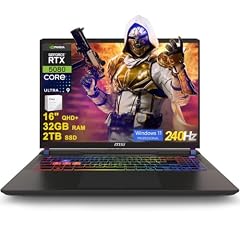
msi Vector 16 HX AI Gaming Laptop 16" QHD+ IPS 240Hz Intel 24-core Ultra
- CPU
- Intel Core Ultra 9 275HX
- GPU
- GeForce RTX 5080
- GPU memory
- 16 GB
- RAM
- 32 GB
- Storage
- 2000 GB
- Screen
- 16 in
- Refresh
- 240 Hz
- OS
- Windows 11 Pro
$2,969.08 price as of 2026-10-09 17:22 UTC (Details)
The Vector 16 HX AI Gaming carries 32GB of RAM, 2TB of storage and a GeForce RTX 5080 with 16GB of graphics memory. That combination suits a developer who wants room for local model work and large datasets on a 16-inch chassis.
Pros
- 32GB of RAM and 2TB of storage
- RTX 5080 with 16GB of graphics memory, tied for the most on a 16-inch pick
- Windows 11 Pro
Cons
- 2.7kg, heavier than the Cyborg A15
- 1TB and 4TB Vector configs offer more or less storage elsewhere in this guide
- 16-inch screen is smaller than the 18-inch Crosshair and Titan
Good fit if
- A developer who runs local machine learning experiments and wants 16GB of graphics memory
- Someone who needs Windows 11 Pro and a 2TB drive
Skip if
- A programmer who wants the lightest carry; the Cyborg A15 is 1.95kg
- One who needs more than 32GB for several virtual machines
Verdict: The Vector 16 HX AI Gaming is the 16-inch pick for GPU-heavy work with 32GB of RAM.
5 18-inch screen with 16GB and 2TB

msi Crosshair 18 HX AI Gaming Laptop 18" QHD+ 240Hz 100% DCI-P3 Intel
- CPU
- Intel Core Ultra 9 275HX
- GPU
- GeForce RTX 5070
- GPU memory
- 8 GB
- RAM
- 16 GB
- Storage
- 2000 GB
- Screen
- 18 in
- Refresh
- 240 Hz
- Weight
- 3.1 kg
$2,139.00 price as of 2026-10-09 17:22 UTC (Details)
The Crosshair 18 brings an 18-inch screen to the 16GB tier. It has 2TB of storage and a GeForce RTX 5070 with 8GB of graphics memory. The 3.1kg weight is heavier than every 16-inch pick, but the display is the largest in this guide.
Pros
- 18-inch screen, the largest size in this guide
- 2TB SSD for bulky project data
- Windows 11 Pro
Cons
- 3.1kg, heavier than all 16-inch picks
- 16GB RAM is the floor of this guide
- 8GB of graphics memory is less than Vector models with 16GB
Good fit if
- A developer who keeps the laptop on a desk and wants the largest code canvas
- Someone who needs 2TB of storage with an 18-inch display
Skip if
- A programmer who carries the laptop daily
- One who wants more than 16GB of RAM
Verdict: The Crosshair 18 is the big-screen MSI option for developers who prefer an 18-inch panel.
6 Lightest here

msi Cyborg A15 AI 15.6” FHD 144Hz Thin & Light Gaming Laptop
- CPU
- AMD Ryzen 7 260
- GPU
- GeForce RTX 5050
- RAM
- 16 GB
- Storage
- 1000 GB
- Screen
- 15.6 in
- Refresh
- 144 Hz
- Weight
- 1.95 kg
- OS
- Windows 11
$1,220.00 price as of 2026-10-09 17:22 UTC (Details)
The Cyborg A15 is the lightest laptop in this guide at 1.95kg. It still includes 16GB of RAM and a 1TB drive, making it a practical choice for class, a coworking space or a cafe.
Pros
- Lightest laptop here at 1.95kg
- 16GB of RAM and a 1TB SSD
- 15.6-inch screen with a 144Hz display
Cons
- 16GB RAM is the floor of this list
- Graphics memory for the RTX 5050 is not stated by the seller
- Windows 11 rather than Windows 11 Pro
Good fit if
- A student who carries the laptop between classes
- A developer who wants a light, 15.6-inch Windows machine
Skip if
- A developer who needs more than 16GB for containers or VMs
- Someone who wants a discrete GPU with stated graphics memory
Verdict: The Cyborg A15 is the pick to start with when weight matters most.
7 64GB with a 16GB GPU

msi Vector A16 HX 16" QHD+ 240Hz Gaming Laptop
- CPU
- AMD Ryzen 9 8940HX
- GPU
- GeForce RTX 5080
- GPU memory
- 16 GB
- RAM
- 64 GB
- Storage
- 2000 GB
- Screen
- 16 in
- Refresh
- 240 Hz
- Weight
- 2.7 kg
$3,348.99 price as of 2026-10-09 17:22 UTC (Details)
The Vector A16 HX pairs 64GB of RAM with a GeForce RTX 5080 that has 16GB of graphics memory. That leaves room for several virtual machines or containers and for local model workloads on the same machine.
Pros
- 64GB of RAM, tied for the most in this guide
- RTX 5080 with 16GB of graphics memory
- Windows 11 Pro and 2TB SSD
Cons
- 2.7kg, heavier than the Cyborg A15
- No option above 2TB storage in this configuration
- 16-inch screen is smaller than the 18-inch Crosshair and Titan
Good fit if
- A backend developer running multiple VMs or containers
- A developer who does local ML work and wants 64GB of system RAM
Skip if
- A programmer who wants the largest possible screen; the Crosshair and Titan are 18 inches
- Anyone who needs more than 2TB of internal storage
Verdict: The Vector A16 HX is the 16-inch MSI laptop for heavy multitasking with 64GB of RAM.
8 32GB with 12GB of graphics memory

msi Vector 16 HX AI 16" 240Hz QHD+ Gaming Laptop
- CPU
- AMD Ryzen 9 8940HX
- GPU
- GeForce RTX 5070 Ti
- GPU memory
- 12 GB
- RAM
- 32 GB
- Storage
- 1000 GB
- Screen
- 16 in
- Refresh
- 240 Hz
- Weight
- 2.7 kg
$2,399.99 price as of 2026-10-09 17:22 UTC (Details)
The Vector 16 HX AI with the AMD Ryzen 9 8940HX offers 32GB of RAM and a GeForce RTX 5070 Ti with 12GB of graphics memory. Its 1TB drive is smaller than the 2TB Vector models, but the screen size and 2.7kg weight are the same.
Pros
- 32GB of RAM and a GeForce RTX 5070 Ti with 12GB of graphics memory
- 1TB SSD for a full workspace
- 16-inch screen with 240Hz refresh rate
Cons
- 1TB drive is smaller than the 2TB Vector configs
- Windows 11 rather than Windows 11 Pro
- 2.7kg, heavier than the Cyborg A15
Good fit if
- A developer who wants 32GB and a 12GB GPU in a 16-inch chassis
- Someone who does not need more than 1TB of local storage
Skip if
- A programmer who needs 2TB or more for large datasets
- Anyone who prefers Windows 11 Pro on a 16-inch MSI laptop
Verdict: The Vector 16 HX AI with the AMD processor is a solid 32GB choice for GPU-assisted development.
9 Largest SSD here

msi Vector 16 HX AI 16" QHD+ 240Hz Gaming Laptop
- CPU
- Intel Core Ultra 9 275HX
- GPU
- GeForce RTX 5080
- GPU memory
- 16 GB
- RAM
- 64 GB
- Storage
- 4000 GB
- Screen
- 16 in
- Refresh
- 240 Hz
- Weight
- 2.7 kg
$6,699.00 price as of 2026-10-09 17:22 UTC (Details)
The Vector 16 HX AI with 64GB of RAM and 4TB of storage has the largest drive in this guide. It also has a GeForce RTX 5080 with 16GB of graphics memory, leaving room for large repositories, container images and model checkpoints.
Pros
- Largest SSD in this guide: 4TB
- 64GB of RAM, tied for the most
- RTX 5080 with 16GB of graphics memory and Windows 11 Pro
Cons
- 2.7kg, heavier than the Cyborg A15
- 16-inch screen is smaller than the 18-inch Crosshair and Titan
- The 4TB drive may be more capacity than many developers need
Good fit if
- A developer who keeps many large repositories, VM disks or datasets locally
- Someone who wants maximum RAM and storage in a 16-inch chassis
Skip if
- A programmer who carries the laptop daily and prefers a lighter build
- One who does not need 4TB of internal storage and could use a smaller drive
Verdict: The Vector 16 HX AI is the pick when storage capacity is the top priority.
10 18-inch screen with 32GB and a stated weight

msi Crosshair 18 HX AI Gaming Laptop 18" QHD+ 240Hz 100% DCI-P3 Intel
- CPU
- Intel Core Ultra 9 275HX
- GPU
- GeForce RTX 5070
- GPU memory
- 8 GB
- RAM
- 32 GB
- Storage
- 1000 GB
- Screen
- 18 in
- Refresh
- 240 Hz
- Weight
- 3.1 kg
$2,149.99 price as of 2026-10-09 17:22 UTC (Details)
The Crosshair 18 with 32GB of RAM and 1TB of storage is the 18-inch configuration that still states its weight at 3.1kg. It pairs that memory with 8GB of graphics memory on the RTX 5070, which is less than the 16GB Vector cards.
Pros
- 32GB of RAM in an 18-inch chassis
- Windows 11 Pro
- 1TB SSD and a stated weight of 3.1kg
Cons
- 1TB drive is smaller than the 2TB Crosshair 18
- 3.1kg, heavier than all 16-inch picks
- 8GB of graphics memory is less than the 16GB Vector cards
Good fit if
- A developer who wants an 18-inch screen with 32GB of RAM
- Someone who prefers Windows 11 Pro on a large-screen machine
Skip if
- A programmer who needs a lighter laptop for daily carry
- One who wants more than 8GB of graphics memory for local model work
Verdict: The Crosshair 18 with 32GB is a reasonable choice when an 18-inch display and 32GB of RAM are both important.
11 64GB in an 18-inch chassis

MSI Crosshair 18 HX AI Gaming Laptop 18" QHD+ 240Hz
- CPU
- Intel Core Ultra 9 275HX
- GPU
- GeForce RTX 5070
- GPU memory
- 8 GB
- RAM
- 64 GB
- Storage
- 1000 GB
- Screen
- 18 in
- Refresh
- 240 Hz
- OS
- Windows 11
$2,499.00 price as of 2026-10-09 17:22 UTC (Details)
The Crosshair 18 with 64GB of RAM and 1TB of storage is the MSI 18-inch model for developers who want maximum system memory without moving to the Titan. Its GPU is the same RTX 5070 with 8GB of graphics memory as the other Crosshair 18 configurations, and the seller does not state a weight.
Pros
- 64GB of RAM, tied for the most in this guide
- 18-inch screen for side-by-side code and documentation
- 1TB SSD in a large-screen chassis
Cons
- Only 1TB of storage; some 16-inch Vector models offer 2TB or 4TB
- 8GB of graphics memory, less than the Titan's 24GB
- Weight is not stated by the seller
Good fit if
- A developer who wants 64GB of RAM and the largest screen size available
- Someone who needs many containers or VMs on an 18-inch machine
Skip if
- A programmer who needs a lighter laptop; the seller does not list a weight for this configuration
- One who wants more than 8GB of graphics memory for local model work
Verdict: The Crosshair 18 with 64GB is for programmers who prize system memory and screen size over portability.
12 Most graphics memory here

msi Titan 18" Gaming Laptop
- CPU
- Intel Core Ultra 9 290HX
- GPU
- GeForce RTX 5090
- GPU memory
- 24 GB
- RAM
- 64 GB
- Storage
- 2000 GB
- Screen
- 18 in
- Refresh
- 120 Hz
- Weight
- 3.6 kg
$7,699.00 price as of 2026-10-09 17:22 UTC (Details)
The Titan 18 is the top of the MSI range in this guide: 64GB of RAM, a GeForce RTX 5090 with 24GB of graphics memory, and 2TB of storage. The 18-inch screen and 3.6kg weight make it the least portable pick, but it has the most graphics memory of any laptop here.
Pros
- Most graphics memory here: 24GB on the RTX 5090
- 64GB of RAM, tied for the most
- Windows 11 Pro and 2TB SSD
Cons
- 3.6kg, the heaviest pick in this guide
- 18-inch screen and high-end GPU make it the least portable option
- Refresh rate of 120Hz is lower than several 240Hz picks
Good fit if
- A machine learning developer who wants maximum graphics memory for local models
- Someone who does not need to carry the laptop and wants a top-spec MSI workstation
Skip if
- A programmer who carries the laptop regularly
- One who wants a 240Hz display or a lighter 16-inch chassis
Verdict: The Titan 18 is the MSI pick for developers who need the most graphics memory, at the cost of portability.
Side by side
| # | Laptop | CPU | GPU | GPU memory | Rentable GPU model | RAM | Storage |
|---|---|---|---|---|---|---|---|
| 1 | msi Cyborg 17 17.3" FHD 144Hz Gaming Laptop | not stated | GeForce RTX 5060 | not stated | not stated | 16 GB | 1000 GB |
| 2 | msi Katana 15 HX 15.6” 165Hz QHD+ Gaming Laptop | Intel Core i9-14900HX | GeForce RTX 5070 | not stated | not stated | 32 GB | 1000 GB |
| 3 | msi Thin 15 15.6” 144Hz FHD Gaming Laptop | Intel Core i7-13620H | GeForce RTX 4050 | not stated | not stated | 16 GB | 512 GB |
| 4 | msi Vector 16 HX AI Gaming Laptop 16" QHD+ IPS 240Hz Intel 24-core Ultra | Intel Core Ultra 9 275HX | GeForce RTX 5080 | 16 GB | not stated | 32 GB | 2000 GB |
| 5 | msi Crosshair 18 HX AI Gaming Laptop 18" QHD+ 240Hz 100% DCI-P3 Intel | Intel Core Ultra 9 275HX | GeForce RTX 5070 | 8 GB | not stated | 16 GB | 2000 GB |
| 6 | msi Cyborg A15 AI 15.6” FHD 144Hz Thin & Light Gaming Laptop | AMD Ryzen 7 260 | GeForce RTX 5050 | not stated | not stated | 16 GB | 1000 GB |
| 7 | msi Vector A16 HX 16" QHD+ 240Hz Gaming Laptop | AMD Ryzen 9 8940HX | GeForce RTX 5080 | 16 GB | not stated | 64 GB | 2000 GB |
| 8 | msi Vector 16 HX AI 16" 240Hz QHD+ Gaming Laptop | AMD Ryzen 9 8940HX | GeForce RTX 5070 Ti | 12 GB | not stated | 32 GB | 1000 GB |
| 9 | msi Vector 16 HX AI 16" QHD+ 240Hz Gaming Laptop | Intel Core Ultra 9 275HX | GeForce RTX 5080 | 16 GB | not stated | 64 GB | 4000 GB |
| 10 | msi Crosshair 18 HX AI Gaming Laptop 18" QHD+ 240Hz 100% DCI-P3 Intel | Intel Core Ultra 9 275HX | GeForce RTX 5070 | 8 GB | not stated | 32 GB | 1000 GB |
| 11 | MSI Crosshair 18 HX AI Gaming Laptop 18" QHD+ 240Hz | Intel Core Ultra 9 275HX | GeForce RTX 5070 | 8 GB | not stated | 64 GB | 1000 GB |
| 12 | msi Titan 18" Gaming Laptop | Intel Core Ultra 9 290HX | GeForce RTX 5090 | 24 GB | not stated | 64 GB | 2000 GB |
How we picked
This guide is built from a catalogue snapshot taken on 2026-10-09. The filter asked for MSI laptops that state 16GB of RAM or more, and 15 priced listings matched. To keep the list readable, the guide sets aside a few listings that repeat the same model with only small configuration changes, leaving 12 picks. No one at this site tested, benchmarked or used these laptops. The selection is based on the specifications the seller states: RAM, CPU, GPU and graphics memory, storage, screen size, weight and operating system. When a listing does not state a specification, the guide says so instead of guessing. Prices are live and are read from the listing when the page loads, so the guide compares specs rather than dollar amounts.
How to choose
What your editor, browser and containers ask of RAM
Every pick here starts at 16GB of RAM. That is enough to keep an editor, a browser with several tabs and a local development server open at once. Moving to 32GB leaves more room for a local database, containers or a virtual machine running beside them. The 64GB models in this guide leave the most headroom when several of those workloads run at the same time. RAM is the specification that most directly affects how many things you can keep in memory, so choose as much as the rest of the build allows.
When the GPU matters for code and when it does not
A discrete GPU is not needed for most web, backend or mobile code. It becomes relevant for local machine learning work, 3D engines and game development. The amount of graphics memory limits how large a model or scene the GPU can hold. In this guide, graphics memory ranges from 8GB to 24GB across the picks that state it. If the GPU is a secondary concern, a machine with 16GB or 32GB of RAM and a smaller SSD may serve you just as well.
Storage for repositories, images and virtual machines
Source repositories, package caches, container images, virtual machine disks and datasets all take up space on the SSD. The picks here start at 512GB and go up to 4TB. For a single project, 512GB may be fine. If you keep several environments or large data files, look for 1TB or more. The 4TB Vector model is the largest drive in this guide.
Screen size and weight when you carry it
Screens in this guide range from 15.6 inches to 18 inches. Larger screens leave more room for code next to a browser, but they usually come with heavier builds. The lightest pick is the 15.6-inch Cyborg A15 at 1.95kg. The 18-inch Crosshair and Titan models are the heaviest. If you carry the laptop daily, check the stated weight and screen size together; if it stays on a desk, an 18-inch panel can be worth the extra weight.
What this guide leaves out (and why)
The catalogue used for this guide records specifications, not subjective qualities. This guide does not guess at those qualities. It also does not report performance results, because no unit was tested. The picks are chosen from the specifications the seller states, plus the maker's published information. For details beyond specifications, check the seller listing and the manufacturer's page after you narrow down a model.
Operating system: Windows 11 and Windows 11 Pro
The MSI laptops here list Windows 11 or Windows 11 Pro. Windows 11 Pro appears on several pick configurations, including the Vector and Crosshair models. The seller's listing is the place to confirm which edition is included, along with any updates the manufacturer may have published. This guide reports what the listing states and does not judge whether one edition is better for programming.
Questions
Does this guide cover user experience or Linux compatibility?
No. The catalogue used for this guide contains specifications such as RAM, storage, GPU, screen size and weight, but it does not include data on subjective qualities of the machine. This site does not guess at those qualities. If those matter to you, check the seller listing and the manufacturer's specifications after you narrow down a model.
Why does RAM matter for a programming laptop?
Programmers often run an editor, a browser with many tabs, a local database and a container or virtual machine at the same time. More RAM leaves more room for these to run side by side. The pick you choose in this guide is based on how many of those workloads you expect to run together. No guide can tell you an exact amount without knowing your workflow.
Is a discrete GPU necessary for code?
Most web, backend and mobile development does not require a discrete GPU. A GPU becomes relevant when you train or run local machine learning models, work in 3D engines, or build games. The amount of graphics memory limits how large a model or scene the GPU can hold. This guide notes which picks list graphics memory, and which do not state it.
Can I run Docker Desktop on these Windows laptops?
These MSI laptops list Windows 11 or Windows 11 Pro, and Docker Desktop has published installation instructions for Windows. This guide cannot promise that any tool will run on a specific configuration because it has not tested the laptops. Check the Docker documentation and the laptop's specifications to confirm hardware support before buying.
Why are some specifications not stated by the seller?
The catalogue is built from the seller's listings. When a listing does not include a value, such as weight or graphics memory, the guide says not stated by the seller rather than inventing a number. That is safer than guessing and still lets you compare the specifications that are present. You can often find the missing details on the manufacturer's spec page.
How are these picks different from a general laptop list?
This guide chooses MSI laptops that state at least 16GB of RAM and then compares them on the specifications that affect programming: RAM for side-by-side services, GPU memory for local models, storage for repositories and images, and screen and weight for carrying. The personas and advice are written with a programmer's workflow in mind.
Recent updates
- : First published.